This project provides an open-source IP-KVM solution.
Related article:
English Version By Google Translate
- Merged to main the CH9329 adapter driver option from ciaoly
- Changed to ustreamer from mjpg_streamer
KVM Over IP (IP-KVM) is a hardware based solution for remote access to your computer or server.
The unit plugs into the Keyboard, Video and Mouse ports of a computer or server and transmits those to a connected user through a network.
- RD software requires a working OS, and must be pre-configured. It often fails in an emergency situation
- IP-KVM is out-of-band, so it can be used to install OS, setup BIOS or fix low-level issues
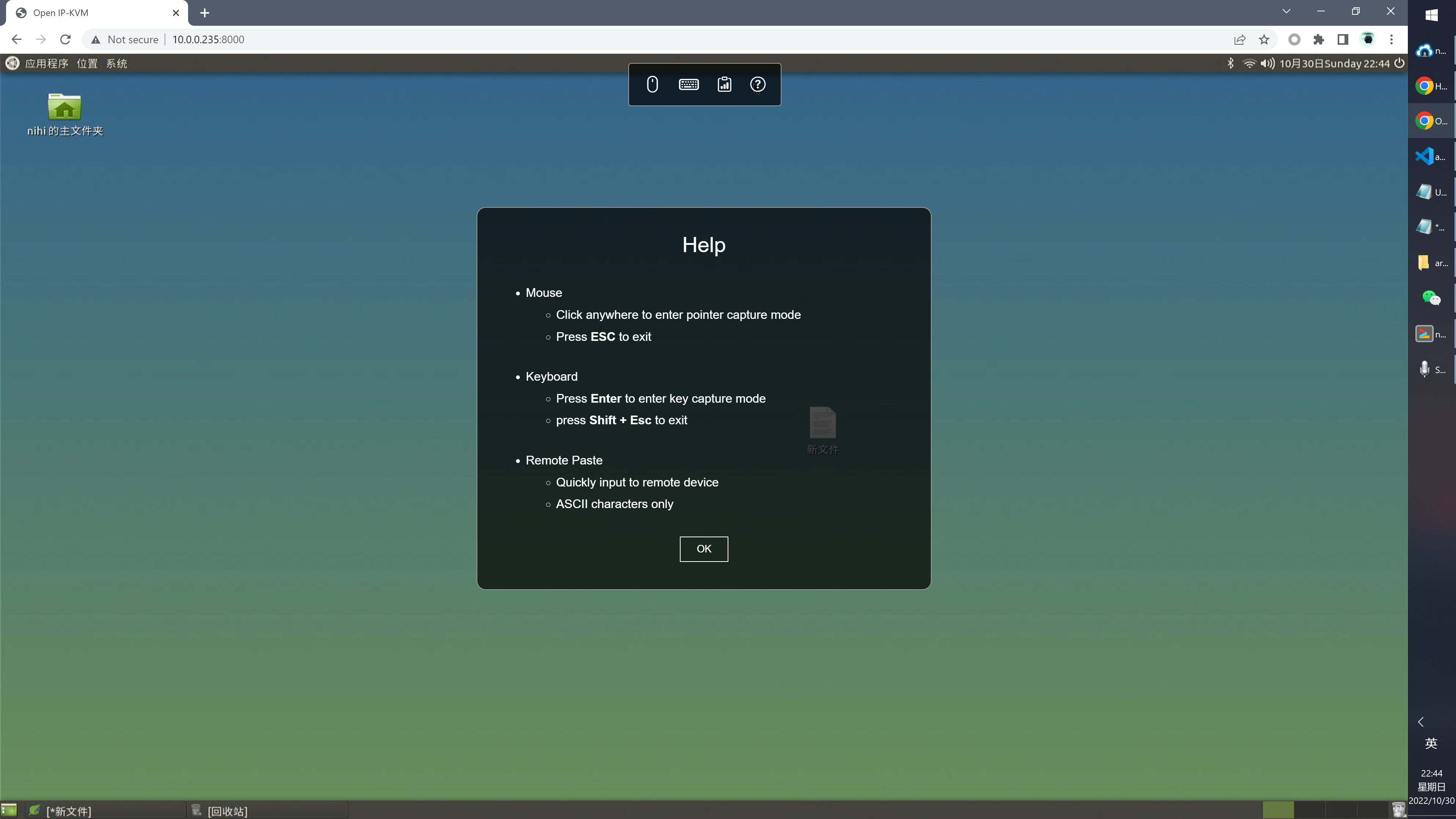
- Web browser as client
- 1080P 30fps video stream
- Full mouse & keyboard support
- UI Indicator
- Remote Paste: Input ASCII sequence
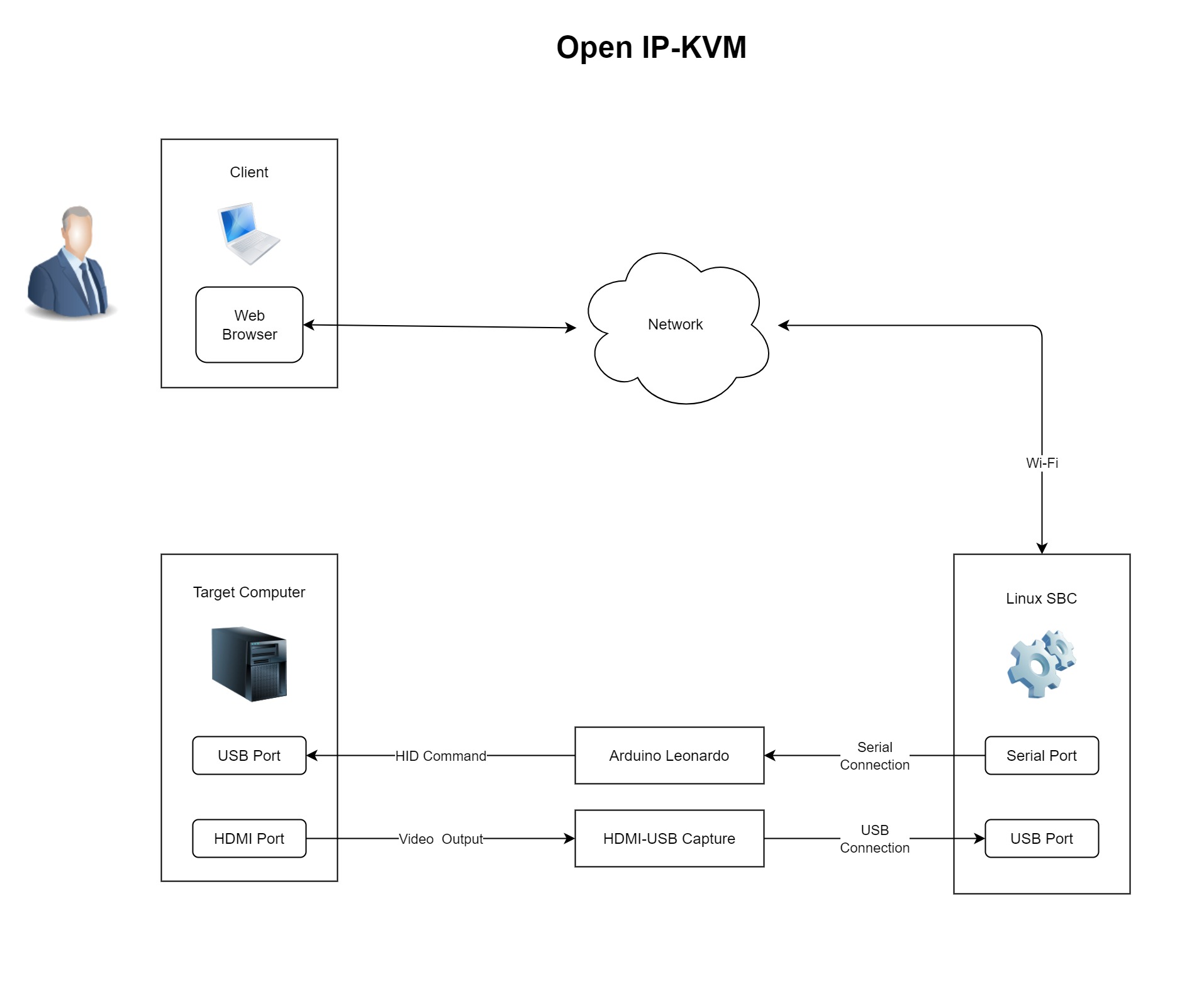
- HDMI-USB capture device
- Recommendation:
MS2109based devices link - Input: Up to 4K 30FPS
- Output: Up to 1080P 30FPS @ MJPEG
- Recommendation:
- Linux single-board computer (x86_64 also works)
- Recommendation:
Phicomm N1, Raspberry Pi 4 or other models, - Recent linux kernel
- 2+ USB ports
- Recommendation:
- Adapter to Emulate HID (mouse and keyboard) (Either)
- Arduino Leonardo link
- CH9329 Cable / Adapter
- Optional
- USB-to-TTL Adapter
- If linux sbc has no built-in serial port
- Recommendation:
PL2303HX
- USB Wi-Fi Adapter
- If linux sbc has no built-in Wi-Fi
- USB-to-TTL Adapter
Upload program
- Download and install Arduino IDE on your PC.
- Connect leonardo to PC via USB
- Download arduino code file virt-hid-arduino.ino, Open it with Arduino IDE, then click
Sketch/Upload (Ctrl + U) - Disconnect leonardo USB
Reference: How to connect serial port
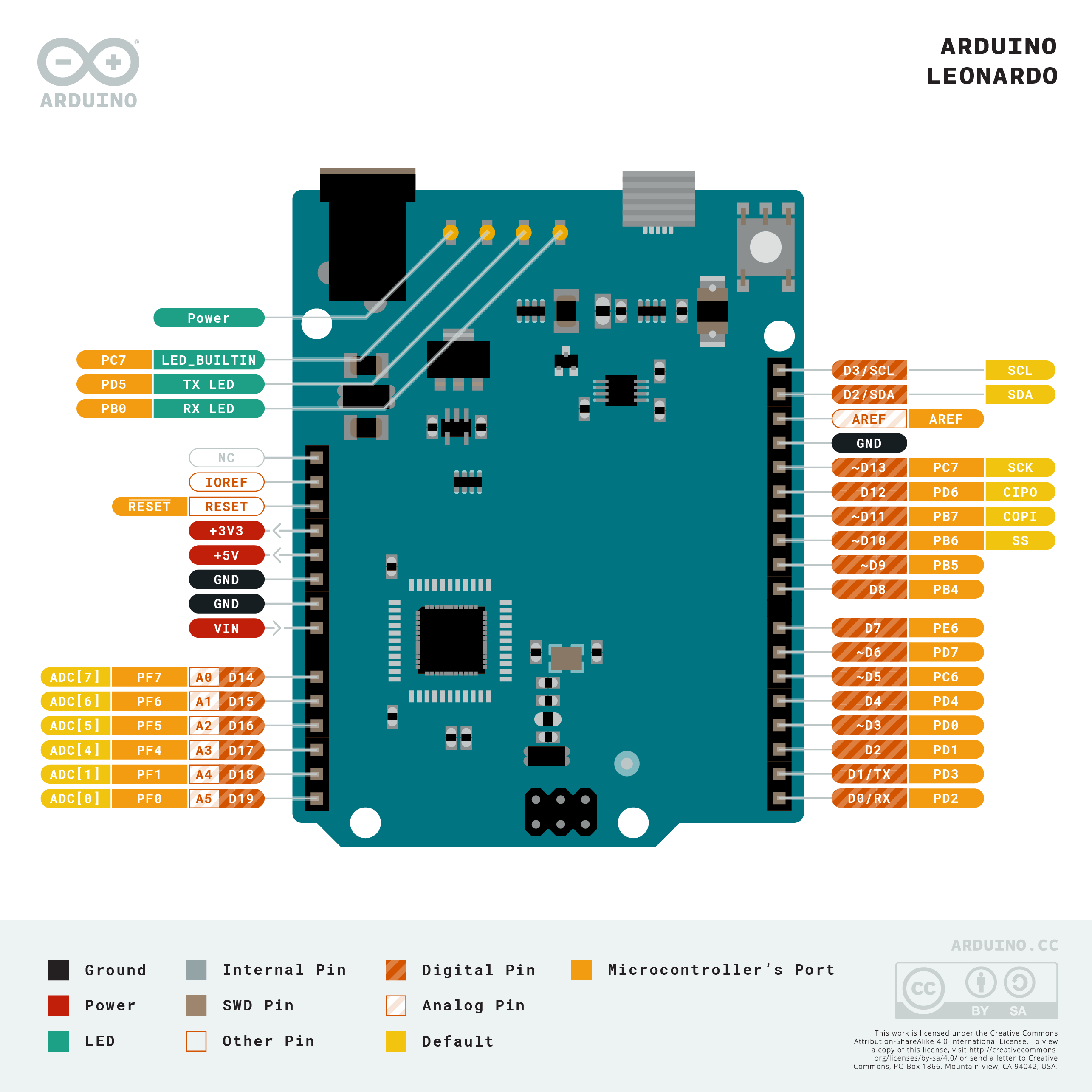
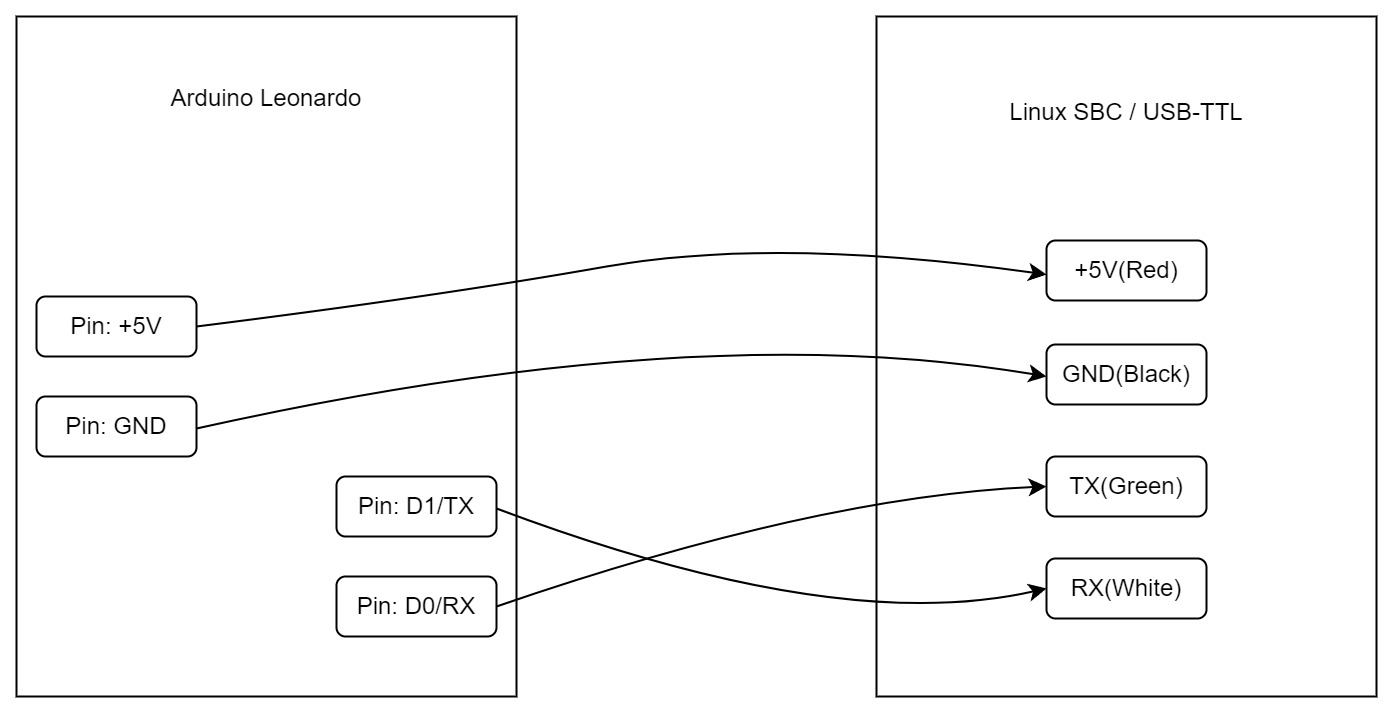
SSH to linux SBC with your pc.
Deploy App and Dependency on Linux SBC
- Install ustreamer
- Many current distros have package installers for ustreamer
- ustreamer gihub
- Install Node.js 14.x+
- Clone repo and install its dependency
git clone https://github.com/hamMUSings/open-ip-kvmcd open-ip-kvm && npm install
Connect IO and edit config
- Connect IO
- HDMI-USB capture device via USB
- Arduino Leonardo OR CH9329 via native serial port or USB-TTL adapter
- Edit
open-ip-kvm/server/config.jsonustreamer.device: path of HDMI-USB capture deviceserialport: path of serial port- `driverName': CH9329 OR arduino-leonard
- Connect HDMI output of target computer to HDMI-USB capture device
- Connect target computer to leonardo OR CH9329 via USB
- Run
cd open-ip-kvm && npm run starton linux SBC - Turn on target computer
- Open
http://[IP of Linux SBC]:8000in web browser
How to control
- Mouse
- Click anywhere to enter
pointer capturemode - Press
ESCto exit
- Click anywhere to enter
- Keyboard
- Press
Enterto enterkey capturemode - press
Shift + ESCto exit
- Press
MIT
For production environment, use Pi-KVM