This module is designed for authors of UI frameworks which aim to provide an SVG Icon library in a tree shakable way.
To make SVGs tree shakeable its a good way to export them as string constants. Of course you don't always want to regenerate all the strings by hand. That's where svg-to-ts comes in.
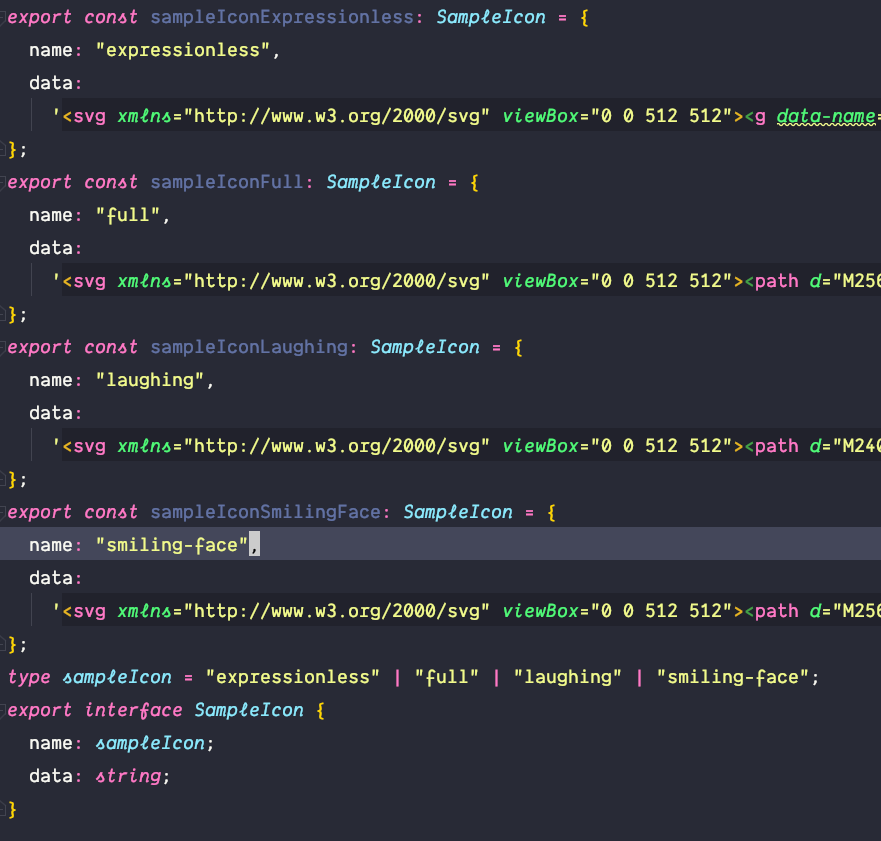
This library generates a Typescript file with your svg definitons. The file will be generated in the following format:
- For each SVG file we generate a const with a
nameand adataproperty. - We generate the types which match the name properties of the SVGS. This types are helpful to ensure the user adds only known icons
- We generate an interface to ensure the structure of each SVG constant
Additonally we also optimize the SVG icons with the help of the svgo package. To optimize the SVG we use the following configurations.
- cleanupAttrs
- removeDoctype
- removeXMLProcInst
- removeComments
- removeMetadata
- removeTitle
- removeDesc
- removeUselessDefs
- removeEditorsNSData
- removeEmptyAttrs
- removeHiddenElems
- removeEmptyText
- removeEmptyContainers
- removeViewBox
- cleanupEnableBackground
- convertStyleToAttrs
- convertColors
- convertPathData
- convertTransform
- removeUnknownsAndDefaults
- removeNonInheritableGroupAttrs
- removeUselessStrokeAndFill
- removeUnusedNS
- cleanupIDs
- cleanupNumericValues
- moveElemsAttrsToGroup
- moveGroupAttrsToElems
- collapseGroups
- removeRasterImages
- mergePaths
- convertShapeToPath
- sortAttrs
- removeDimensions
The CLI can be used with the tsvg command. This command accepts the following arguments.
| -v | --version | output the version number |
|---|---|---|
| -t | --typeName | name of the generated type (myIcons) |
| -p | --prefix | prefix for the generated svg constants (myIcon) |
| -i | --interfaceName | name for the generated interface (MyIcon) |
| -f | --fileName | file name of the generated file (default: "my-icons") |
| -s | --srcDirectory | name of the source directory (default: ".") |
| -o | --outputDirectory | name of the output directory (default: "./dist") |
| -h | --help | output usage information |
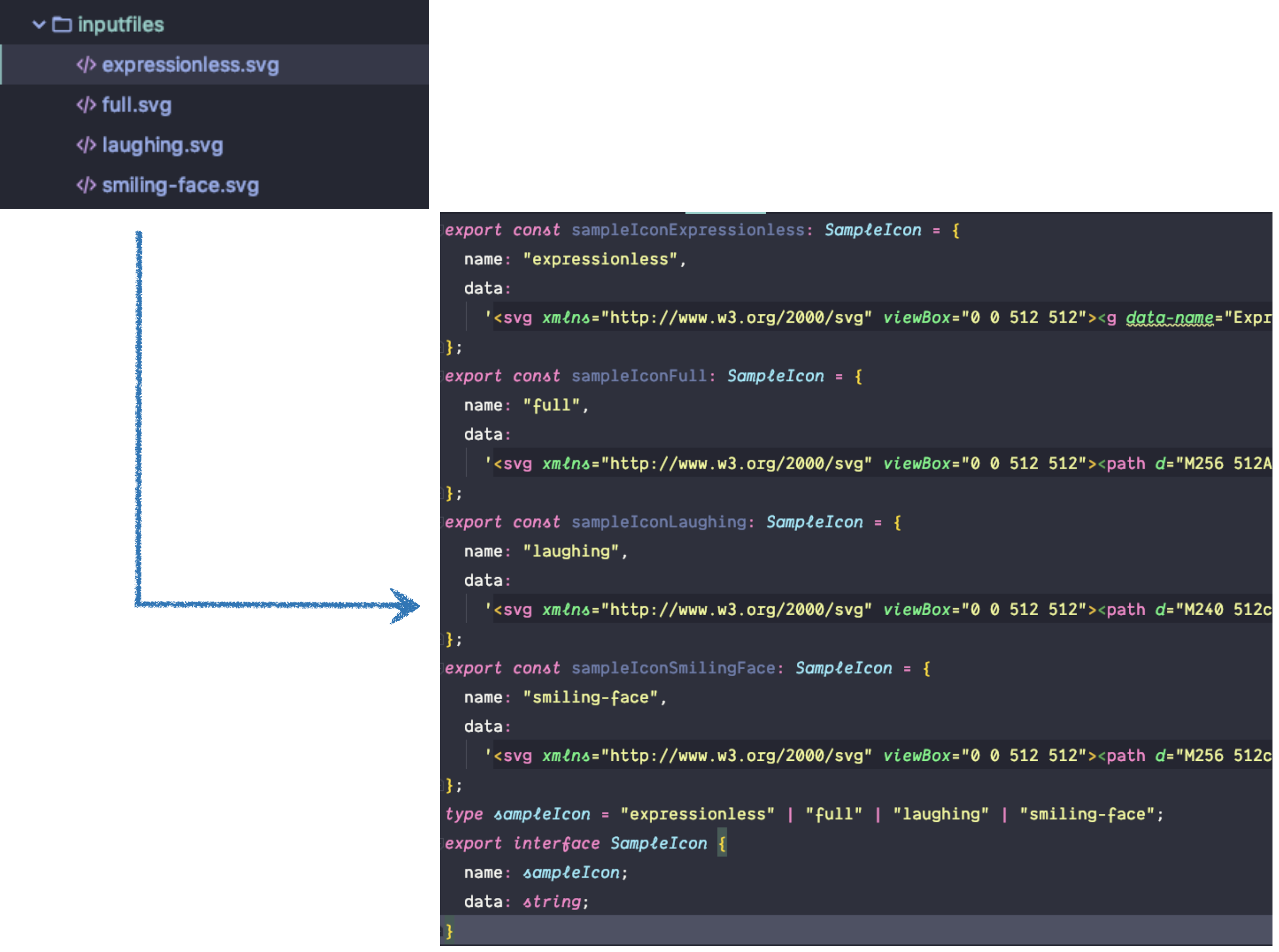
Let's say we have the following four svg files in a inputfiles folder.
- expressionless.svg
- full.svg
- laughing.svg
- smiling-face.svg
We can now run
svg-to-ts.ts -s ./inputfiles -o ./dist -t sampleIcon -i SampleIcon -p sampleIcon
and we end up with the following file in our dist folder.