Tools for parsingdata/metal
Live demo available at: gertjanal.github.io/metal-tools
The package metal-tools-jshexviewer contains a HexViewer, written in HTML.
This hexviewer highlights all Metal Def tokens from a ParseGraph. For example, in the test a byte array is added with a string;
length + data: stream(7, 'G', 'e', 'r', 't', 'j', 'a', 'n');
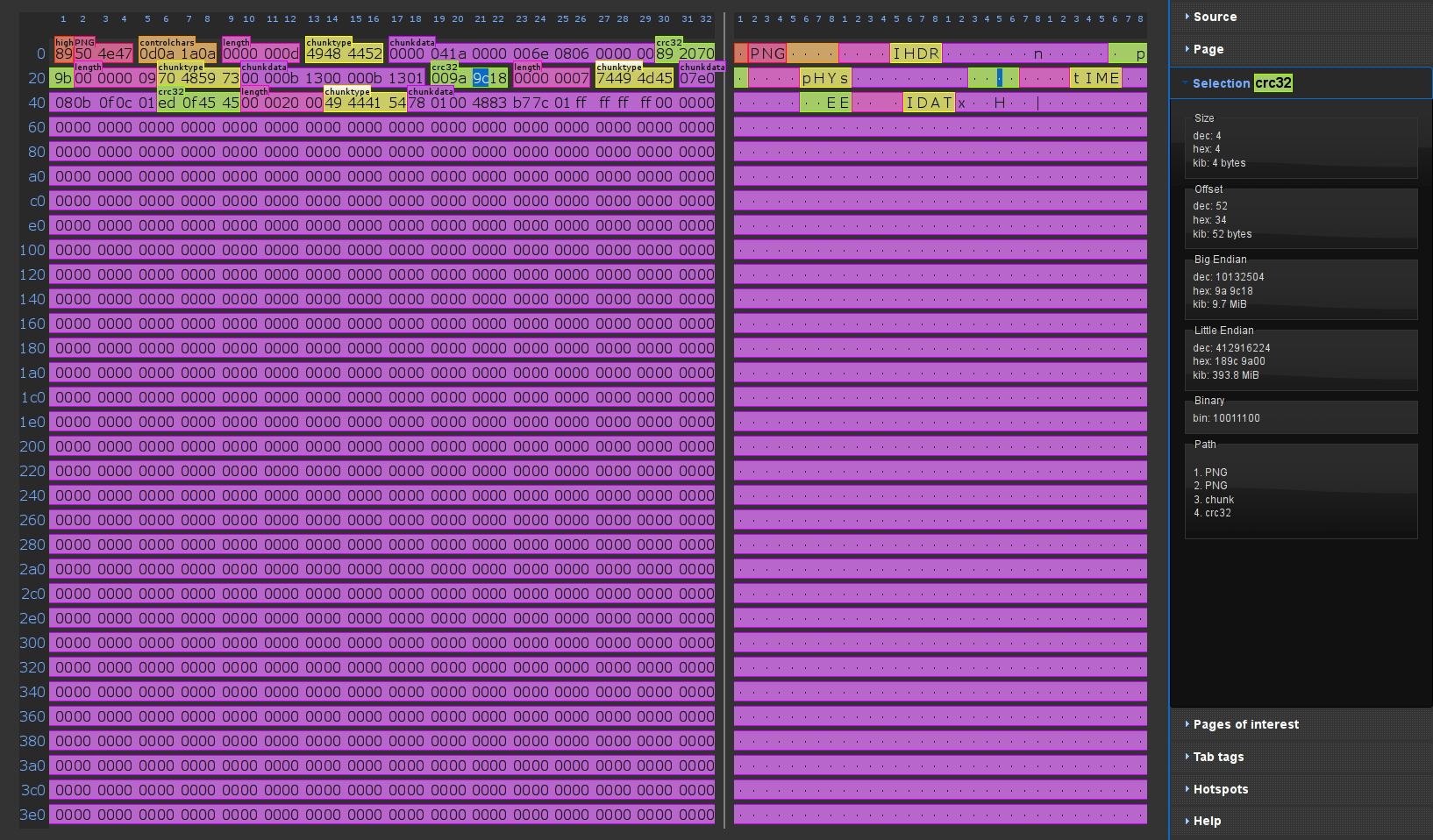
Using JsHexViewer.generate(result.environment.order);, the following hexviewer is generated:

Note that after opening the hexviewer webpage, you need to browse to the source data to view the bytes.
Below is a screenshot of the hexviewer with the screenshot_data.png from the previous example as input. As you can see this hexviewer is newer than the example above. It has more features, like bookmarking definitions.
Simply create a test class to call the parse of the graph and generate a hexviewer page.
@Test
public void generate() throws Exception {
    final Environment env = EnvironmentFactory.stream(getClass().getResource("/data.zip").toURI());
    final Optional<ParseState> result = ZIP.FORMAT.parse(env);
    if (result.isEmpty()) {
        fail("Parse failed");
    }
    JsHexViewer.generate(result.get().order, "zip");
}The package metal-tools-jstree contains a generator for a Javascript tree, written in D3.
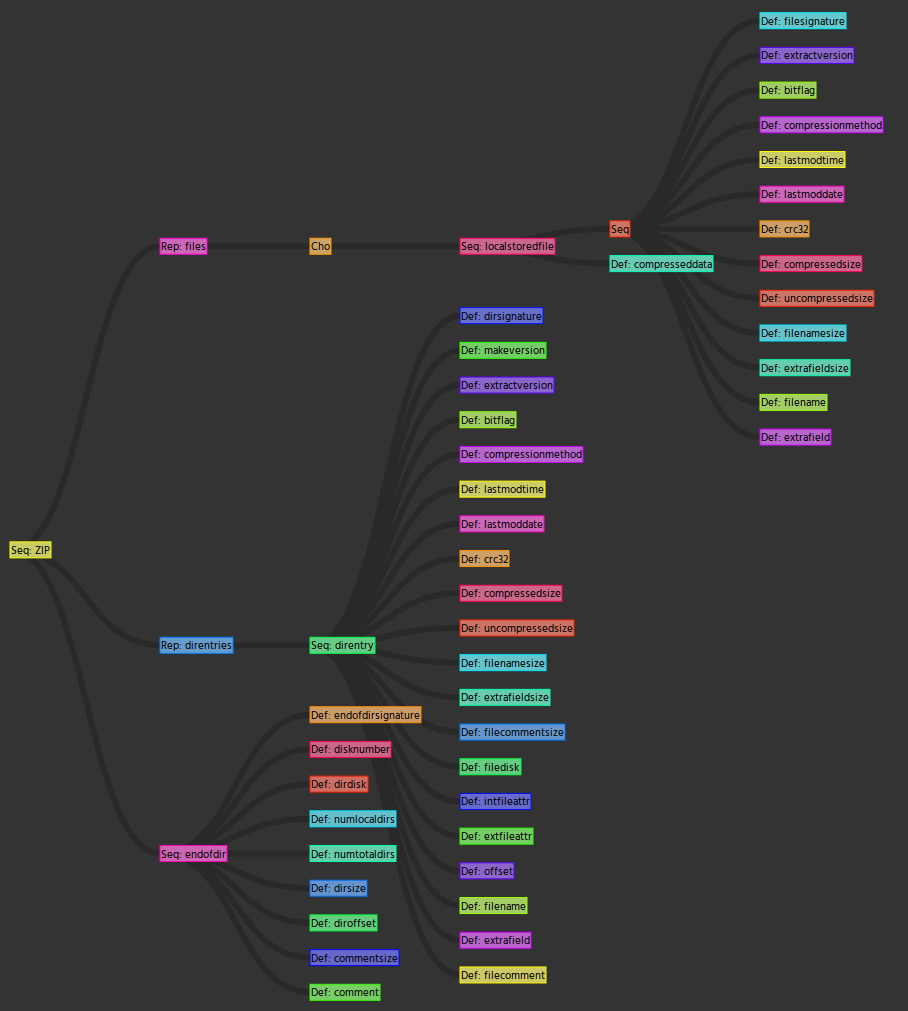
This tree shows the Metal structure of a ParseGraph.
Using JsTree.generate(result.get().order);, the following tree is generated:
Simply create a test class to call the parse of the graph and generate a hexviewer page.
@Test
public void generate() throws Exception {
    final Environment env = EnvironmentFactory.stream(getClass().getResource("/data.zip").toURI());
    final Optional<ParseState> result = ZIP.FORMAT.parse(env);
    if (result.isEmpty()) {
        fail("Parse failed");
    }
    JsTree.generate(result.get().order, "zip");
}