- Introduction
- Custom Fields and Compliance
- Enhanced Form Organization
- Sales Invoice Process Flow
- Support for Various Business Scenarios
- How We Can Help Companies in Argentina
- Conclusion
- Documentation
- License
ERPNext is a versatile open-source ERP system that allows businesses to manage various operations efficiently. Implementing electronic-invoicing compliance in ERPNext ensures seamless integration with government tax regulations. It automates invoice generation, validation, and real-time reporting to tax authorities. This customization reduces manual errors, enhances accuracy, and streamlines financial operations. Businesses benefit from improved efficiency and compliance with legal standards.
Follow these steps to set up the Argentina Compliance doctype and enable electronic-invoicing features in ERPNext:
Before proceeding, ensure that the following are completed:
- ERPNext version 14 or later is installed and running.
- You have System Manager or Administrator role.
- Your company’s Tax ID (CUIT) and AFIP Certificate & Key are available.
- Your system timezone is configured for Argentina/Buenos_Aires.
-
Navigate to your ERPNext bench directory:
cd ~/frappe-bench
-
Get the app from the repository:
bench get-app argentina_compliance [https://github.com/finbyz/argentina_compliance.git](https://github.com/finbyz/argentina_compliance.git)
-
Install the app on your site:
bench --site yoursite.domain install-app argentina_compliance
-
Restart the bench:
bench restart
-
Go to:
Accounting > Argentina Integration > AFIP Settings -
Fill in the following details:
- CUIT Number
- Use SandBox Environment:
TestingorProduction - Certificate File & Private Key : Upload
-
Click Save and it will Validate Connection to ensure the credentials are correct.
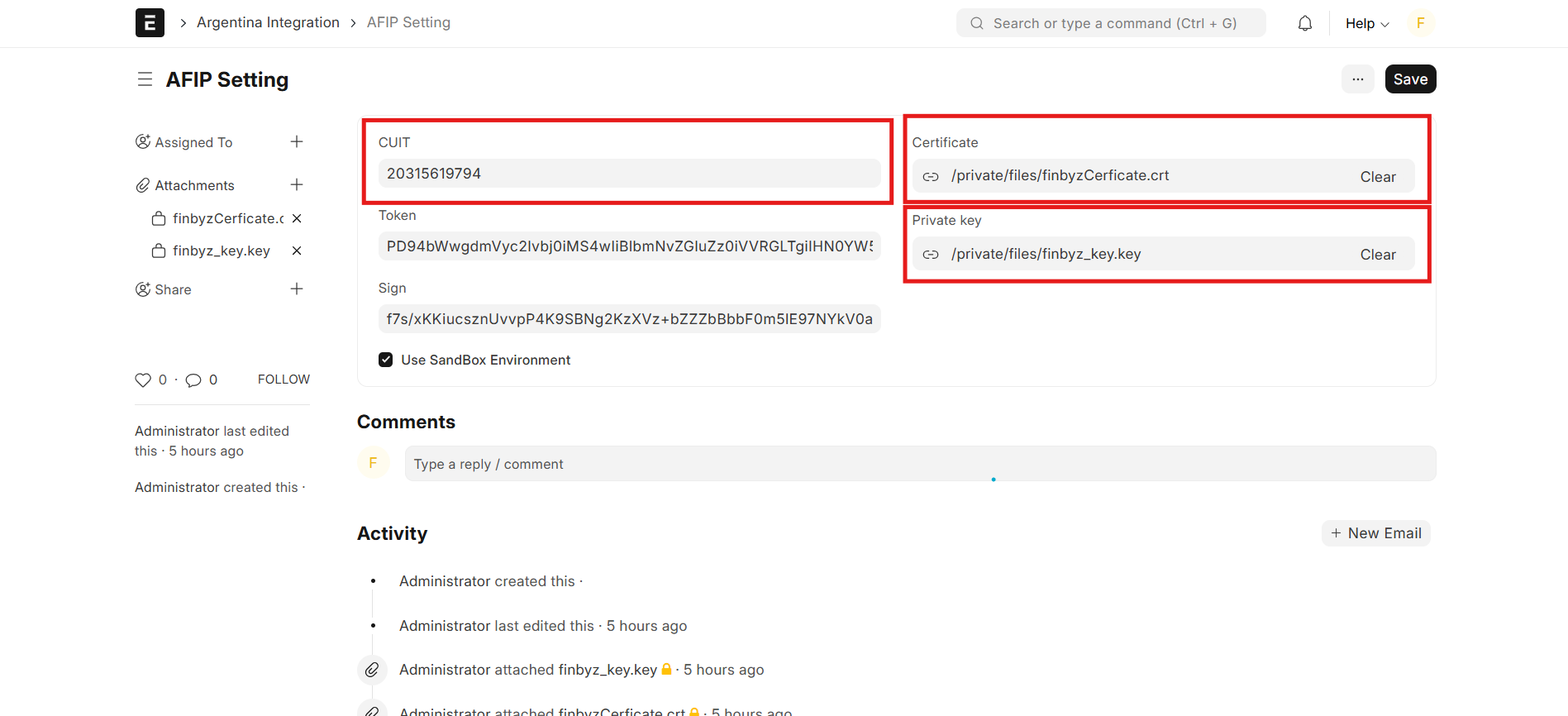
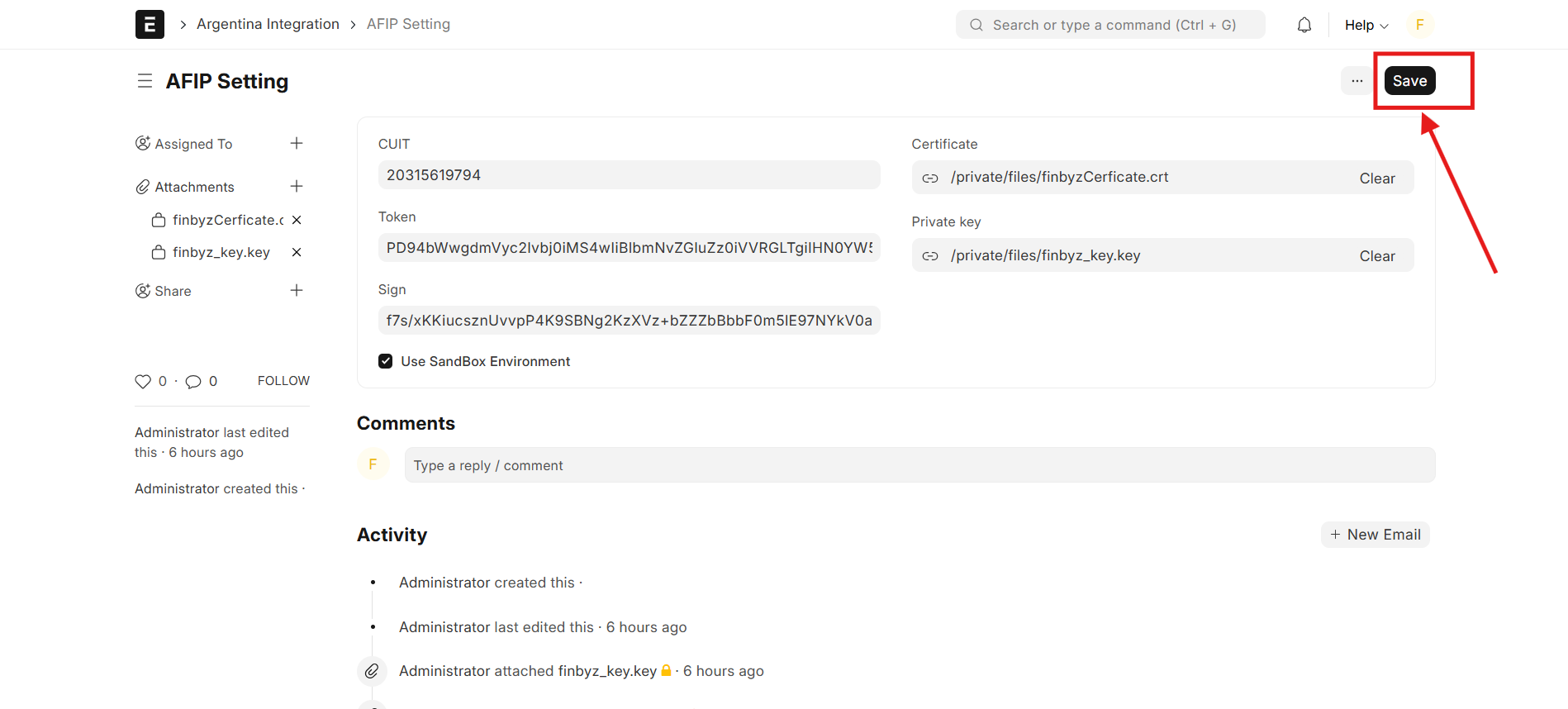
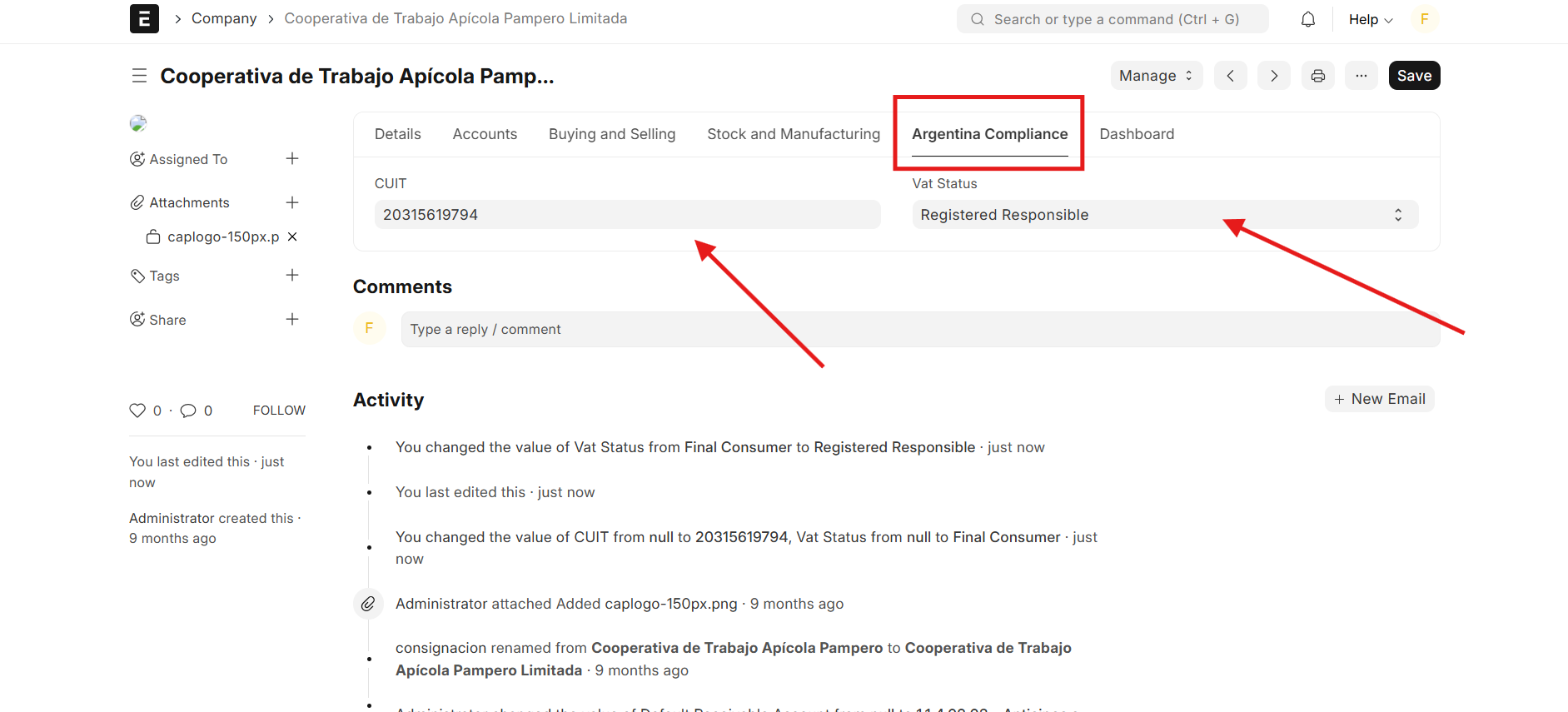
- Go to:
Accounting > Company - Under the Argentina Compliance section, configure the following:
- Enter your VAT Category (e.g.,
Responsable Inscripto/Monotributista) - Confirm your Tax ID (CUIT)
- Enter your VAT Category (e.g.,
To ensure seamless electronic-invoicing compliance within ERPNext, custom fields are introduced to meet regulatory requirements and facilitate tax reporting.
Electronic Invoicing Requirements:
- Dedicated fields to generate the CAE (Authorization Code) and track its expiration date for each invoice.
VAT Compliance:
- Custom fields to manage VAT statuses for both customers and the company, ensuring compliance with local tax regulations.
Payment Processing:
- Support for multiple payment methods, including bank transfers, credit/debit cards, and digital wallets.
Tax Status Management:
- Customer-specific tax identification fields to accommodate different tax categories, such as exempt, general, and reduced VAT rates.
To improve user experience and ensure a structured layout, form enhancements are implemented in ERPNext:
- Tab Breaks: Grouping electronic invoicing fields into logical sections to enhance navigation and efficiency.
- Column Breaks: Optimizing field placement for better readability and workflow organization.
- Predefined Select Fields: Standardized dropdown options for VAT statuses, payment methods, and tax categories to reduce manual errors and ensure consistency.
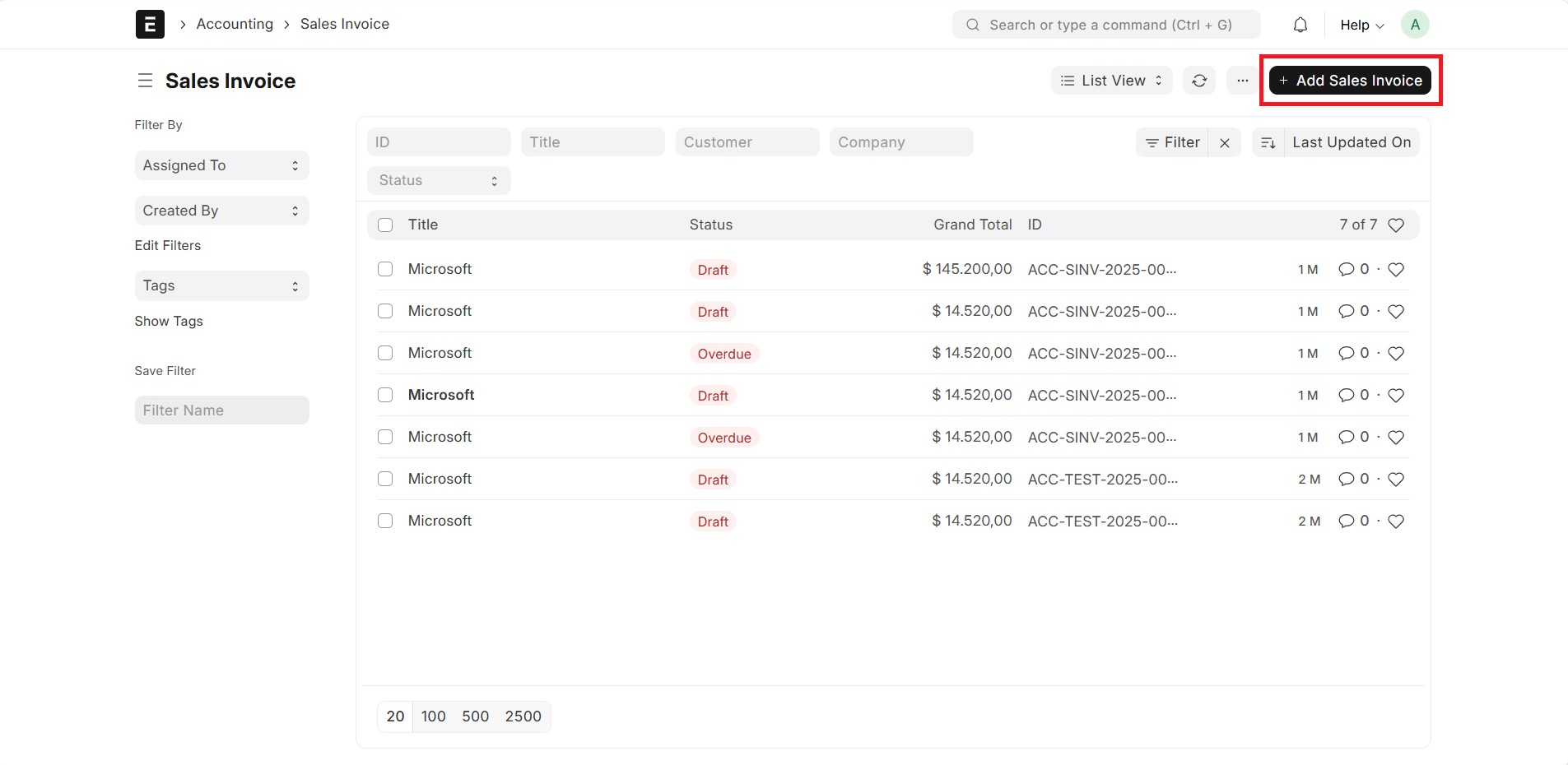
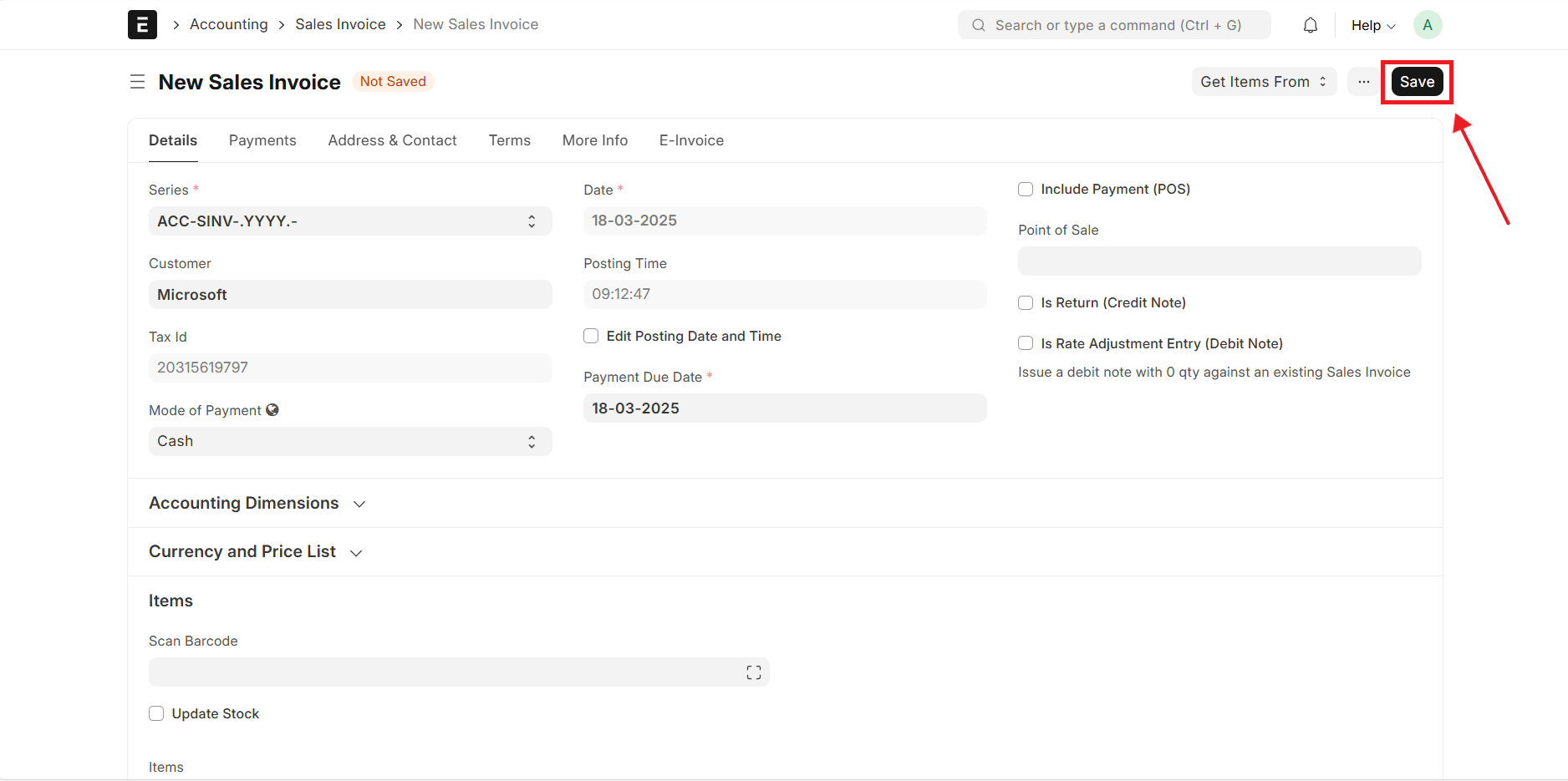
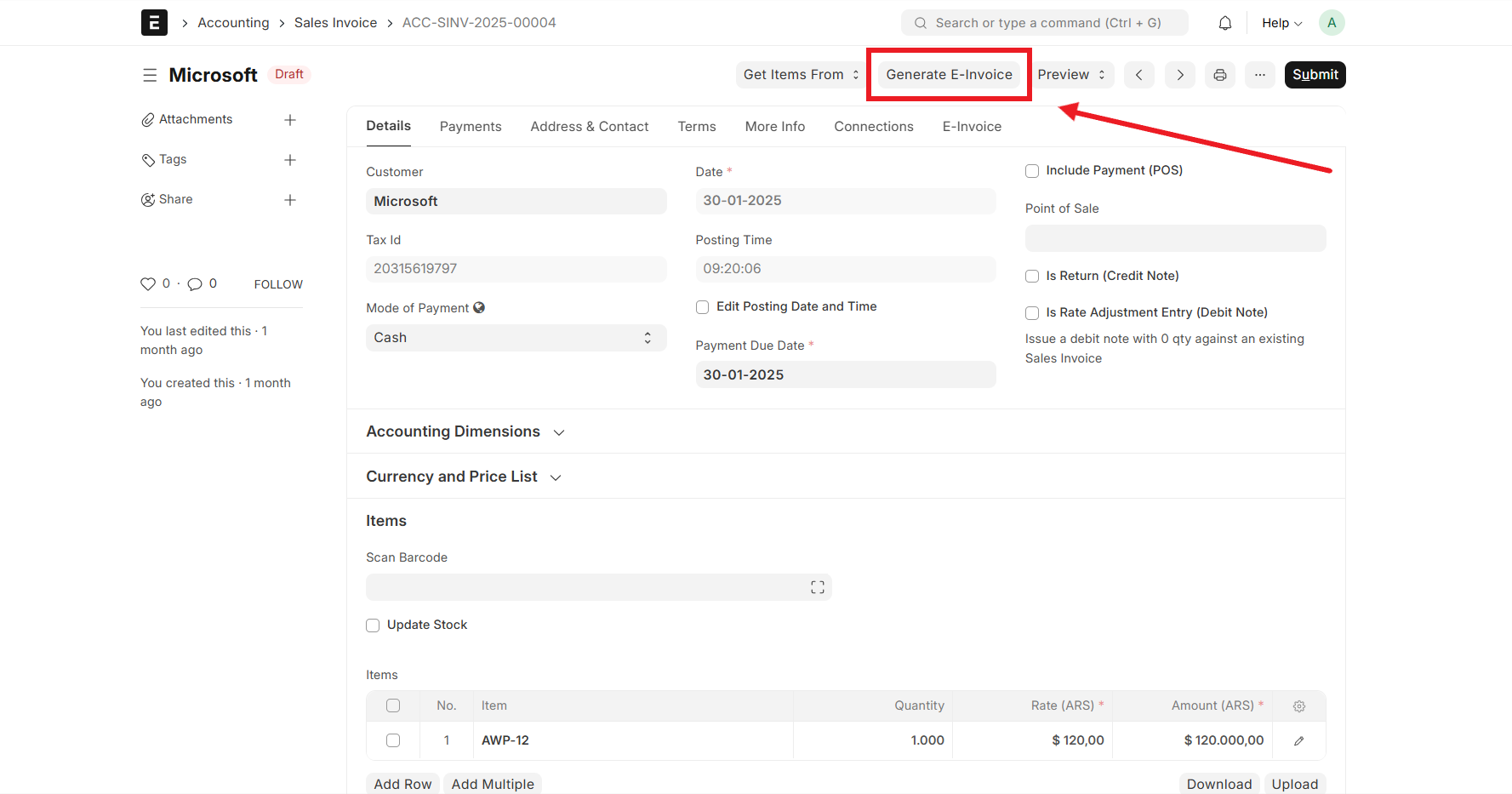
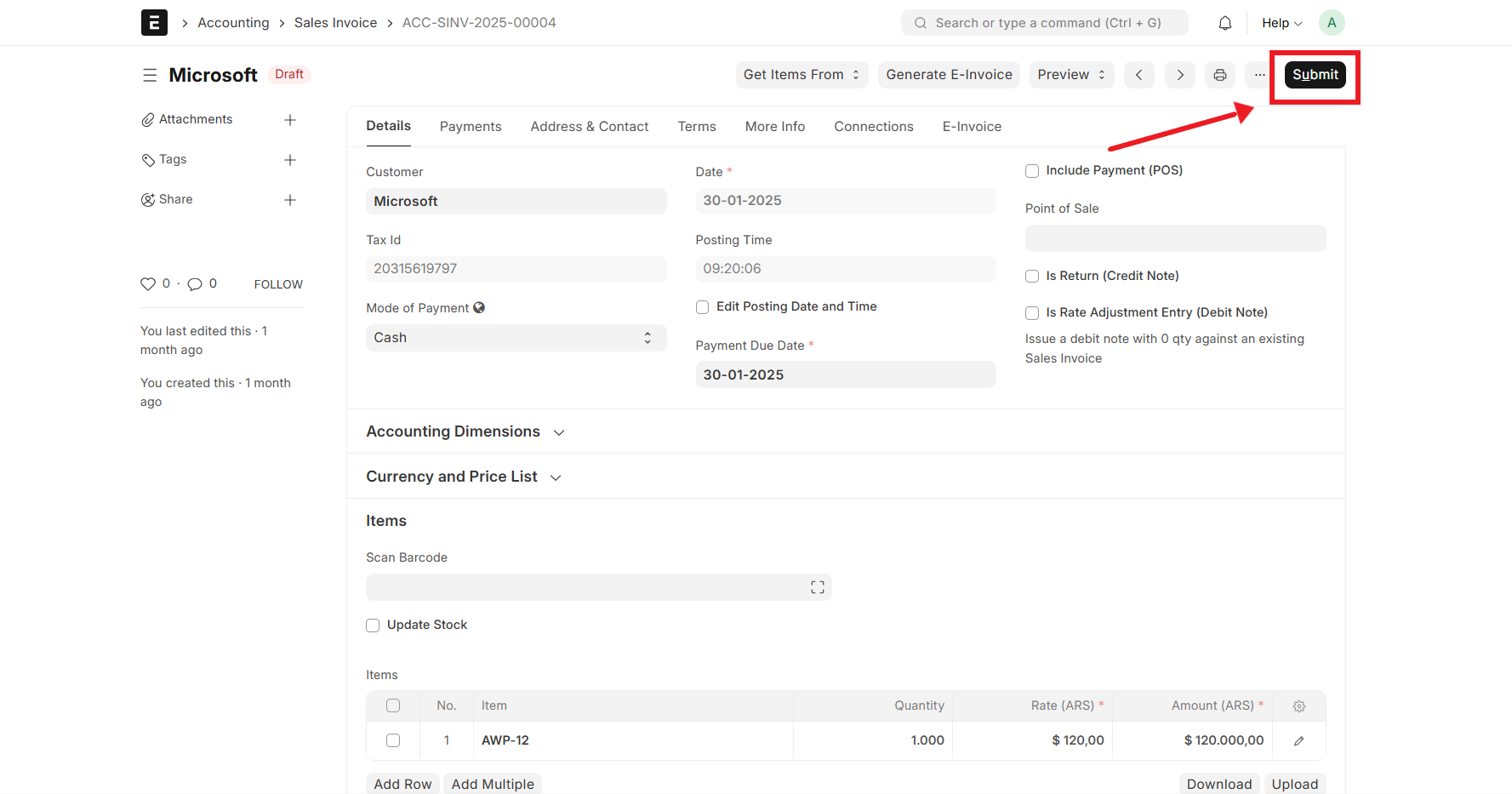
A streamlined process flow integrates electronic-invoicing into the sales invoice workflow.
Enter customer, item, and payment details, ensuring accuracy before saving as a draft.
Make necessary corrections and updates, then save the invoice for validation.
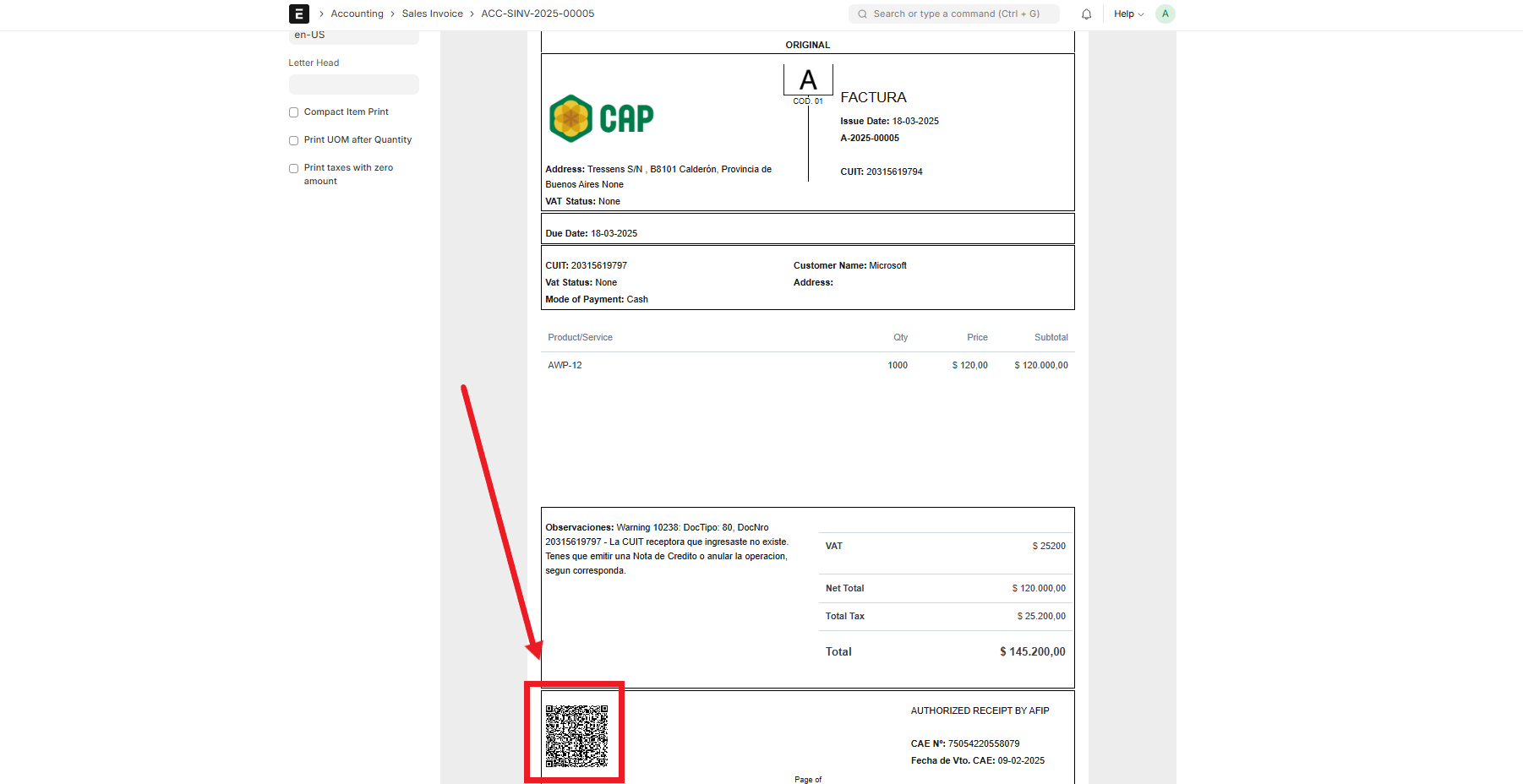
Communicate with the tax authority for validation and authorization. Retrieve the CAE (Authorization Code) and expiration date.
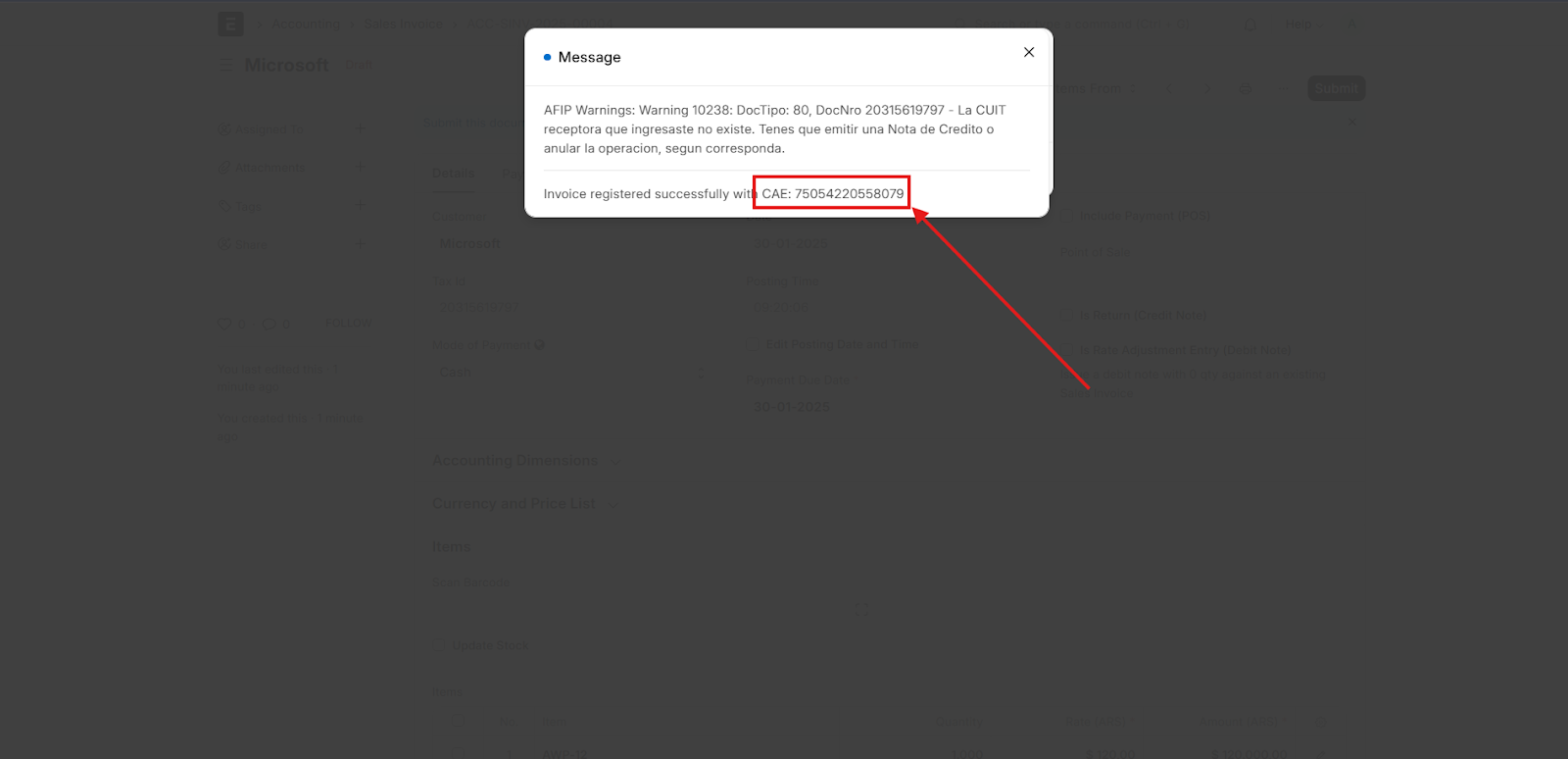
Finalize and submit the invoice after successful Electronic-Invoice generation.
Embed a QR code on the invoice, enabling instant verification by tax authorities and customers.
- Multi-Payment Method Handling: Process payments through cash, bank transfers, credit cards, and online gateways.
- Multi-VAT Status Management: Assign appropriate VAT rates and exemptions based on customer and product categories.
- Compliance with AFIP Regulations: Integration with AFIP's electronic-invoicing API for CAE validation and expiration tracking.
- Streamlined Invoicing Process: Automates validation and submission to reduce errors.
- End-to-End Implementation Support: Customization, training, and ongoing support to ensure smooth adoption.
- Scalable and Cost-Effective Solution: Open-source ERPNext minimizes software costs, and modular design allows business growth.
Implementing electronic-invoicing compliance in ERPNext streamlines tax reporting, reduces manual errors, and enhances regulatory adherence. With custom fields, optimized workflows, and security enhancements, businesses can ensure seamless, accurate, and legally compliant invoicing.
Learn more about ERP for chemical business and ERP Software and Implementation Services.
Complete documentation for Argentina Electronic Invoicing in ERPNext is available here.
GNU GPL V3. (See license.txt for more information).
The code is licensed under the GNU General Public License (v3), and copyright is owned by FinByz Tech Pvt Ltd.