
Currently there are very useful and powerful resources that help children write from their first line of code to build games, websites, applications and even program robots. These resources based on block programming are simple and very didactic.
However, the time comes when they face more complicated and intimidating programming languages and the transition can be complicated. paleta covers that midpoint and helps in this transition.
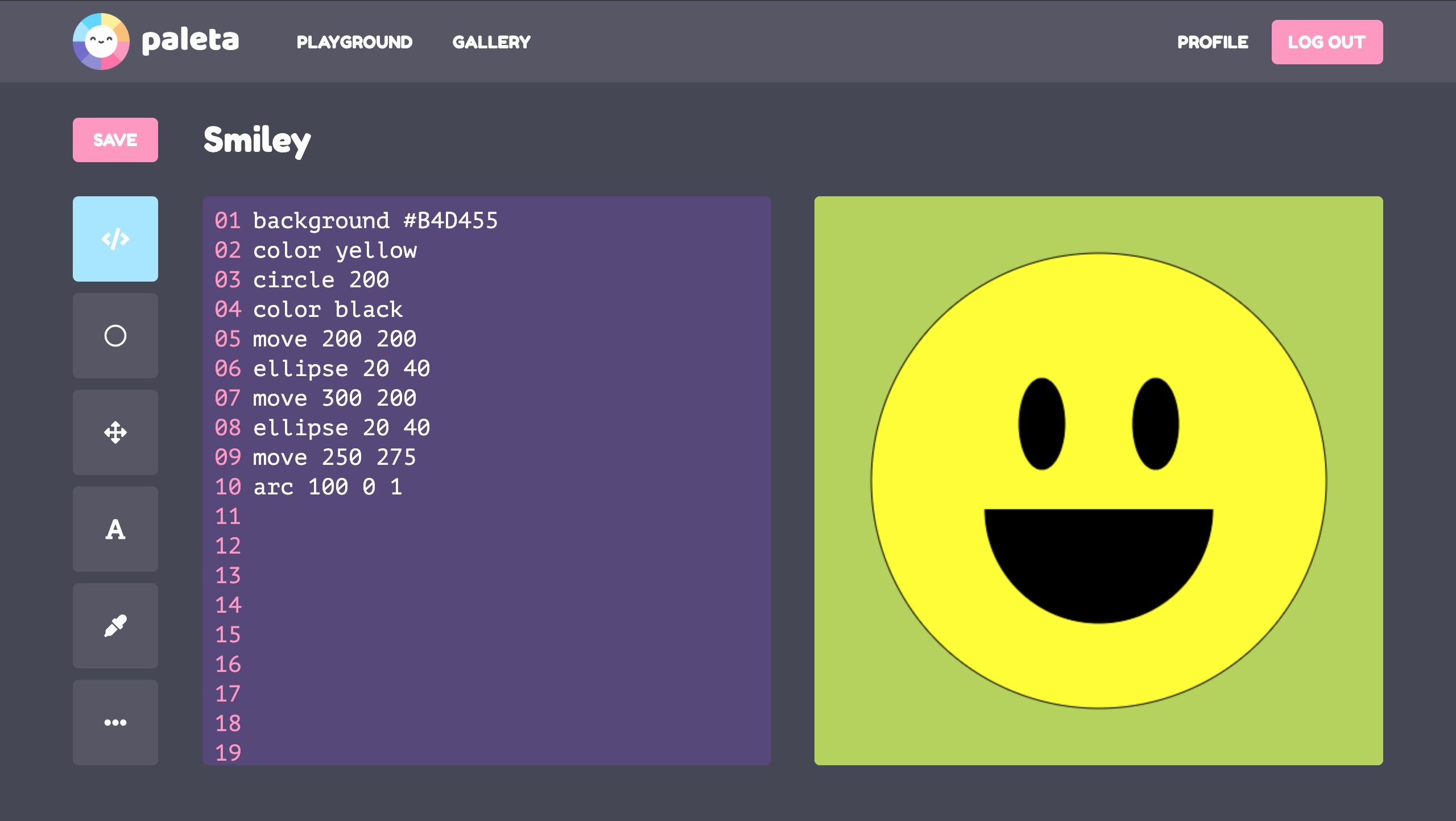
paleta is a web application that teaches kids the concepts of coding and logic through making beautiful pictures.
This project was the final project with which I graduated from my bootcamp at IronHack, winning first place in my cohort.
In paleta we will have two main sections:
-
The Playground is a code editor with visualization of results in real time, in this section a series of simple and intuitive commands are introduced to make amazing art.
-
The Gallery where you can see the works of others and support the learning process.
To install paleta, first you need to clone this git repository.
git clone https://github.com/evilvic/paleta.git
paleta uses Convex as its backend-as-a-service for database, authentication, and real-time reactive queries.
bun install
npx convex dev
On first-time setup, you'll also need to configure auth:
npx convex dev --once --configure=new
npx @convex-dev/auth
bun run dev
The app will be available at http://localhost:3000.
The original version of paleta (Express + MongoDB backend, Create React App frontend) is preserved in the legacy branch. The main branch contains a refactored version with updated dependencies and the backend migrated to Convex.
paleta was created by Victor Pena Romero with ❤︎ at Ironhack in 2020.