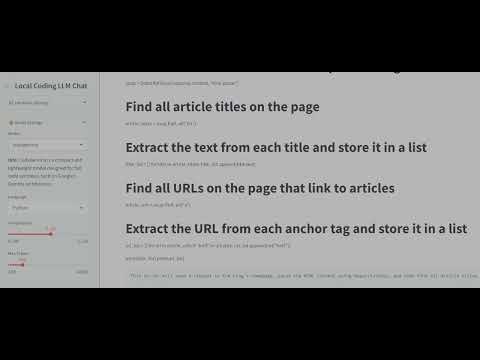
This project provides a local coding assistant powered by multiple Large Language Models (LLMs), including:
- CodeGemma
- CodeLlama
- Deepseek Coder
- Mistral
- Phi
Key features:
- Streamlit-based frontend for interactive chat
- Real-time coding assistance
- Web search integration for contextual references
- Hardware monitoring (CPU, GPU, memory)
- Adjustable model settings (temperature, token limits)
- Operating System: Windows Subsystem for Linux (WSL) (Ubuntu recommended)
- Python: 3.8 or higher
- GPU (optional): CUDA-compatible (NVIDIA) for improved performance
-
Clone the repository:
git clone https://github.com/etcyl/local_llms.git cd local_llms -
Set up a Python environment:
- Using venv:
python3 -m venv venv source venv/bin/activate - Using Conda:
conda create -n local_llm python=3.10
conda activate local_llm
- Using venv:
-
Install dependencies:
pip install --upgrade pip
pip install -r requirements.txt
Ensure
requirements.txtincludes:streamlit requests beautifulsoup4 psutil torch
-
Start backend servers:
- Ollama:
ollama serve
- Ollama:
-
Launch Streamlit app:
streamlit run app.py
The app will open in your default browser at
http://localhost:8501.
- Real-time coding support with multiple LLMs
- Web search integration for enhanced context
- Interactive chat with autosave and logging
- System resource monitoring dashboard
- GPU: NVIDIA RTX series
- RAM: 16 GB or more
- CPU: Modern Intel or AMD processor
- Verify internet access from WSL:
ping google.com
- Check Windows firewall settings for WSL network.
- Confirm CUDA drivers in WSL2:
import torch
print(torch.cuda.is_available())
Use this template to add guidelines for contributing:
- Fork the repository.
- Create a feature branch (
git checkout -b feature/). - Commit your changes (
git commit -m "Add feature"). - Push to the branch (
git push origin feature/). - Open a pull request.
Specify the project's license here (e.g., MIT, Apache 2.0).
Tips to optimize application performance:
- Use a CUDA-compatible GPU for model inference
- Adjust Streamlit's
server.maxMessageSizefor large payloads - Profile and optimize Python code with
cProfileorline_profiler
Q: Can I run this without a GPU?
A: Yes, but performance will be limited to CPU speeds.
Q: How do I add a new LLM?
A: Update MODEL_INFOS in app.py and ensure the model server is running locally.