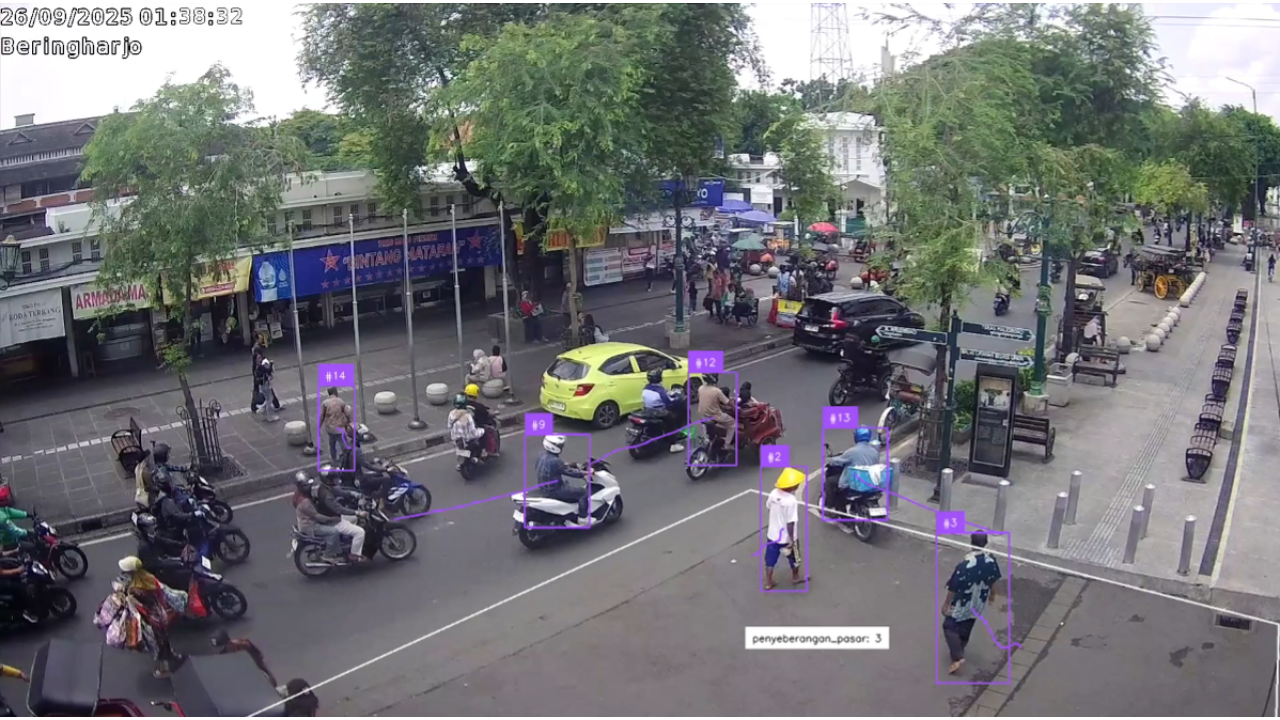
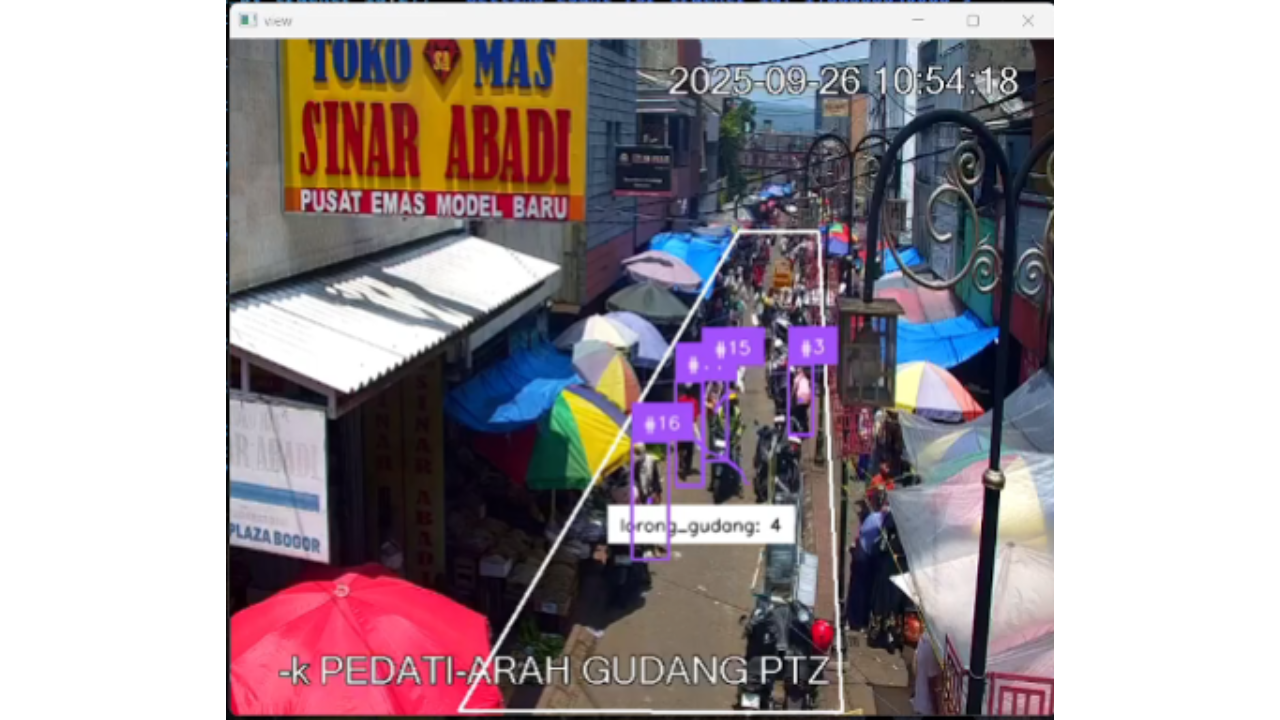
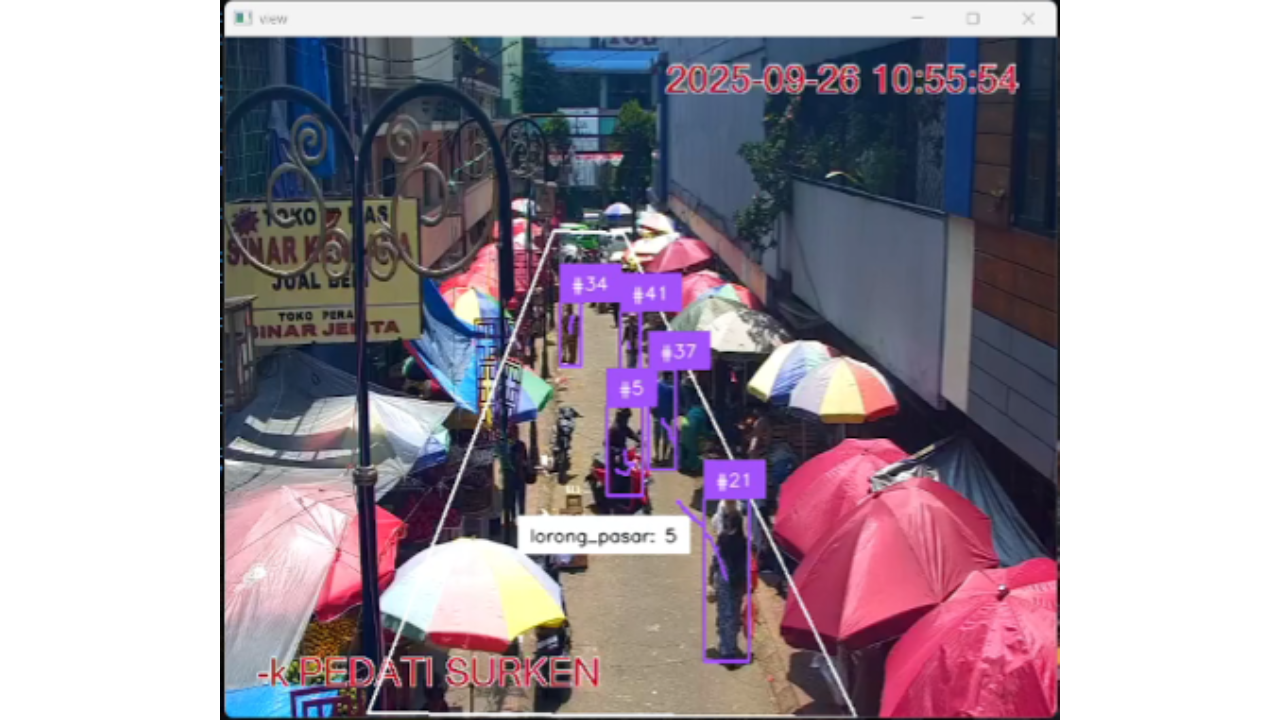
High-Risk Area People Counting systems are designed to automatically monitor and count the number of individuals within designated zones using computer vision and machine learning techniques. These systems help enhance safety by detecting overcrowding in vulnerable areas, providing real-time insights, and supporting authorities in managing risks more efficiently.
| No | Task | Status | Notes / Issues |
|---|---|---|---|
| 1 | Database Setup | [OK] | |
| 2 | Livestream Source | [OK] | |
| 3 | Object Detection & Tracking | [OK] | |
| 4 | Polygon Zone & Counting | [OK] | |
| 5 | API Integration | [OK] | |
| 6 | Docker Deployment | [OK] | |
| 7 | Dashboard | [X] |
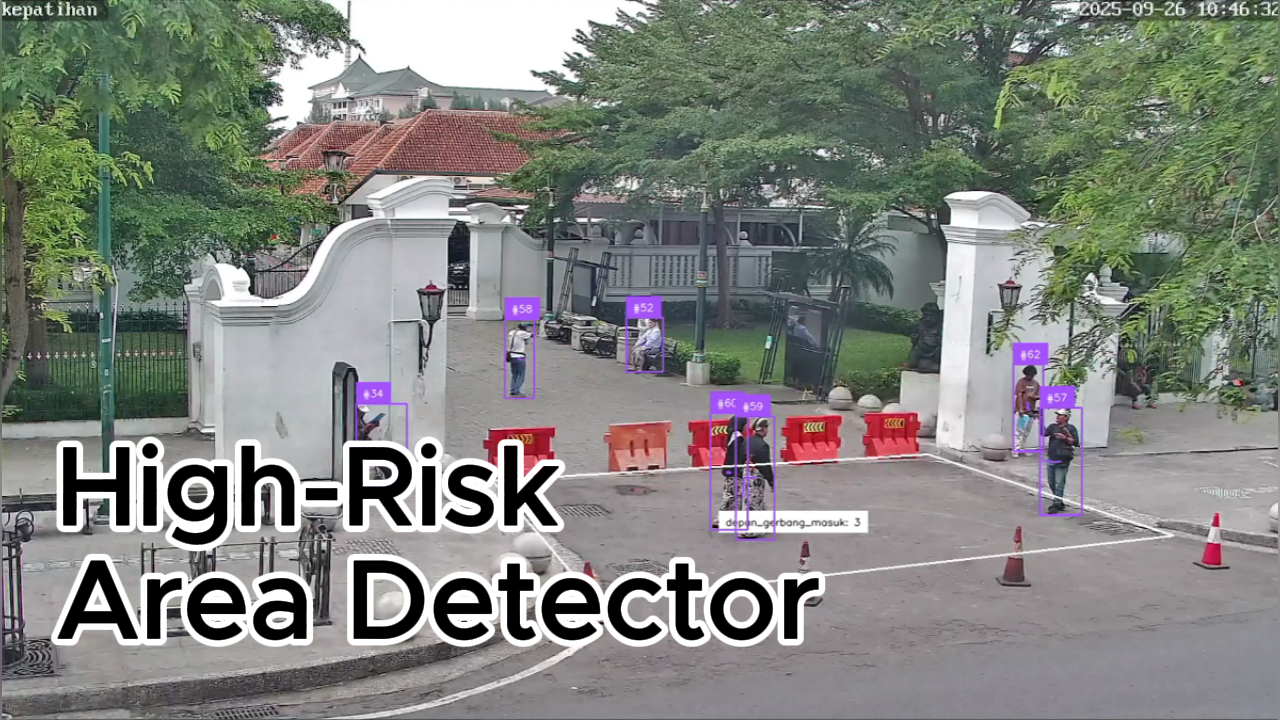
Livestream Video
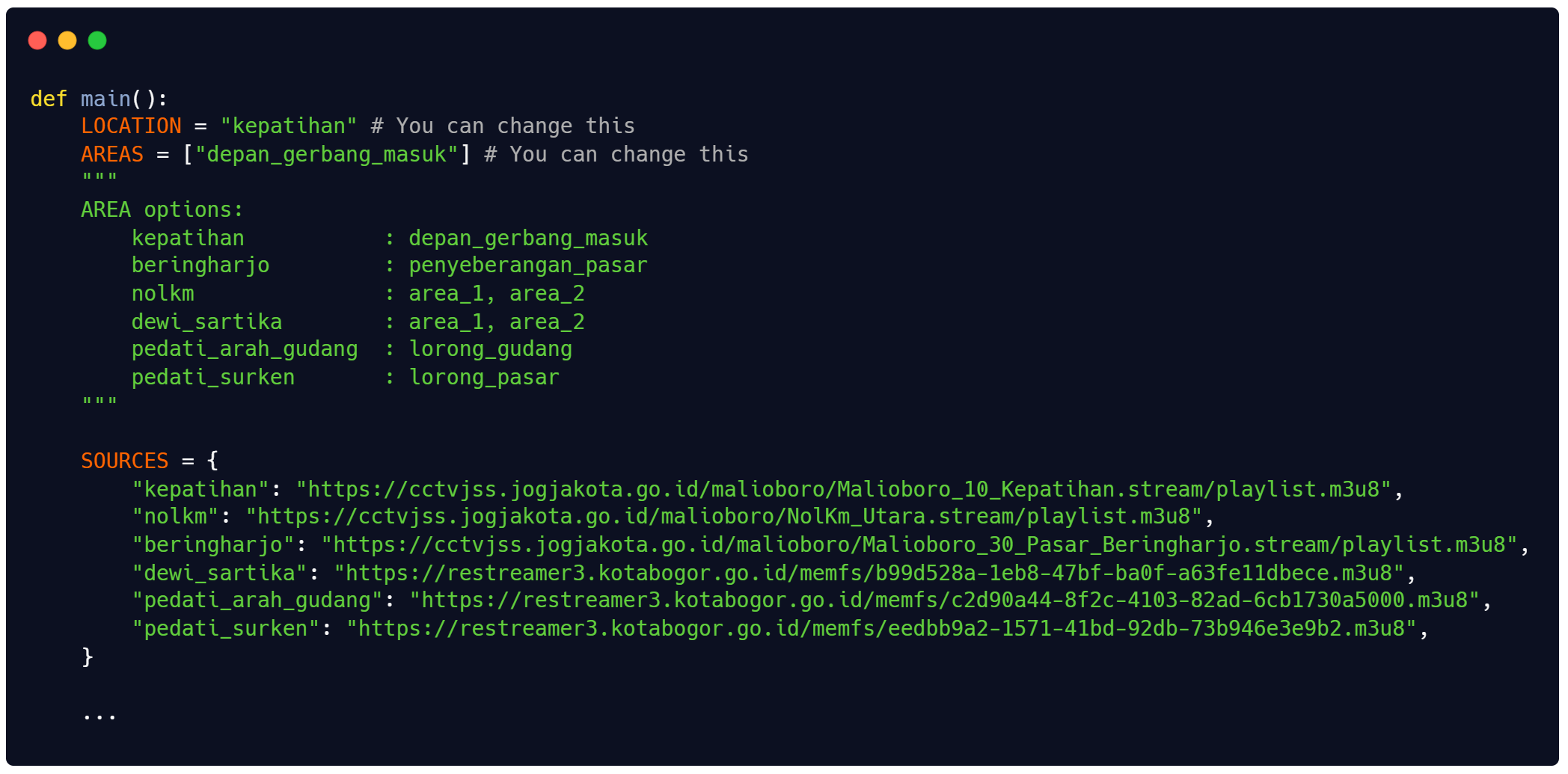
- https://cctvjss.jogjakota.go.id/malioboro/Malioboro_10_Kepatihan.stream/playlist.m3u8 (default)
- https://cctvjss.jogjakota.go.id/malioboro/NolKm_Utara.stream/playlist.m3u8
- https://cctvjss.jogjakota.go.id/malioboro/Malioboro_30_Pasar_Beringharjo.stream/playlist.m3u8
- https://restreamer3.kotabogor.go.id/memfs/b99d528a-1eb8-47bf-ba0f-a63fe11dbece.m3u8
- https://restreamer3.kotabogor.go.id/memfs/c2d90a44-8f2c-4103-82ad-6cb1730a5000.m3u8
- https://restreamer3.kotabogor.go.id/memfs/eedbb9a2-1571-41bd-92db-73b946e3e9b2.m3u8
If you want to change the source, below is the code location (inference/inference.py)
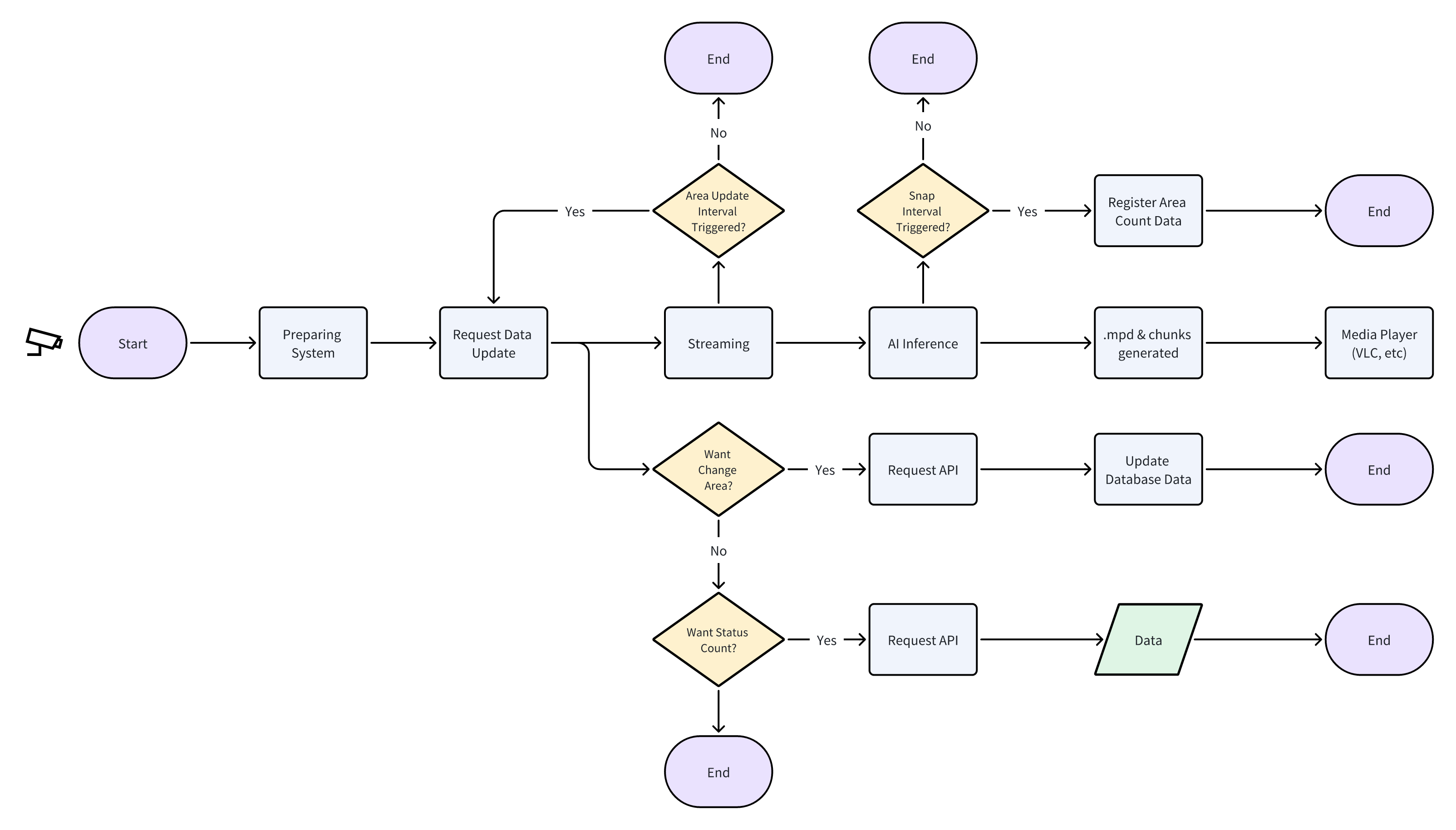
- "Area Update Interval Triggered?": It request updated data from database if any changes present (create, delete, update)
- "Snap Interval Triggered?": It send captured scene (people inside and outside of area) been snapshot and registered on database
- "Want Change Area?": It request an update of area and registered to database
- "Want Status Count?": It request history or live status count
- Minio
- MongoDB
- YOLOv11
- Supervision
- Docker
- FastAPI
- OpenCV
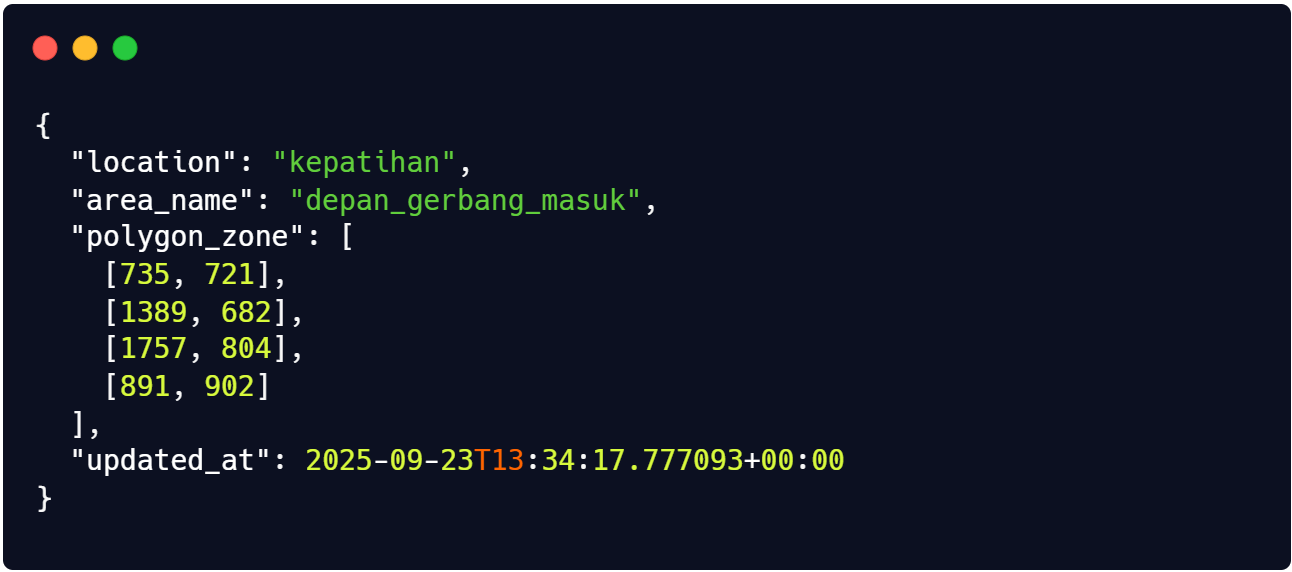
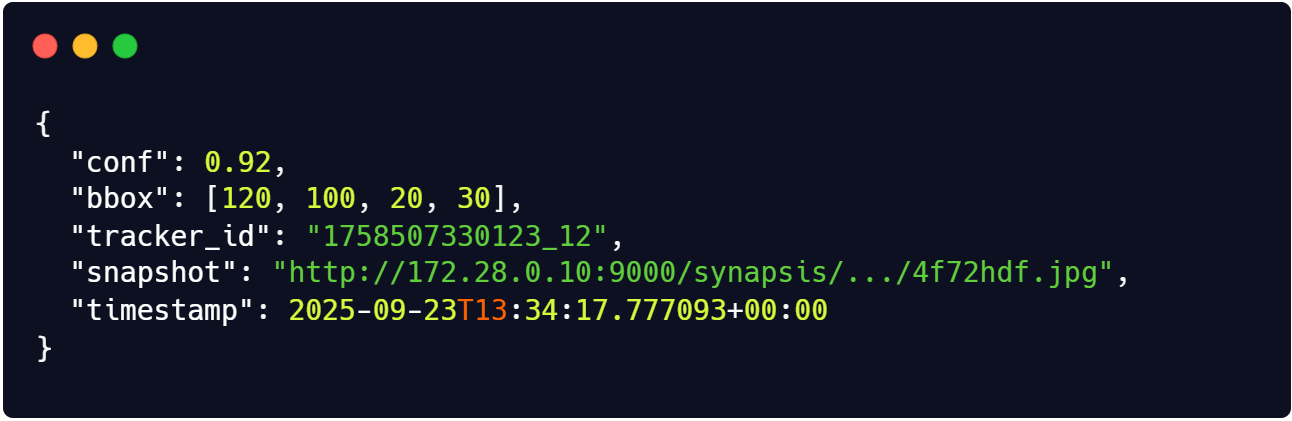
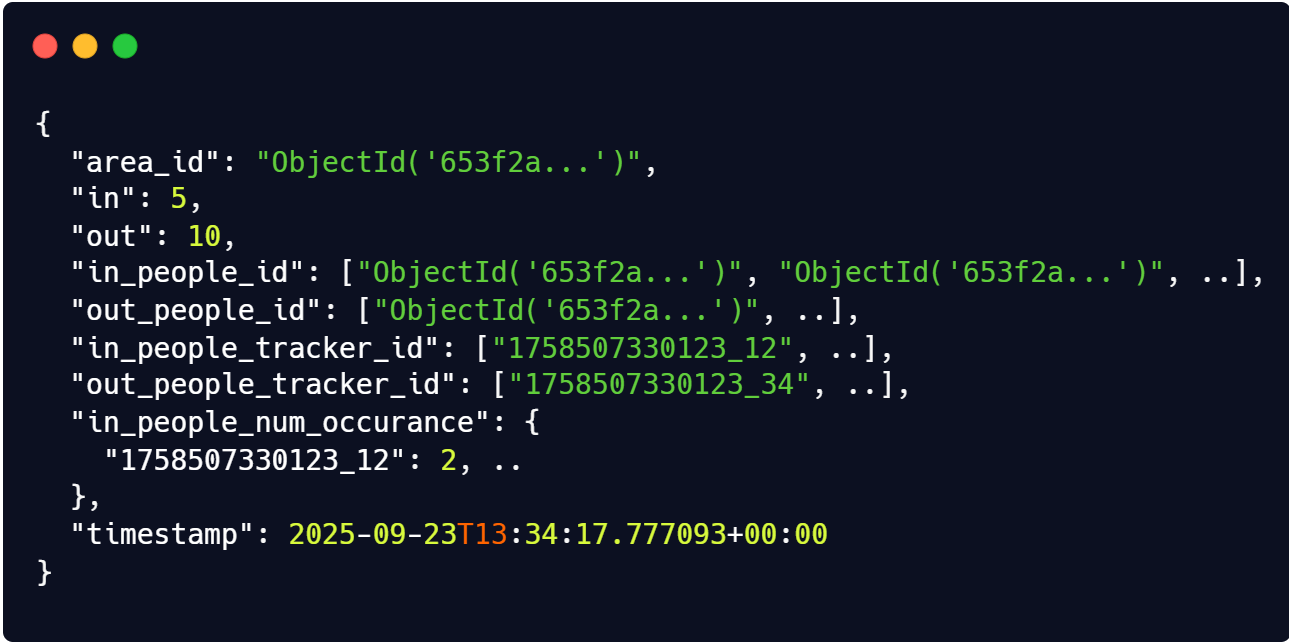
Below is the list of structure of collection on MongoDB:
Areas
Peoples
Counts
Video Installation
You have to have following already installed
- git
- docker & docker-compose (https://docs.docker.com/engine/install/)
Clone this project
git clone https://github.com/erwinyo/People-High-Risk-Area.gitRun docker compose up
docker compose -f docker-compose.yml up -d --buildRun .mpd file on the output/ folder
- Open VLC media player
- Click media, choose open file
- Open .mpd file (located: /output/_/dash_out.mpd) *Note: the result is playable, but sometime lagging and stopped. Need refresh periodically.
Video installation
You have to have following already installed
Clone this project
git clone https://github.com/erwinyo/People-High-Risk-Area.gitDeploy MongoDB and Minio Containers
cd People-High-Risk-Area
docker compose -f docker-compose-manual.yml up -d --build
Run API
cd api
uv run python api.py
Run Inference
cd inference
uv run python inference.py
A window will be pop-up to show the inference
GET /api/stats| Name | Type | Required | Default | Description |
|---|---|---|---|---|
| start_time | int | No | None | Start timestamp (epoch) for filtering stats. |
| end_time | int | No | None | End timestamp (epoch) for filtering stats. |
| page | int | No | 1 | Page number for paginated results. |
| limit | int | No | 10 | Number of items per page. |
Example Request
http://localhost:8000/api/stats?start_time=1758905345&end_time=1758905360&page=1&limit=10
http://localhost:8000/api/stats?page=1&limit=20
GET /api/stats/live GET /api/area POST /api/set/area| Field | Type | Required | Description |
|---|---|---|---|
| location | str | Yes | The location identifier. |
| area_name | str | Yes | The name of the area. |
| polygon_zone | list[list[int]] | Yes | Polygon coordinates defining the zone. |
Example Request
{
    "location": "kepatihan",
    "area_name": "depan_gerbang_masuk",
    "polygon_zone": [[735, 721], [1389, 682], [1757, 804], [891, 902]]
}
POST /api/get/area| Field | Type | Required | Description |
|---|---|---|---|
| location | str | Yes | The location identifier. |
| area_name | str | Yes | The name of the area. |
Example Request
{
    "location": "kepatihan",
    "area_name": "depan_gerbang_masuk",
}
POST /api/update/area| Field | Type | Required | Description |
|---|---|---|---|
| location | str | Yes | The location identifier. |
| area_name | str | Yes | The name of the area. |
| polygon_zone | list[list[int]] | Yes | Updated polygon coordinates for the zone. |
Example Request
{
  "location": "kepatihan",
  "area_name": "depan_gerbang_masuk",
  "polygon_zone": [[735, 721], [1389, 682], [1757, 804], [891, 902]]
}
POST /api/delete/area| Field | Type | Required | Description |
|---|---|---|---|
| location | str | Yes | The location identifier. |
| area_name | str | Yes | The name of the area. |
Example Request
{
  "location": "kepatihan",
  "area_name": "depan_gerbang_masuk"
}