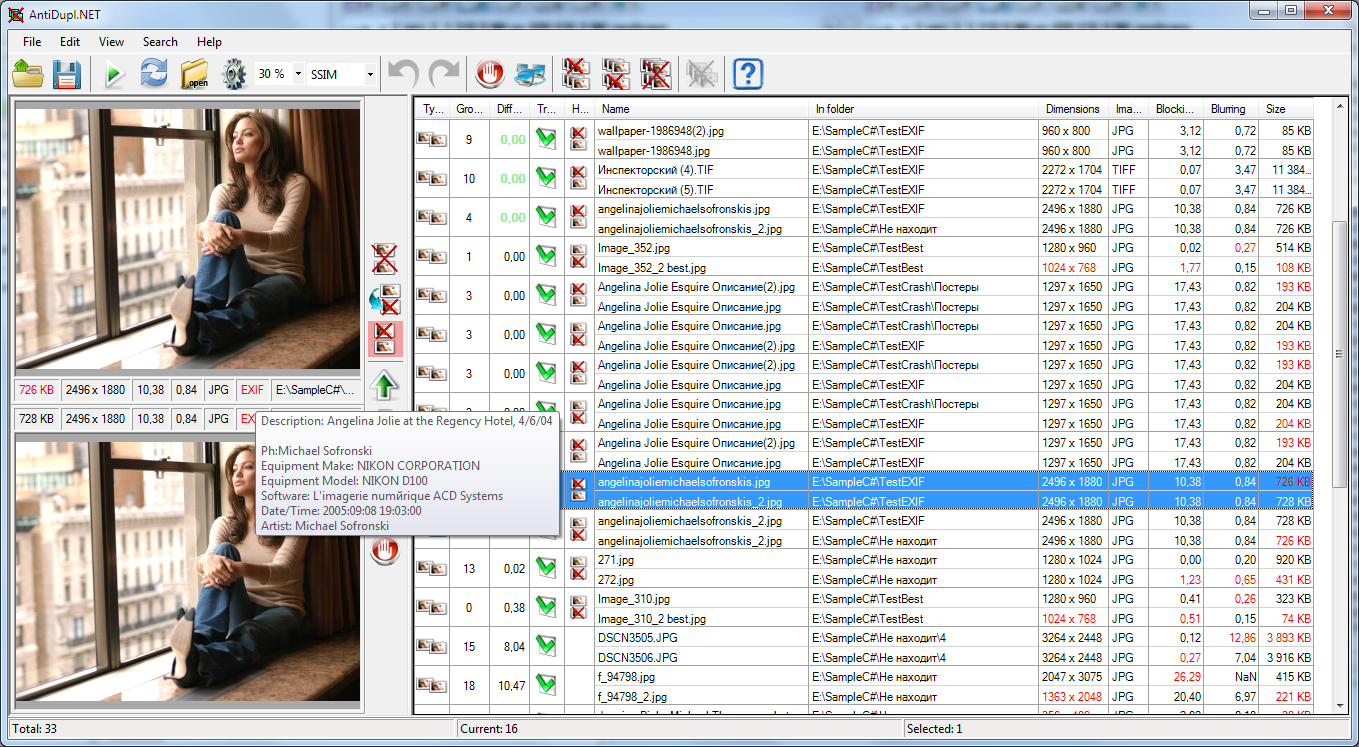
Typically, modern computer users have large collections of images in various formats. With more of these collections, it is more likely to have a large number of duplicates. The natural desire of the user is to get rid of them. However, if the collection is large enough, performing this manually is a very tedious and unproductive task. AntiDupl.NET is a program to help you automate this process. It can find and display duplicate images in the most common graphic formats: JPEG, GIF, TIFF, BMP, PNG, EMF, WMF, WEBP, EXIF, ICON, JP2, PSD, DDS, HEIF, HEIC, TGA, AVIF and JXL. The comparison is based on the contents of the files, so the program can find not only almost identical, but also similar images. In addition, the program can find images with some types of defects.
AntiDupl.NET is free and open-source software. It is simple to use, has high speed and accuracy of work, and supports Russian and English interfaces.
-
Download Visual Studio 2022 e.g. the Community Edition:
-
In the Visual Studio Installer select following workloads
- .NET Desktop development
- Desktop development with C++ Info: Current latest default toolset is v143
- Download vcpkg dependency manager, e.g. by using git:
git clone https://github.com/Microsoft/vcpkg.git
- Install vcpkg:
	cd vcpkg
	./bootstrap-vcpkg.bat
	./vcpkg integrate install
- Open Visual solution file
src\AntiDupl.sln
- Start building AntiDupl.NET in Visual Studio. Depended libraries will be automatically loaded and built by vcpkg.
There is a command line tool AntiDuplX to search for similar and damaged images. This is a standalone project which uses a similar algorithm for image comparison. It works on Linux and Windows.


![@dependabot[bot]](https://avatars.githubusercontent.com/in/29110?s=64&v=4)


