This is a command-line interface for Gentoo Build Publisher, a system that combines Gentoo Linux and CI/CD so that updating a Gentoo predictable and consistent.
This is a pip-installable Python package:
$ pip install gbpcliThe full command set supported:
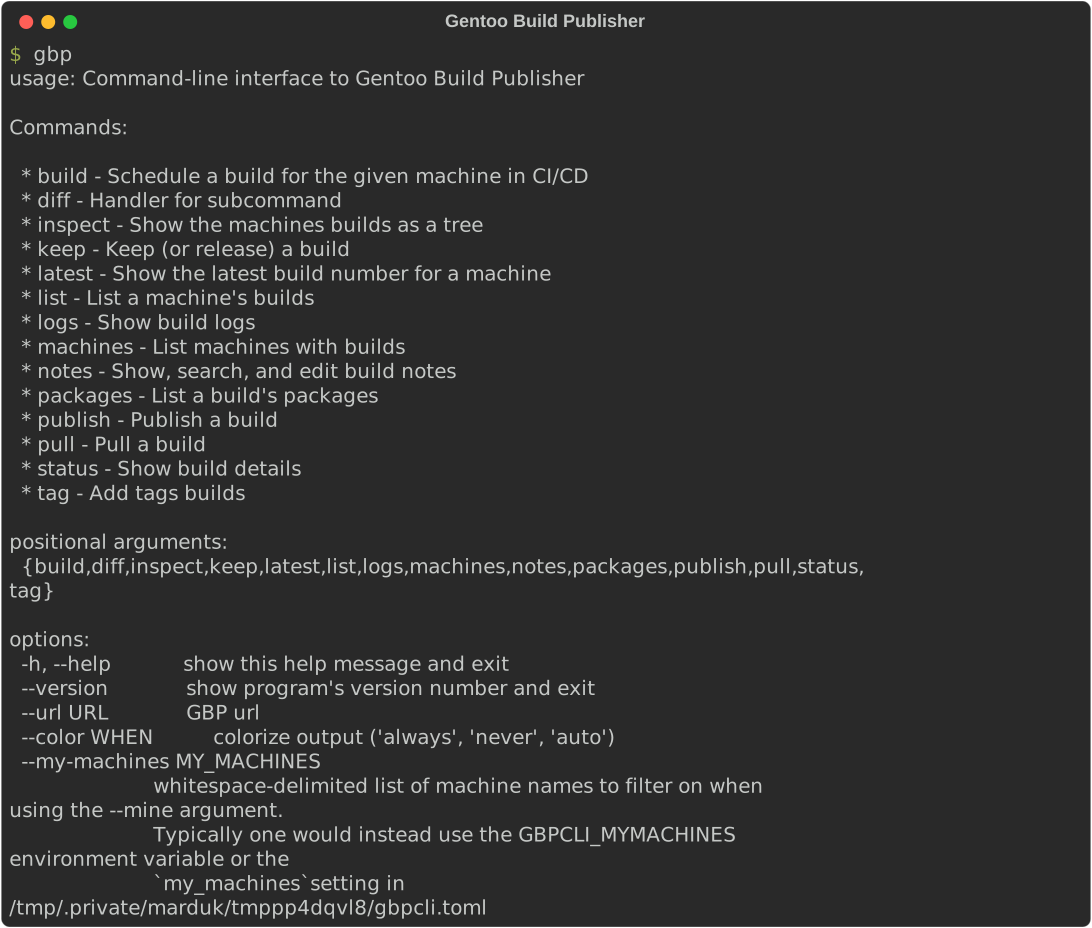
The URL for the Gentoo Build Publisher may be provided via the command line or
by using the BUILD_PUBLISHER_URL environment variable.
Additional commands may be provided by plugins.
To list the machines which have builds use gbp machines:
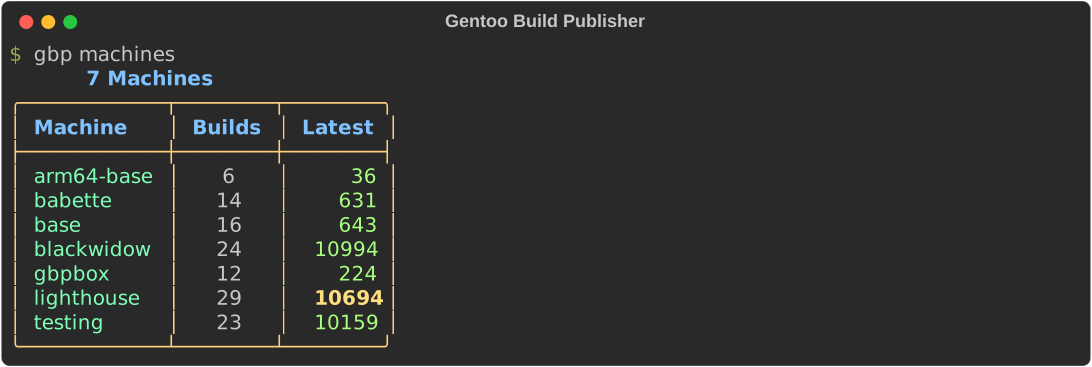
The "Latest" column shows the latest build ID for the given machine. If the ID is in bold it that denotes that the latest build is published (available for emerges).
To list the available builds for a given machine us gbp list <machine>:
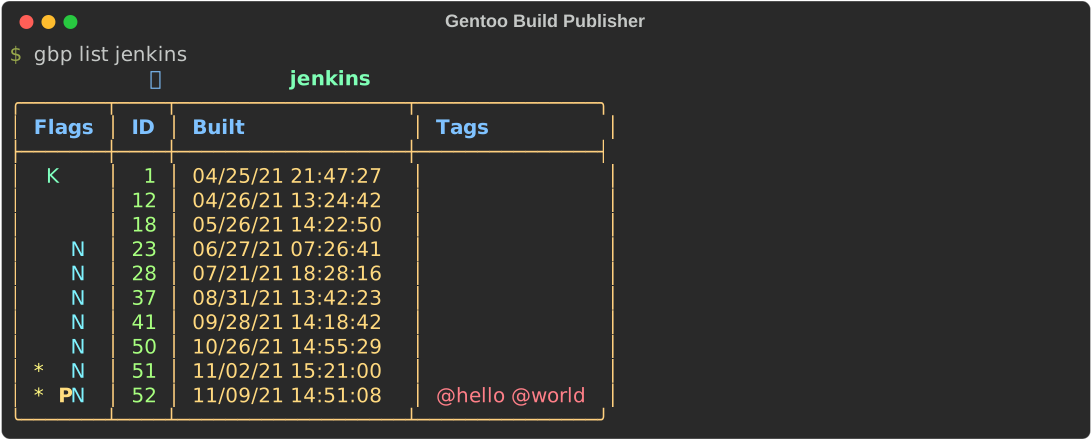
In the above example, the P output for build 52 signifies that this build
is currently published. The * flag means that the respective build has new
binary packages. The K for build 1 means that the build is marked for
keeping and will not be removed during the purge process. Build 52 has also
been given "hello" and "world" tags. The N flag for builds means that the
builds have notes attached.
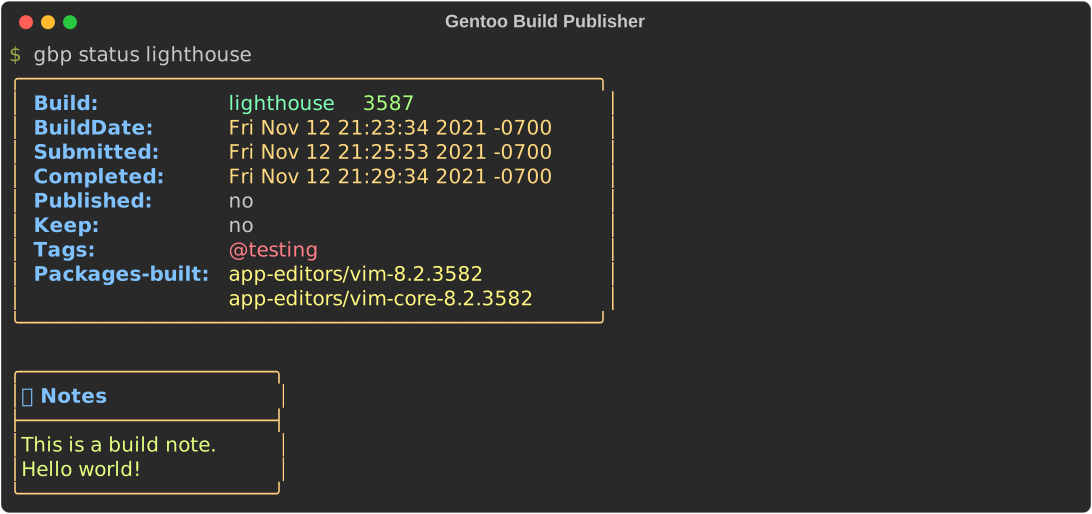
Edit/delete build notes using the gbp notes command.
The status subcommand displays metadata about a given build. If the build
number is not given, it defaults to the latest build for that machine.
The diff subcommand display differences between two builds.
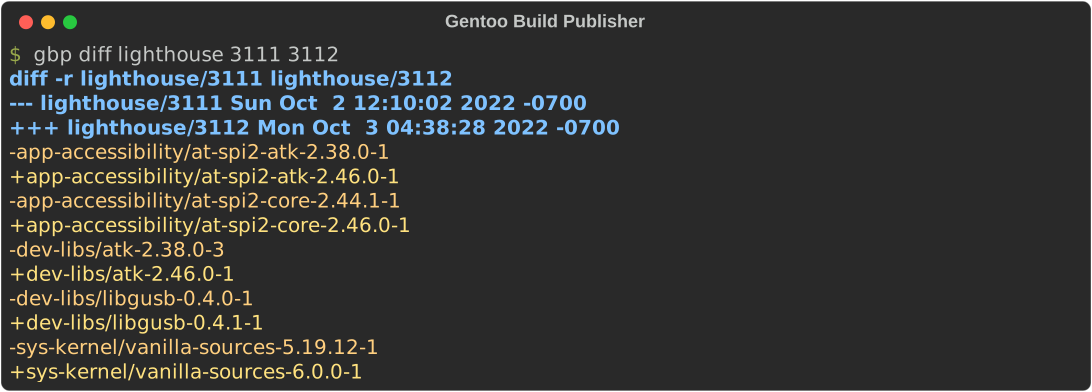
If the second build number is not given, it defaults to the latest build for that machine. If the first build number is not given, it defaults to the published build for that machine.
The publish subcommand makes the given build available for syncing and
updating/downgrading.
$ gbp publish arm64-base 151If the build number is not given, it defaults to the latest build for that machine.
The build subcommand can schedule a build in CI/CD for the given machine,
e.g.:
$ gbp build babetteIn addition to the command-line flags, gbpcli can also be configured using a
configuration file. If a the file ~/.config/gbpcli.toml exists it will be
read and used to configure gbpcli. This file should be
toml formatted. For example:
[gbpcli]
url = "http://gbpbox/"
my_machines = ["babette", "lighthouse", "polaris"]
auth = { user = "marduk", api_key = "myapikey" }
The url setting can be used in place of the --url command-line option or
the BUILD_PUBLISHER_URL environment variable. The my_machines settings
can be used in place of the --my-machines command-line option or the
GBPCLI_MYMACHINES environment variable. The auth setting can only be
supplied through the configuration file.