

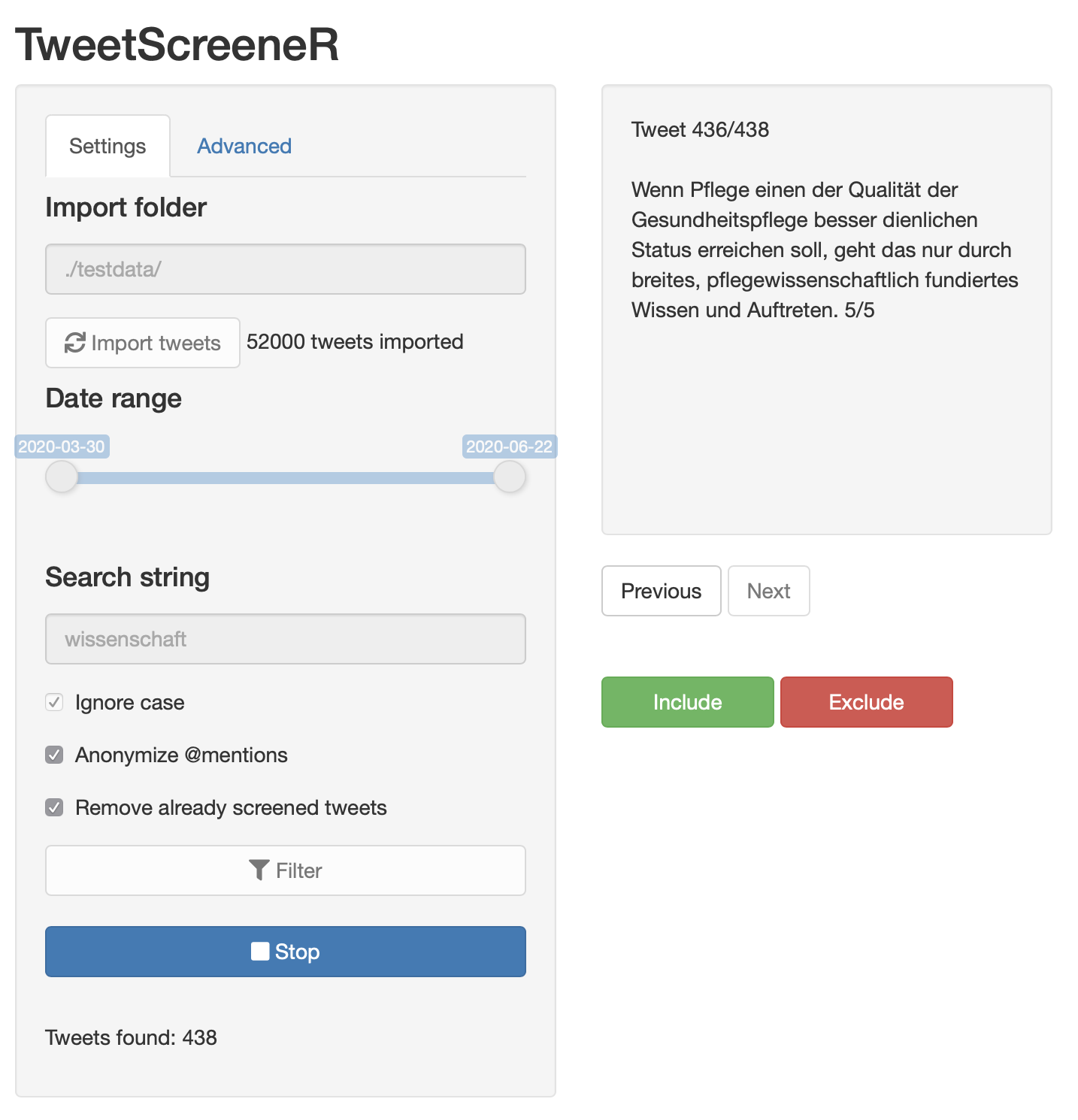
A Shiny Application to manually screen — or classify — Tweets downloaded from the Twitter API with the rtweet-package.
The app is currently being actively developed towards the first beta release. There are no known issues or bugs, but the usability is limited: only dichotomous classification (Include/Exclude) is possible, with no option to customize the labels.
- Place your
.RDSfiles containing the tweets in a folder and pointTweetScreeneRto that folder. All files starting with the string 'tweets' will be imported. - Use the input controls to filter based on date
- Subset the tweets by searching (with regular expressions)
- Anonymize @mentions if necessary
- Start screening!
Every time the 'Start'-Button is pressed a session file is created in the output folder (default: data. This can be changed under advanced settings in the UI). The output is a .csv-file containing the tweet text, ID and the decisions. By checking the box 'Remove already screened tweets' only tweets that haven't been screened/classified are shown in subsequent sessions.
- Add user feedback for chosen decisions
- Custom labels based on user input
- Option to save the configuration in a file
- Option to change the file format and naming convention of imported and exported files (currently only the folder can be changed)
- Option to choose exported fields