
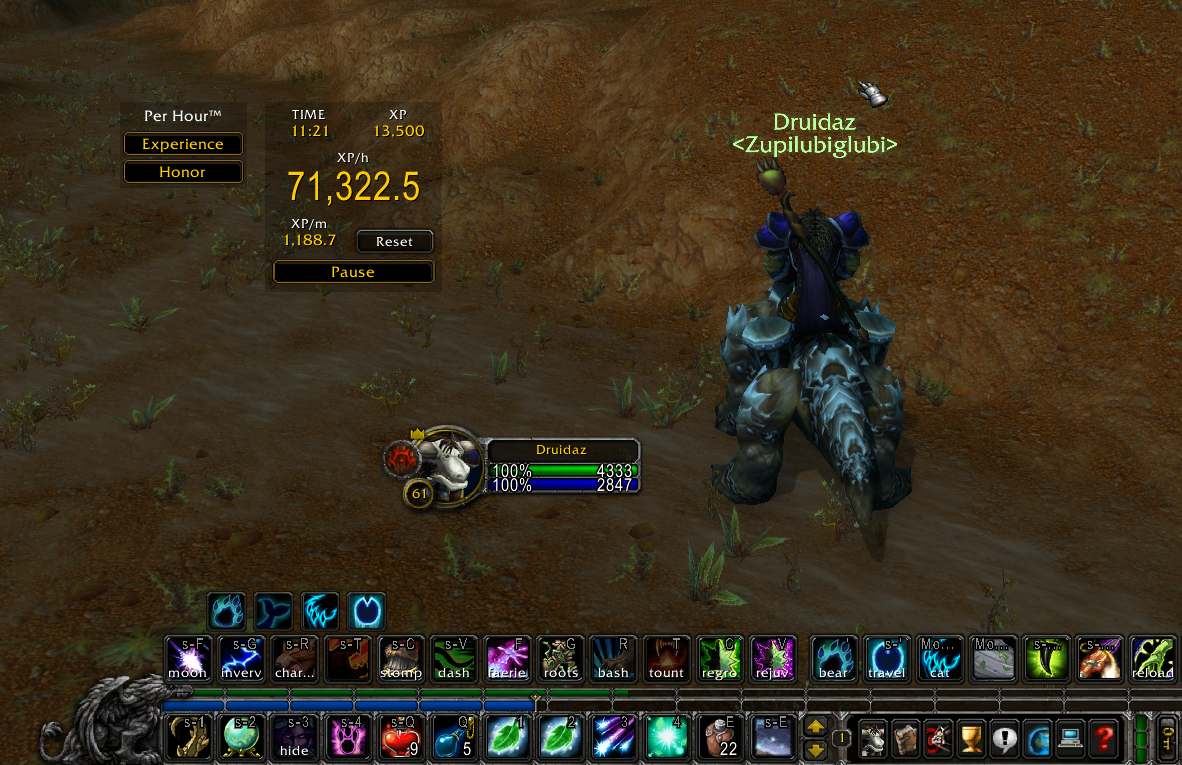
Do you want to know your performance? The Per Hour Addon is for you!
You will be able to measure your performance:
-
Experience.
-
Honor.
-
Reputation.
-
A reputation must be selected to be displayed as Experience Bar.
Character Infowindow >Reputationtab > click in a reputation > checkShow as Experience Bar.
-
If you change your reputation selected, the tracker will be reseted.
-
I'll soon add many other measurement options, such as:
- Gold.
- Etc.
This is an experimental project and feedbacks are welcome!
-
Download this repository.
- Then extract on your wow addons folder.
- Usually
C:\Program Files (x86)\World of Warcraft\_classic_\Interface\AddOns
- Usually
- Then rename the addon folder to
per-hour.- The folder must have the same name as the
.TOCfile. - Must be like this:
{wow_folder}\Interface\AddOns\per-hour\per-hour.TOC.
- The folder must have the same name as the
- Then extract on your wow addons folder.
-
We are also on CurseForge https://www.curseforge.com/wow/addons/per-hour.
-
You can also search for Per Hour in your addon manager preferred.