SWARMz4 is a workspace for a drone and ship battle challenge in a Gazebo simulation. This repository provides scripts to install the necessary tools and dependencies to run the simulation and control the drones.
- Gazebo simulation environment for drone and ship battles
- Integration with PX4, ROS2, and QGroundControl
- Custom ROS2 packages for game management
- Example packages for drone control
To install the project, follow these steps:
- Clone the repository:
git clone https://github.com/duy12i1i7/SWARMz4.git
- Navigate to the project directory:
cd SWARMz4 - Run the installation script:
./install_scripts/install_swarmz.sh
- Build the ROS2 workspace
cd ros2_ws
colcon build && source install/setup.bash
- Download dependencies
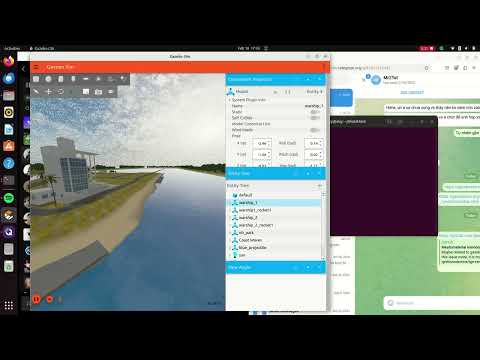
If the environment is showed on Gazebo, the download process is complete.
cd ros2_ws && source install/setup.bash
ros2 launch vrx_gz vrx_environment.launch.py world:=nbpark
To run a game, you need to start the Gazebo simulation with the appropriate number of robots. The SWARMz4 challenge makes two teams of 5 drones and 1 flagship fight each other over a 500 x 250 m field.
-
Run the launch script:
source ros2_ws/install/setup.bash ./launch_scripts/launch_simulation.sh [HEADLESS] [NUM_DRONES_PER_TEAM] [FIELD_LENGTH] [FIELD_WIDTH] [WORLD] [NUM_SHIPS_PER_TEAM]HEADLESS: Set to1for headless mode (default),0for GUI mode.NUM_DRONES_PER_TEAM: Number of drones per team (default is 5).FIELD_LENGTH: Length of the field in meters (default is 500).FIELD_WIDTH: Width of the field in meters (default is 250).WORLD: Name of the Gazebo world to use (default isnbpark).NUM_SHIPS_PER_TEAM: Number of ships per team (default is 1).
-
Start a game by running the game master launcher in a different terminal:
cd SWARMz4/ros2_ws
source install/setup.bash
ros2 launch game_master game_master.launch.py
-
To rotate the cannon and fire the rocket, launching it in the different terminal:
cd SWARMz4/
source ros2_ws/install/setup.bash
python3 launch_scripts/cannon.py [SOURCE] [TARGET_YAW] [TARGET_PITCH]
With:
- SOURCE: Represents the warship
- TARGET_YAW: Represents the gun muzzle's vertical rotation angle, spanning from –π/2 to π/2.
- TARGET_PITCH: the rotation angle of the gun BASE, ranging from 0 to 2π.
Or use this topic:
source ros2_ws/install/setup.bash
ros2 topic pub /flag_ship_1/cannon_control cannon_msgs/msg/CannonControl "{target_yaw: 0.5, target_pitch: 1.57}"
- To control any of warship, you can test engines by publishing a topic to one or both of the thrusters:
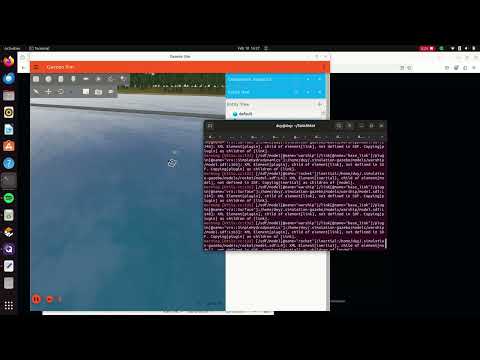
ros2 topic pub /model/{Name_of_warship}/joint/left_engine_propeller_joint/cmd_thrust std_msgs/msg/Float64 "data: 150"using this command you should see your boat going in circles.
For more details, read the Answers.md