
Transform your ideas into beautiful websites using natural language
HexCode is an innovative AI-powered website generator that bridges the gap between imagination and implementation. By leveraging advanced natural language processing (NLP) and intuitive user interfaces, users can create professional websites simply by describing their vision in plain text.
Perfect for:
- Non-technical users needing websites
- Teams collaborating on web projects
-
🎨 Intelligent Design Generation
- Convert text descriptions into responsive layouts
-
🔐 Secure Authentication
- Google OAuth 2.0 integration
- Secure session management
-
👥 Collaborative Editing
- Real-time multi-user collaboration
-
🎯 Intuitive Interface
- Offers intuitive control over website layout and element placement through Drag-and-Drop Functionality
- Real-time preview updates
- Color Palette for personalizing the generated website's appearance with various colors
-
🚀 Deployment & Export
- One-click website deployment
- Complete code download (HTML, CSS, JS)
- Framework: React.js
- Animation: framer-motion
- Styling: Tailwind CSS
- Library: SweetAlert2
- Runtime: Node.js
- Framework: Express.js
- Database: MongoDB
- AI Integration: Anthropic Claude API
- Node.js (v14 or higher)
- npm (v6 or higher)
- MongoDB (v4.4 or higher)
- Google Cloud Platform account
- Anthropic API access
- open API access
-
Clone the Repository
# Clone with default name
git clone https://github.com/Ashish-More-2023/HexCode.git
# Or clone with custom name git clone https://github.com/Ashish-More-2023/HexCode.git your-project-name -
Navigate to Project Directory
# For default name
cd hexcode
# For custom name
cd your-project-name
-
Install Frontend Dependencies
cd ./frontend npm install -
Install Backend Dependencies
cd ./backend npm install -
Configure Environment Variables
Create
.envfile in the backend directory:# Server Configuration PORT=5000 NODE_ENV=development # Authentication GOOGLE_CLIENT_ID=your_client_id GOOGLE_CLIENT_SECRET=your_client_secret GOOGLE_CALLBACK_URL=your_callback_url # URLs CLIENT_URL=your_client_url # Security SECRETKEY=your_secret_key # Database MONGODB_URI=your_db_url # API Keys CLAUDE_API_KEY=your_anthropic_api_key OPENAI_API_KEY=your_openai_api_key
Create
.envfile in the frontend directory:# Backend configuration URLs REACT_APP_BACKEND_URL=your_backend_url
-
Start Development Servers
# Start backend server
cd backend
npm start
# In a new terminal, start frontend server
cd frontend
npm start




📝 Simply explain your website idea in plain text—just like you would to a designer.
Whether it's a blog, portfolio, or business site, your description becomes the blueprint.
🤖 Our AI analyzes your description and automatically builds:
- 🏗️ Website structure
- 📱 Responsive layout
- 🔧 Core components
- 🎨 Design elements
✨ Easily fine-tune your site with:
- 🖱️ Drag-and-drop editor
- 🎨 Color palette customization
- 👀 Real-time preview
- 📚 Component library
🤝 Work seamlessly with your team
📱 Preview across devices
🚀 Deploy with one click
💾 Download the source code if needed
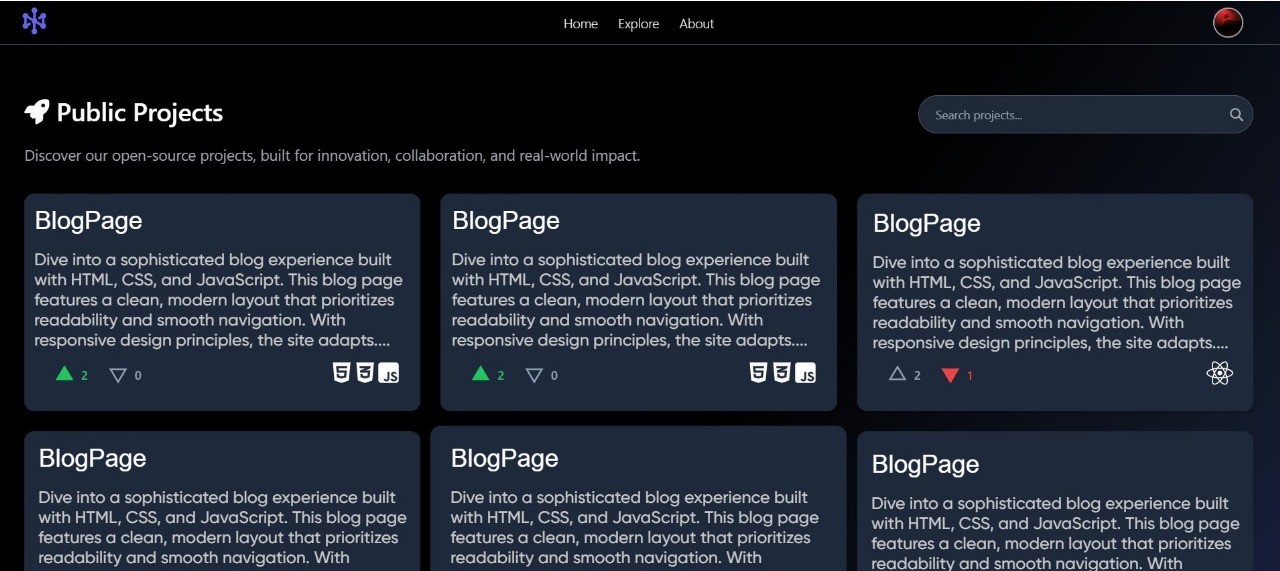
🌍 Discover public projects, copy them, and make them your own.
🛠️ Enhance, customize, and improve upon existing ideas.
🚀 Collaborate and innovate to build something unique!