WARNING: ALPHA software - HIGHLY EXPERIMENTAL
This is a fully anonymous ("Privacy-By-Design", using I2P as a network layer), very lightweight, fast, low-energy and permissionless transaction chain.
Divachain supports two Application Programming Interfaces (API): a) an HTTP REST API running by default on port 17468 b) a broadcasting websocket running by default on port 17468
In a nutshell: use the REST API to write transactions to the chain or use the REST API to read status information from the chain. Use the websocket to get live updates.
Make sure you have deno available. To set up a divachain developer environment,
run ./bin/create-devnet.sh.
The configuration can be controlled using environment variables.
Default: warn
Available levels: trace, info, warn, error, critical
Set to 1 to skip bootstrapping.
Default: 0
URL to a entrypoint in the network, like http://diva.i2p.
Default: (empty)
Default: 127.0.0.1
Default: 17468 REST API as documented below (API Endpoints).
Default: 17469 Websocket Feed, broadcasting transaction data to its listeners.
Default: 127.0.0.1
Default: 4445
Default: 127.0.0.1
Default: 7656
Default: as IP above
Default: 7656
Default: 7655
Default: 127.0.0.1
Default: 17468
Default: 127.0.0.1
Default: 17470
Default: 127.0.0.1
Default: 17470
Interval, in milliseconds, to build and maintain the P2P the network (connect to peers, if needed).
Minimum: 10000
Maximum: 30000
Default: Minimum
Minimum: 1000
Maximum: 60000
Default: 5000
Maximum number of transactions of synchronization message might contain. Must not exceed API_MAX_QUERY_SIZE.
Minimum: 10
Maximum: 100
Default: Minimum
Number of transactions kept in memory (cache).
Minimum: 100
Maximum: 1000
Default: Maximum
Number of records which can be queried through the API.
Minimum: 10
Maximum: 100
Default: Maximum
Returns an object containing the version, the license and the public key of the peer.
Returns an object containing the header and the token to PUT a transaction on the testnet.
Returns the matrix of the network status messages from all known peers.
Returns the list of peers broadcasting to.
Returns the network participants. If stake is given and greater than zero, only network participants with a stake greater-or-equal than the given threshold will be returned.
Search states using a search string (q). If no search string is given, it returns the last API_MAX_QUERY_SIZE states.
Example:
http://url-divachain-api/state/search/DivaExchange:OrderBook:BTC_ETH
Remark: Not more than API_MAX_QUERY_SIZE states can be requested at once.
Get a specific state from the local state database. The local state database is a key/values storage and represents a well-defined set of current states.
Example:
http://url-divachain-api/state/decision:DivaExchange:Auction:BTC_ETH
Get the local transaction stack.
Get the genesis transaction.
Get the latest local transaction. If :origin is given (a public key of a peer), the latest locally available transaction of this specific peer gets returned.
Get a specific local transaction on the given :height. If :origin is given (a public key of a peer), the locally available transaction on the given :height of this specific peer gets returned.
Example: http://url-divachain-api/tx/10 will return the local transaction on
height 10.
Error handling: If a transaction at the given height is not available, 404 (Not Found) will be returned.
Get the local transactions between :gte "from height" (inclusive) and :lte "to height" (inclusive). If :lte is not yet available, the transactions until the current height will be returned. If :origin is given (a public key of a peer), the locally available transactions of this specific peer are returned.
If a :gte is greater than the available height, an empty array gets returned.
Example: http://url-divachain-api/txss/10/19/ will return 10 transactions
(transaction 10 until 19, if all transactions are already available).
Example: http://url-divachain-api/txs will return the latest local
API_MAX_QUERY_SIZE transactions (at most).
Error handling: 404 (Not Found) will be returned, if an :origin is not available locally.
Remark: Not more than API_MAX_QUERY_SIZE transactions can be requested at once.
This API endpoint is mainly useful for user interaction (UI/UX) and it's grouping transactions into pages of a given size.
Get a specific page of the chain, starting at 1. The chain gets sorted in reverse order, hence the latest transactions are on page 1. If size is not given, it will return API_MAX_QUERY_SIZE transactions or less. If :origin is given (a public key of a peer), the locally available transactions of this specific peer are returned.
If a page is not available, an empty array gets returned.
Example: http://url-divachain-api/txs/page/1/5 will return the last 5 or
fewer transactions of the chain.
Remark: Not more than API_MAX_QUERY_SIZE transactions can be requested at once.
Error handling: 404 (Not Found) will be returned, if an :origin is not available locally.
Search all locally available transactions using a search string. If :origin is given (a public key of a peer), the locally available transactions of this specific peer are searched. If the search string isn't found, an empty array gets returned.
Example: http://url-divachain-api/txs/search/XMR will return the latest
transactions containing the string XMR.
Remark: Not more than API_MAX_QUERY_SIZE transactions can be requested at once.
Error handling: 403 (Forbidden) gets returned if search string is shorter than 3 characters.
Submit a new transaction proposal to the network. The body must contain an array of commands.
The request must set the currently valid API token (a string) as the header "diva-token-api". This is a protected request and to gather its credentials, access to the local filesystem of a node is required. The local wallet also holds the currently valid API token.
Example of such a transaction proposal, containing two commands:
[
  { command: 'data', ns: 'test:data', d: 'data-1' },
  { command: 'data', ns: 'test:data', d: 'data-2' },
]
Internal: part of an automated process.
Request to join the network.
Send this GET request to any remote peer in the network which is online. This remote peer will later - in some seconds or even minutes - send back an independent GET request to the local /challenge/ endpoint.
Internal: part of an automated process.
Response will contain the signed token. Verify the response with the public key of the remote peer.
Request to leave the network.
The request must set the currently valid API token (a string) as the header "diva-token-api". This is a protected request and to gather its credentials, access to the local filesystem of a node is required. The local wallet also holds the currently valid API token.
@TODO
@TODO
Unit tests require docker (see https://docs.docker.com/) and docker compose
(v2.x or later). Check your installation using docker compose version.
If a local I2P test environment is wanted, start the local testnet container:
docker compose -f test/local-i2p-testnet.yml up -d
Unit tests can be executed using:
deno task test
Unit tests contain functional tests and will create some transactions within the local storage.
To stop the local I2P test environment (and purge all data):
docker compose -f test/local-i2p-testnet.yml down --volumes
To lint the code, use
deno task lint
Contributions are very welcome. This is the general workflow:
- Fork from https://github.com/diva-exchange/divachain/
- Pull the forked project to your local developer environment
- Make your changes, test, commit and push them
- Create a new pull request on github.com
It is strongly recommended to sign your commits: https://docs.github.com/en/authentication/managing-commit-signature-verification/telling-git-about-your-signing-key
If you have questions, please just contact us (see below).
Your donation goes entirely to the project. Your donation makes the development of DIVA.EXCHANGE faster. Thanks a lot.
42QLvHvkc9bahHadQfEzuJJx4ZHnGhQzBXa8C9H3c472diEvVRzevwpN7VAUpCPePCiDhehH4BAWh8kYicoSxpusMmhfwgx
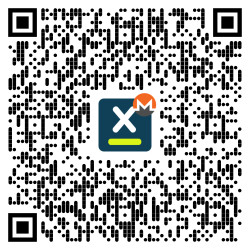
or via https://www.diva.exchange/en/join-in/
3Ebuzhsbs6DrUQuwvMu722LhD8cNfhG1gs

On DIVA.EXCHANGE you'll find various options to get in touch with the team.
Talk to us via Telegram (English or German).