Table of Contents
- Bonial iOS development task
- Required Task
- Features
- How to build
- Notices
- Screenshots
- Unit testing
- Requirements
- UML
- FETCH LIST WITH BROCHURES
- https://dl.dropboxusercontent.com/u/41357788/coding_task/api.json
- Check the response JSON in a web browser
- The response will deliver a ‘sectors’ list with sector objects
- Parse that list and store values in your own Objective-C/Swift model representation.
- DISPLAY BROCHURES LIST IN A UICOLLECTIONVIEW
- Every sector object contains a list of “brochures”
- Present each sector in one collection view section. Collection view cells should
- Present the associated brochures.
- The collection view sections should be alphabetically ordered by “sector->name”
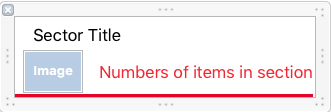
- CREATE A CUSTOM VIEW FOR SECTION HEADER, WHICH DISPLAYS
- Sector image (you find the url in sector -> url)
- Sector name
- Number of brochures, contained in section
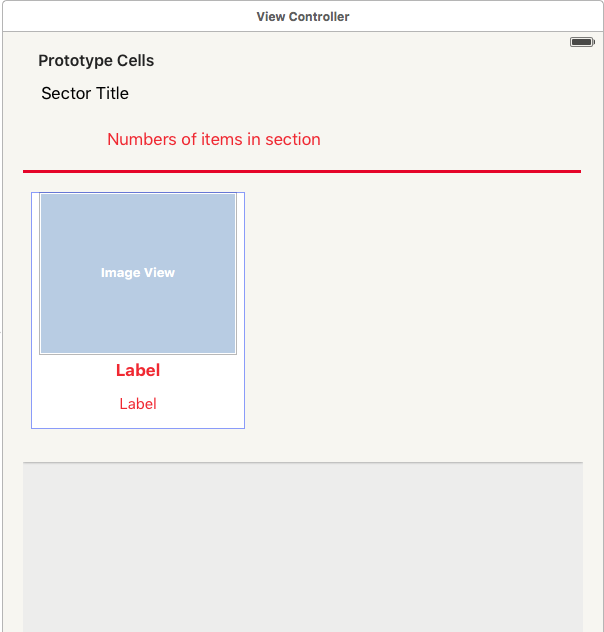
- CREATE A CUSTOM CELL VIEW FOR COLLECTION VIEW CELLS, WHICH DISPLAYS:
- Preview image (coverUrl)
- RetailerName
- Title
- WRITE UNIT TESTS
- Cover at least one class with unit tests
- We would like to see that you are familiar with writing unit tests
Note:
- Do not use any third party libraries
- Focus rather on code quality and clean architecture than UI and animations • make sure that you follow the Clean Architecture
- Divides an app’s logical structure into distinct layers of responsibility • isolate dependencies
- Easy to test
- Conforms to the Single Responsibility Principle
#Features
-
Swift Programming Language - fully upgraded to version 2
-
Custom UIView ![Custom UIView] (https://raw.githubusercontent.com/digwey/bonial/master/CodingChallenge/screenshots/SectorItemCustomView.png)
-
@IBDesignableand@IBInspectable- Reusable UI components ![Custom UIView] (https://raw.githubusercontent.com/digwey/bonial/master/CodingChallenge/screenshots/MainViewController.png) -
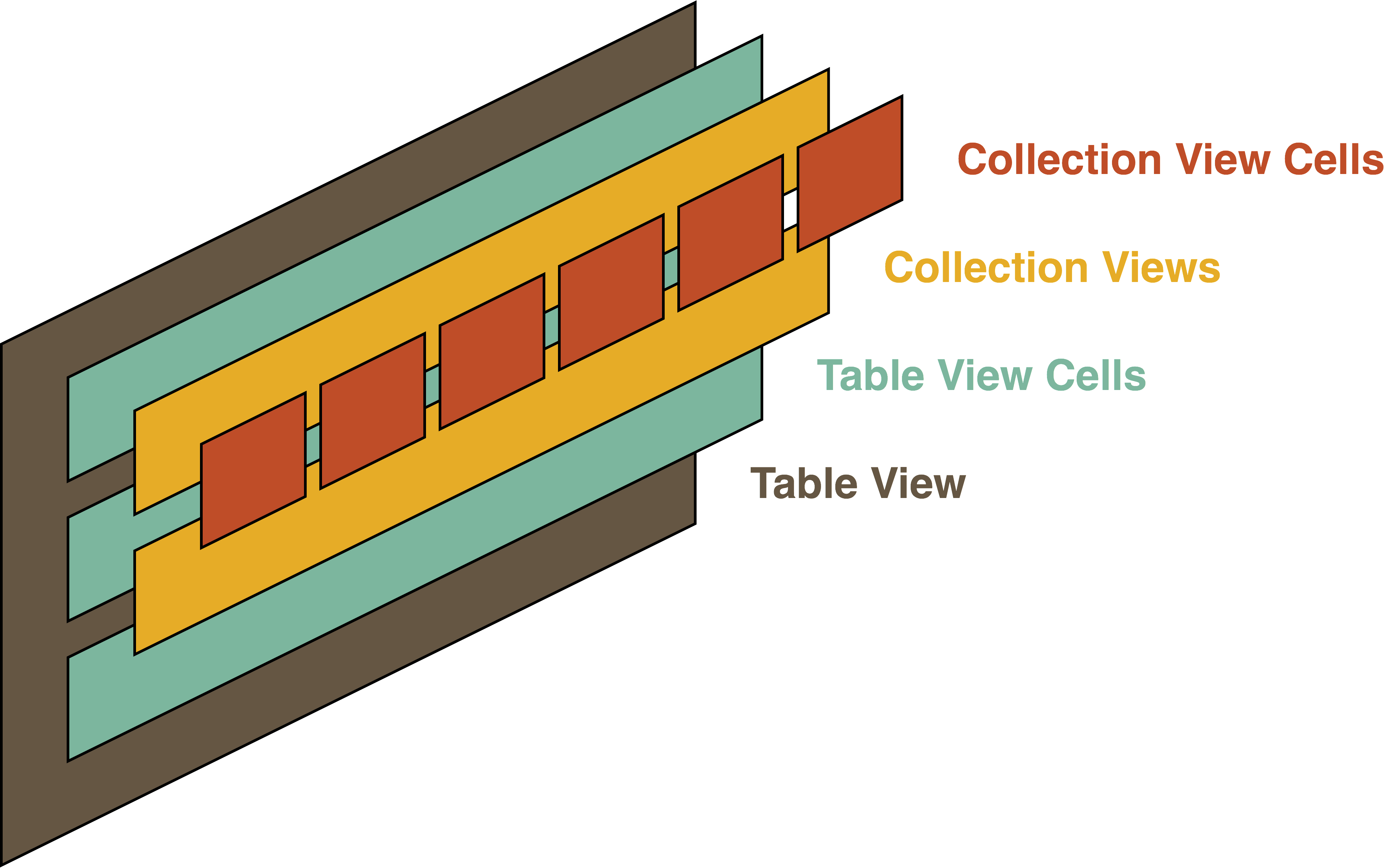
Layout of complex uicollection view in uitableview using both custom cell [UICustomUITableViewCell, UICustomUICollectionViewCell]
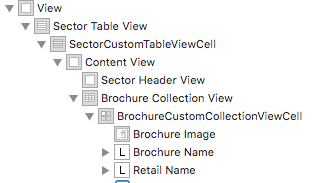
- Protocol-Oriented Programming - Still learning though and finding the best practise of that.
- Clone the repository
$ git clone https://github.com/digwey/bonial.git- Install pods
$ cd CodingChallenge
$ pod install- Open the workspace in Xcode
$ open "CodingChallenge.xcworkspace"-
Compile and run the app in your simulator or your iOS device
-
If you don't see any data, please check internet connection as the application doesn't check the connectivity status.
Bonier task is an iOS app developed in Swift 2. The app has been actively upgrading to adopt the latest features of iOS and Swift language.
The current version is working with Xcode Version 7.3. If you are using different Xcode version, please check out the previous versions.
![Screenshot1] (https://raw.githubusercontent.com/digwey/bonial/master/CodingChallenge/screenshots/BonialScreenShot1.png) ![Screenshot2] (https://raw.githubusercontent.com/digwey/bonial/master/CodingChallenge/screenshots/BonialScreenShot2.png)
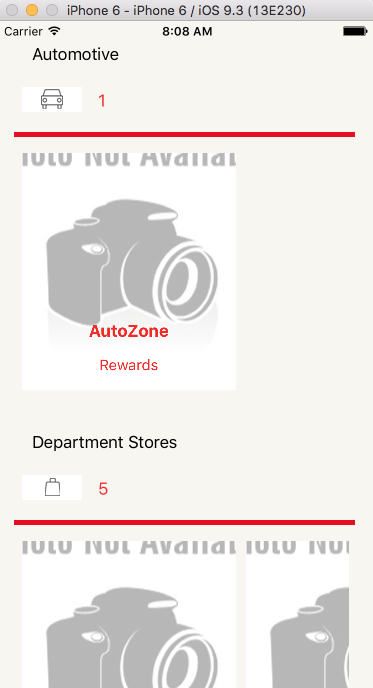
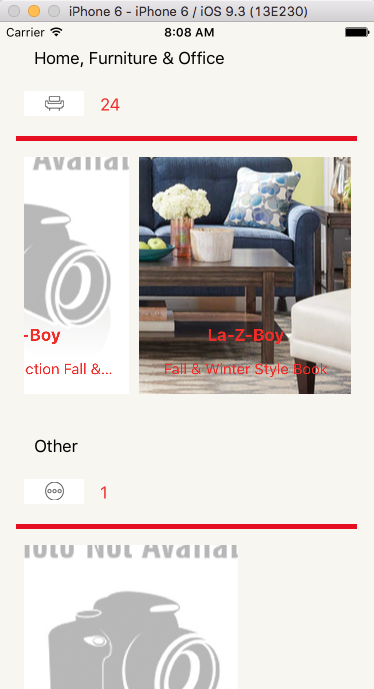
Gif file using Xcode Emulator ![Gif1] (https://raw.githubusercontent.com/digwey/bonial/master/CodingChallenge/screenshots/Viewing.gif)
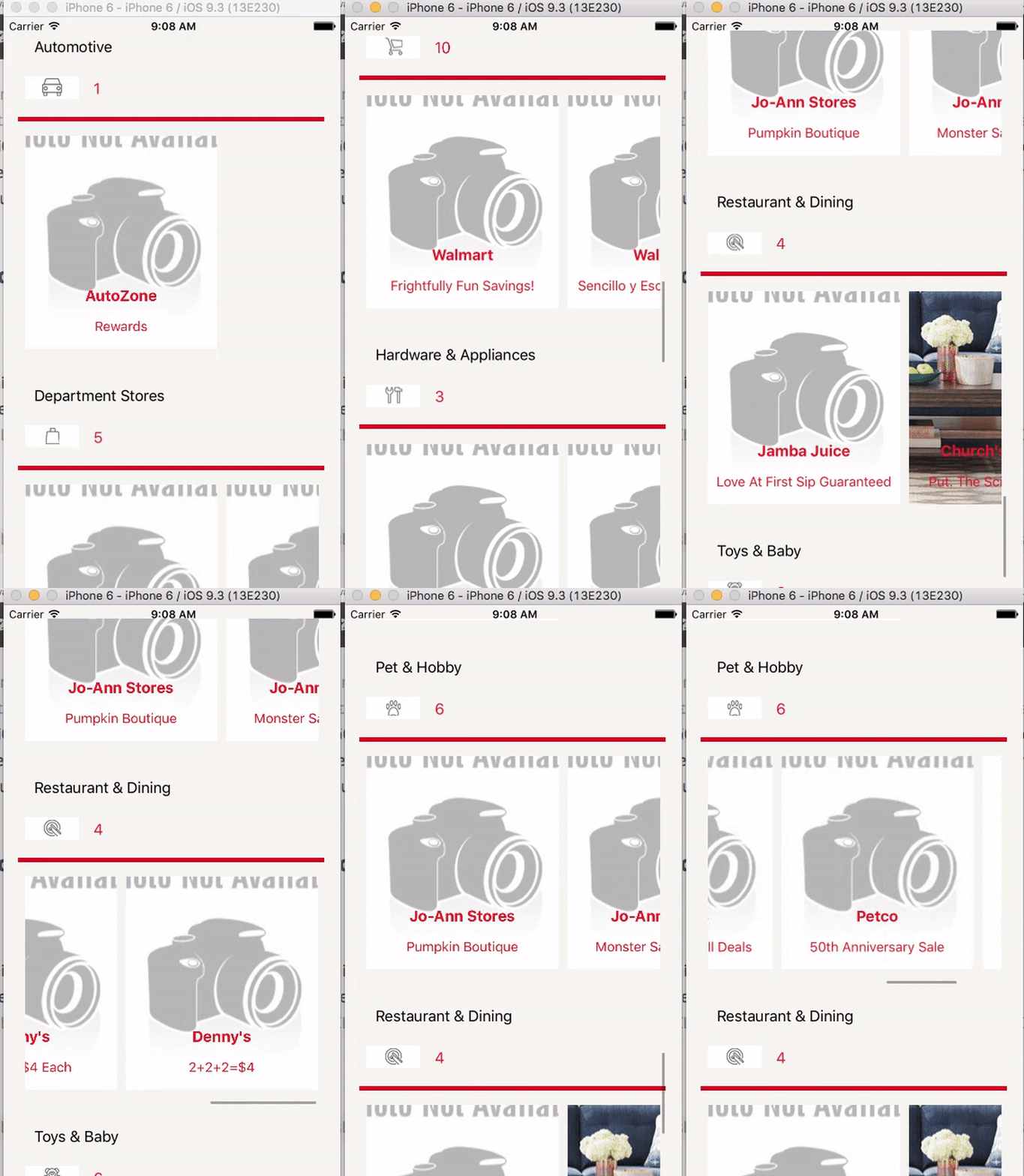
- Using XCTest
func testInitSectorModel(){
//Generating Nil Sector model
let sectorModel = SectorModel(id: -1, name: "TestedModel", url: "MYURL")

//It should be success because Sector Model with negative ID generate nil Model
XCTAssertNil(sectorModel)

//Successfully generated Sector model
let sectorModelSuccessed = SectorModel(id: 1, name: "TestedModel 1", url: "MYURL")

//Test to insure mapping between model consturctor and model properties
XCTAssertEqual(sectorModelSuccessed!.id,1)
XCTAssertEqual(sectorModelSuccessed!.name,"TestedModel 1")
XCTAssertEqual(sectorModelSuccessed!.url,"MYURL")

}- Xcode 7
- iOS 9
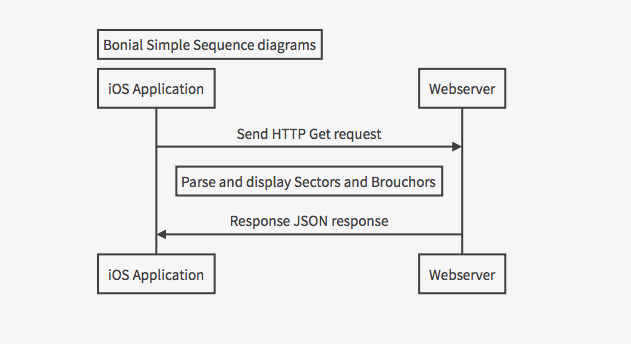
#UML This is consider a very simple UML that consider only one view controller in iOS You can also render sequence diagrams like this:
- Sequence diagrams using http://bramp.github.io
Title: Bonial Simple Sequence diagrams
iOS Application->Webserver: Send HTTP Get request
Note right of iOS Application: Parse and display Sectors and Brouchors
Webserver->iOS Application: Response JSON response
![BonialSeqDiagram] (https://raw.githubusercontent.com/digwey/bonial/master/CodingChallenge/screenshots/BonialSeqDiagram.png)