This is a personal fork. Some features I don't use may not work. Feel free to use it, but I’m not accepting feature requests.
[GUI-REPOSITORY]






«Tidal-Media-Downloader» is an application that lets you download videos and tracks from Tidal. It supports two version: tidal-dl and tidal-gui. (This repository only contains tidal-dl, and the release isn't the newest gui version.)
Download |
Documentation |
中文文档 |
pip3 install tidal-dl --upgrade| USE | FUNCTION |
|---|---|
| tidal-dl | Show interactive interface |
| tidal-dl -h | Show help-message |
| tidal-dl -l "https://tidal.com/browse/track/70973230" | Download link |
| tidal-dl -g | Show simple-gui |
If you are using windows system, you can use tidal-pro
| Download nightly builds from continuous integration: |  |
|---|
-
Download album \ track \ video \ playlist \ artist-albums
-
Add metadata to songs with automatic FLAC cover-art normalisation (requires
ffmpegandmetaflacinPATH) -
Selectable video resolution and track quality, including DASH manifests for compatible playback apps
-
PKCE login flow support for secure keyless authentication
-
Optional listener mode for remote-triggered downloads secured by a shared secret
PKCE-based authentication lets you log in without storing the TIDAL device client secret locally. To use it:
- Pick a PKCE-capable API key. Start
tidal-dl, choose menu option7(Change API Key), and pick an entry that listssupportsPkce = True(the bundled “TV” key isindex 3). The selected index is stored in~/.tidal-dl.jsonunderapiKeyIndex, so you can also edit the config file manually if you prefer. - (Optional) Override the API credentials. Menu option
10(Configure custom API settings) lets you supply your ownclientId, client secret, and PKCE endpoints/scope. The overrides are saved alongside the rest of the user configuration. - Begin the PKCE login flow. From the main menu choose option
8(Login via PKCE). The CLI prints an authorization URL—open it in your browser and approve access. While you wait for the redirect you can either copy the final URL manually or let an automation post it to the temporary endpoint the CLI exposes (it prints something likehttp://127.0.0.1:8123/pkce, or whichever port you configured for listener mode). - Provide the redirect URL to
tidal-dl. Paste it when prompted or POST the JSON payload from the Chrome extension/bridge script to/pkce. The downloader exchanges the code for tokens and saves them to~/.tidal-dl.token.json. Future sessions reuse the stored refresh token automatically until it expires or you change API keys.
If your current API key does not support PKCE the CLI falls back to the regular device-code login. Switch keys first or edit apiKeyIndex to continue using PKCE.
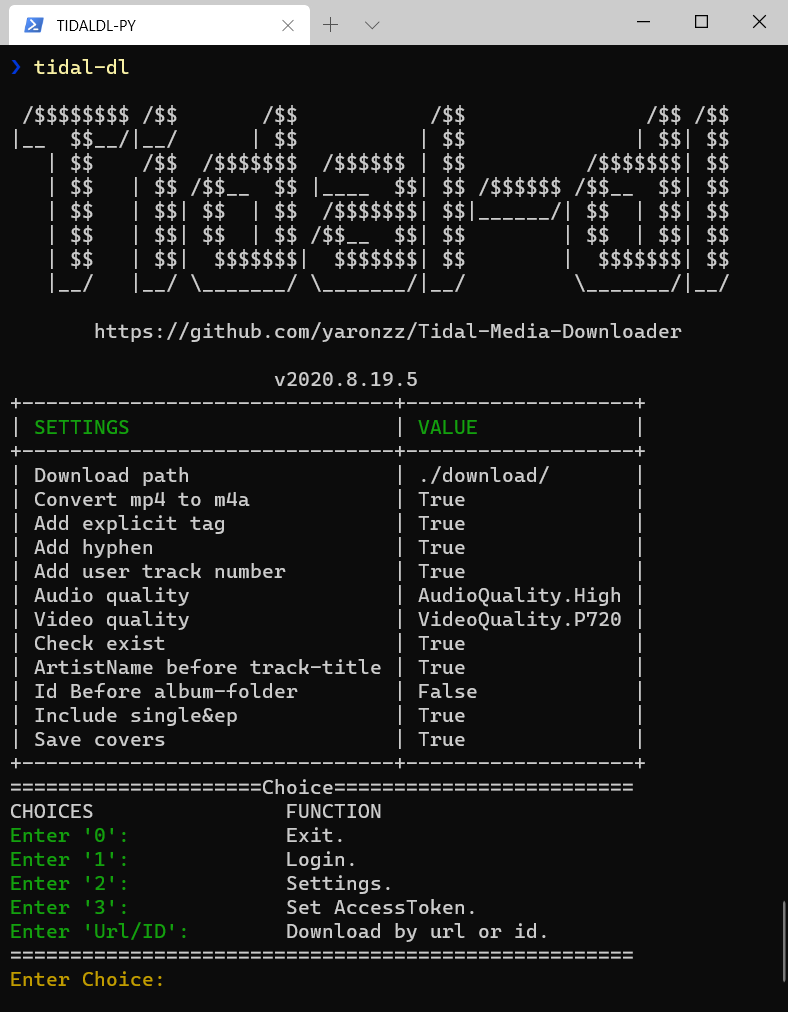
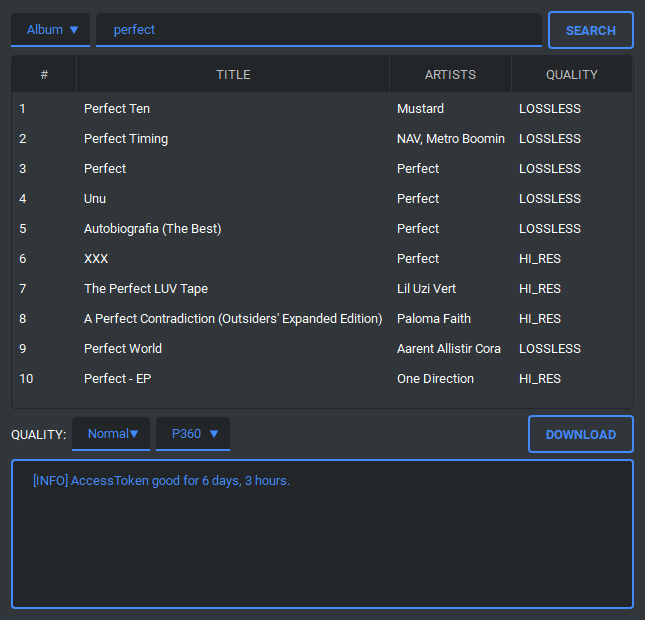
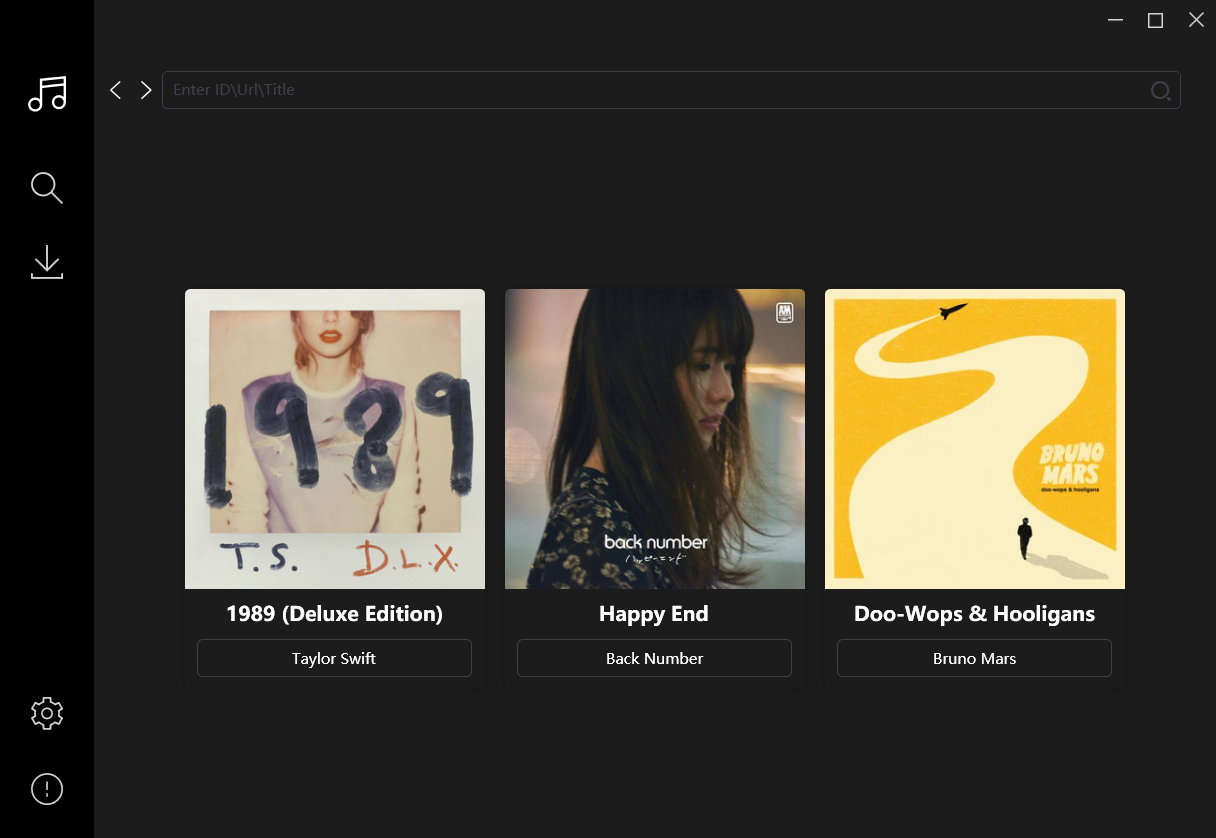
The command-line interface exposes a small HTTP listener that mirrors the companion script shared above. Enable it from the interactive settings screen (tidal-dl → option 6) or by editing the config file, then launch it with:
tidal-dl --listenThe listener binds to 127.0.0.1 on port 8123 by default and requires POST requests to /run or /run_sync to include the X-Auth header set to your configured secret. You can change both the port and secret from the settings menu. When a request arrives the downloader attempts the current quality first and retries once at HiFi if the initial download fails.
See docs/http-endpoints.md for detailed information on the /pkce, /run, and /run_sync endpoints, including authentication requirements and example payloads.
If your automation already has a valid bearer token you can pass it either as an Authorization: Bearer <token> header or in the JSON payload as {"bearerAuthorization": "<token>"} and the listener will reuse it for that download, falling back to the stored login afterwards.
Log output is appended to ~/tidal-dl-listener.txt so you can audit activity initiated via the listener.
| Tag | Example value |
|---|---|
| {ArtistName} | The Beatles |
| {AlbumArtistName} | The Beatles |
| {Flag} | M/A/E (Master/Dolby Atmos/Explicit) |
| {AlbumID} | 55163243 |
| {AlbumYear} | 1963 |
| {AlbumTitle} | Please Please Me (Remastered) |
| {AudioQuality} | LOSSLESS |
| {DurationSeconds} | 1919 |
| {Duration} | 31:59 |
| {NumberOfTracks} | 14 |
| {NumberOfVideos} | 0 |
| {NumberOfVolumes} | 1 |
| {ReleaseDate} | 1963-03-22 |
| {RecordType} | ALBUM |
| {None} |
| Tag | Example Value |
|---|---|
| {TrackNumber} | 01 |
| {ArtistName} | The Beatles |
| {ArtistsName} | The Beatles |
| {TrackTitle} | I Saw Her Standing There (Remastered 2009) |
| {ExplicitFlag} | (Explicit) |
| {AlbumYear} | 1963 |
| {AlbumTitle} | Please Please Me (Remastered) |
| {AudioQuality} | LOSSLESS |
| {DurationSeconds} | 173 |
| {Duration} | 02:53 |
| {TrackID} | 55163244 |
| Tag | Example Value |
|---|---|
| {VideoNumber} | 00 |
| {ArtistName} | DMX |
| {ArtistsName} | DMX, Westside Gunn |
| {VideoTitle} | Hood Blues |
| {ExplicitFlag} | (Explicit) |
| {VideoYear} | 2021 |
| {TrackID} | 188932980 |
If you really like my projects and want to support me, you can buy me a coffee and star this project.

This project exists thanks to all the people who contribute.
- Private use only.
- Need a Tidal-HIFI subscription.
- You should not use this method to distribute or pirate music.
- It may be illegal to use this in your country, so be informed.
pip3 uninstall tidal-dl
pip3 install -r requirements.txt --user
python3 setup.py install