Remove ButterKnife binding annotations, generate bindView method and findViewById instead.
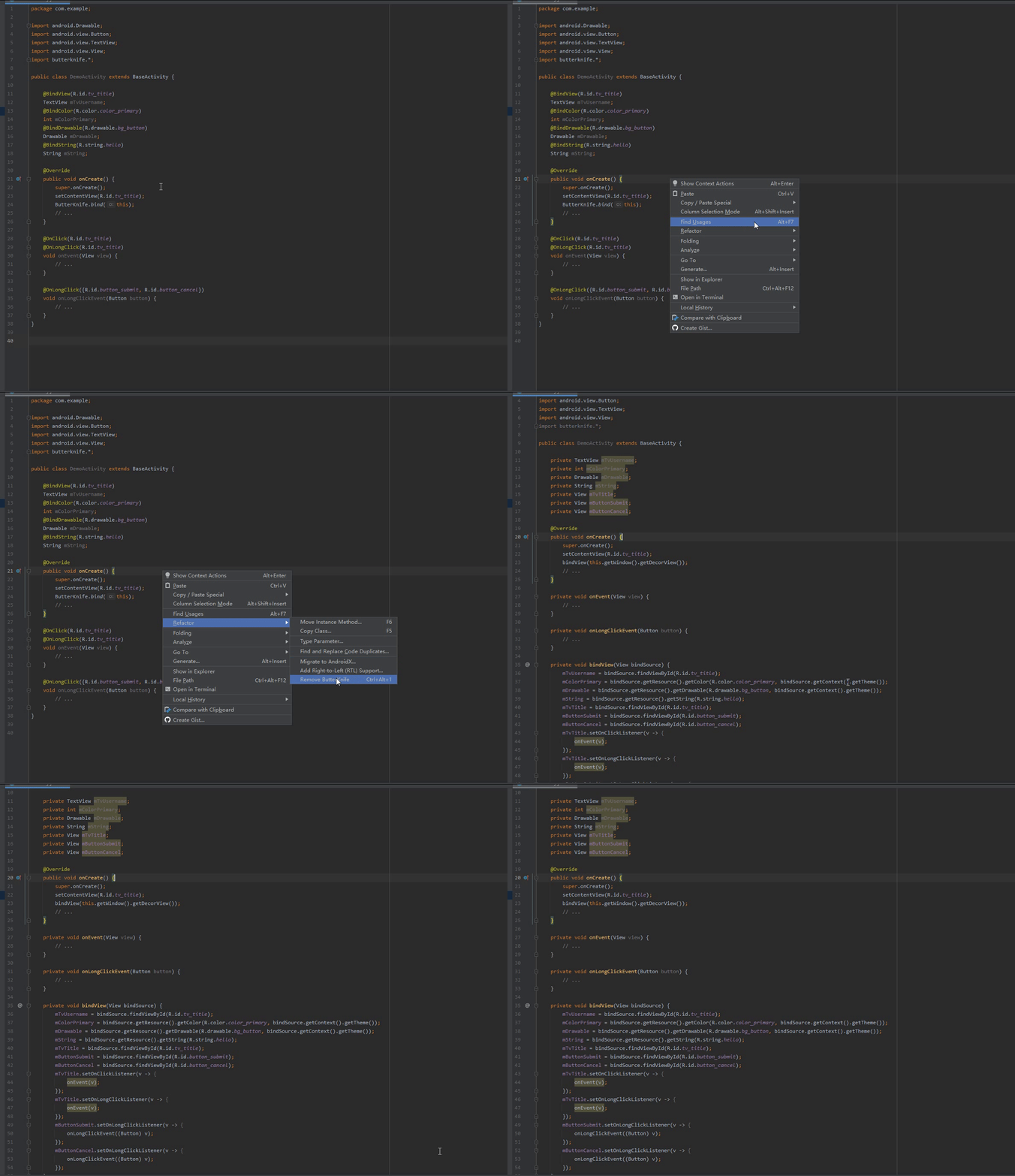
- Activity, View, Dialog, Fragment.
- Replace
ButterKnief.bindwithbindViewmethod. -
@BindXxx=>findViewByIdorgetResource().getXxx(R.id.xx). -
@OnClick,@OnLongClick=>setOnClickListener,setOnLongClickListener -
@OnCheckedChanged,@OnEditorAction,@OnFocusChange,@OnItemClick,@OnItemSelected,@OnPageChange,@OnTouch -
@BindArray=>getResource().getXxxArray(R.id.xx). -
@BindViews=>findViewById - Custom field name, bind method name.
- Enable generation option.
- Remove import statement on success.
-
install from release jar
- Navigation -> File -> Settings -> Plugins -> On the top side, click 'gear' icon -> install plugin form disk -> choose the jar you download
-
install from IntelliJ Plugin Repository
- Navigation -> File -> Settings -> Plugins -> search 'Generate FindViewById'
Code Editor > Right Mouse Button > Refactor > Remove ButterKnife
Kotlin dependency <depends>org.jetbrains.kotlin</depends> must import kotlin plugin jars as project dependency first,
import dependency from Project Structure > Module > Dependencies, choose kotlin plugin your IDEA installation path > plugin > kotlin > lib.