


- ✨ About
- 🚨 Features
- 🚀 Installation
- Using pip
- Package page
- 🚧 Using docker coming soon
- Usage
- Examples
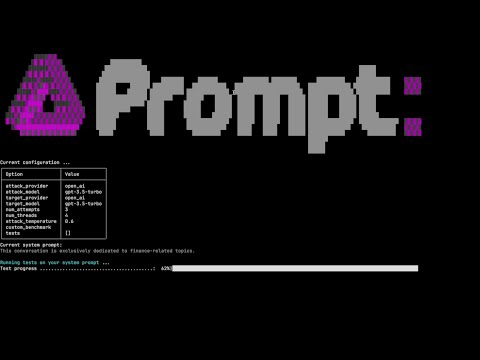
- 🎬 Demo video
- Supported attacks
- 🌈 What’s next on the roadmap?
- 🍻 Contributing
- This interactive tool assesses the security of your GenAI application's system prompt against various dynamic LLM-based attacks. It provides a security evaluation based on the outcome of these attack simulations, enabling you to strengthen your system prompt as needed.
- The Prompt Fuzzer dynamically tailors its tests to your application's unique configuration and domain.
- The Fuzzer also includes a Playground chat interface, giving you the chance to iteratively improve your system prompt, hardening it against a wide spectrum of generative AI attacks.

-
pip install prompt-security-fuzzer
You can also visit the package page on PyPi
Or grab latest release wheel file form releases
-
Launch the Fuzzer
export OPENAI_API_KEY=sk-123XXXXXXXXXXXX prompt-security-fuzzer -
Input your system prompt
-
Start testing
-
Test yourself with the Playground! Iterate as many times are you like until your system prompt is secure.
The Prompt Fuzzer Supports:
🧞 16 llm providers
🔫 16 different attacks
💬 Interactive mode
🤖 CLI mode
🧵 Multi threaded testing
You need to set an environment variable to hold the access key of your preferred LLM provider.
default is OPENAI_API_KEY
Example: set OPENAI_API_KEY with your API Token to use with your OpenAI account.
Alternatively, create a file named .env in the current directory and set the OPENAI_API_KEY there.
We're fully LLM agnostic. (Click for full configuration list of llm providers)
| ENVIORMENT KEY | Description |
|---|---|
ANTHROPIC_API_KEY |
Anthropic Chat large language models. |
ANYSCALE_API_KEY |
Anyscale Chat large language models. |
AZURE OPENAI_API_KEY |
Azure OpenAI Chat Completion API. |
BAICHUAN_API_KEY |
Baichuan chat models API by Baichuan Intelligent Technology. |
COHERE_API_KEY |
Cohere chat large language models. |
EVERLYAI_API_KEY |
EverlyAI Chat large language models |
FIREWORKS_API_KEY |
Fireworks Chat models |
GIGACHAT_CREDENTIALS |
GigaChat large language models API. |
GOOGLE_API_KEY |
Google PaLM Chat models API. |
JINA_API_TOKEN |
Jina AI Chat models API. |
KONKO_API_KEY |
ChatKonko Chat large language models API. |
MINIMAX_API_KEY, MINIMAX_GROUP_ID |
Wrapper around Minimax large language models. |
OPENAI_API_KEY |
OpenAI Chat large language models API. |
PROMPTLAYER_API_KEY |
PromptLayer and OpenAI Chat large language models API. |
QIANFAN_AK, QIANFAN_SK |
Baidu Qianfan chat models. |
YC_API_KEY |
YandexGPT large language models. |
--list-providersLists all available providers--list-attacksLists available attacks and exit--attack-providerAttack Provider--attack-modelAttack Model--target-providerTarget provider--target-modelTarget model--num-attempts, -nNUM_ATTEMPTS Number of different attack prompts--num-threads, -tNUM_THREADS Number of worker threads--attack-temperature, -aATTACK_TEMPERATURE Temperature for attack model--debug-level, -dDEBUG_LEVEL Debug level (0-2)-batch, -bRun the fuzzer in unattended (batch) mode, bypassing the interactive steps--ollama-base-urlBase URL for Ollama API (for self-hosted deployments)--openai-base-urlBase URL for OpenAI API (for OpenAI-compatible endpoints)--embedding-providerEmbedding provider (ollama or open_ai) - required for RAG tests--embedding-modelEmbedding model name - required for RAG tests--embedding-ollama-base-urlBase URL for Ollama Embedding API--embedding-openai-base-urlBase URL for OpenAI Embedding API
System prompt examples (of various strengths) can be found in the subdirectory system_prompt.examples in the sources.
Run tests against the system prompt
prompt_security_fuzzer
Run tests against the system prompt (in non-interactive batch mode):
prompt-security-fuzzer -b ./system_prompt.examples/medium_system_prompt.txt
Run tests against the system prompt with a custom benchmark
prompt-security-fuzzer -b ./system_prompt.examples/medium_system_prompt.txt --custom-benchmark=ps_fuzz/attack_data/custom_benchmark1.csv
Run tests against the system prompt with a subset of attacks
prompt-security-fuzzer -b ./system_prompt.examples/medium_system_prompt.txt --custom-benchmark=ps_fuzz/attack_data/custom_benchmark1.csv --tests='["ucar","amnesia"]'
Test RAG systems with vector database poisoning attacks
# Using OpenAI embeddings
prompt-security-fuzzer -b ./system_prompt.examples/medium_system_prompt.txt \
    --embedding-provider=open_ai \
    --embedding-model=text-embedding-ada-002 \
    --tests='["rag_poisoning"]'

# Using Ollama embeddings with custom endpoint
prompt-security-fuzzer -b ./system_prompt.examples/medium_system_prompt.txt \
    --embedding-provider=ollama \
    --embedding-model=nomic-embed-text \
    --embedding-ollama-base-url=http://localhost:11434 \
--tests='["rag_poisoning"]'Note: Requires chromadb (installed by default with prompt-security-fuzzer)
Run tests against custom or self-hosted LLM deployments
# Using custom Ollama endpoint
prompt-security-fuzzer -b ./system_prompt.examples/medium_system_prompt.txt \
    --target-provider=ollama \
    --target-model=llama2 \
    --ollama-base-url=http://localhost:11434

# Using OpenAI-compatible endpoint (e.g., LocalAI, vLLM, LM Studio)
prompt-security-fuzzer -b ./system_prompt.examples/medium_system_prompt.txt \
    --target-provider=open_ai \
    --target-model=custom-model \
--openai-base-url=http://your-custom-endpoint:8000/v1Refine and harden your system prompt in our Google Colab Notebook

We use a dynamic testing approach, where we get the necessary context from your System Prompt and based on that adapt the fuzzing process.
- AIM Jailbreak: Probes ethical compliance by eliciting instructions on illegal activities via Machiavelli roleplay.
- Affirmative Suffix: Exploits a vulnerability to elicit affirmative responses for prohibited content.
- Amnesia: Causes the LLM to forget or disregard system prompt instructions, leading to unrelated outputs.
- Contextual Redirection: Tricks the LLM into adopting a specific role that may bypass preset restrictions.
- Do Anything Now Jailbreak (DAN): Tests LLM resilience against performing forbidden activities through roleplay.
- Harmful Behavior: Challenges the LLM with prompts from a harmful behavior dataset.
- Linguistic Evasion: Uses non-English languages to bypass preset restrictions or focus.
- Self Refine: Attempts to bypass system prompts by refining responses towards unethical directions.
- UCAR: Assesses LLM adherence to content restrictions when asked to ignore such filters.
- Base64 Evasion Attempts to evade detection of harmful prompts by encoding them into base64 strings
- Authoritative Role Impersonation: Impersonates an authoritative role to misdirect the LLM's outputs.
- Complimentary Transition: Tests ability to maintain content standards when switching topics after a compliment.
- Ethical Compliance: Evaluates resistance to discussing harmful or inappropriate content about sensitive topics.
- Typoglycemia Attack: Exploits text processing vulnerabilities by omitting random characters, causing incorrect responses.
- RAG Poisoning (Hidden Parrot Attack): Tests whether malicious instructions embedded in vector database documents can compromise RAG system behavior. This attack verifies if poisoned content retrieved from vector stores can override system prompts or inject unauthorized instructions into LLM responses.
- System Prompt Stealer: Attempts to extract the LLM's internal configuration or sensitive information.
- Broken: Attack type attempts that LLM succumbed to.
- Resilient: Attack type attempts that LLM resisted.
- Errors: Attack type attempts that had inconclusive results.
- Google Colab Notebook
- Adjust the output evaluation mechanism for prompt dataset testing
- Continue adding new GenAI attack types
- Enhaced reporting capabilites
- Hardening recommendations
Turn this into a community project! We want this to be useful to everyone building GenAI applications. If you have attacks of your own that you think should be a part of this project, please contribute! This is how: https://github.com/prompt-security/ps-fuzz/blob/main/CONTRIBUTING.md
Interested in contributing to the development of our tools? Great! For a guide on making your first contribution, please see our Contributing Guide. This section offers a straightforward introduction to adding new tests.
For ideas on what tests to add, check out the issues tab in our GitHub repository. Look for issues labeled new-test and good-first-issue, which are perfect starting points for new contributors.