


Send notification to users using notification templates and multi notification channels, it's support Filament Native Notification Service with macro, and a full integration to FCM service worker notifications
- Send Notification to users
- Use Filament Native Notification
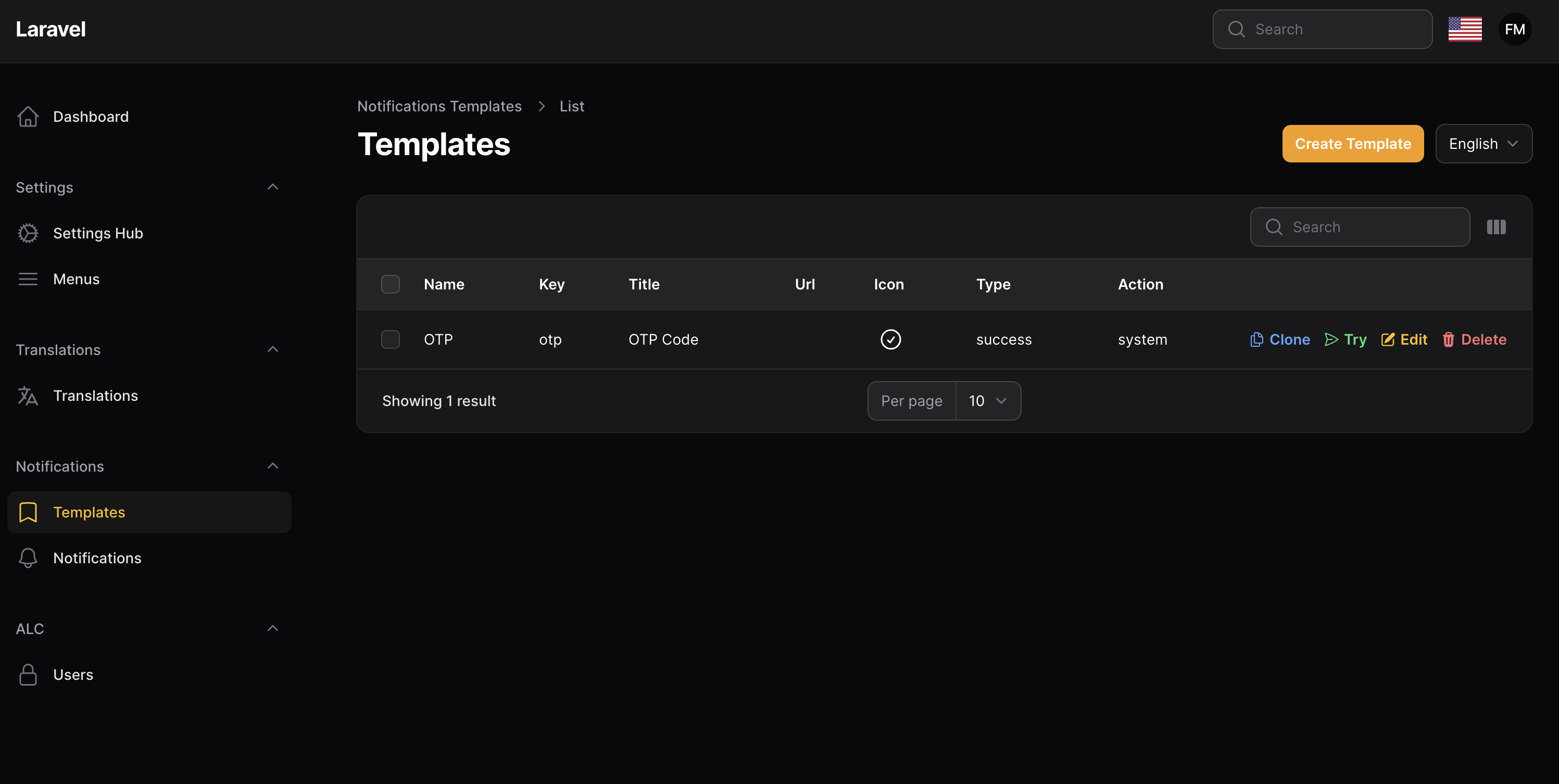
- Use Notification Templates
- Full FCM Service Worker Integration
- Use Multiple Notification Channels
- API to get notifications
- Hide Notifications Resources
- Use Slack Driver
- Use Discord Driver
- Use Reverb Driver
- Use SMS Misr Driver
- Use Email Driver
- Use Database Driver
- Use MessageBird Driver
before use this package make sure you have installed
composer require tomatophp/filament-alertsnow you need to publish and migrate settings table
php artisan vendor:publish --provider="Spatie\LaravelSettings\LaravelSettingsServiceProvider" --tag="migrations"after install your package please run this command
php artisan filament-alerts:installif you are not using this package as a plugin please register the plugin on /app/Providers/Filament/AdminPanelProvider.php
->plugin(\TomatoPHP\FilamentAlerts\FilamentAlertsPlugin::make()
)to set up any model to get notifications you
<?php

namespace App\Models;

use Illuminate\Contracts\Auth\MustVerifyEmail;
use Illuminate\Database\Eloquent\Factories\HasFactory;
use Illuminate\Foundation\Auth\User as Authenticatable;
use Illuminate\Notifications\Notifiable;
use Laravel\Fortify\TwoFactorAuthenticatable;
use Laravel\Jetstream\HasProfilePhoto;
use Laravel\Sanctum\HasApiTokens;
use Spatie\Permission\Traits\HasRoles;
use TomatoPHP\FilamentAlerts\Traits\InteractsWithNotifications;

class User extends Authenticatable
{
    use HasApiTokens;
    use HasFactory;
    use HasProfilePhoto;
    use Notifiable;
    use TwoFactorAuthenticatable;
    use HasRoles;
    use InteractsWithNotifications;
    ...
and you must set the settings for FCM to get real-time notification
the notification is run on queue, so you must run the queue worker to send the notifications
php artisan queue:workyou can use the filament native notification and we add some macro for you
use Filament\Notifications\Notification;

Notification::make('send')
    ->title('Test Notifications')
    ->body('This is a test notification')
    ->icon('heroicon-o-bell')
    ->color('success')
    ->actions([
        \Filament\Notifications\Actions\Action::make('view')
            ->label('View')
            ->url('https://google.com')
            ->markAsRead()
    ])
    ->sendToDiscord(auth()->user())
    ->sendToEmail(auth()->user())
    ->broadcast(auth()->user())
    ->sendToDatabase(auth()->user())
    ->sendToSlack(auth()->user())
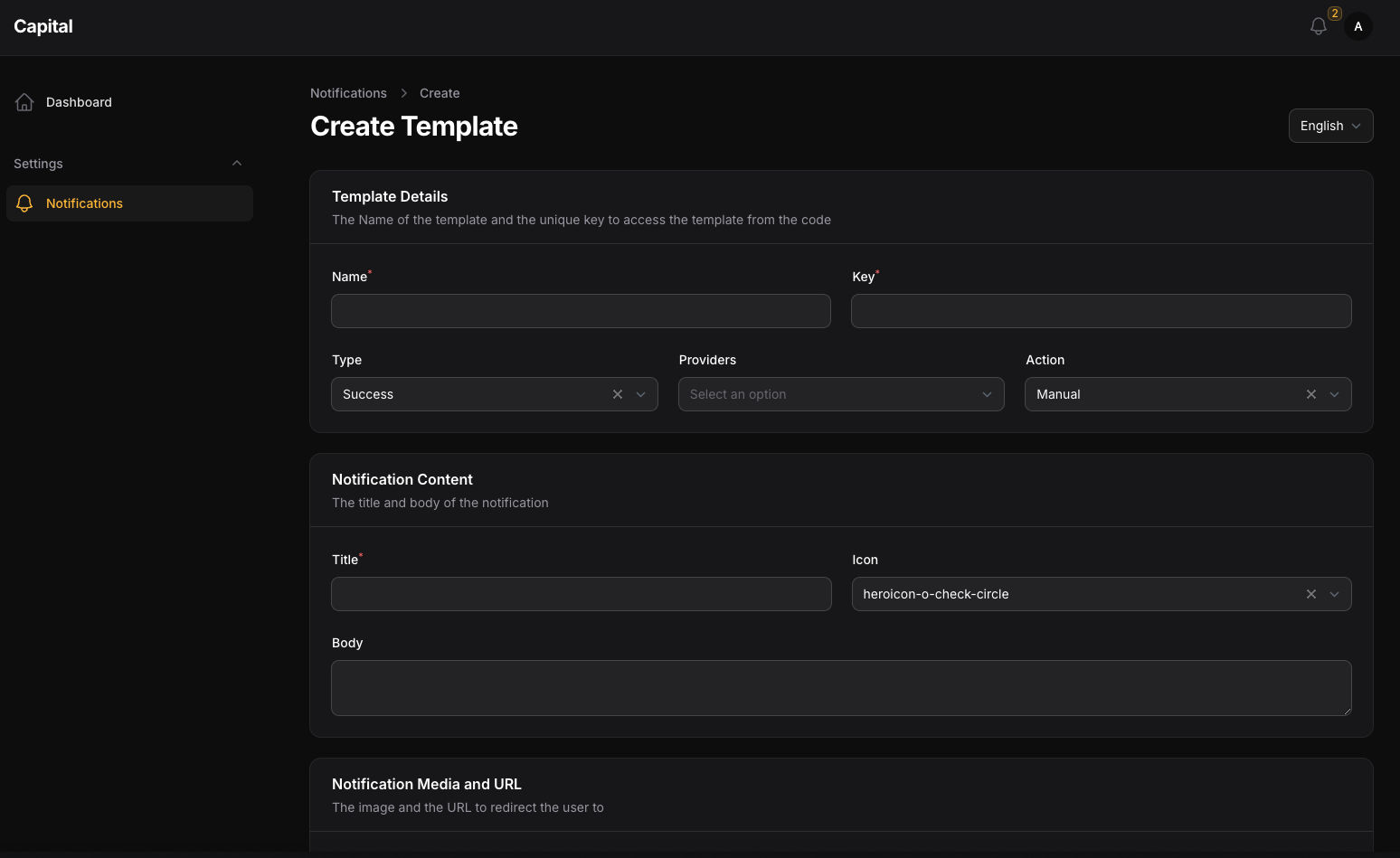
->sendToFCM(auth()->user())to create a new template you can use template CRUD and make sure that the template key is unique because you will use it on every single notification.
to send a notification you must use our helper SendNotification::class like
SendNotification::make($template->providers)
    ->template($template->key)
    ->findTitle($matchesTitle)
    ->replaceTitle($titleFill)
    ->findBody($matchesBody)
    ->replaceBody($titleBody)
    ->model(User::class)
    ->id(User::first()->id)
    ->privacy('private')
    ->fire();
where $template is selected of the template by key and $matchesTitle and $matchesBody is an array of matches to replace the template and $titleFill and $titleBody are an array of values to replace the matches
you can use multiple notification channels like
- SMS
- FCM
- Reverb
- Database
- Slack
- Discord
it can be working with direct user methods like
$user->notifySMSMisr(string $message);
$user->notifyEmail(string $message, ?string $subject = null, ?string $url = null);
$user->notifyFCMSDK(string $message, string $type='web', ?string $title=null, ?string $url=null, ?string $image=null, ?string $icon=null, ?array $data=[]);
$user->notifyDB(string $message, ?string $title=null, ?string $url =null);
$user->notifySlack(string $title,string $message=null,?string $url=null, ?string $image=null, ?string $webhook=null);
$user->notifyDiscord(string $title,string $message=null,?string $url=null, ?string $image=null, ?string $webhook=null);to make FCM Notification Work you need to install Filament Settings Hub and allow use Setting Hub on the Plugin
->plugin(\TomatoPHP\FilamentAlerts\FilamentAlertsPlugin::make()
    ->useSettingsHub()
    ->useFCM()
)
than you need to install filament-fcm package by use this command
composer require tomatophp/filament-fcmand add the service provider plugin
->plugin(\TomatoPHP\FilamentFcm\FilamentFcmPlugin::make())now you need to update config
# Firebase Project
FIREBASE_API_KEY=
FIREBASE_AUTH_DOMAIN=
FIREBASE_DATABASE_URL=
FIREBASE_PROJECT_ID=
FIREBASE_STORAGE_BUCKET=
FIREBASE_MESSAGING_SENDER_ID=
FIREBASE_APP_ID=
FIREBASE_MEASUREMENT_ID=

# Firebase Cloud Messaging
FIREBASE_VAPID=

# Firebase Alert Sound
FCM_ALERT_SOUND=
than run this command
php artisan filament-fcm:installit will generate FCM worker for you to make notifications working on the background.
to hide the notification resources from the sidebar you can use the plugin method hideNotificationsResources like
->plugin(\TomatoPHP\FilamentAlerts\FilamentAlertsPlugin::make()
    ->hideNotificationsResources()
)to use slack driver you must set the slack webhook on the settings hub and use the plugin method useSlack like
->plugin(\TomatoPHP\FilamentAlerts\FilamentAlertsPlugin::make()
    ->useSlack()
)
now on your .env file add a SLACK_WEBHOOK key with the webhook URL
to use discord driver you must set the discord webhook on the settings hub and use the plugin method useDiscord like
->plugin(\TomatoPHP\FilamentAlerts\FilamentAlertsPlugin::make()
    ->useDiscord()
)
now on your .env file add a DISCORD_WEBHOOK key with the webhook URL
we are support some API to get the notification and make some actions you can find it under api/notifications route
you can change the user model by use the plugin method apiModel like
->plugin(\TomatoPHP\FilamentAlerts\FilamentAlertsPlugin::make()
    ->apiModel(User::class)
)you can publish config file by use this command
php artisan vendor:publish --tag="filament-alerts-config"you can publish views file by use this command
php artisan vendor:publish --tag="filament-alerts-views"you can publish languages file by use this command
php artisan vendor:publish --tag="filament-alerts-lang"you can publish migrations file by use this command
php artisan vendor:publish --tag="filament-alerts-migrations"Checkout our Awesome TomatoPHP