源码部署(点击展开)
- git clone 本项目到服务器
- 进入
allnode_version/目录下 - 安装 node 环境
- 执行
npm install安装依赖 - 使用命令
node api.js启动服务 - 访问
http://<你的服务器ip>:3000即可使用剪切版
#!/bin/bash
# 1. git clone 本项目到服务器
git clone https://github.com/cornradio/webclipboard

# 进入 `allnode_version/` 目录下
cd webclipboard/allnode_version

# 检查 Node.js 是否已经安装
if ! command -v node &> /dev/null; then
    echo "Node.js 未安装,请先安装 Node.js"
    exit 1
fi

# 4. 执行 `npm install` 安装依赖
npm install

# 5. 使用命令 `node api.js` 启动服务
node api.js &  # 使用 & 让服务在后台运行

# 6. 访问 `http://<你的服务器ip>:3000` 即可使用剪切版
echo "服务已启动,请访问 http://<你的服务器ip>:3000 使用剪切版"
docker部署:参考 allnode_version
cf workers部署:参考 cf_version


- 使用
localStorage保存本地访问过的文件名历史记录 - 通过鼠标移动到网页左上角的方式查看历史记录
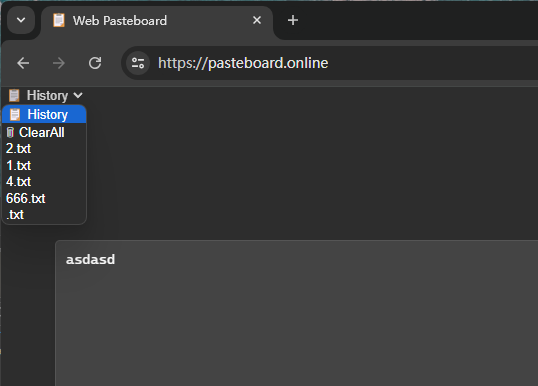
uploadtxt.sh 可以上传 a.json 文件到服务器 1.txt 文件中
curl \
-X POST http://<your-ip>/api/writefile/1.txt \
-H "Content-Type: application/json" \
-d "{\"content\": \"$(awk '{printf "%s\\n", $0}' a.json | sed 's/"/\\"/g')\"}"https://fagedongxi.com/
https://getnote.top/
https://hackmd.io/?nav=overview