


New: A Tour of CodevOS — A deep dive into how Codev orchestrates human-agent collaboration: the SPIR protocol, Agent Farm, multi-model consultation, and the architecture that ties it all together.
Codev is an operating system for structured human-AI collaboration. You write specs and plans that AI agents execute reliably.
Results: One architect + autonomous AI builders shipped 106 PRs in 14 days, median feature in 57 minutes. In controlled comparison, SPIR consistently outperformed unstructured AI coding across 4 rounds. Case study | Production data
Quick Links: FAQ | Tips | Cheatsheet | CLI Reference | Why Codev? | Discord
📬 Stay updated — Subscribe to the Codev newsletter for release notes, tips, and community updates.
- Quick Start
- Learn About Codev
- What is Codev?
- The SPIR Protocol
- Example Implementations
- Real-World Performance
- Agent Farm
- Contributing
# 1. Install
npm install -g @cluesmith/codev

# 2. Initialize a project
mkdir my-project && cd my-project
codev init

# 3. Verify setup
codev doctor

# 4. Start the workspace (optional)
af workspace start
Then tell your AI agent: "I want to build X using the SPIR protocol"
CLI Commands:
codev- Main CLI (init, adopt, doctor, update)af- Agent Farm for parallel AI buildersconsult- Multi-model consultation
See CLI Reference for details.
Core (required):
| Dependency | Install | Purpose |
|---|---|---|
| Node.js 18+ | brew install node |
Runtime |
| git 2.5+ | (pre-installed) | Version control |
| AI CLIs | See below | All three recommended |
AI CLIs (install all three for multi-model consultation):
- Claude Code:
npm install -g @anthropic-ai/claude-code - Gemini CLI: github.com/google-gemini/gemini-cli
- Codex CLI:
npm install -g @openai/codex
Agent Farm (optional):
| Dependency | Install | Purpose |
|---|---|---|
| gh | brew install gh |
GitHub CLI |
See DEPENDENCIES.md for complete details.
Common questions about Codev: FAQ
Practical tips for getting the most out of Codev: Tips & Tricks
Quick reference for Codev's philosophies, concepts, and tools: Cheatsheet
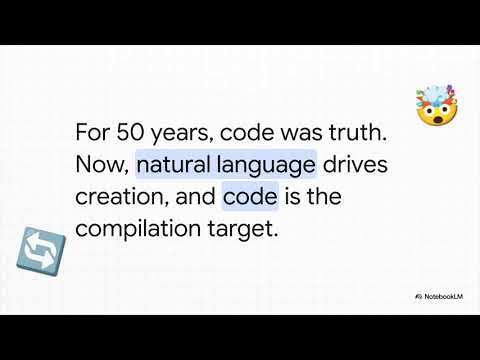
Watch a brief overview of what Codev is and how it works.
Generated using NotebookLM - Visit the notebook to ask questions about Codev and learn more.
Join the conversation in GitHub Discussions or our Discord community! Share your specs, ask questions, and learn from the community.
Get notified of new discussions: Click the Watch button at the top of this repo → Custom → check Discussions.
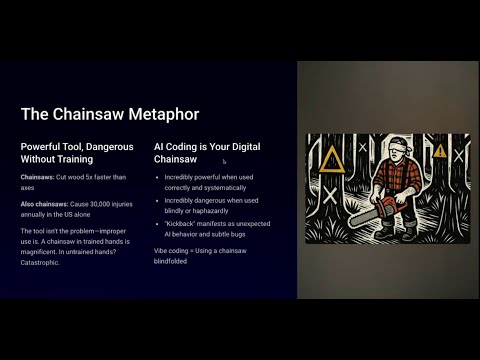
A comprehensive walkthrough of the Codev methodology and its benefits.
Watch a real development session using Agent Farm - from spec to merged PR in 30 minutes. Demonstrates the Architect-Builder pattern with multi-model consultation.
See Codev in action! Follow along as we use the SPIR protocol to build a conversational todo list manager from scratch:
This tour demonstrates:
- How to write specifications that capture all requirements
- How the planning phase breaks work into manageable chunks
- The implementation phase in action
- Multi-agent consultation with GPT-5 and Gemini Pro
- How lessons learned improve future development
Codev is a development methodology that treats natural language context as code. Instead of writing code first and documenting later, you start with clear specifications that both humans and AI agents can understand and execute.
📖 Read the full story: Why We Created Codev: From Theory to Practice - Learn about our journey from theory to implementation and how we built a todo app without directly editing code.
- Context Drives Code - Context definitions flow from high-level specifications down to implementation details
- Human-AI Collaboration - Designed for seamless cooperation between developers and AI agents
- Evolving Methodology - The process itself evolves and improves with each project
Our flagship protocol for structured development:
- Specify - Define what to build in clear, unambiguous language
- Plan - Break specifications into executable phases
- Implement - Build the code, write tests, verify requirements for each phase
- Review - Capture lessons and improve the methodology
After running codev init or codev adopt, your project has a minimal structure:
your-project/
├── codev/
│   ├── specs/              # Feature specifications
│   ├── plans/              # Implementation plans
│   ├── reviews/            # Review and lessons learned
│   └── resources/           # Reference materials
├── AGENTS.md               # AI agent instructions (AGENTS.md standard)
├── CLAUDE.md               # AI agent instructions (Claude Code)
└── [your code]
Codev is designed to be customized for your project's needs. The codev/ directory is yours to extend:
- Add project-specific protocols - For example, Codev itself has a
releaseprotocol specific to npm publishing - Customize existing protocols - Modify SPIR phases to match your team's workflow
- Add new roles - Define specialized consultant or reviewer roles
The framework provides defaults, but your local files always take precedence.
In much the same way an operating system has a memory hierarchy, Codev repos have a context hierarchy. The codev/ directory holds the top 3 layers. This allows both humans and agents to think about problems at different levels of detail.

Key insight: We build from the top down, and we propagate information from the bottom up. We start with a GitHub issue, then spec and plan out the feature, generate the code, and then propagate what we learned through the reviews.
- Specifications and plans drive implementation
- All decisions captured in version control
- Clear traceability from idea to implementation
- Structured formats that AI agents understand
- Multi-agent consultation support (GPT-5, Gemini Pro, etc.)
- Reduces back-and-forth from dozens of messages to 3-4 document reviews
- Supports both AGENTS.md standard (Cursor, Copilot, etc.) and CLAUDE.md (Claude Code)
- Every project improves the methodology
- Lessons learned feed back into the process
- Templates evolve based on real experience
Both projects below were given the exact same prompt to build a Todo Manager application using Claude Code with Opus. The difference? The methodology used:
- Built using a VIBE-style prompt approach (same model, same prompt)
- Produced boilerplate scaffolding but 0% of the specified functionality
- No tests, no database, no working API — demonstrates how conversational approaches can miss the mark entirely
- Built using the SPIR protocol with full document-driven development
- Same requirements, but structured through formal specifications and plans
- Demonstrates all phases: Specify → Plan → Implement → Review
- Complete with specs, plans, and review documents
- Multi-agent consultation throughout the process
📊 Multi-Agent Comparison (4 rounds) (click to expand)
Methodology: Same prompt, same AI model (Claude Opus). Unstructured (conversational) vs SPIR (structured protocol). Scored by 3 independent AI agents (Claude, Codex, Gemini Pro) on a 1-10 scale. Full auto-approved gates — no human review input — to isolate the protocol's effect.
| Dimension | Unstructured | SPIR | Delta |
|---|---|---|---|
| Overall | 5.8 | 7.0 | +1.2 |
| Bugs | 6.7 | 7.3 | +0.7 |
| Code Quality | 7.0 | 7.7 | +0.7 |
| Tests | 5.0 | 6.7 | +1.7 |
| Deployment | 2.7 | 6.7 | +4.0 |
- +1.2 quality advantage consistent across all 4 rounds (R1: +1.3, R2: +1.2, R4: +1.2)
- SPIR produced 2.9x more test code with broader layer coverage
- SPIR produced fewer source lines (1,249 vs 1,294) while being more complete — the first round where structured code was more concise
- Deployment readiness showed the largest delta of any dimension in any round (+4.0): multi-stage Dockerfile, standalone output, deploy instructions
- Multi-agent consultation caught 5 implementation bugs pre-merge at a cost of $4.38
Build time: SPIR took ~56 min vs ~15 min for unstructured (3.7x). Consultation accounts for 45% of the overhead. Estimated cost: $14-19 vs $4-7 (3-5x). For production code, the deployment readiness and test coverage alone justify the investment.
See full Round 4 analysis for detailed scoring, bug sweeps, and architecture comparison.
Codev is self-hosted — we use Codev to build Codev. Every feature goes through SPIR. Every improvement has a spec, plan, and review.
Over a 14-day sprint building Codev with Codev (full analysis):
| Metric | Value |
|---|---|
| Merged PRs | 106 |
| Closed issues | 105 |
| Commits | 801 |
| Median feature implementation | 57 minutes |
| Fully autonomous builders | 85% (22 of 26) |
| Pre-merge bugs caught by consultation | 20 |
| Consultation cost per PR | $1.59 |
One architect with autonomous builders matched the output of a 3-4 person elite engineering team (benchmarked against 5 PRs/developer/week from LinearB's 2026 analysis of 8.1M PRs). The bugfix pipeline is genuinely autonomous: 66% of fixes ship in under 30 minutes (median 13 min from PR creation to merge).
Multi-agent consultation catches real bugs that single-model review misses. No single reviewer found all 20 bugs — Codex excels at edge-case exhaustiveness, Claude at runtime semantics, Gemini at architecture.
This self-hosting approach ensures:
- The methodology is battle-tested on real development
- We experience the same workflow we recommend to users
- Pain points are felt by us first and fixed quickly
- The framework evolves based on actual usage, not theory
This repository has a dual nature:
-
codev/- Our instance of Codev for developing Codev itself- Contains our specs, plans, reviews, and resources
- Example:
codev/specs/0001-test-infrastructure.mddocuments how we built our test suite
-
codev-skeleton/- The template that gets installed in other projects- Contains protocol definitions, templates, and agents
- What users get when they install Codev
- Does NOT contain specs/plans/reviews (those are created by users)
In short: codev/ is how we use Codev, codev-skeleton/ is what we provide to others.
Test Infrastructure (click to expand)
Our test suite validates the Codev CLI and Agent Farm:
- Framework: Vitest (unit tests) + Playwright (E2E tests)
- Coverage: CLI commands, porch protocol orchestration, Agent Farm dashboard
- Isolation: Tests run in isolated environments
# From packages/codev/
npm test              # Run unit tests
npm run test:e2e      # Run E2E tests
See Testing Guide for details.
See examples/todo-manager/ for a complete walkthrough showing:
- How specifications capture all requirements
- How plans break work into phases
- How the implementation phase ensures quality
- How lessons improve future development
Templates in codev/protocols/spir/templates/ can be modified to fit your team's needs:
spec.md- Specification structureplan.md- Planning formatlessons.md- Retrospective template
Agent Farm is an optional companion tool for Codev that provides a web-based dashboard for managing multiple AI agents working in parallel. You can use Codev without Agent Farm - all protocols (SPIR, TICK, etc.) work perfectly in any AI coding assistant.
Why use Agent Farm?
- Web dashboard for monitoring multiple builders at once
- Protocol-aware - knows about specs, plans, and Codev conventions
- Git worktree management - isolates each builder's changes
- Automatic prompting - builders start with instructions to implement their assigned spec
Current limitations:
- Currently optimized for Claude Code (uses
--append-system-prompt,--dangerously-skip-permissions, etc.) - Uses shellper processes for persistent terminal sessions (node-pty handles terminal I/O)
- macOS-focused (should work on Linux but less tested)
For parallel AI-assisted development, Codev includes the Architect-Builder pattern:
- Architect (you + primary AI): Creates specs and plans, reviews work
- Builders (autonomous AI agents): Implement specs in isolated git worktrees
# Start the workspace
af workspace start

# Spawn a builder for a spec
af spawn 3 --protocol spir

# Check status
af status

# Stop everything
af workspace stop
The af command is globally available after installing @cluesmith/codev.
Access Agent Farm from any device via cloud connectivity:
af tower connectRegister your tower with codevos.ai for secure remote access from any browser — no SSH tunnels or port forwarding needed.
Builders need permission-skipping flags to run autonomously without human approval prompts:
| CLI Tool | Flag | Purpose |
|---|---|---|
| Claude Code | --dangerously-skip-permissions |
Skip permission prompts for file/command operations |
| Gemini CLI | --yolo |
Enable autonomous mode without confirmations |
Configure in af-config.json (created by codev init or codev adopt):
{
  "shell": {
    "architect": "claude --dangerously-skip-permissions",
    "builder": "claude --dangerously-skip-permissions"
  }
}
Or for Gemini:
{
  "shell": {
    "architect": "gemini --yolo",
    "builder": "gemini --yolo"
  }
}Warning: These flags allow the AI to execute commands and modify files without asking. Only use in development environments where you trust the AI's actions.
See CLI Reference for full documentation.
Codev has a release protocol (codev/protocols/release/) that automates the entire release process. To release a new version:
Let's release v2.2.0
The AI guides you through: pre-flight checks, maintenance cycle, E2E tests, version bump, release notes, GitHub release, and npm publish.
| Version Type | npm Tag | Example | Purpose |
|---|---|---|---|
| Stable | latest |
2.1.1, 2.2.0 | Production-ready releases |
| Release Candidate | next |
2.2.0-rc.1 | Pre-release testing |
| Patch | latest |
2.1.2 | Backported bug fixes |
Minor releases use release candidates (npm install @cluesmith/codev@next) for testing before stable release.
Releases are named after great examples of architecture from around the world. See Release Notes for version history.
We welcome contributions of any kind! Talk to us on Discord or open an issue.
We especially welcome contributions to Agent Farm - help us make it work with more AI CLIs and platforms.
MIT - See LICENSE file for details
Built with Codev - where context drives code


