



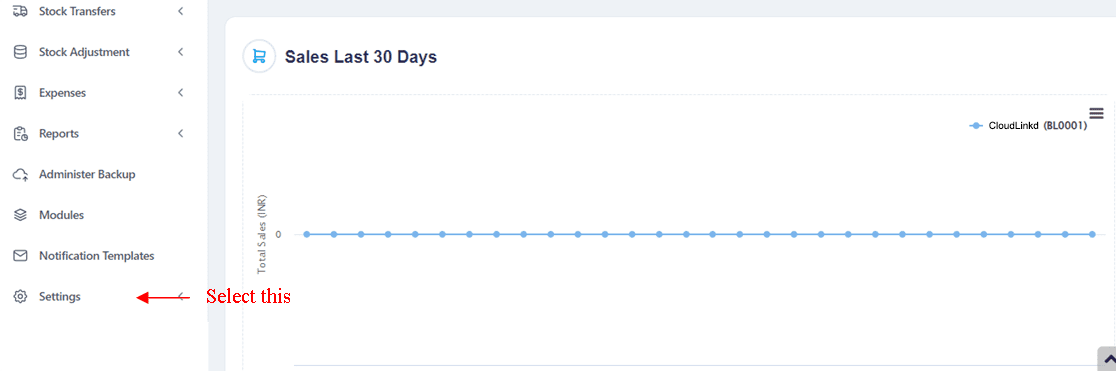
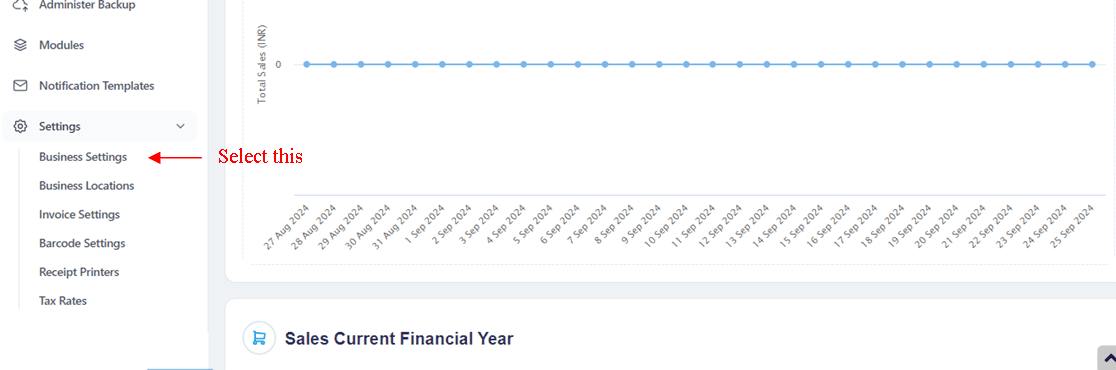
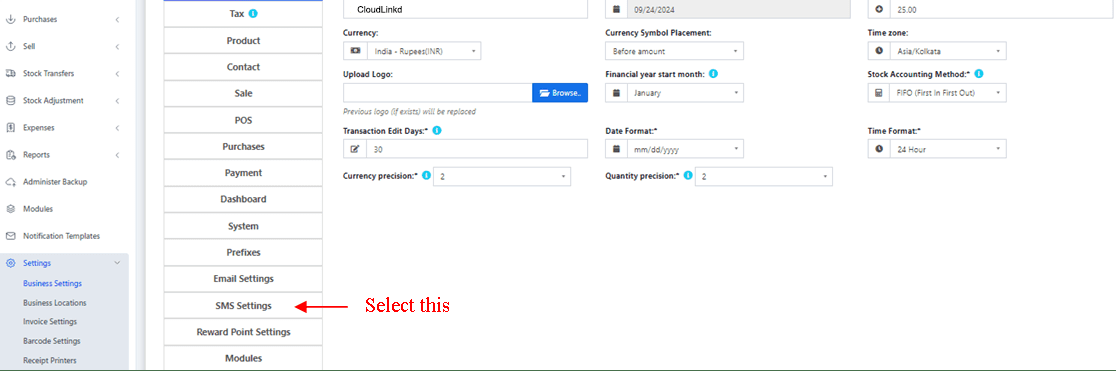
-> Step 1 : Go to Settings Tab -> SMS Settings
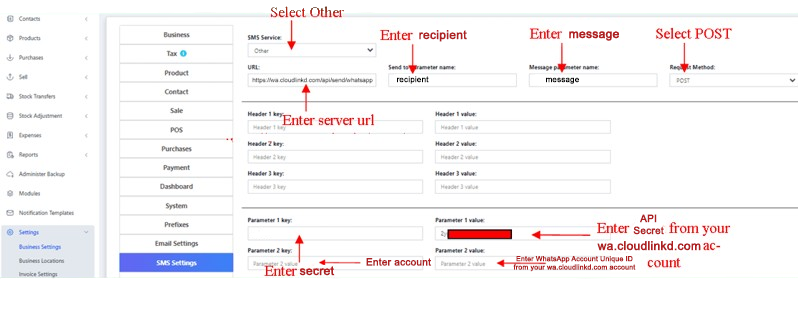
-> Step 2 : SMS Service: -> Other
-> Step 3 :
-
Send to parameter name : number
-
Message parameter name : message
-
Request Method : POST
-
Parameter 1 key : api_key
-
Parameter 1 value : YOUR-CLOUDLINKD-API-KEY from your https://wa.cloudlinkd.com account
-
Parameter 2 key: sender
-
Parameter 2 value: Enter your Device/Phone Number ( *Country code without + )
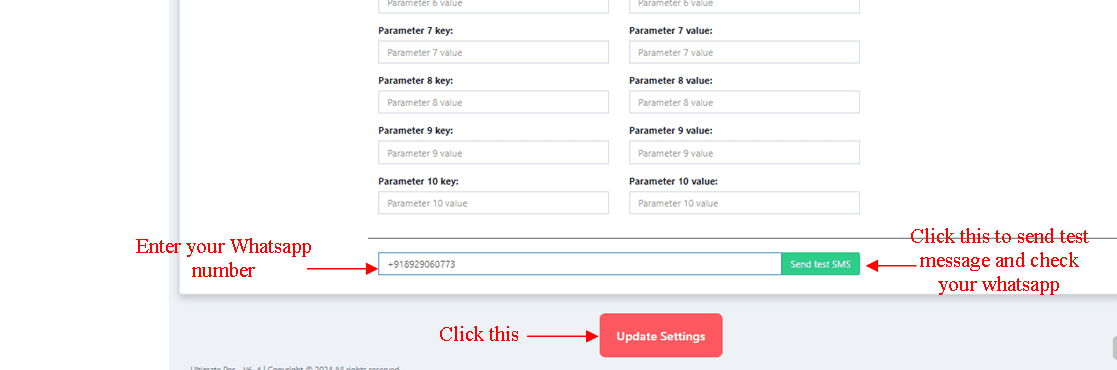
-> Step 4 : Testing -> enter-your-whatsapp-number -> Send Test SMS
All credits to the Team CloudLinkd and the original creators of these files.