

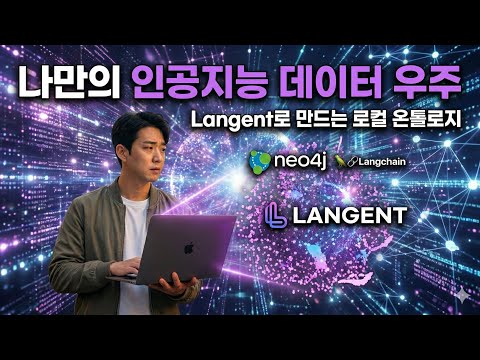
Langent is a RAG (Retrieval-Augmented Generation) framework that transforms your local workspace into a 3D cosmic nebula of knowledge. It combines vector embeddings (ChromaDB) with knowledge graphs (Neo4j) to provide a deeply connected AI experience.

- 📂 Auto-Ingestion: Automatically scans and indexes MD, PDF, TXT, CSV, JSON, and YAML files.
- 🧠 Hybrid RAG: Merges semantic vector search with graph-based relationship traversal for superior context.
- 🌌 3D Nebula Visualizer: Explore your knowledge base in an interactive Three.js 3D environment.
- 🔗 Knowledge Linking: Automatically discovers and creates relationships between your documents and entities.
- 🤖 MCP Integration: Built-in support for Model Context Protocol (MCP) to plug into Claude Desktop, Antigravity, and more.
git clone https://github.com/yourusername/langent.git
cd langent
pip install -e .cp .env.example .envEdit .env to set your LANGENT_WORKSPACE (the folder containing your documents).
langent ingest --path ./samples  # Start with our sample data!
langent serve # Open http://localhost:8000Langent automates the complex journey from raw raw files to an interactive 3D knowledge universe.
- Gather Data (Workspace): Drop your "data lumps" (PDFs, Markdown notes, CSV spreadsheets, Research papers) into your connected
LANGENT_WORKSPACEfolder. - Chunking: Langent automatically breaks these large files into smaller, semantically meaningful chunks (300-500 tokens).
- Vectorization (ChromaDB):
- Using local embedding models (e.g.,
all-MiniLM-L6-v2), each chunk is transformed into a high-dimensional vector. - These vectors are stored in ChromaDB for lightning-fast semantic retrieval.
- Using local embedding models (e.g.,
- 3D Projection:
- Langent uses advanced dimensionality reduction (UMAP) to project these high-dimensional vectors into a 3D Point Cloud.
- Points that are semantically similar "cluster" together in space, forming the constellations of your knowledge base.
Result: Your messy folder becomes a beautiful, searchable, and navigable 3D cosmic map.
To enable the Knowledge Graph features (searching relationships, linking entities), you need a Neo4j instance.
- Option A: Docker (Recommended)
docker run \ --name langent-neo4j \ -p 7474:7474 -p 7687:7687 \ -e NEO4J_AUTH=neo4j/your_password \ neo4j:latest - Option B: Neo4j Desktop
Install Neo4j Desktop, create a local project, and update your
.env:NEO4J_URI="bolt://localhost:7687" NEO4J_USER="neo4j" NEO4J_PASSWORD="your_password"
Langent acts as an MCP (Model Context Protocol) server, allowing AI agents like Claude or Antigravity to use your workspace as their long-term memory.
- For Antigravity / Claude Desktop:
Add the following to your
mcp_config.json:"langent": { "command": "python", "args": ["-m", "langent.server.mcp_server"], "env": { "LANGENT_WORKSPACE": "/path/to/your/workspace" } }
Once connected via MCP, you can talk to your workspace as if it's an intelligent entity.
- Data Ingestion:
"Langent의 mcp 도구를 사용해서 내 워크스페이스에 있는 새로운 문서들을 인덱싱해줘."
- Semantic Search:
"내 워크스페이스에서 'AI 미래 전략'과 관련된 내용을 네뷸라에서 검색해서 요약해줘."
- Graph Insight:
"내 연구 주제인 'AI 에이전트'와 가장 많이 연결된 핵심 키워드들을 그래프로 분석해서 보고서로 만들어줘."
Langent provides the AI with specific tools (ingest_workspace, search_nebula, query_graph) allowing it to act as a 3D Knowledge Librarian.
Once you run langent serve, navigate to http://localhost:8000.
- Points (Star Dust): Each point represents a chunk of your documents.
- 🎨 Lavender: Regular markdown/text files.
- 💖 Hot Pink: Important entities like "Alex AI" or yourself.
- Nodes (Planets): These are entities extracted into the Neo4j Graph.
- Lines (Cosmic Strings):
- Weak Lines: Relationships between graph entities.
- Dashed Lines: Semantic links between vector points and graph nodes.
- Controls:
- Left Click: Select a point to see its original content.
- Right Click / Drag: Rotate the universe.
- Scroll: Zoom in/out of the knowledge cluster.
- Search Bar: Type a keyword (e.g., "Suseo") to highlight matching stars in white.
This project is licensed under the Apache License 2.0.
Created with ❤️ by Alex AI