A minimal ChatGPT client by vanilla javascript, run from local or any web host
This program aims to code a full functional chatGPT client using only raw HTML/CSS/JavaScript with minimal coding effort, in the purpose of exploring the minimum requirements of utilizing chatGPT features without the need for a server, framework, or additional resources.
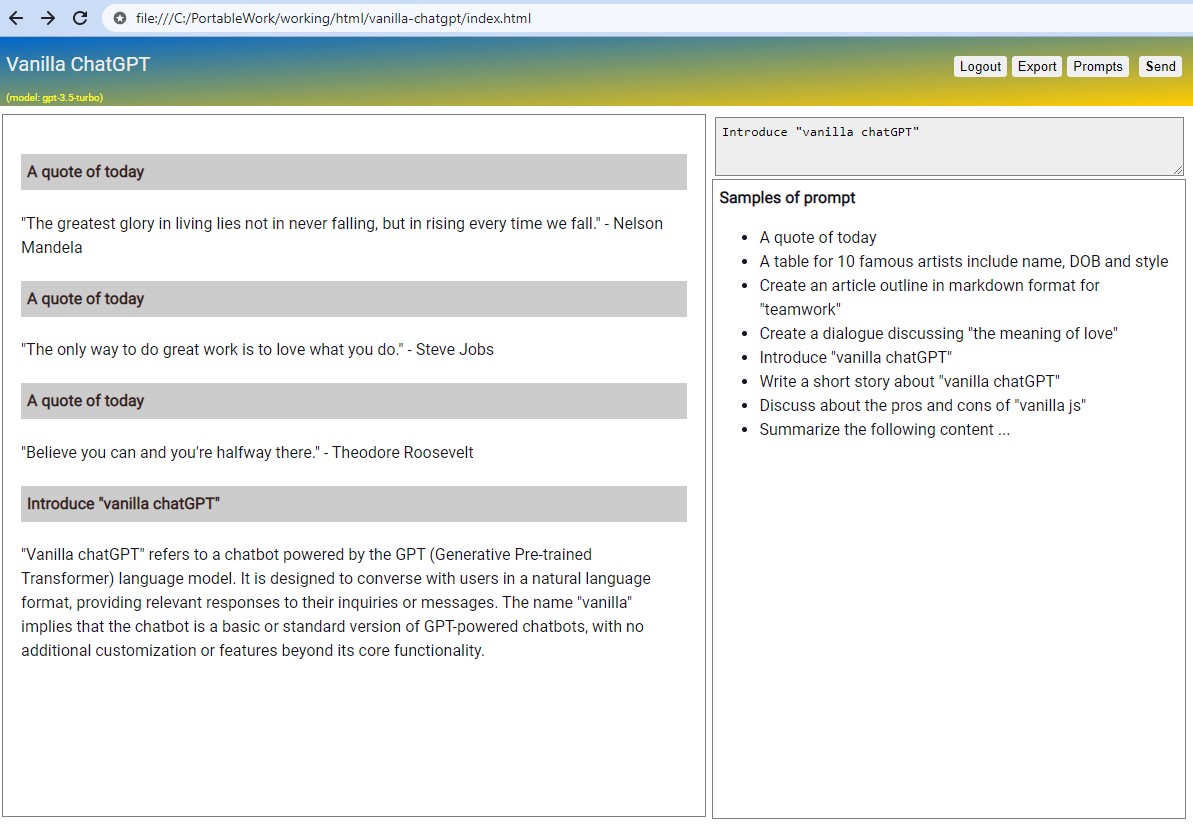
This program offers basic conversation functions with some enhancements for conversation content
- refined printout
- easy to copy code-block and content
- export conversation to markdown
- voice recognition and speak answer
It is available as a single HTML file, which run directly from local or GitHub source folder.
- https://raw.githack.com/casualwriter/vanilla-chatgpt/main/source/index.html
- https://raw.githack.com/casualwriter/vanilla-chatgpt/main/source/vanilla-chatgpt.html
- if do not have API key, please check the demo
Source folder includes two version of vanilla-chatGPT with a javascript library for chatGPT API.
- index.html is a single file version of vanilla-chatGPT. no dependence.
- vanilla-chatgpt.html is the minimum version using casual-markdown.js and vanilla-chatgpt.js.
- vanilla-chatgpt.js the js library reusable for your chatGPT client.
The program is quite simple in about 380/165 lines of code, making it easy to be revised in your purpose.
You can fork this repo to add your prompt library and further customization.
vanilla-chatgpt.js is the reusable code with the following functions:
chat.stream(prompt)submit prompt in stream mode.chat.send(prompt)submit prompt in normal mode.chat.onmessage(text)will be triggered when message received.chat.oncomplete(text)will be triggered when message completed.chat.controller.abort()to abort fetch() processchat.export()to export conversation to markdown filechat.history[]keep the conversation historychat.apiKeystored the OPENAI_API_KEY, please assign it before call above functions.
When load the page first time, Program will prompt to input OPENAI_API_KEY which could be found in openai account page -> API Key
It is safe as the key will be stored in browser local storage by the following script
// prompt for API key if not found in localStorage
window.onload = function () {
  chat.apiKey = localStorage.getItem('OPENAI_API_KEY');
  if (!chat.apiKey || chat.apiKey.length < 10 ) {
     chat.apiKey = prompt("Please input Secret API key (will store in local.storage)", "sk-");
     localStorage.setItem('OPENAI_API_KEY', chat.apiKey)
  }
}
For next time loading the page, it will retrieve API key from local storage.
To remove the API key from local storage, just click on [logout] button.
If feel not convenience to input the key every time, you may can hard-code the API key as below
window.onload = function () {
  chat.apiKey = 'sk-???????????';
}
Please be aware that if you hard-code the key in HTML, it may become vulnerable to being revealed. It's recommended run the program on a local or private network.
Inspired by the some self-host solutions
- https://github.com/yuezk/chatgpt-mirror, mirror of ChatGPT (node.js, self-host)
- https://github.com/dirk1983/chatgpt, a simple self-host solution (php)
Special thanks for jat23606, he inspired and contributed the code for voice recognition and speak feature.
- 2023/03/29, v0.65, initial version
- 2023/04/12, v0.70, add voice recognition and speak, and some minor refinement