Put on your robe and wizard hat!

"Genchanted" was created for the Godot XR Game Jam (Feb 2025) with the theme "Enchanted!" as a proof-of-concept tool for using AI to generate 3D objects directly into Godot, as if by magic.
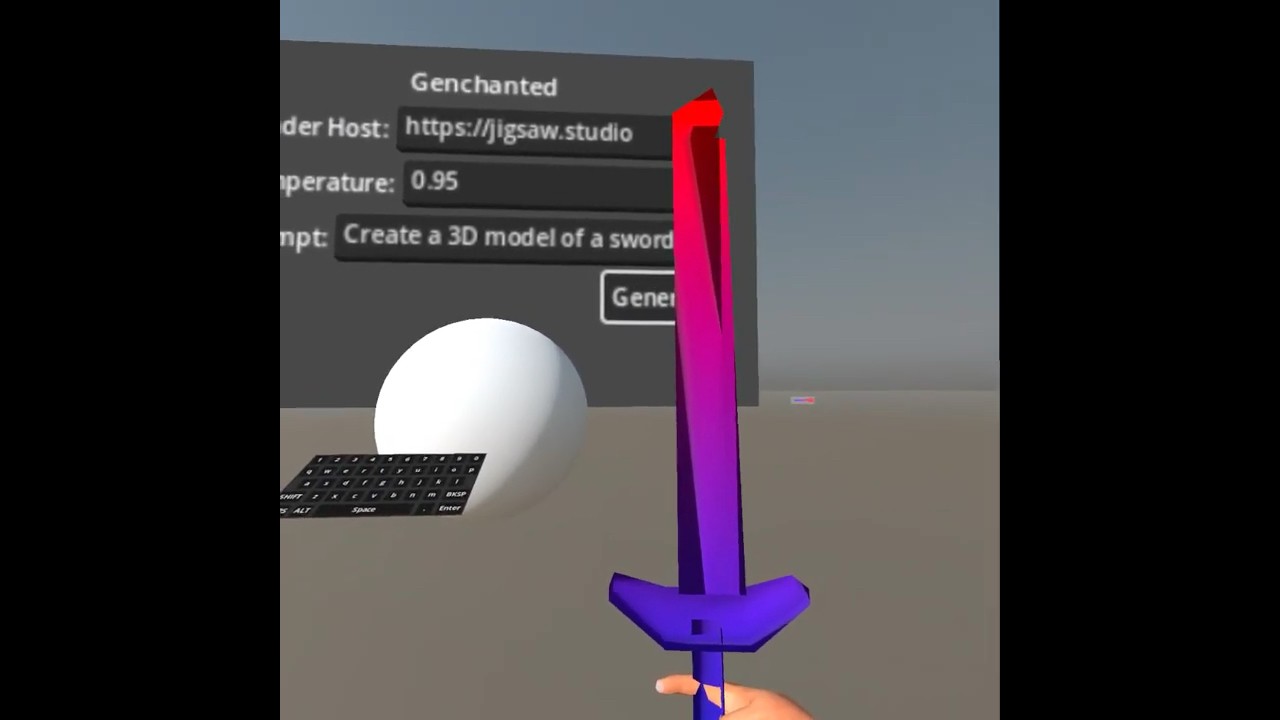

- Render 3D objects from a text prompt using Generative AI
- Generated objects are imported directly into Godot during gameplay
- Vertexes are previewed in realtime as they are generated
- Rendering can be on same system (such as for PCVR) or a remote server (such as for Meta Quest)
- Forked from styx-godot 3D network traffic and data visualization application
- Supports Ollama or generate-glb backends for 3D object generation
- "Teleport" locomotion for AR/VR/XR environments
- On-screen Joystick Touch Pad support for mobile and tablet devices
- Released as Open Source under the permissive MIT License
- Apple Vision Pro
- Meta Quest 3, 3s, and 2
- SteamVR and OpenXR headsets (such as Valve Index)
- WebXR supported devices
- Android
- iPhone and iPad
- Download and install for your preferred platform
- Configure
Network Renderingaccording toDependenciesbelow - Launch Genchanted
- Verify the
Render HostURL matches your network rendering server (default is localhost for PCVR) - Adjust the
Temperatureas desired, the higher the value the more "creative" the model - Adjust the prompt to your preferred object. Note that a single word works best
- Click "Generate" (or the large circular button for touchscreen interfaces) to request 3D object generation from the network host
- It may take several seconds for generation to begin, vertexes will be rendered as black dots inside a translucent cube as they are streamed from the host
- Examples of previously-rendered objects (a sword and a hammer) as displayed to illustrate expected output
- Generating objects which were in the model's original training data will work best, though not all types of model names are known. Here's some examples:
swordhammerringbarrellamp
- Note: There are several quantized versions of the LLaMA-Mesh available on HuggingFace, but the original non-quantized version seems to work the best. It will be necessary to use generate-glb (written specifically for this project) to host network access to that model.
Note: Easiest setup
ollama pull hf.co/bartowski/LLaMA-Mesh-GGUF:Q4_K_M- For Windows network host (Windows serving to other devices over a network), close Ollama and re-launch using a batch file named
ollama-server.bat:
@echo off
set OLLAMA_HOST=0.0.0.0:11434
ollama serveNote: Best results
- Install
generate-glbby following the instructions found in the repository - Launch the server on the network interface:
python3 src/server.py --host 0.0.0.0 --port 11434Note: Best results, fastest
- Recommended: NVIDIA card with 16 GB+ of VRAM (3090, 4080, 4090, 5080, 5090, etc.)
- If NVIDIA Container Toolkit with CUDA support is available on the system:
docker run \
  --gpus all \
  -p 11434:11434   \
  -v ${PWD}/logs:/logs \
  -v ${HOME}/.cache/huggingface:/root/.cache/huggingface   \
  ghcr.io/castellotti/generate-glb/generate-glb:main-cuda   \
  python3 /app/src/server.py \
    --host 0.0.0.0 \
--port 11434- Reference: GodotVision
- Requires updates from Godot 4.2 to 4.3
- Download Godot 4.3 version of modules:
git clone git@github.com:kevinw/GodotVision.git git clone git@github.com:multijam/SwiftGodot.git git clone git@github.com:multijam/SwiftGodotKit.git - Download Godot 4.3 version of libgodot.xcframework.zip
- Extract
libgodot.xcframeworkand place intoSwiftGodotroot directory from git repository (this prevents a later error during import that local binary targetslibgodot_testsandbinary_libgodotat theSwiftGodot/libgodot.xcframeworklocation "does not contain a binary artifact.") - Open
GodotProject/project.godotonce in Godot 4.3 editor to automatically import assets - Open
Styx.xcodeprojXcode project in Xcode 16.2 - Build and Run on visionOS simulator or install to Apple Vision Pro (will require adding App Store Team ID)
- Follow the standard Godot Deploying to Android guide
- Reference: Godot Exporting for the Web guide
- Generate a Web Export to a build directory with name
index.html - Transfer all files from build directory to styx-os at path
/srv/styx-web/html - Example all-in-one command on macOS:
/Applications/Godot\ 4.3.app/Contents/MacOS/Godot \
  --path $HOME/genchanted/Godot_Project \
  --headless \
  --export-release "Web" \
        $HOME/genchanted/Godot_Project/build/html/index.html \
&& rsync --delete -zvaP \
    $HOME/genchanted/Godot_Project/build/html/* \
    172.16.100.1:/srv/styx-web/html
- Reference: Godot Exporting for iOS guide
- In most cases the default settings for exporting to iOS should be sufficient
- Models: LLaMA-Mesh and meshgen
- Godot XR Tools: Website, GitHub (special thanks Bastiaan Olij)
- GodotVision (special thanks Kevin Watters)
- Pocket Godot (special thanks @lukky-nl)
- David Snopek's How to make a VR game for WebXR with Godot 4