Weapons
Video Tutorial:
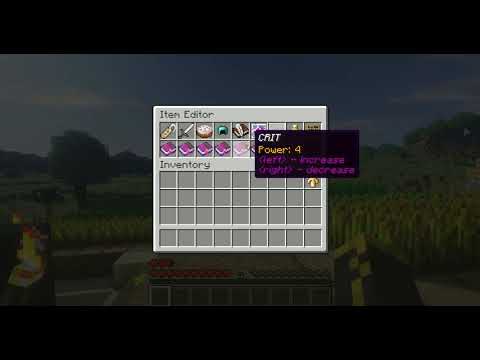
If you have created some weapons/armor you can get them in game by the command:
/item <name> [level].
Of course you don't want your players to be able to use this command, but they still should be able to use the weapons.
This is possible by creating a trader or setting your weapon as a 'drop item' of some monster.
Navigate to plugins/Rolecraft/Items/Weapons and create a YAML file named by your weapon, e.g. Excalibur.yml.
Now you can copy my example weapon from here:
material: DIAMOND_SWORD
damage: 4,5,6,6,7,7,8,9
min-level: 16
class-type: Warrior
item-effects:
  CRIT: 7
  VIT: 5
  INT: 9
  DEX: 0
  STR: 10
  DODGE: 0
- material: this is the bukkit material which your weapon will be.
-
damage: the example from above means that for each hit there is a 1/8 chance that the damage is 4,
since there are 8 numbers and the 4 occurs one time. But there is a 2/8 chance that the damage is 6,
since the 6 occurs 2 times.
If you only give one number, the damage will be constant. - min-level: players with a lower level won't be able to use this weapon.
- class-type: only players with this class-type will be able to use the weapon.
-
item-effects: here you can specify which bonus effects the weapon has.
STR,VIT,INT and DEXimprove the stats of the player. CRIT improves the chance to make a double-damage hit and DODGE improves the chance to dodge an enenmies attack.
Armor works very similar, navigate to plugins/Rolecraft/Armor and create a YAML file named like you want to name your armor.
Here is an example:
material: DIAMOND_CHESTPLATE
defense: 6
min-level: 15
class-type: Warrior
item-effects:
  CRIT: 1
  VIT: 10
  INT: 1
  DEX: 15
  STR: 1
  DODGE: 5