Pools
A pool is a group of agent machines that a user can connect to. When an end user connects to a broker with the cabs client, the user is presented with a list of machine pools they can connect to. The list of pools given to a user by the broker may depend on LDAP group membership. When a user chooses a pool, the broker sends them randomly to a machine within that pool.
Typically a pool is a group of machines with some common element that a user would be looking for when choosing what type of machine to connect to. It could be that a certain group of machines has CAD software installed, or photo editing software, or math software. Pools could be divided into Windows and Linux. When a user chooses a pool, the broker connects them randomly to a machine in that pool, so if there are machines with special software or other resources, those machines should be in a separate pool so users can choose to directly connect to that type of machine.
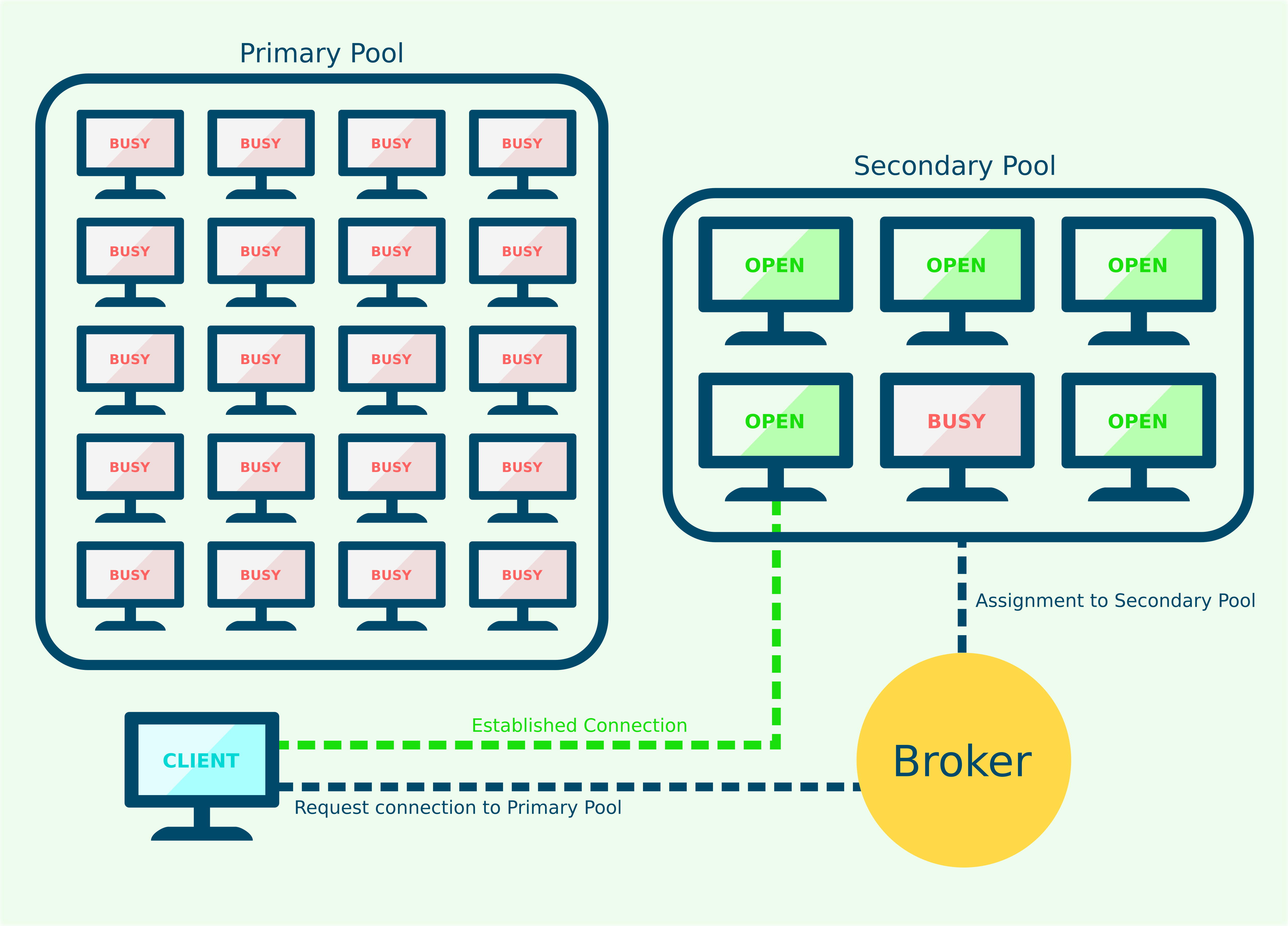
A primary pool is a pool as described above such that users can connect directly to that group of machines from a cabs client menu.
A secondary pool is attached to a primary pool as a backup to expand the size of a primary pool. For instance, if you had a primary pool of "Windows machines", you could have secondary pools of "Windows CAD machines" and "Windows Math Machines". Secondary pools are ONLY used when a primary pool's resources are completely exhausted. In the above example, if a user was looking for a Windows machine, and all of the machines in the "Windows machines" pool were used, the broker would assign them to a random machine in the "Windows CAD machines" pool or the "Windows Math Machines" pool. When creating pools, make sure that assigned secondary pools have all the capabilities expected in their primary pool, so a user will find the needed resources.