
This is a fork of the original iGPT repo, I've modified the code to enable primer base autoaggressive image generation which wasn't available out of the box. Please follow the notebooks for more details.
Code and models from the paper "Generative Pretraining from Pixels".
Supported Platforms:
- Ubuntu 18.04
conda create --name image-gpt python=3.7.3
conda activate image-gpt

conda install numpy=1.16.3
conda install tensorflow-gpu=1.13.1

conda install imageio=2.8.0
conda install requests=2.21.0
conda install tqdm=4.46.0
pip install -r requirements.txt
Run Jupyter Notebook and open ImageGPT-Notebook.ipynb:
jupyter notebookImageGPT-Notebook.ipynb- generate samples base on imageImageGPT-Notebook-RANDOM_SAMPLE.ipynb- generate fully random samples9bit color coding example.ipynb- how images are color coded with 9bit color palette
Generate random samples:
python src/run.py --sample --n_embd {n_embd} --n_head {n_head} --n_layer {n_layer} --ckpt_path {model_dir}/model.ckpt-1000000 --color_cluster_path {color_clusters_dir}/kmeans_centers.npy --save_dir out --n_gpu 1 --n_px {size} --n_sub_batch {n_samples} --seed 0Generate samples from primer (base image):
python src/run.py --sample --n_embd {n_embd} --n_head {n_head} --n_layer {n_layer} --ckpt_path {model_dir}/model.ckpt-1000000 --color_cluster_path {color_clusters_dir}/kmeans_centers.npy --save_dir out --n_gpu 1 --n_px {size} --n_sub_batch {n_samples} --seed 0 --primer {image_path}Parameters:
n_embd,n_head,n_layer= "l":(1536,16,48),"m":(1024,8,36),"s":(512,8,24)model_dir= directory withmodel.ckpt-1000000color_clusters_dir= directory withkmeans_centers.npysize= 32, 48, 64 (size in pixels, only 32 available with current models)n_samples- 1,2,4,6,8 (any int)image_path- path to image (only when generate from primer)seed-0means random seed, if you want anything else just set the seed
ImageGPT-Notebook.ipynb with default test_input.jpg

ImageGPT-Notebook-RANDOM_SAMPLE.ipynb with random sampling

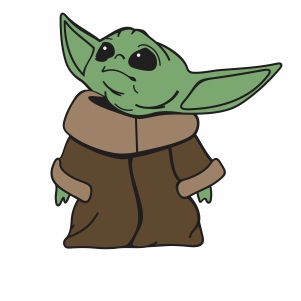
ImageGPT-Notebook.ipynb with default Baby Yoda

Enhanced version (with ESRGAN)
