Generate LGTM image from your favorite images on Dropbox !
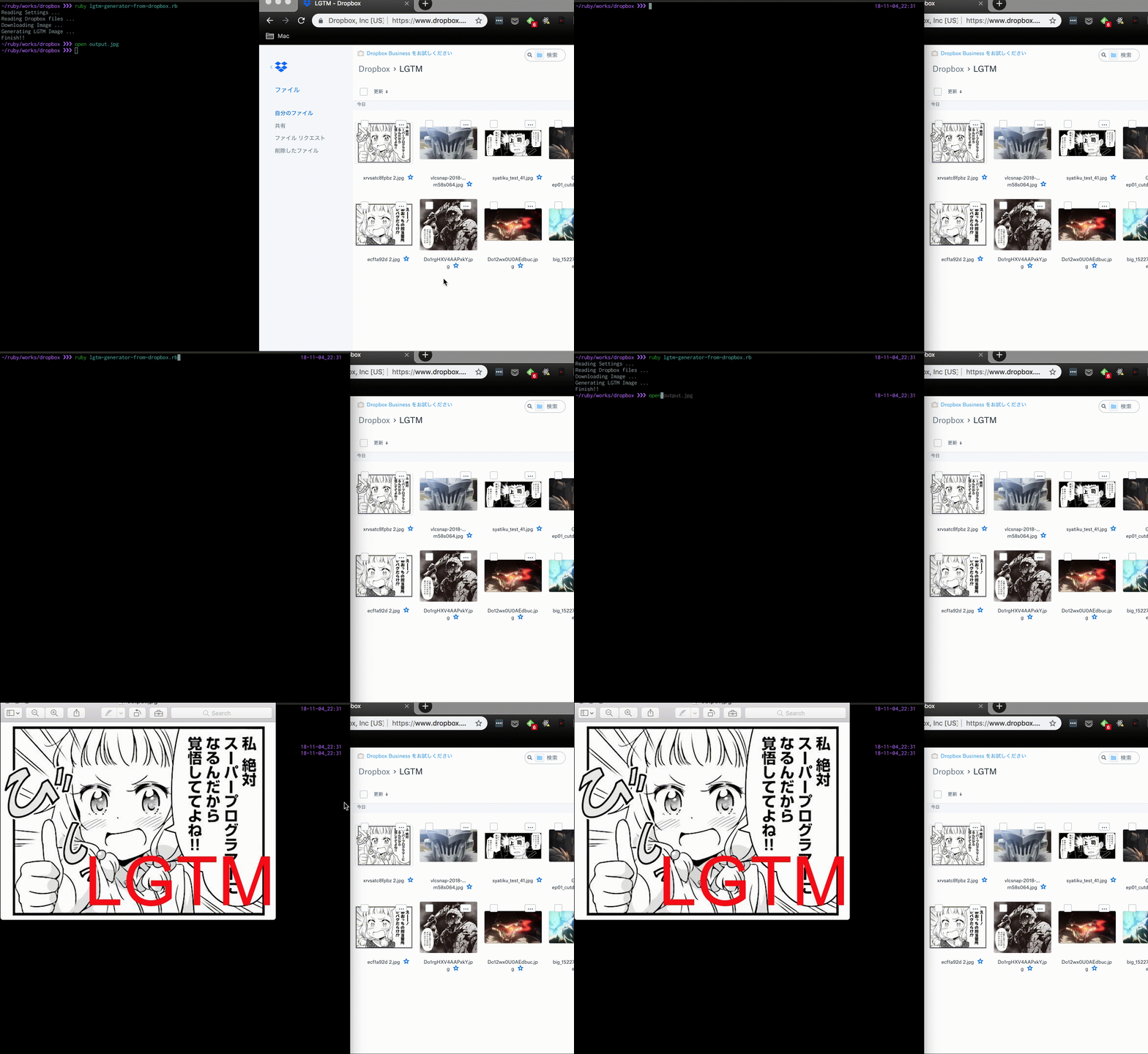
- Download an image from your Dropbox.
- Add "LGTM" on the downloaded image.
- Many options
- Change "LGTM" text color.
- Select "LGTM" text color automatically.
- Change "LGTM" text itself.
- Set semi-transparent background under "LGTM" text.
- Use Gif image as original one.
- Resize the image.
- Generate Gif image.
- Upload the image to Gyazo.
- Consider the usage frequency.
--gif option has been obsoleted.
To add gif text on image, use --text-gif.
If you want to use Gif image on Dropbox, use --use-gif option.
Rename settings.json.sample to settings.json.
$ mv settings.json.sample settings.json
$ vi settings.json
Write your access_token of Dropbox & target directory in Dropbox.
To get access_token, you need to access Dropbox Developers page and create your app.
NOTE: The target directory is a string which starts and ends with slash, e.g. /path/to/img/
You can generate LGTM image as output.jpg.
$ ruby lgtm-generator-from-dropbox.rbUse --color option
$ ruby lgtm-generator-from-dropbox.rb --color whiteUse --auto-color option
$ ruby lgtm-generator-from-dropbox.rb --auto-colorUse --text option
$ ruby lgtm-generator-from-dropbox.rb --text GREATIn settings.json, you should add cjk_font as the PATH of the proper font in your local machine.
For example,
{
  "cjk_font": "/Library/Fonts/ヒラギノ丸ゴ ProN W4.ttc"
}Use --background option
$ ruby lgtm-generator-from-dropbox.rb --backgroundUse --use-gif option
Only .gif image will be selected as the original image.
$ ruby lgtm-generator-from-dropbox.rb --use-gifUse --size option
--size should be like 640x480
$ ruby lgtm-generator-from-dropbox.rb --size 640x480Use --text-gif option
$ ruby lgtm-generator-from-dropbox.rb --text-gif
# output.gif will be generated insteadEdit gyazo_access_token in settings.json.
(You can get access_token from here by creating new app)
Then, use --upload option
$ ruby lgtm-generator-from-dropbox.rb --upload
# After uploading image, You can get the Gyazo Image URLuse --history option
By reading history.json automatically, the least frequently used image will be adopted as output image.
$ ruby lgtm-generator-from-dropbox.rb --history
# history.json will be created