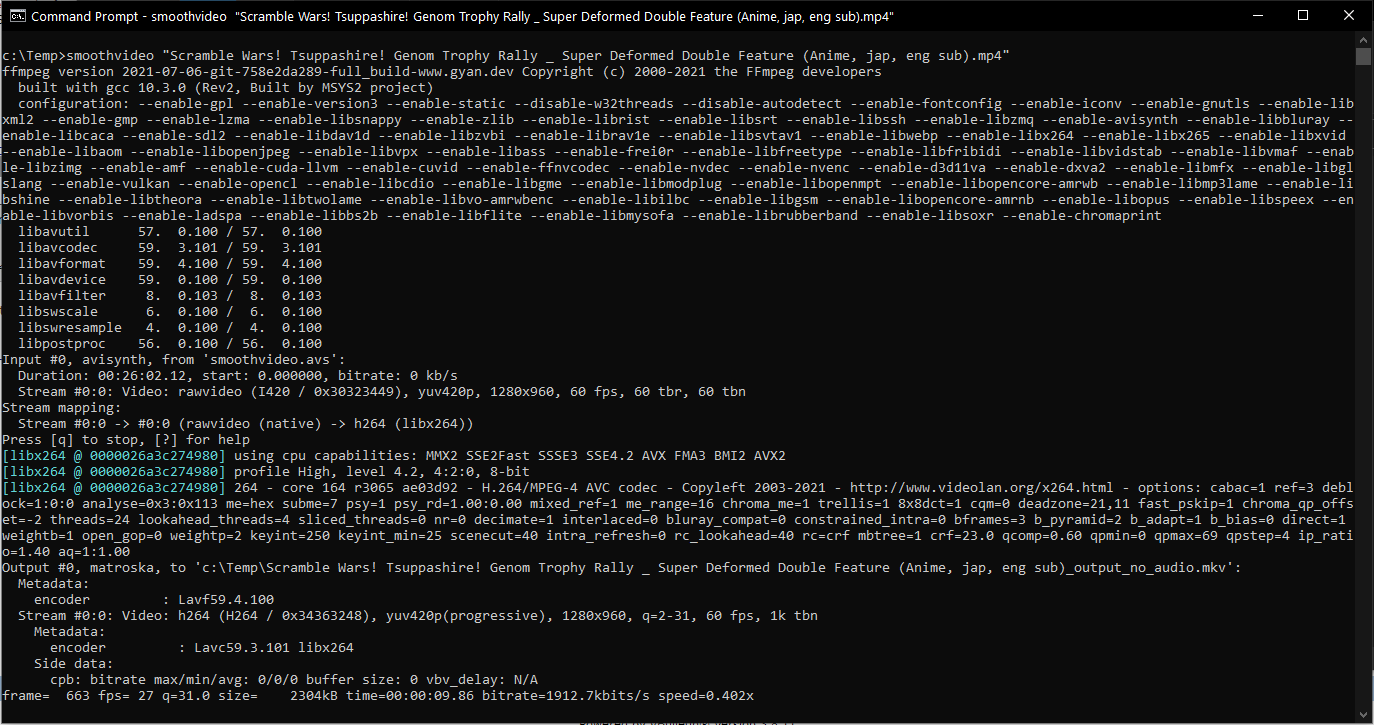
Script to smooth a video file, of lesser than 60 frames per second, to 60 frames per second using frame interpolation. It uses the free SVPflow plugins from the SmoothVideo Project over at https://www.svp-team.com/, Avisynth+, and FFMPEG. The script can be easily adjusted for more frames per second.

This script should work on AMD & nVidia GPUs. When you change GPU:1 to GPU:0, even without GPU hardware acceleration.
Works only on Windows!
More information about the SVPflow parameters https://www.svp-team.com/wiki/Manual:SVPflow
An alternative to consider for this script is https://github.com/nihui/rife-ncnn-vulkan. Your results in performance may vary depending on the hardware you use.
-
Install FFMPEG from https://ffmpeg.org/download.html. I extracted the latest
ffmpeg-git-full.7zarchive over at https://www.gyan.dev/ffmpeg/builds/ toC:\Apps\ffmpeg-2021-07-06-git-758e2da289-full_build. Folder is different for each daily release. This will makeffmpeg.exeavailable underC:\Apps\ffmpeg-2021-07-06-git-758e2da289-full_build\bin. -
Install AviSynth+ 64-bit from https://github.com/AviSynth/AviSynthPlus/releases/. I installed
AviSynthPlus_3.7.0_20210111.exe. -
Install the FFMS AviSynth+ plugin: download FFMS https://github.com/FFMS/ffms2/releases I used
ffms2-2.40-msvc.7zand copied two filesffms2.dllandffmsindex.exeinx64toC:\Program Files (x86)\AviSynth+\plugins64 -
Install the SVPflow AviSynth+ plugin.
The latest version is not recommended as there will be a red border in the resulting video, see https://forum.doom9.org/showthread.php?t=181379. I downloaded first the latest
svpflow-4.3.0.168.zipfrom https://www.svp-team.com/get/ and copied two files insvpflow1_64.dllandsvpflow2_64.dllin thelib-windows\avisynth\x64folder to theC:\Program Files (x86)\AviSynth+\plugins64folder and after using it I found that it indeed was the case.But as their release notes specifically state to run their SVP Manager software to get rid of it: "Please note that SVPflow libs require a SVP Manager running (Windows and macOS only), otherwise you'll see a red rectangle around the video frame.", I used an older version instead that I have backed this up in this repository as
SVPflow_LastGoodVersions.7z, and copiedsvpflow1.dllandsvpflow2.dllinlib-windows\avisynth\x64to theC:\Program Files (x86)\AviSynth+\plugins64folder. -
Download a copy of this reposity, and adjust the second line with
set FFMPEG_ROOT=insmoothvideo.batorsmoothvideo_images.batto match the FFMPEG folder and feel free to update the command line parameters forffmpeg.exe.smoothvideo.avsandsmoothvideo_images.avscontain the SVPflow parameters, including the number of FPS. These are setup for 60 FPS and the almost highest possible quality settings.
- Smooth a video file: run
smoothvideo.bat videofile_with_audio.mp4
videofile_with_audio.mp4: take the audio from this file and smooth the video of it in the resulting video file
- Smooth a folder of images: run
smoothvideo_images.bat file_pattern start_frame stop_frame frames_per_second_original smooth_videofile.mkv videofile_with_audio_or_audiofile.mkv
file_pattern: e.g.c:\folder\image_%d.png. It uses the ImageSource function of AviSynth+ to read the images: see http://avisynth.nl/index.php/ImageSource for detailsstart_frame: first frame number e.g. 1: gets replaced with%din the file patternstop_frame: last frame number: gets replaced with%din the file patternframes_per_second_original: number of frames per second before smoothingsmooth_videofile.mkv: resulting video filevideofile_with_audio_or_audiofile.mp4: optional: take the audio from this file and place it in the resulting video file
It will output a temporary smoothed video file - first - without audio, ends with _smooth_no_audio.mkv, and afterwards a second file, ends with _smooth.mkv, which is smoothed and has the original audio. Note: this only works with video files that have single audio tracks.
This FFMPEG command will add two audio tracks using -map 1:a:0 -map 1:a:1 and a subtitle track -map 1:s:0 from the video.mkv file to the _smooth_no_audio.mkv file, when you need more audio tracks and subtitle tracks copied in the resulting video: ffmpeg.exe -i "video_smooth_no_audio.mkv" -i "video.mkv" -c:v copy -map 0:v:0 -map 1:a:0 -map 1:a:1 -map 1:s:0 -c:a copy "video_smooth_dualaudio.mkv"
-
smoothvideo.batscript to smooth a video file, calls FFMPEG withsmoothvideo.avsand re-encodes the result, and re-adds the original audio. -
smoothvideo.avsAviSynth+ script that reads a videofile using the FFMS plug-in and performs the smoothing operation. -
smoothvideo_images.batscript to smooth a series of video frames in to video file, calls FFMPEG withsmoothvideo_images.avsand re-encodes the result, and adds an audio track optionally. -
smoothvideo_images.avsAviSynth+ script that reads a folder of video frames and performs the smoothing operation. -
SVPflow_LastGoodVersions.7zthe last good SVPflow version. -
plugins64.zipbackup of myC:\Program Files (x86)\AviSynth+\plugins64folder.