



Allows you to clear Django cache via admin UI or manage.py command.
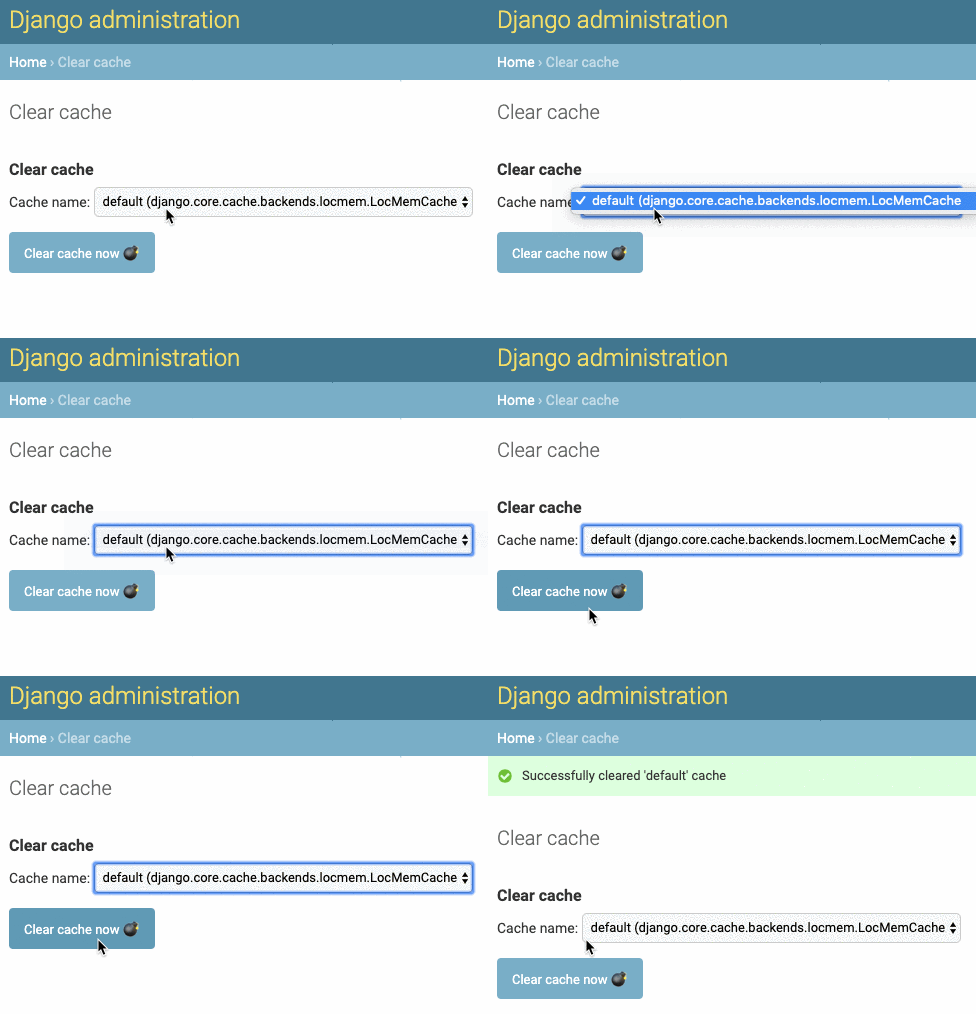
-
Install using PIP:
pip install django-clearcache -
Add clearcache to INSTALLED_APPS, make sure it's above
django.contrib.admin:INSTALLED_APPS += [ ... 'clearcache', 'django.contrib.admin', ... ] -
Add url to the main urls.py right above root admin url:
``` urlpatterns = [ path('admin/clearcache/', include('clearcache.urls')), path('admin/', admin.site.urls), ] ``` -
Apply migrations:
manage.py migrate [--database=<your_database>] [--settings=<your_settings>]
Clearcache can be used by any user with permission clearcache.use_clearcache,
and obviously be any superuser (superusers have all permissions).
- Go to
/admin/clearcache/. If you are authorized, you should see a form with cache selector. - Pick a cache. Usually there's one default cache, but can be more.
- Click the button, you're done!
Any user with access to the Admin interface (i.e. any user with is_staff privilege)
will see a Clearcache section on the Admin homepage, if he is authorized, and can
access Clearcache from there.
-
Run the following command to clear the default cache
python manage.py clearcache -
Run the command above with an additional parameter to clear non-default cache (if exists):
python manage.py clearcache cache_name
- Check my dev blog with Python and JavaScript tutorials at https://timonweb.com.
- Follow me on Twitter @timonweb