




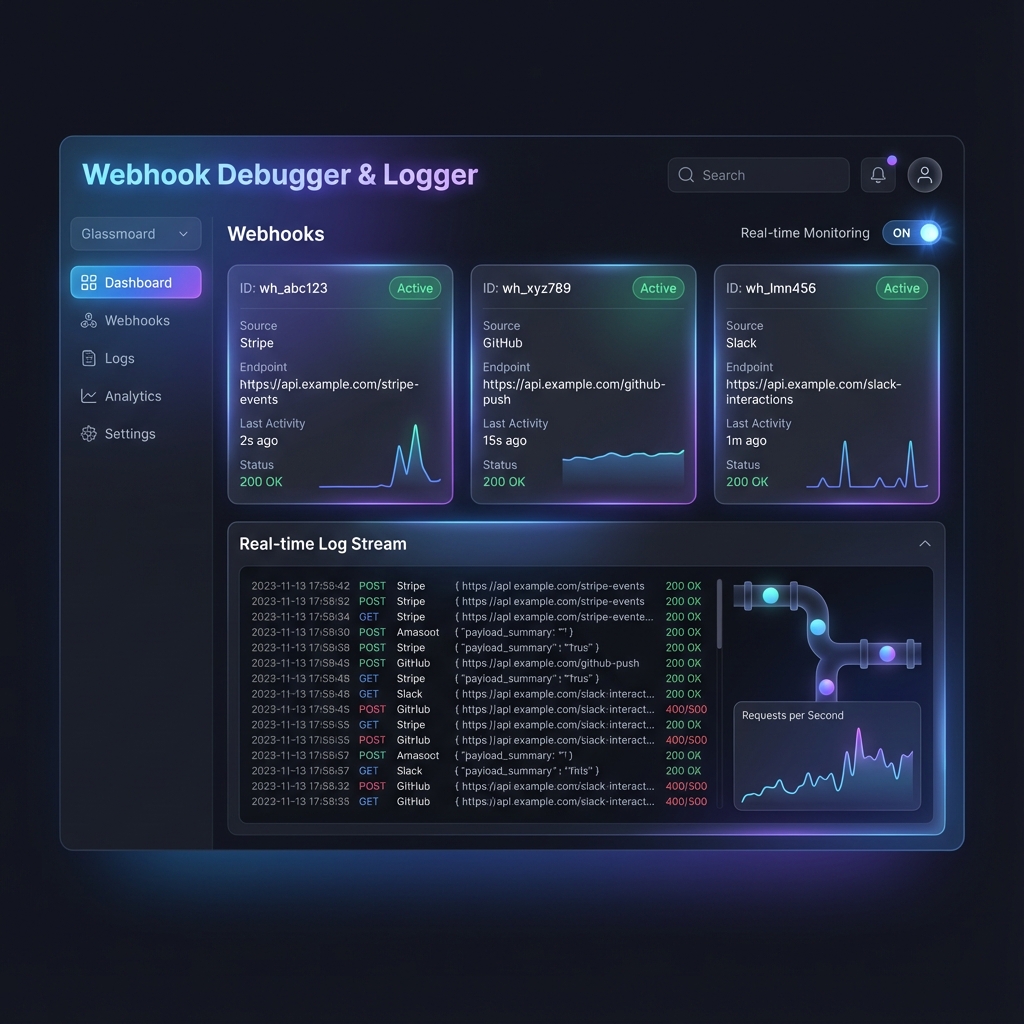

A high-performance Apify Actor built for developers to test, inspect, and automate incoming webhooks in real-time. This Actor is optimized for Apify Standby Mode, providing sub-10ms logic execution and zero cold-start latency.
Interactive Demos:
Run the following command while the Actor is active to see real-time streaming:
# Make sure the Actor is running locally on port 8080
npm start

# If authKey is configured, run with:
# AUTH_KEY=your-secret node demo_cli.js
node demo_cli.js
Test and inspect webhooks instantly without running localhost or complex tunneling tools.
Tip for Contributors: Want to test the Docker image locally? Check out our Local Docker Testing Guide.
Watch the 2-min Narrated Walkthrough
You can run this Actor anywhere—on your local machine, VPS, or internal cloud—without an Apify account. It works as a standard Node.js application.
# Option A: Run via npx (Zero Install)
npx webhook-debugger-logger

# Option B: Clone & Install
git clone https://github.com/ar27111994/webhook-debugger-logger.git
cd webhook-debugger-logger
npm install
npm startNote: When running via npx or npm start for the first time, the Actor will automatically generate a configuration file at storage/key_value_stores/default/INPUT.json. You can edit this file to change settings (like urlCount) in real-time! (The location respects APIFY_LOCAL_STORAGE_DIR if set).
For custom deployments, you can configure the Actor via environment variables or JSON input:
# Example: 5 URLs, 72h retention, 100MB payload limit
INPUT='{"urlCount": 5, "retentionHours": 72, "maxPayloadSize": 104857600}' npm startWhen running locally or self-hosted, you are not bound by the UI constraints of the Apify Platform:
- URL Count: Create 100+ webhooks (vs Platform UI limits) if your self-hosted instance has enough resources.
- Retention: Keep data for 365 days (
"retentionHours": 8760). Fully configurable. - Payloads: Parse up to 100MB payloads (default 10MB) by setting
maxPayloadSize. - Rate Limit: Fully configurable (e.g., 10,000+ per min) for management endpoints (/logs, /info, /replay). Applied per client IP.
Response Delay: Capped at 10s (10,000ms) even in self-hosted mode to ensure connection stability. (Reason: Prevents the server from freezing if thousands of requests are held open simultaneously).
Hot-Reload: To change settings while running (e.g., enable debug logging), simply edit storage/key_value_stores/default/INPUT.json. The Actor polls for changes every 5 seconds and applies them automatically.
Important
Retention is Activity-Based: The expiration timer resets whenever the Actor is active (restarts/hot-reloads). This ensures your webhooks don't expire mid-debugging session. They only expire if you abandon the Actor for the full duration.
Webhook Debugger generates temporary webhook URLs and logs every incoming request with full details (headers, body, query params). Perfect for testing webhook integrations from Stripe, GitHub, Shopify, or any service.
- Stripe & PayPal Debugging: Mock successful or failed payment responses to test your order fulfillment logic.
- GitHub CD/CI Testing: Verify complex payloads from CI/CD triggers without waiting for real builds.
- Shopify Webhook Relay: Securely forward Shopify hooks to your local development environment.
- n8n & Zapier Buffer: Acts as a high-performance validator for your automation workflows.
- API Mocking: Simulate slow or faulty 3rd party APIs with custom responses and latency.
Stop building generic tools and start solving real problems. Use these pre-configured setup guides for your specific tech stack:
- 💳 Stripe Hardening Pack: Verify signatures, inspect payloads, and replay payment events safely.
- 🛍️ Shopify Launch Pack: Bridge Shopify webhooks to your local machine with 72h retention for high-traffic windows.
- 💬 Slack & Messaging: Test complex message blocks and interactive components.
- 💰 Revenue Recovery: Recover missed payments and reconcile Stripe/Shopify orders during high-burst launches.
- 🌉 Low-Code Bridge: Optimize Zapier and Make (Integromat) costs by using the Actor as a smart pre-filter.
- 📑 Legacy Migration: Safely compare raw payloads side-by-side when upgrading API versions or switching providers.
Debugging webhooks is painful:
- ❌ Can't see what data services send
- ❌ No way to inspect payloads
- ❌ Localhost tunneling is complicated (ngrok, etc.)
- ❌ Failed webhook tests require service reconfiguration
- Run Webhook Debugger
- Get 3 unique webhook URLs
- Configure service to send to those URLs
- See all requests in real-time
- Export logs as JSON/CSV
No setup required. No localhost tunneling. Takes 30 seconds.
| Feature | Description |
|---|---|
| URL Generation | Generate 1-10 temporary webhook URLs (Unlimited for self-hosted) |
| Request Logging | Capture ALL incoming requests (GET, POST, etc.) |
| Full Details | Headers, body, query params, IP, timing |
| Multi-Format | Handles JSON, Text, XML, and Form Data |
| URL Expiry | Webhook URLs expire automatically (configurable 1-72h, or Unlimited self-hosted) |
| Hot-Reloading | Configuration changes apply instantly without restarts (v2.7) |
| Export | Download logs as JSON or CSV from dataset |
The Enterprise Update transforms this Actor into a professional API mocking and workflow tool.
- API Key Auth: Require a secret token for every incoming webhook.
- IP Whitelisting: Lock down your endpoints to specific IPs or CIDR ranges.
- Rate Limiting (v2.6): Protect your management endpoints (
/logs,/info,/replay) with configurable per-IP rate limits. - Sensitive Data Masking (v2.6): Automatically redact known sensitive headers like
AuthorizationandCookiefrom your logs. - SSRF Protection (v2.8): Enterprise-grade Server-Side Request Forgery protection prevents your Actor from being used to scan internal networks (localhost, 10.x.x.x, etc.) during forwarding or replay.
Updates to the following settings are applied immediately without restarting the Actor:
authKeymaxPayloadSizecustomScriptrateLimitPerMinuteretentionHoursurlCountresponseDelayMs
Note for Platform Users: The Apify Console "Input" tab only applies changes to future runs. To hot-reload a running Actor, you must update the "INPUT" key in the running Actor's Default Key-Value Store directly (e.g., via Apify API or Client), as the Console UI does not support editing Key-Value entries for running actors.
- Dynamic Infrastructure Scaling (v2.7): Increase your
urlCountwithout restarting. The Actor intelligently reconciles state, generating new IDs while preserving your existing ones.
- Custom Responses: Define the exact Body, Headers, and Status Code to return to the sender.
- Latency Simulation: Simulate slow network conditions by delaying responses (up to 10s, configurable).
- JSON Schema Validation: Reject invalid payloads automatically and log the errors.
- Real-time Forwarding: Automatically pipe captured webhooks to another destination (e.g., your local dev server).
- Request Replay (v2.8 Deep Search): Resend any captured event to a new URL using the
/replayAPI. Includes robust paginated lookup to find events even in massive 1M+ item datasets without memory issues.
- Standby Mode Ready: Built for sub-10ms response times with full support for Apify's warm-start infrastructure.
- Scalable Real-time Feed: v2.6 features a high-performance global SSE heartbeat mechanism, supporting hundreds of concurrent watchers with minimal memory footprint.
- Readiness Probes: Explicit handling of platform health checks for maximum uptime.
- Graceful Termination: Advanced shutdown sequence that ensures state persistence even during platform migrations.
- QA Certified: Specialized startup logic ensures consistent success in automated platform tests.
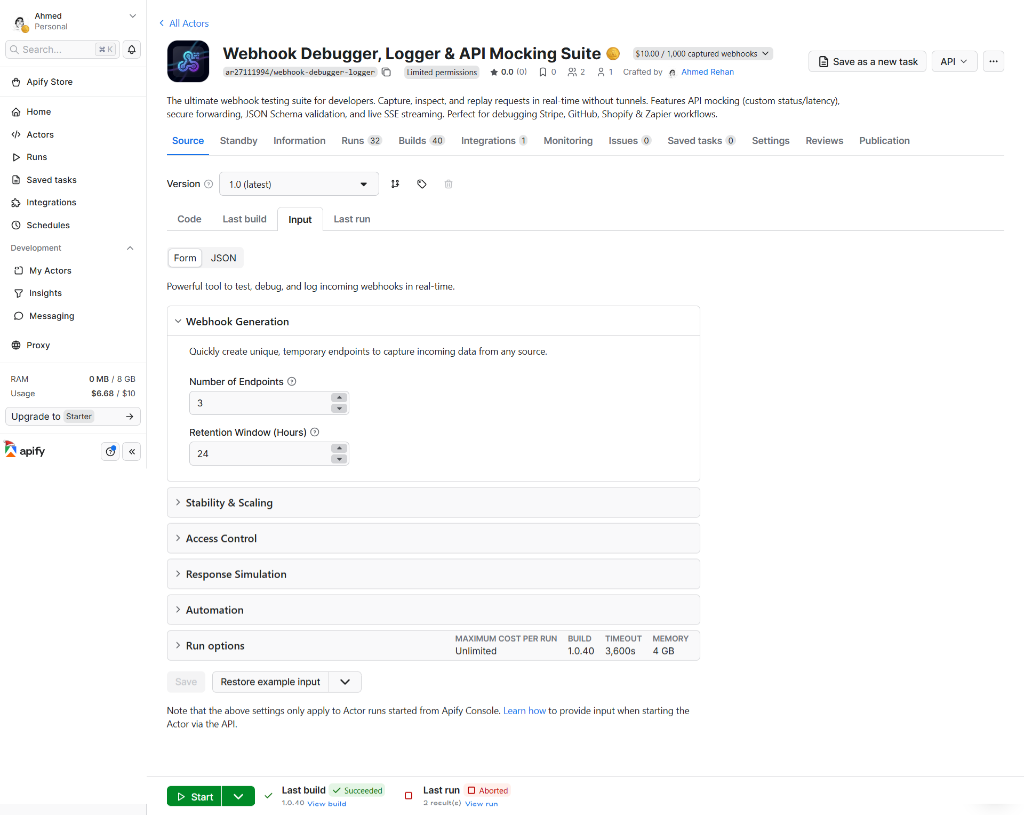
{
  "urlCount": 3,
  "retentionHours": 24
}{
"urlCount": 5,
"retentionHours": 72,
"maxPayloadSize": 10485760,
"enableJSONParsing": true
}{
"urlCount": 1,
"authKey": "my-secure-ci-token",
"allowedIps": ["34.250.0.0/16"],
"jsonSchema": "{\"type\":\"object\",\"required\":[\"commit_id\"]}",
"forwardUrl": "https://ci-collector.internal.com/hooks",
"maskSensitiveData": true
}
{
  "timestamp": "2025-12-19T14:31:45Z",
  "webhookId": "wh_abc123",
  "method": "POST",
  "headers": {
    "content-type": "application/json",
    "user-agent": "Stripe/1.0"
  },
  "body": "{\"type\": \"payment.success\", \"amount\": 9999}",
  "size": 78,
  "contentType": "application/json",
  "processingTime": 12,
  "remoteIp": "1.2.3.4"
}{
"id": "evt_8m2L5p9xR",
"timestamp": "2025-12-28T12:00:00Z",
"webhookId": "wh_ci_prod_1",
"method": "POST",
"statusCode": 201,
"processingTime": 450,
"remoteIp": "34.250.12.34",
"forwardStatus": "SUCCESS",
"originalEventId": null
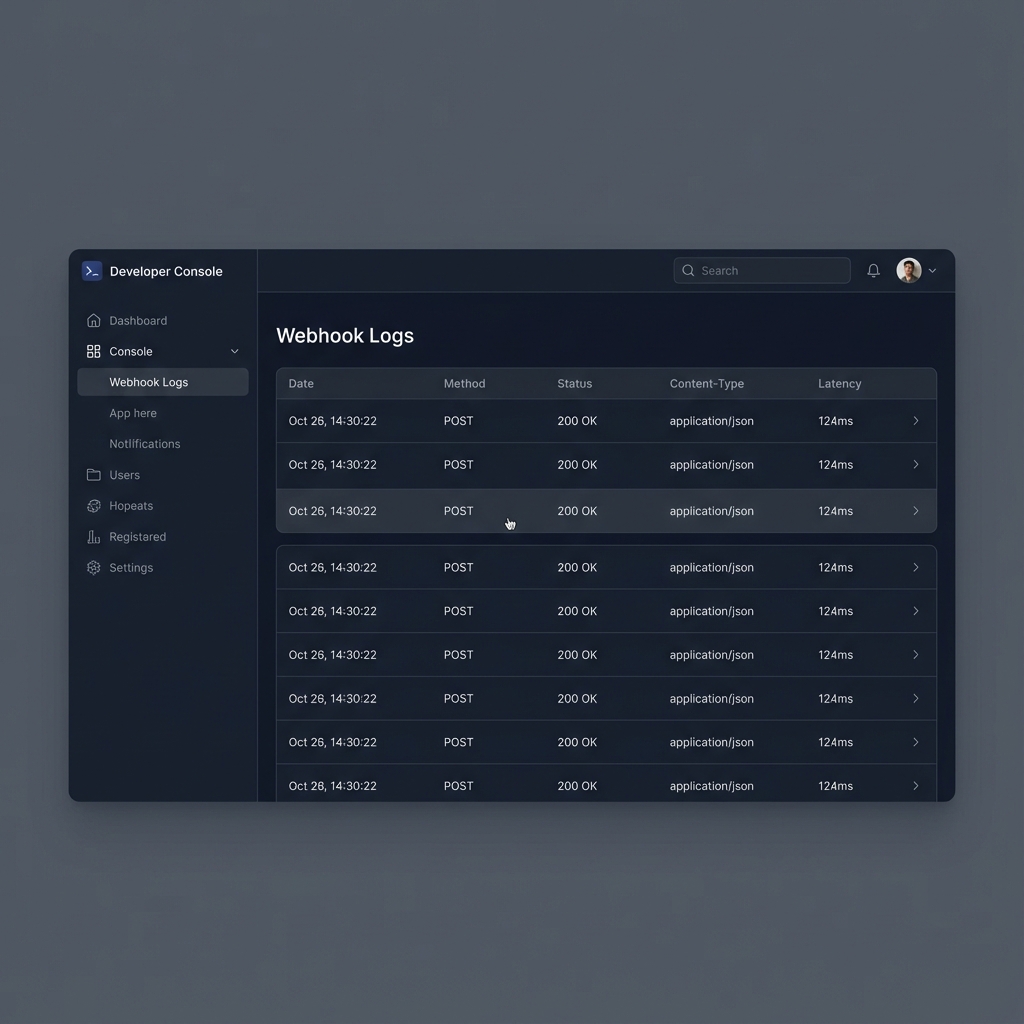
}| Timestamp | Webhook ID | Method | Status | Content-Type | Size (B) | Latency (ms) |
|---|---|---|---|---|---|---|
| 2025-12-19 14:31 | wh_abc123 | POST | 200 | application/json | 1,240 | 12 |
| 2025-12-19 14:35 | wh_xyz789 | GET | 401 | - | 0 | 5 |
| 2025-12-19 14:40 | wh_abc123 | POST | 200 | application/x-www-form-urlencoded | 450 | 8 |
Step 1: Start the Actor and wait for it to enter "Running" state.
Step 2: Click on the Live View or check the Key-Value Store for the WEBHOOK_STATE key to see your assigned IDs.
Step 3: Use the URL format: https://<actor-run-id>.runs.apify.net/webhook/<id>
Step 4: Configure your service (Stripe, GitHub, etc.) to send to this URL.
Step 5: When webhooks arrive, they'll appear in the Dataset tab in real-time.
curl -v https://<ACTOR-RUN-URL>/webhook/wh_abc123?test=truecurl -X POST -H "Content-Type: application/json" \
-d '{"event": "user_signup", "userId": "123"}' \
https://<ACTOR-RUN-URL>/webhook/wh_abc123curl -X POST -H "Content-Type: text/xml" \
-d '<event><type>ping</type></event>' \
https://<ACTOR-RUN-URL>/webhook/wh_abc123curl --upload-file document.txt https://<ACTOR-RUN-URL>/webhook/wh_abc123# Via Header
curl -H "Authorization: Bearer YOUR_KEY" https://<ACTOR-RUN-URL>/info
# Via Query Parameter
curl https://<ACTOR-RUN-URL>/info?key=YOUR_KEYNote
If you have not configured an authKey in the input, you can omit the authentication headers/parameters.
You can stream webhook logs in real-time as they arrive using Server-Sent Events (SSE). This is perfect for terminal monitoring or custom dashboards.
Endpoint: https://<ACTOR-RUN-URL>/log-stream
How to monitor via CLI:
curl -N https://<ACTOR-RUN-URL>/log-stream
You can force a specific HTTP status response by adding the __status query parameter to your webhook URL.
https://<URL>/webhook/wh_123?__status=401-> Returns 401 Unauthorizedhttps://<URL>/webhook/wh_123?__status=500-> Returns 500 Internal Server Error
You can retrieve and filter logs programmatically via the /logs endpoint.
Endpoint: https://<ACTOR-RUN-URL>/logs
Query Parameters:
webhookId: Filter by a specific ID (e.g.,wh_abc123)method: Filter by HTTP method (e.g.,POST)statusCode: Filter by response code (e.g.,201)contentType: Search for specific content types (e.g.,json)limit: Number of items to return (default: 100)
Example:
curl "https://<ACTOR-RUN-URL>/logs?method=POST&statusCode=200"Apify Datasets support basic filtering via API parameters.
- Newest first: Add
?desc=true - JSON Clean: Add
?clean=true(omits Apify Metadata). - Specific fields: Add
?fields=timestamp,method,body
Webhook Debugger is the perfect "safe buffer" for your automations.
- Logs everything: Even if your Zap fails, you have the raw request in Apify.
- Payload transformation: Apify datasets make it easy to clean/inspect data before it hits your automation.
You can integrate your debugger with external tools in two distinct ways:
Use this if you want your automation to trigger immediately (sub-100ms) when a webhook is received.
- In Zapier: Create a Zap and use the "Webhooks by Zapier" app with the "Catch Webhook" trigger. Copy the generated URL.
- In Apify: Paste that URL into the "Automated Pipe URL" field in your Actor's input.
- Control: Use the "Pass Original Headers" toggle to decide if your automation needs the original source headers or just the raw payload.
Use this to trigger actions based on lifecycle events or safely after data is stored.
- In Apify: Go to the Integrations tab of your Actor.
- Setup: Add a "Webhooks" integration triggered on "Dataset item created".
- Flow:
Source->Debugger->Apify Storage->Zapier. - Benefit: Guaranteed delivery even if your external tool is temporarily down (via Apify's retry logic).
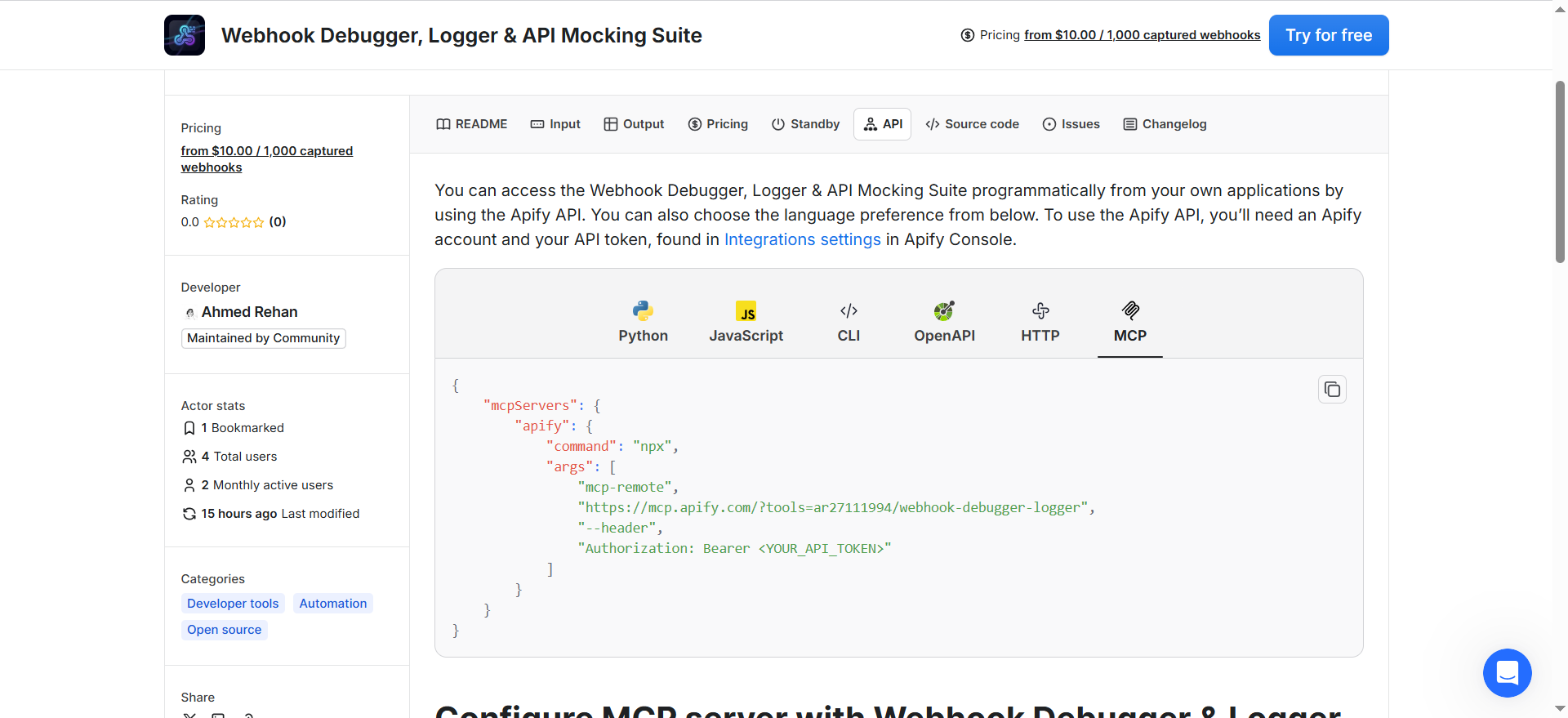
This Actor is fully compatible with the Model Context Protocol (MCP), allowing you to connect it directly to AI agents like Claude Desktop, Cursor, or Windsurf.
- Real-time Debugging: Ask Claude to "Watch for the next Stripe webhook and tell me if the signature is valid."
- Automated Verification: Have an agent listen to webhooks while it triggers actions in another system, ensuring the expected side-effects occur.
- Go to the Actor page in Apify Console.
- Click the "AI" button in the top-right corner.
- Select "Open MCP configuration".
- Copy the configuration snippet and add it to your
claude_desktop_config.jsonor MCP client settings.
This Actor uses a transparent Pay-per-Event (PPE) pricing model. This means you only pay for the resources you actually consume during active debugging, with no monthly subscription overhead.
- Rate: $0.01 per 1 captured webhook.
- Batching: 100 webhooks = $1.00.
- Batching: 1,000 webhooks = $10.00.
Why PPE? Standard tools like ngrok or dedicated SaaS webhooks charge fixed monthly fees. With Webhook Debugger, you can keep an endpoint active for a month and only pay if you actually trigger a test.
| Parameter | Default | Buffer | Note |
|---|---|---|---|
| Max Payload | 10MB | Up to 100MB | Configurable in input |
| Concurrency | Unlimited | Platform-dependent | Limited by memory |
| Latency | <10ms | Sub-5ms in Standby | Internal processing time |
| SSE Heartbeat | 30s | - | Global efficient interval |
| URL Validity | 24h | 1-72h (Unlimited Self-Host) | Auto-expiry active |
Q: How long are webhook URLs valid? A: By default, 24 hours. You can set 1-72 hours in the input (or Unlimited for self-hosted).
Q: Will you store my data? A: No. Data is stored only in your Apify dataset (you own this). After the retention period expires:
- The webhook URL is deactivated
- Logs are filtered out from the
/logsAPI endpoint - Historical data remains accessible in your dataset for your own analysis
Q: What's the payload size limit? A: 10MB by default to ensure stability. Configurable in input up to 100MB.
Q: Can I use this with Zapier or Make? A: Yes! It's an ideal "safe buffer." You can point your service to this Actor, then use an Apify Webhook to trigger your Zapier/Make flow whenever a new item is added to the dataset.
Q: Can I customize the response headers and body? A: Yes! Enterprise features (v2.0+) allow you to define custom JSON/XML response bodies, arbitrary headers, and even simulate network latency (delay).
Q: Can I validate incoming data? A: Yes. You can provide a JSON Schema in the input parameters, and the Actor will automatically reject invalid requests with a 400 Bad Request.
Q: Can I transform data or override responses?
A: Yes! Use the Custom Scripting (v2.7) feature to write JavaScript that modifies the event object dynamically. Beyond logging, your script can now override the response sent back to the provider (e.g., event.statusCode = 201; event.responseBody = { success: true };).
Issue: "Webhook not found or expired"
Solution: Verify the webhook ID is correct. Check the /info endpoint of your running Actor to see active IDs. If you need more, simply increase the urlCount in input—the Actor will hot-reload and add them instantly.
Issue: "Script Execution Error"
Solution: Check your customScript for syntax errors. The Actor runs scripts in a secure sandbox with a 1s timeout.
Issue: "JSON Schema Validation Failed"
Solution: The incoming payload did not match your provided schema. Check the /logs or the webhook response for specific validation error details.
Q: How do I handle heavy traffic? A: The Actor is built on a high-performance Express server. For heavy traffic, ensure you have enough memory (1024MB+ recommended) and consider using HTTP Forwarding to offload processing to your own infrastructure.
Q: Is there a limit on the number of webhooks?
A: You can generate up to 10 unique endpoints per Actor run (Platform Limit). For self-hosted instances, this is Unlimited. If you need more on the platform, you can start multiple runs or use different IDs with the same endpoint by routing logic in your customScript.
We are committed to providing first-class support for our "Enterprise Suite" users.
- 💬 Apify Discord: Join the Apify Discord Community to chat with other developers.
- 📚 Learning: Explore the Apify Academy for best practices on building resilient Actors.
- 📖 Documentation: Read the Apify SDK Documentation for technical deep dives.
- 🔗 Console: Manage your active runs in the Apify Console.
- 🛠️ Alternative: Compare with Webhook.site if you need a desktop-only alternative.
- 📝 Issues: Found a bug? Open an issue on our GitHub Repository.
Developer Support Guarantee: I am an active maintainer and respond to all comments, bug reports, and feature requests on the Apify Store Console within 24 hours.
We do not store any personal data. All captured request data is stored directly in your own Apify Dataset (you own this). After the configured retention period expires (default 24h):
- The webhook URL is deactivated.
- Its logs start getting filtered out from the
/logsAPI endpoint from the next request. - Historical data remains accessible in your Apify Dataset for your own record and analysis until you manually clear or delete the dataset.
No data is shared with third parties.
For more details, see the Apify Privacy Policy.





![@dependabot[bot]](https://avatars.githubusercontent.com/in/29110?s=64&v=4)
![@coderabbitai[bot]](https://avatars.githubusercontent.com/in/347564?s=64&v=4)