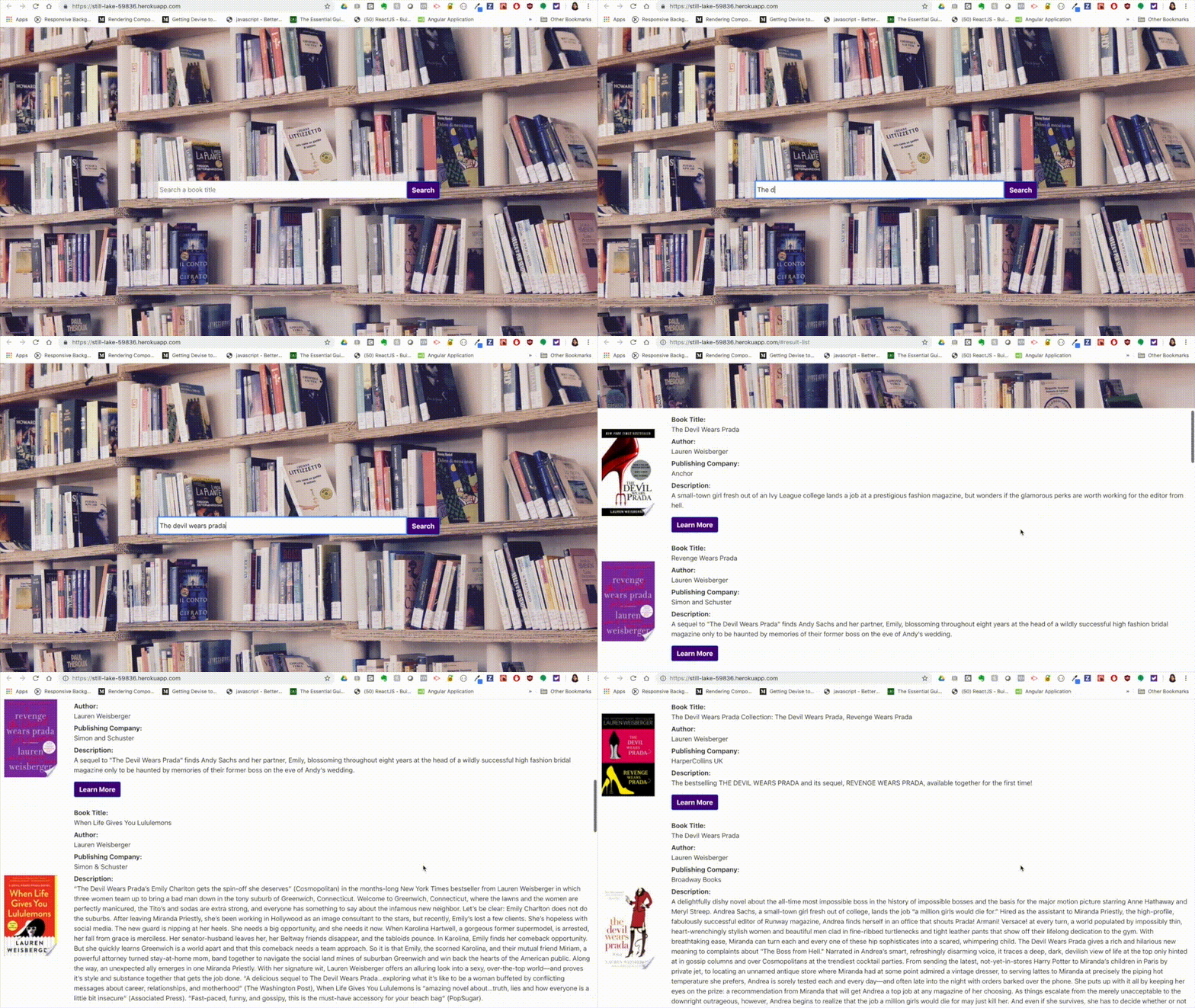
This app is designed to use the Google Books API to obtain information for a particular book title that is searched by the user. Once the user has searched for a book title, the app will then display a list of results which will include the book title, author, publishing company, a short description and a link to learn more about the book.
Please complete the following steps to run the code locally.
-
Make sure you have the latest version of Node and NPM installed on your local machine. You can download Node at https://nodejs.org/en/. To install NPM run
npm install npm@latest -gin your terminal. -
Obtain an API key for Google Books from the Google Developers Console. You can log in and request one here. https://console.developers.google.com
-
Clone the repo to your local machine.
-
cd into the Google-Books-Challenge folder and run
npm installin your terminal. -
Open the Google-Books-Challenge folder in your text editor.
-
Once you have the code open in your text editor, create an .env file in the root directory.
-
Paste the following line into the env and insert your API Key.
REACT_APP_GOOGLE_BOOKS_API_KEY=YOUR API KEY HERE -
To start the development server enter
npm startin your terminal and vist http://localhost:3000 in the browser.
Technlogies Used:
- React
- Create-React-App
- Node 12.4.0
- NPM 6.9.0
- Google Books API https://developers.google.com/books/docs/v1/reference/volumes/list
- axios https://www.npmjs.com/package/axios
- React-Bootstrap https://react-bootstrap.github.io/getting-started/introduction/
- React-Scrollable Anchor https://www.npmjs.com/package/react-scrollable-anchor