
manage your tasks from the comfort of your terminal
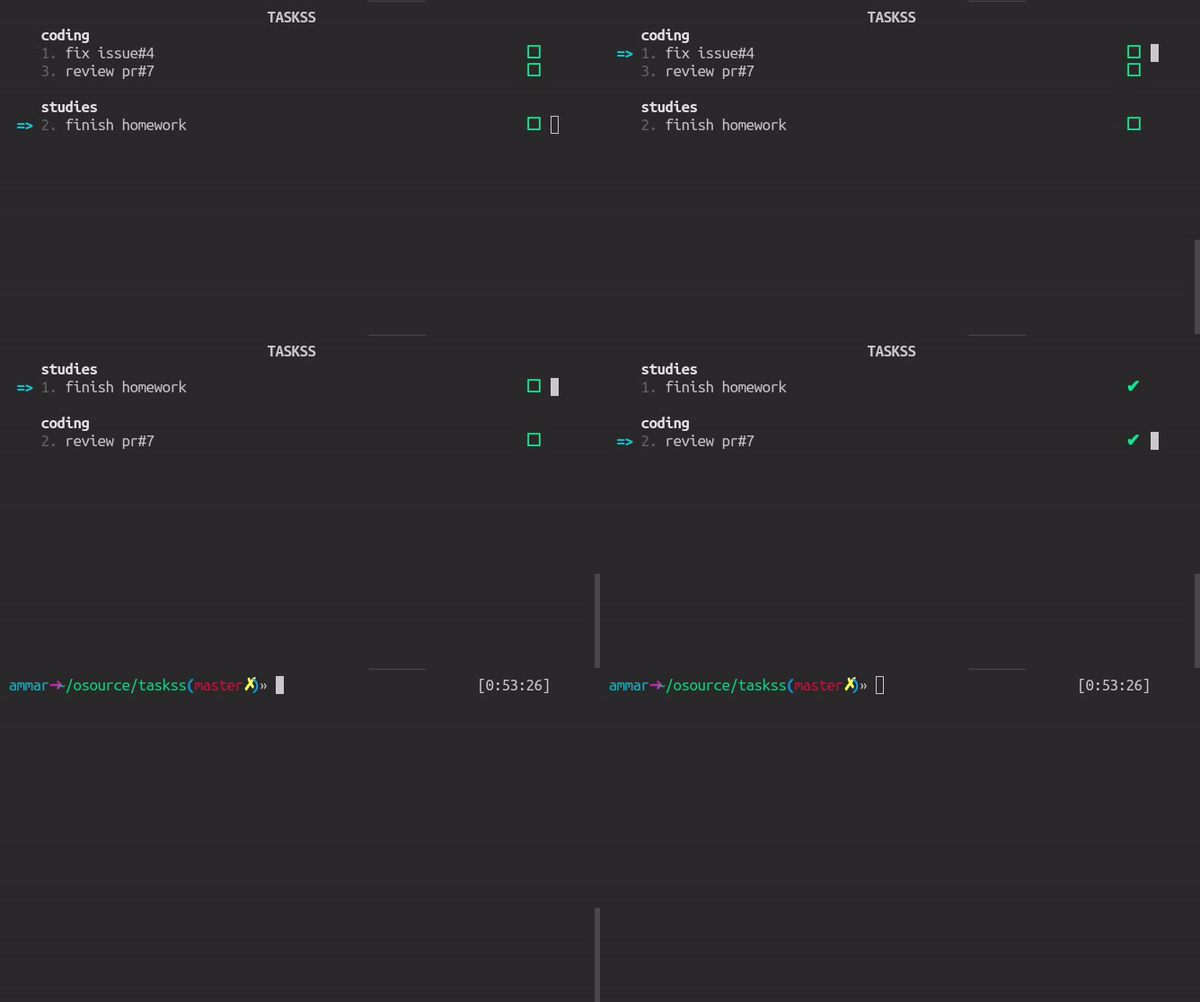
This is just a toy thing I made while learning how to move cursor around the terminal and I can't ensure the absence of bugs.
npm install -g taskss
taskss -n to add a new task
taskss -t <task-name> -g <group-name> short way to add a task
taskss -e <task-number> to edit a task with specific index
taskss -d <task-number> to delete a task with specific index
taskss to list the tasks then
up and down key to move arrow up and down
press e over any task to edit it
press d over any task to delete it
press t over any task to tick it
-
fixed backspace/delete key working
-
qkey for exiting from list mode -
cleaner code though still not much easy to understand
-
added a short way to add a task
-
escape key no more closes taskss
-
escape key in edit mode can be used to go back to list mode
-
fix task editor (typing issue)
-
console.clear() is again being used - to prevent the terminal from getting messed up on resizing -- so whole of the - terminal will be cleared :(
-
escaoe key can be used for quiting
-
fix position of "save"/"cant be blank" message in task editor
-
whole of the terminal isn't cleared on running taskss
-
readjustment of the ui in list mode on resizing the terminal
-
arrow remains on the same index after deleting a task in list mode
-
TASKSS title in the list and editor mode
-
improved tasks editor
-
no unwanted .log file in the current directory