The mobile app allows teams to perform 360° surveys so the employees can provide constructive review of peers, managers and other people in their company. The user has to complete the same survey in four regular intervals within a month for every person participating in the evaluation. This allows for continuous feedback.
The app will utilize a Chart API to visualize the data on the results of their reviews which will make the information easily understandable by the user.
Basic authentication in a log in page
Users can input data and image in sign in page
Users can submit their answers to the survey provided to them
Users can see the aggregate results of the survey answered by his/her peers
Token System.
Google Signup / login
Reminder notifications
Check punctuations given.
Get results in the chart by Date/ Position/ ID
Add rounds (new survey).
**User**
User {
	Name: String
	Department: enum[]
	Position: enum []
	Id: user_id
}
Surveys {
Evaluator: user_id
Evaluated: user_id
Social skills : { type: Number, max: 5 }
Technical skills: { type: Number, max: 5 }
Organizational skills: { type: Number, max: 5 }
Leadership: { type: Number, max: 5 }
Motivation level: { type: Number, max: 5 }
Review: String
Date: Date
Round: Number
}- Homepage - shows the logo of the product and shows sign up and login options.
- Sign Up - allows the user to sign up with their personal details and adding a photo to their profile.
- Login - allows the user to log in to the app with their user login details.
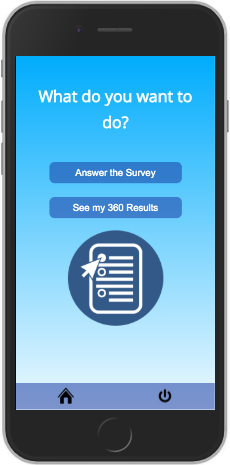
- Main page - shows two options: 1) to answer the 360 of their other peers, 2) to see the results of their own 360 surveys answered by their peers
- Survey Page - the user chooses which teammate to review and inputs his/her answers to the survey
- Results Page - the user will see the aggregate results of the survey answered by his peers. Data will be visualized through a chart and it will show the text answers.
- Log out - the user will be able to log out and will no longer be able to access the data or answer the survey.
- Error 404 - So the user gets an error when the page does not exist.
- Error 500 - This error prompts when the there is a technical issue with the server.
| HTTP Method | Route | Description |
|---|---|---|
| GET | / |
Main page route. Login and sign up option. |
| GET | /login |
Login route. Renders login form view. |
| POST | /login |
Login route. Sends login form data to the server. |
| GET | /signup |
Signup route. Renders signup form view. |
| POST | /signup |
Signup route. Sends signup info to server and creates user in the DB. |
| GET | /profile/:userId |
Renders profile view. |
| GET | /directory |
Answer survey option and view profile option. |
| GET | /survey |
Renders survey form view. |
| POST | /survey |
Sends survey info to server. |
| GET | /survey/success |
Renders success on submission. |
| GET | /results |
Renders the aggregate data with charts and HTML. |
| GET | /results/details |
To search for specific results. |
Back-end: Node, Express, json-server, Mongoose, Passport.js, zxcvbn, bcrypt Front-end: Handlebars, Chart.js, Axios, Cloudinary
- Generate
seed.jsfile. - Link it with
Json-serverand Postman. - Create main hbs files and link them.
- CSS.
Prerequisites
- Node
- Npm
Installing
Clone the repo. In the command line enter:
npm install
To start:
npm run dev
Trello: https://trello.com/b/JwAyVhUb/kanban-board
Slides: https://docs.google.com/presentation/d/1YUnmDEfTmCJcEBaG47I_8in3wP_JQ73q4HciCOnsl-o/edit?usp=sharing
Webpage: https://project-360.herokuapp.com/