Summary • System Architecture • Repository Structure • Data Collection • Model Training • Hardware • Backend WebSockets • Flutter App • Quickstart • Credits
ALSEE is an experimental inner speech decoding device aimed at restoring communication for people with severe motor impairments and neurodegenerative diseases (e.g., ALS).
The system combines:
- Non-invasive neural and muscular signals: EEG and surface EMG.
- Large language models:
deepseek-ai/DeepSeek-R1-Distill-Qwen-1.5Bfor open-vocabulary decoding. - Encrypted Neural Relay (ENR): end‑to‑end AES‑GCM encryption for neural data.
- Embedded hardware: an ESP32‑based headset that streams neural signals and reacts to decoded intent.
The ALSEE system follows a distributed architecture that spans from embedded hardware to cloud-based inference, with multiple layers of security and signal processing. The complete system can be visualized as follows:

- Signal Acquisition: The ESP32-based headset captures neural signals (EEG/EMG) via the ADS1299 analog front-end at 1000 Hz.
- Wake Pattern Detection: A lightweight TensorFlow Lite Micro model runs on-device to detect brain activity patterns, triggering data streaming only when intentional neural activity is detected.
- Encryption & Transmission: Neural data is encrypted using AES-GCM (ENR) before transmission over WebSocket to the backend server.
- Decoding Pipeline: The Python WebSocket server decrypts the data, runs it through trained sEMG/EEG models, and generates text predictions using the DeepSeek LLM.
- Intent Arbitration: The ICA module evaluates confidence scores to filter low-quality decodings.
- Response & Feedback: Decoded text can trigger actions (e.g., Google services, audio playback) or be displayed in the Flutter app.
- Privacy by Design: ENR encryption ensures neural data is never stored in plaintext and is only decrypted in-memory during inference.
- Edge Intelligence: Wake-pattern detection runs entirely on-device, reducing bandwidth and enabling real-time responsiveness.
- Modular Decoding: Separate models for EEG and EMG allow the system to adapt to different signal modalities and user needs.
- Scalable Backend: The WebSocket architecture supports multiple concurrent users with session management and authentication.
recording_software/: Desktop GUI to record high‑quality sEMG data using Harvard sentences, generate manifests, and maintain train/test splits. Note: This software is used exclusively for sEMG data collection, not for EEG.emg/: Training pipeline to map surface EMG (sEMG) to text with a DeepSeek‑based prefix LLM (sEMGModel). Uses Harvard sentences dataset recorded via the recording software.eeg/: Training pipeline to map EEG to text with a DeepSeek‑based prefix LLM (EEGModel). Uses the Chisco dataset (separate from sEMG data collection).ica/: Intent–Confidence Arbitration (ICA) module that learns a confidence score between EEG features and candidate language model states.hardware/: PlatformIO project for the ESP32‑based inner speech device (ADS1299 front‑end, WebSocket client, ENR encryption, wake‑pattern trigger).hardware/src/helper/wake_word/andwake_model/: C++ inference and training code for a wake‑word / trigger detector that decides when to stream neural data.wss/py_wss/: Python WebSocket backend (inner‑speech server) that:- receives (optionally ENR‑encrypted) neural data,
- runs sEMG/EEG decoding,
- optionally calls generative APIs (Google Generative AI),
- manages user sessions, audio playback, and maps integration.
wss/dart_wss/: Dart client used by mobile/Flutter to talk to the backend WebSocket.app/: Flutter app used as a control / visualization interface and mobile bridge for the ALSEE system.
The following sections walk through each of these components in more detail.
The ALSEE system uses two completely separate data collection pipelines:
-
EEG (Electroencephalography): Uses the Chisco dataset — a pre-existing dataset containing 30,000 sentences across 5 patients. This dataset is not collected using the recording software; it is a separate, established dataset used for EEG model training.
-
sEMG (Surface Electromyography): Uses Harvard sentences — 720 phonetically balanced English sentences. These are recorded using the custom
recording_software/with 15 samples per sentence, totaling 10,800 sEMG recordings.
Purpose: High‑throughput, structured sEMG data collection with reliable metadata and splits. This software is exclusively used for sEMG recordings, not for EEG.
- Live serial streaming:
recording_software.pycreates a Tkinter GUI that connects to the sEMG hardware over serial, plots multiple channels in real time and shows recording stats. - Harvard sentences protocol:
- Loads sentence prompts from
harvard_data.pyand associates each sentence with a unique numeric ID. - The experimenter selects a subject ID (e.g.
Subject_01) and a target sentence to record. - 15 samples are recorded per sentence to ensure robust training data.
- The 720 Harvard sentences provide phonetically balanced coverage of English speech patterns.
- Loads sentence prompts from
- Signal processing pipeline:
- Implemented in
SignalProcessorinsiderecording_software.py. - High‑pass + band‑pass filtering, mains‑frequency notch filtering, and optional heartbeat artifact suppression using a wavelet template.
- Detailed filter optimization documentation is available in
portfolio/P2 — Filter Documentation (Optimizing Notch Bandwidth for sEMG SNR).pdf.
- Implemented in

.jpg)
The left image shows the recording software GUI with real-time multi-channel signal visualization, while the right image demonstrates the quality of filtered sEMG signals after processing through the optimized filter pipeline.
- Dataset structure and manifest management:
- Samples are stored under
Harvard_EMG_Dataset/Subject_xx/Session_YYYYMMDD/. - Each trial is serialized as a
.pklfile containing:- raw microvolt traces,
- processed microvolt traces,
- time vector,
- label text and sentence ID,
- processing configuration.
manifest.jsonin each session tracks all trials and labels.- Train/test lists are updated in
Harvard_EMG_Dataset/splits/train_list.txtandtest_list.txtviaDataManager.update_splits. - A redo workflow lets you delete the last trial (file + manifest + split lists) and re‑record it.
- Samples are stored under
emg/data/: Storage for preprocessed sEMG datasets collected using the recording software (Harvard sentences, 15 samples per sentence).eeg/data/: Storage for preprocessed EEG datasets from the Chisco dataset (30,000 sentences across 5 patients).- Paths and basic configuration are centralized in:
emg/config/training_config.pyeeg/config/training_config.py
Both EMG and EEG pipelines follow the same design philosophy:
- A domain‑specific encoder (for EEG or EMG) produces a compact feature representation.
- A prefix projection maps encoder features into an LLM prefix space (
decoder_prefix_lentokens). - A frozen or partially‑trainable LLM (
deepseek-ai/DeepSeek-R1-Distill-Qwen-1.5B) generates text conditioned on this neural prefix. - Training optimizes cross‑entropy plus diversity penalties to avoid mode collapse and encourage rich decodings.
Detailed Results: For comprehensive model architecture details, training methodology, and experimental results, see
portfolio/P1 — Machine Learning Model Paper & Results.pdf.
Dataset: The EEG model is trained on the Chisco dataset, which contains 30,000 sentences across 5 patients. This is a pre-existing dataset that is separate from the sEMG data collection pipeline.
Chisco Dataset Reference: The Chisco dataset provides a large-scale EEG inner speech dataset with 30,000 sentences collected from 5 patients. This dataset is used exclusively for EEG model training and is not collected using the
recording_software/.
The EEG-to-text generation architecture employs a region-aware encoding strategy that processes cortical regions independently before fusion:

Architecture Overview:
Fig. 1. Overview of the proposed EEG-to-text generation architecture. Each of the cortical regions (frontal, temporal, central, and parietal) is processed using a dedicated encoder composed of three 1D convolutional sublayers followed by multi-head attention and normalization stacked sublayers. The produced embeddings are input to region-specific MLP fusion sublayers activated using GELU and dropout. A cross-region fusion module with anti-collapse regularization integrates distributed cortical representations into a unified latent embedding, which is projected linearly to k learned prefix tokens. These prefix tokens precondition a LoRA and PEFT-trained transformer decoder for EEG-conditioned text generation.
Key Components:
-
Region-Specific Encoders:
- Each cortical region (frontal, temporal, central, parietal) has a dedicated encoder
- Three 1D convolutional sublayers extract temporal features
- Multi-head attention and normalization layers capture region-specific patterns
-
Region-Specific MLP Fusion:
- GELU activation and dropout for regularization
- Combines features within each cortical region
-
Cross-Region Fusion Module:
- Integrates distributed cortical representations
- Anti-collapse regularization prevents mode collapse
- Produces unified latent embedding
-
Prefix Projection:
- Linear projection to k learned prefix tokens
- Conditions the transformer decoder on EEG features
-
LoRA-PEFT Transformer Decoder:
- DeepSeek-R1-Distill-Qwen-1.5B as the base model
- LoRA (Low-Rank Adaptation) and PEFT (Parameter-Efficient Fine-Tuning) for efficient training
- Generates text conditioned on the EEG prefix tokens


The results demonstrate the effectiveness of the region-aware architecture and cross-region fusion approach for EEG-to-text generation. The benchmark comparison shows performance against existing methods on the ZuCo dataset.
- Configuration:
eeg/config/training_config.py- Points to EEG data from the Chisco dataset (
CONFIG['data_dir'], montage file, save directory). - Sets model hyperparameters (e.g.
hidden_dim,decoder_prefix_len, LoRA settings, diversity penalties).
- Points to EEG data from the Chisco dataset (
- Training script:
eeg/scripts/train.py- Builds an
EEGDatasetfromsrc/data/dataset.pyand electrode regions fromsrc/data/utils.py. - Loads preprocessed Chisco dataset files (30,000 sentences, 5 patients).
- Splits into train/validation and uses
DataLoaderwith configurable workers. - Creates
EEGModelwith region‑aware encoders and DeepSeek LLM. - Uses separate optimizers and learning rates for:
- encoder, LLM, projection, and LoRA parameters (see
get_optimizer_groupsin config).
- encoder, LLM, projection, and LoRA parameters (see
- Logs training and validation losses, saves
best_model.ptandlast_model.ptto a timestamped run directory. - Periodically calls
generate_samplesto decode qualitative examples from EEG and log target vs prediction.
- Builds an
Note: The Chisco dataset is not collected using the
recording_software/— it is a separate, established dataset used exclusively for EEG model training.
Dataset: The sEMG model is trained on Harvard sentences recorded using the recording_software/. The dataset consists of 720 phonetically balanced English sentences, with 15 samples recorded per sentence (totaling 10,800 sEMG recordings).
- Configuration:
emg/config/training_config.pywith nearly identical structure to EEG. - Training script:
emg/scripts/train.py- Uses
sEMGDatasetand ansEMGModeldefined inemg/src. - Loads preprocessed sEMG data from
Harvard_EMG_Dataset/(collected via recording software). - Same separation between encoder and decoder learning rates, early stopping, checkpointing, and qualitative sample generation.
- Targets the same DeepSeek LLM backend, but with an sEMG‑specific encoder and input pipeline.
- Uses
Note: The sEMG data is collected exclusively using the
recording_software/with Harvard sentences. This is completely separate from the EEG Chisco dataset.
Goal: Decide whether the decoded text actually matches the user’s neural intent.
- Main model:
EEGModelis reused as a frozen feature extractor (weights optionally loaded fromsaved_models/best_model.pt).
- ICA head:
IntentConfidenceArbitrationinica/src/models/ica.py(accessed fromscripts/train.py)- Takes:
eeg_featuresfrom the encoder,- LLM hidden states for the candidate text.
- Outputs a confidence score in ([0, 1]).
- Training script:
ica/scripts/train.py- For each batch:
- Computes a positive pair (EEG + correct text) → target=1.
- Creates a negative pair by rolling text IDs within the batch → target=0.
- Trains with binary cross‑entropy:
- Loss is BCE(pos) + BCE(neg).
- Validation measures:
- BCE loss and an accuracy metric based on classifying pos as high confidence and neg as low.
- Saves
best_ica_model.ptunderCONFIG['save_dir']/ica_training.
- For each batch:
In deployment, this allows the system to reject low‑confidence decodings and either:
- ask the user to repeat, or
- fall back to a safer default behavior.
This is a PlatformIO project targeting an ESP32‑based board with:
- Neural front‑end: ADS1299 amplifier (
ADS1299.hpp) for high‑resolution EEG/EMG. - Wake‑pattern trigger and streaming: implemented in
src/main.cppandsrc/helper. - Encrypted transport: local ENR client (
enr_client.h) that mirrors the Python ENR used inwss/py_wss/enr_transport.py. - Audio feedback and BLE control:
Integration with I2S audio, BLE contacts/calls, and playback of prompts/feedback.
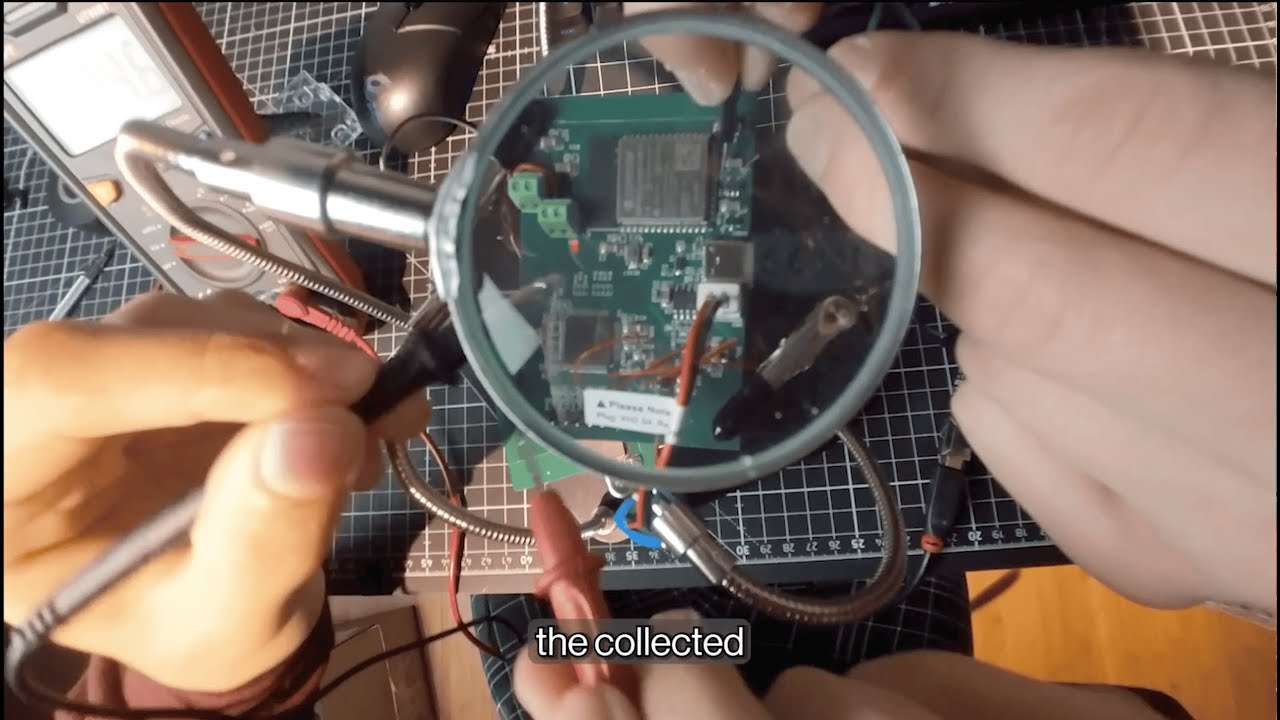
The hardware system consists of an analog front-end (ADS1299) connected to an ESP32-S3 microcontroller via SPI. The complete hardware schematic and acquisition chain are documented in portfolio/P2 — Hardware Schematic (Analog front-end + ESP 32 acquisition chain).pdf.
Hardware Block Diagram:
[Electrodes] → [ADS1299 Front-End] → [ESP32-S3] → [Wi-Fi/BLE] → [Backend Server]
                      ↓                      ↓
                 [SPI @ 1MHz]         [I2S Audio Out]
                                         [Battery Management]
Key Hardware Components:
-
ADS1299 Analog Front-End:
- 8-channel, 24-bit ADC optimized for biopotential measurements
- Configurable gain (1x to 24x) and sample rates (250 Hz to 16 kHz)
- Built-in right-leg drive (RLD) and bias sensing for common-mode rejection
- SPI interface running at 1 MHz for real-time data acquisition
-
ESP32-S3 Microcontroller:
- Dual-core Xtensa processor with 512 KB SRAM
- Wi‑Fi and Bluetooth Low Energy (BLE) for wireless communication
- I2S interface for audio output (bone conduction or speaker)
- SPI interface for ADS1299 communication
- PSRAM support for buffering neural data streams
-
Power Management:
- 3.7V lithium battery with voltage monitoring
- Battery level detection and low-power modes
- Configurable power states for extended operation
-
Audio Output:
- I2S digital audio interface
- Support for bone conduction transducers and speakers
- WAV file playback for system feedback and prompts
The device operates in several states:
not_connected: Initial state, waiting for Wi‑Fi and WebSocket connectionwaiting_for_trigger: Continuously sampling EEG and running wake-pattern detectionstreaming_eeg: Actively streaming encrypted neural data to the backendprocessing_eeg: Recording session in progress

Key flow in hardware/src/main.cpp:
- On Wi‑Fi + WebSocket connection:
- Authenticate with the backend using
AUTH_KEY. - Advertise ALS/inner‑speech capabilities.
- Enter
Device::wait_for_eeg_trigger()which:- Continuously samples EEG via ADS1299,
- Runs a lightweight TFLite model (
Device::predict) on device to detect the brain activity trigger pattern (wake pattern), - Once detected, starts streaming EEG data (
stream_eeg_data) to the backend.
- Authenticate with the backend using
- Encrypted Neural Relay on device:
ENRClientin C++ loads a 32‑bytesession_keyfrom flash preferences.send_encrypted_datausesenr.prepare_payload(raw_input)to AES‑GCM encrypt payloads before sending over WebSocket.
These folders contain C++ implementations of a wake‑word / wake‑pattern model, originally optimized for audio but reusable as a binary trigger detector for neural data.
hardware/src/helper/wake_word/wake_word.cpp:- Wraps a TFLite Micro model:
- Allocates an arena,
- Loads compiled model buffers (
converted_model_tflite), - Sets up convolutional, pooling and dense layers in
MicroMutableOpResolver.
- Implements
Device::predict(int16_t* input_buffer)which:- Copies a frame into the model input tensor,
- Runs inference,
- Returns
trueonly if the target class (index2) exceeds 0.95 confidence.
- Wraps a TFLite Micro model:
wake_model/:- Self‑contained C++ project defining:
dataset/loaders,- convolutional layers, pooling, dense, activations,
model/definitions and atrainbinary.
- Useful as an offline training playground to generate/update a compact trigger model that is later converted to TFLite and compiled into the ESP32 firmware.
- Self‑contained C++ project defining:
In the current inner‑speech context, this wake‑pattern detector is used as a “brain activity on‑switch”:
- It reduces bandwidth and privacy risk by only streaming when a specific neural/behavioral pattern is present.
Role: Main inner‑speech server that sits between the headset / Flutter app and:
- databases,
- generative models,
- Google services,
- and decoded neural text.
The backend follows a dual WebSocket architecture for security and separation of concerns:

Architecture Components:
-
Python WebSocket Server (
wss/py_wss/wss.py):- Primary server listening on
ws://0.0.0.0:8080 - Handles all neural data processing, decoding, and inference
- Manages user sessions, authentication, and database operations
- Integrates with Google services (Maps, Generative AI, etc.)
- Primary server listening on
-
Dart WebSocket Client (
wss/dart_wss/):- Lightweight bridge between Flutter app and Python backend
- Handles OAuth token refresh and Google API authentication
- Provides helper functions for mobile app integration
-
Session Management:
- Each user connection is associated with a unique
access_key - Sessions maintain conversation history and user preferences
- ENR encryption keys are stored per-session and never logged
- Each user connection is associated with a unique
-
Database Layer:
- Firebase/Firestore for user data, access keys, and session keys
- Encrypted storage of OAuth refresh tokens
- User preferences and device configurations
-
wss.py– WebSocketServer- Accepts WebSocket connections on
ws://0.0.0.0:8080. - Each connection is associated with an
access_keyand aSessionobject. - Routes high‑level commands:
- Authentication (
authentication), - STT over EMG (
sttwithSEMGPredictor), - Google Maps and streaming audio (
directions,stream_song,upload_audio), - Inner speech/neural payloads (
send_data).
- Authentication (
- Uses
Database,Audio,Model,Authentication,Session, andGoogleMapshelpers fromfunc/.
- Accepts WebSocket connections on
-
enr_transport.py– Encrypted Neural Relay- Implements AES‑GCM encryption/decryption:
generate_session_key,encrypt_payload,decrypt_payload.
- Exposes:
ENRClientto encrypt raw EEG/EMG bytes on the client.ENRServer.decode_payloadto decrypt payloads on the server.
- Specifically designed so raw neural data need not be stored outside RAM by default.
- Implements AES‑GCM encryption/decryption:
-
Decoding pipeline (
SEMGPredictorand EEG analog):- Consumes encrypted or plain recordings from the headset or app.
- Runs a local decoding model (sEMG or EEG) and returns decoded text back over WebSocket.
-
Connection Establishment:
- Device/app connects via WebSocket and authenticates with
access_key - Server creates or retrieves user session
- ENR session key is established (if encryption is enabled)
- Device/app connects via WebSocket and authenticates with
-
Neural Data Reception:
- Encrypted payloads arrive via
send_datacommand - ENR server decrypts the data in-memory
- Raw neural signals are passed to the decoding pipeline
- Encrypted payloads arrive via
-
Inference & Decoding:
SEMGPredictoror EEG model processes the neural data- DeepSeek LLM generates text predictions
- ICA module (optional) filters low-confidence decodings
-
Response Generation:
- Decoded text can trigger Google service calls (Maps, Calendar, etc.)
- Audio responses are generated and streamed back to device
- Results are sent back over WebSocket to the client
Minimal Dart binding around the Python WebSocket server, used primarily by the Flutter app:
lib/helper.dartexposes helpers such as:get_display_name,get_refresh_token,get_auth_code,generate_headers.
- Uses the
web_socket_clientpackage to connect tows://0.0.0.0:8080and send commands like:get_display_name¬<auth_key>,get_refresh_token¬<auth_key>,get_auth_code¬<auth_key>¬<refresh_token>.
This is a Flutter project that serves as the mobile control interface for the ALSEE inner speech decoding system.
- The Flutter app provides:
- Authentication and access‑key management (via the Dart WebSocket client).
- Configuration and control of the headset (Wi‑Fi/BLE settings, trigger mode).
- Real-time display of decoded inner speech text and recording metadata.
- Integration with Google services (Maps, Calendar, Gmail, etc.) for enhanced functionality.
- UI, authentication, and WebSocket logic are designed to work seamlessly with the ALSEE backend.
- The app connects to the Python WebSocket server and provides a user-friendly interface for managing the inner speech decoding device.
This section is intentionally high‑level; see the code in each subfolder for experiment‑specific details.
git clone https://github.com/AlexSteiner30/inner-speech-translation.git
cd inner-speech-translation- Python: create a virtualenv and install at least the
py_wssrequirements:
cd wss/py_wss
pip install -r requirements.txt
You will also need common deep‑learning dependencies (PyTorch, transformers, etc.) for eeg/, emg/, and ica/.
Note: This step is only for sEMG data collection. EEG data uses the pre-existing Chisco dataset (30,000 sentences, 5 patients) and does not require the recording software.
cd recording_software
python recording_software.py- Connect the sEMG device via USB.
- Select a subject and sentence from the 720 Harvard sentences.
- Record 15 samples per sentence (totaling 10,800 recordings for the full dataset).
- Recordings are saved under
Harvard_EMG_Dataset/with manifests and splits automatically updated.
Important: EEG and sEMG models use completely different datasets:
-
EEG model uses the Chisco dataset (30,000 sentences, 5 patients) — no recording software needed.
-
sEMG model uses Harvard sentences (720 sentences, 15 samples each) — collected via recording software.
-
sEMG model:
cd emg
python scripts/train.py- EEG model:
cd eeg
python scripts/train.py- ICA confidence model (after EEG is trained and saved):
cd ica
python scripts/train.py
Check config/training_config.py in each subfolder to adjust data paths and hyperparameters.
- Install PlatformIO, open the
hardware/project and build/flash to the ESP32‑based board. - Ensure you update:
- Wi‑Fi credentials stored in NVS/preferences,
- WebSocket server address (
device.client.begin(host, port, "/ws")), - Any session keys for ENR, if you are using end‑to‑end encryption.
Once started, the device will:
- Play a boot sound,
- Initialize ADS1299, BLE, TFLite wake‑pattern model, and ENR,
- Connect to Wi‑Fi and the WebSocket backend,
- Wait for the brain‑activity trigger, then stream EEG/EMG data.
cd wss/py_wss
python wss.py- Server listens on
ws://0.0.0.0:8080. - The ESP32 device and Flutter app connect to this endpoint.
- For STT / EMG decoding, ensure your decoding models are accessible from
func/decoding.py(seeSEMGPredictor).
- Open
app/in Android Studio or VS Code with Flutter. - Replace OAuth client IDs and WebSocket URLs as needed.
- Use the app as:
- a test harness for authentication and WebSocket commands,
- a UI for displaying decoded inner speech and controlling the headset.
The following sections describe the setup instructions for Google Cloud Console, Firebase, and WebSocket configuration for the ALSEE system.
Set up your own project by visiting the Google Cloud Console and creating a new project.
Navigate to API and Services and add Gmail, Calendar, Docs, Sheet, Drive, Tasks, YouTube Analytics, Google Maps Places and Google Maps Directions. Then create a new API key and OAuth client IDs (one for mobile devices and one for the web) and save them for later use.
Next, go to Firebase, create a new project here and copy the connection variables.
The system uses two different web sockets, one written in Python (wss/py_wss/) and one in Dart (wss/dart_wss/). This setup provides additional security and separates the two main background tasks.
Navigate to the wss/py_wss/ directory and set up your environment:
cd wss/py_wss
pip install -r requirements.txt
Create a new environment file (e.g., .env or configure in your deployment) and save the following environment variables:
CLIENT_ID = "YOUR CLIENT ID"
CLIENT_SECRET = "YOUR CLIENT SECRET"
GEMINI_API = "YOUR GEMINI API KEY"
API_KEY = "YOUR API KEY"
AUTH_DOMAIN = "YOUR AUTH DOMAIN"
PROJECT_ID = "YOUR PROJECT ID"
STORAGE_BUCKET = "YOUR STORAGE BUCKET"
MESSAGING_SENDER_ID = "YOUR MESSAGING SENDER ID"
APP_ID = "YOUR APP ID"
MEASUREMENT_ID = "YOUR MEASUREMENT ID"
PAYLOAD = "YOUR PAYLOAD"
QUERY_PAYLOAD = "YOUR QUERY PAYLOAD"
The GEMINI_API is the Gemini API key which you can create by going here. The CLIENT_ID is the client ID for Google authentication from the Google Developer Console. The rest are Firebase configuration values.
To start the Python WebSocket server:
python wss.pyThe server will listen on ws://0.0.0.0:8080.
Navigate to wss/dart_wss/ and set up your application:
cd wss/dart_wss

# Export API Key
export API_KEY="YOUR API KEY"

# Get device IP address
ifconfig en0  # or use your local IP

# Update the IP address in the websocket configuration
# Edit lib/helper.dart and update line 4:
# Uri.parse('ws://<your IP address>:8080'),
Run the Dart WebSocket client:
dart run lib/helper.dartNavigate to the app/ directory and set up your application:
cd app

# Get device IP address
ifconfig en0  # or use your local IP

# Update the IP address in the websocket configuration
# Edit lib/helper/socket.dart and update line 4:
# Uri.parse('ws://<your IP address>:8080'),
Replace the Client ID and Server Client ID with your own:
# Edit lib/main.dart
# On line 5, change to:
const String CLIENT_ID = '<your client id>';

# On line 6, change to:
const String SERVER_CLIENT_ID = '<your server client id>';
Ensure that you can deploy the application to a physical or virtual device by following this guide and verifying with the flutter doctor command. Once completed, run:
flutter run --web-port 8080 --observatory-port 8080Note: Currently, the Flutter app was developed and tested primarily on iOS systems, but it should still be able to run on the most recent Android devices.
After setting up the circuit for the device, install and set up PlatformIO from here.
In the hardware/ directory:
-
Update Wi‑Fi credentials in
src/main.cppor via device preferences:device.save_string("ssid", "your_wifi_ssid"); device.save_string("password", "your_wifi_password");
-
Update WebSocket server address:
device.client.begin("your_server_ip", 8080, "/ws");
-
Build and upload to the ESP32 board:
pio run -t upload
You have successfully set up the project! Use the app to connect your device and test the inner speech decoding system.
This software uses the following open-source packages and tools:
- Deep learning & LLMs
deepseek-ai/DeepSeek-R1-Distill-Qwen-1.5B- PyTorch, HuggingFace Transformers, LoRA fine‑tuning
- Data collection & signal processing
- Tkinter, Matplotlib, SciPy, NumPy
- Embedded & hardware
- PlatformIO
- ESP32
- ADS1299, TensorFlow Lite Micro
- ArduinoWebsockets
- Backend & transport
- Google Cloud Platform
- UI & Mobile
- Flutter
- Dart WebSocket client
- Additional Tools
- I2S WAV File
A special thanks to:
- Dr. Melissa Zavaglia for her guidance and support throughout the development of the ALSEE system.
- Mr. Antonello who helped through the entire process by supporting with funding and involving CIS country scholarship student in the involvement of the project.