
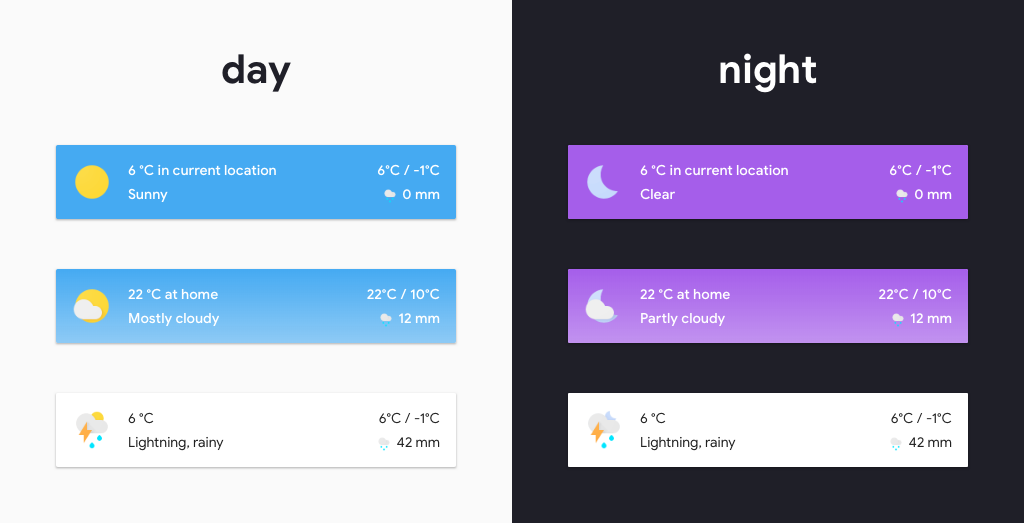
A minimalistic weather card for Home Assistant Lovelace UI, inspired by Google Material Design.
-
Download and copy
simple-weather-card.bundle.jsfrom the latest release into yourconfig/wwwdirectory. -
Add a reference to
simple-weather-card.bundle.jsinside yourui-lovelace.yamlor through the raw config editor interface.resources: - url: /local/simple-weather-card.bundle.js?v=0.3.0 type: module
-
Move into your
config/wwwdirectory -
Download
simple-weather-card.bundle.js$ wget https://github.com/kalkih/simple-weather-card/releases/download/v0.3.0/simple-weather-card.bundle.js -
Add a reference to
simple-weather-card.bundle.jsinside yourui-lovelace.yamlor through the raw config editor gui.resources: - url: /local/simple-weather-card.bundle.js?v=0.3.0 type: module
-
Make sure you've the custom_updater component installed and working.
-
Add a new reference under
card_urlsin yourcustom_updaterconfiguration inconfiguration.yaml.custom_updater: card_urls: - https://raw.githubusercontent.com/kalkih/simple-weather-card/master/tracker.json
-
Find your
simple-weather-card.bundle.jsfile inconfig/wwwor wherever you ended up storing it. -
Replace the local file with the one found in the latest release.
-
Add the new version number to the end of the card reference url in your
ui-lovelace.yaml. This will prevent the browser from loading the old version from cache.resources: - url: /local/simple-weather-card.bundle.js?v=0.3.0 type: module
| Name | Type | Default | Since | Description |
|---|---|---|---|---|
| type | string | required | v0.1.0 | custom:simple-weather-card |
| entity | string | required | v0.1.0 | The entity_id from an entity within the weather domain. |
| name | string | optional | v0.1.0 | Set a custom name. |
| secondary_info | string | precipitation |
v0.2.0 | Secondary info displayed, precipitation, humidity, wind_speed. |
| backdrop | boolean/object | false |
v0.1.0 | Colored background, takes true/false or a backdrop object. |
See Backdrop example for example usage.
| Name | Type | Default | Description |
|---|---|---|---|
| fade | boolean | false |
Faded background. |
| day | string | '#45aaf2' | Background color (Day). |
| night | string | '#a55eea' | Background color (Night). |
| text | string | 'var(--text-dark-color)' | Text color. |

- type: custom:simple-weather-card
  entity: weather.smhi
  name: in current location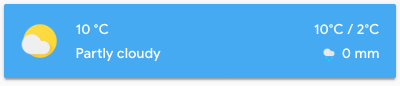
- type: custom:simple-weather-card
  entity: weather.smhi
  name: " "
  backdrop: true
- type: custom:simple-weather-card
  entity: weather.smhi
  name: at home
  backdrop:
    day: "var(--primary-color)"
night: "#40445a"Make sure you have javascript_version: latest set in your configuration.yaml under frontend:.
Make sure you got the latest version of simple-weather-card.bundle.js.
If you have issues after updating the card, try clearing the browser cache manually.
If you are getting "Custom element doesn't exist: simple-weather-card", or are running an older browser try replacing type: module with type: js in the resource reference in ui-lovelace.yaml or in the raw config editor.
This project is under the MIT license.