
A collection of lightweight, open-source macOS utilities — built with pure Swift.
No Electron. No dependencies. No bloat.




Five focused tools that fill the gaps Apple left in macOS.
 Dropi Drag & drop file shelf |
 WinDock Windows-style dock previews |
 Tabi Window-level Alt+Tab switcher |
 Clibi Clipboard history manager |
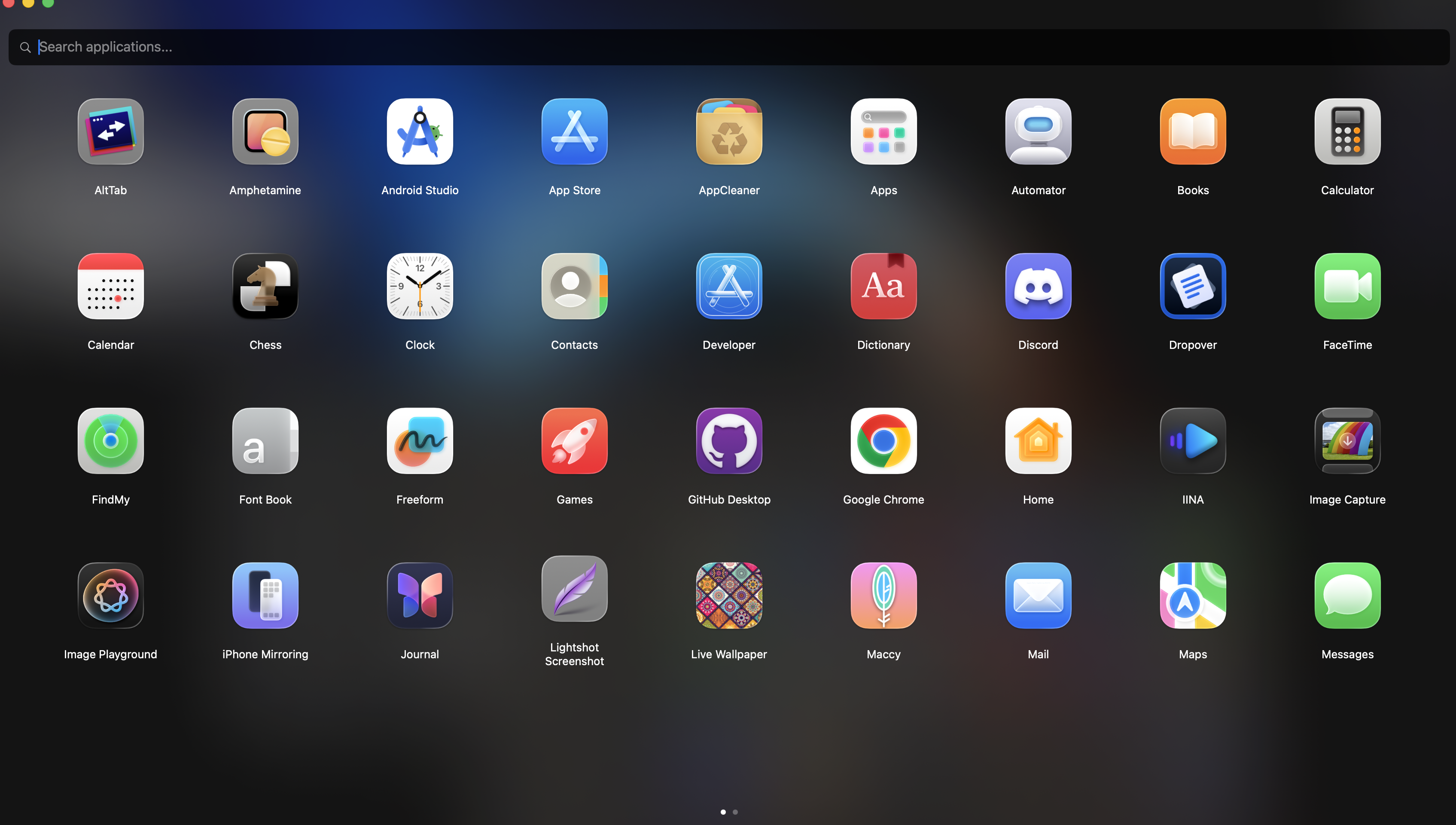 MovApp Launchpad replacement |
Drag files in, drag them out. A lightweight floating shelf for holding files while you navigate.
Dropi gives you a temporary drop zone that floats above your desktop. Drag files onto it while switching between folders, apps, or desktops — then drag them out wherever you need them. No clutter, no complexity.
Highlights: Drag & drop shelf · Floating window · Works across desktops · Lightweight

Hover over any dock icon → see live window thumbnails. Click to focus. Aero Peek included.
WinDock hooks into your existing macOS Dock via the Accessibility API and adds Windows 7-style window previews. No custom dock, no replacement — just an enhancement that uses ~23 MB of memory and 0% CPU when idle.
Highlights: Live thumbnails via ScreenCaptureKit · Click-to-focus · Aero Peek · Close from preview · Launch at login

The window switcher macOS forgot to ship. Press
⌥ Tabto see every open window with live thumbnails.
macOS ⌘ Tab switches apps, not windows. Tabi fixes that. Full-screen picker showing live thumbnails of every open window across all apps. No menu bar icon, no preferences window, no bloat — it just works.
Highlights: ⌥ Tab to switch · Live window thumbnails · Works across all apps · Zero UI chrome

Press
⌃Vto access your last 100 copied items — text and images — from anywhere.
A silent clipboard history that runs in the background with no dock icon and no menu bar clutter. Search through history, paste directly into apps, and let it remember everything between restarts.
Highlights: Text + image history · Custom hotkey · Search · Smart paste · Persistent storage

iOS-style app grid with drag-and-drop reordering and complete app uninstallation.
Apple removed the classic Launchpad and replaced it with something worse. MovApp brings back a beautiful, responsive grid view with pagination, search, drag-and-drop rearranging, and the ability to fully uninstall apps along with all their leftover files.
Highlights: iOS-style grid · Smart search · Drag & drop reorder · Deep uninstall · Persistent layout
Every app in this toolkit follows the same principles:
- Pure Swift + AppKit/SwiftUI — No Electron, no web views, no external dependencies
- Lightweight — Minimal memory footprint, 0% idle CPU
- Invisible — No dock icons, no menu bar clutter (unless needed)
- Privacy-first — All data stays local, nothing is sent anywhere
- macOS 14+ — Built for modern macOS with native APIs
This repo includes all five apps as git submodules:
git clone --recurse-submodules https://github.com/akinalpfdn/macos-toolkit.gitOr if you've already cloned:
git submodule update --init --recursivemacos-toolkit/
├── README.md
├── assets/ # Banner, demo GIFs, shared assets
├── Dropi/ # → github.com/akinalpfdn/Dropi
├── windock/ # → github.com/akinalpfdn/windock
├── Tabi/ # → github.com/akinalpfdn/Tabi
├── Clibi/ # → github.com/akinalpfdn/Clibi
└── MovApp/ # → github.com/akinalpfdn/MovApp
Each subdirectory is a git submodule pointing to its standalone repository. You can open any .xcodeproj directly in Xcode.
| Minimum | |
|---|---|
| macOS | 14.0 (Sonoma) |
| Xcode | 15.0+ (build from source) |
| Arch | Apple Silicon & Intel |
All apps require Accessibility permission. WinDock and Tabi also require Screen Recording permission for live window thumbnails.
All apps are released under the GNU General Public License v3.0. See individual repositories for details.
Built by Akinalp Fidan