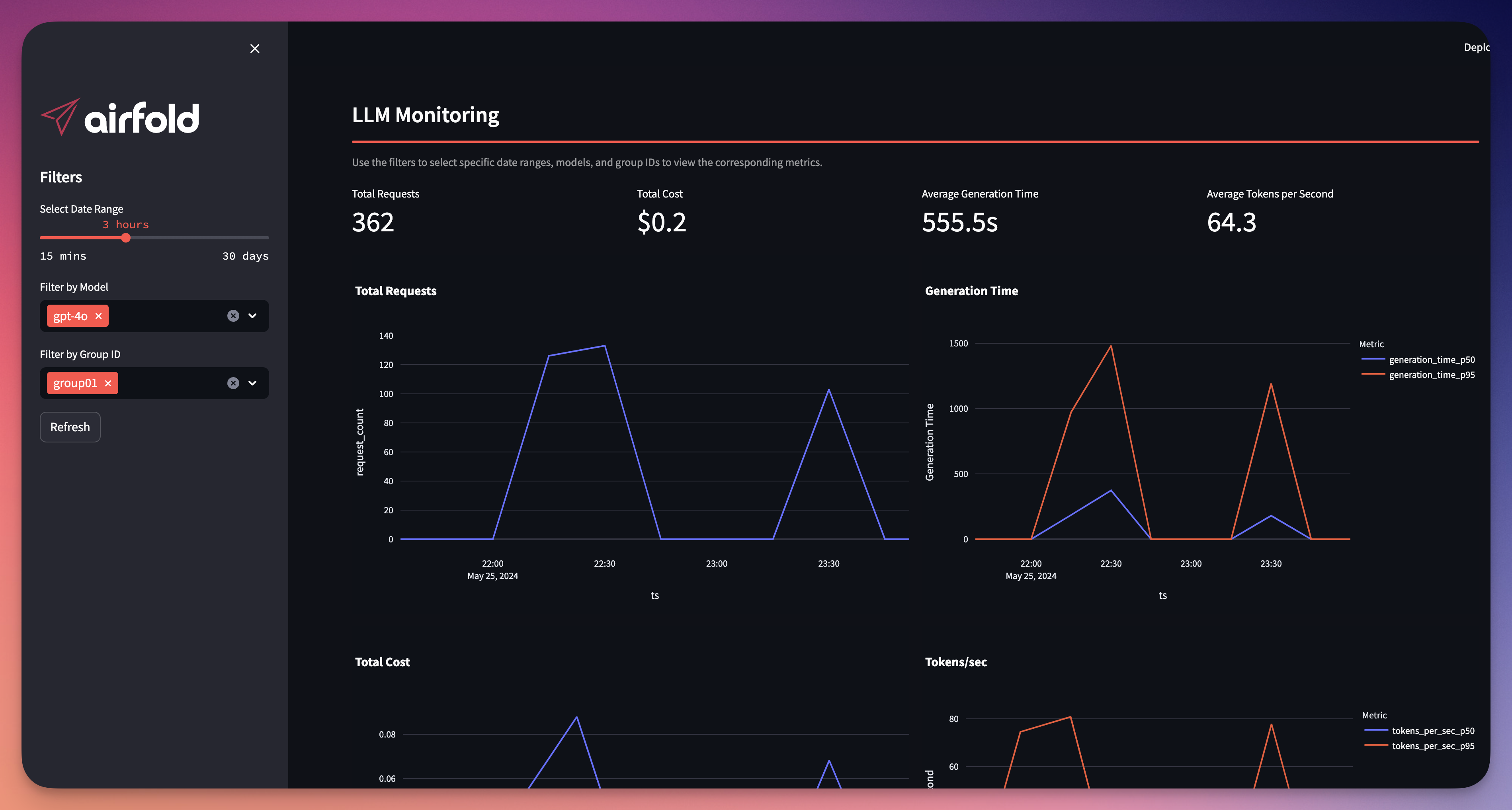
⚡ 3 components: OpenAI, Streamlit, Airfold
Install requirements (ideally in a virtual environment):
pip install -r requirements.txtTo get started we simply need to create a workspace in Airfold and retrieve an API key. It's 100% free and takes less than a minute.
We use Airfold because it makes it so much easier to build real-time applications.
-
Go to Airfold app and create a new workspace.
-
Press on the "Admin" token on the sidebar and copy it. The token should look like this:
aft_6eab...KQvCddV. -
Then simply run
af configin the project folder and paste the token:
$ af config
Configuring for API URL: https://api.airfold.co
? Api key: aft_6eab8...ocvKQddV

🚀 config successfully set up!
You can manually modify it in: '/home/user/airlang/.airfold/config.yaml'- Push the project to your Airfold workspace:
af push ./airfold- Add the pricing data to calculate costs:
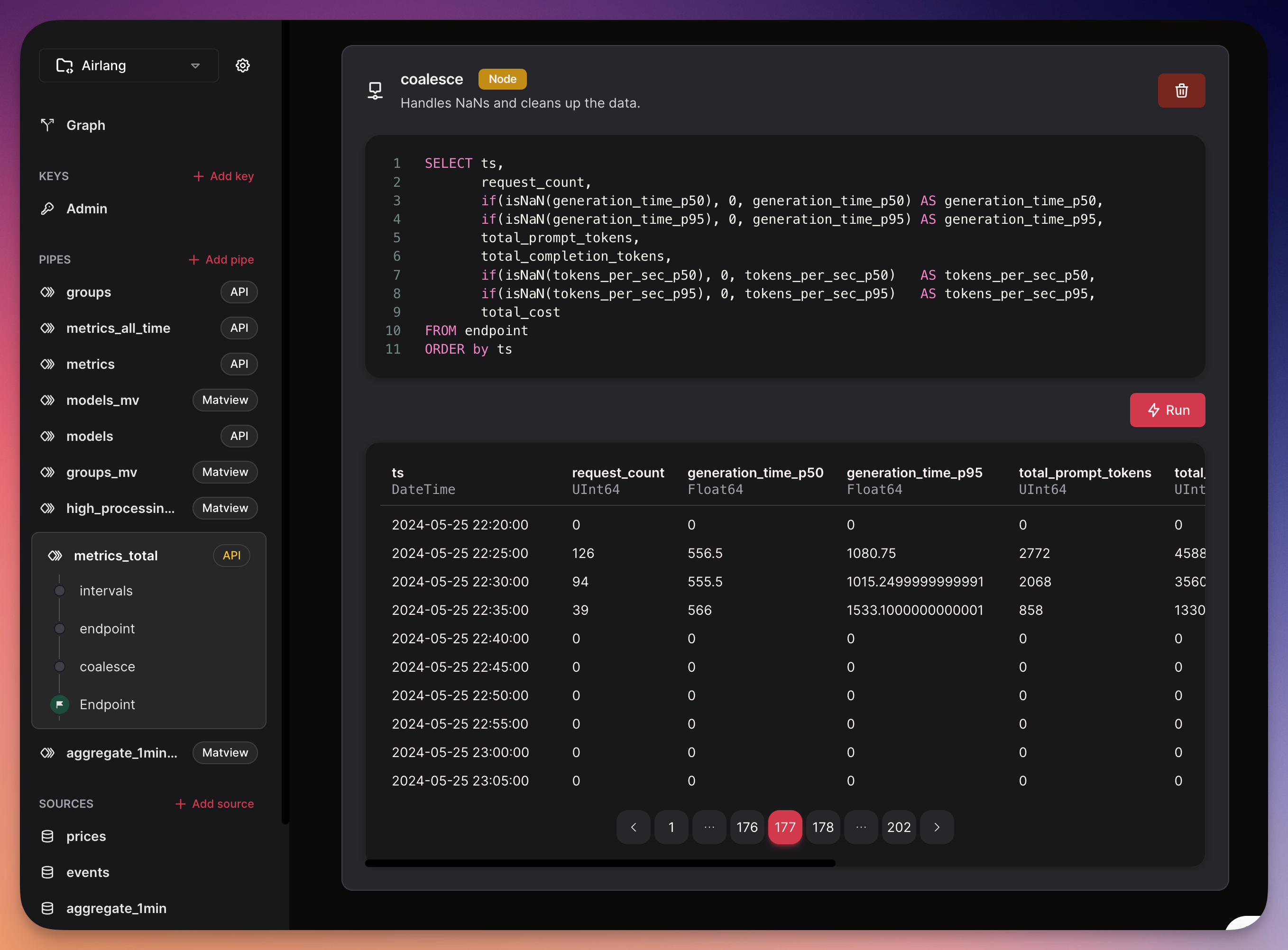
af source append prices airfold/sources/prices.csvFeel free to navigate to the UI and see all the sources and pipes you've pushed:
Run the script main.py
You will need to set API keys: OPENAI_API_KEY and AIRFOLD_API_KEY
$ OPENAI_API_KEY=sk-xxxxxxxxx \
AIRFOLD_API_KEY=aft_6eab8f...QddV \
python main.py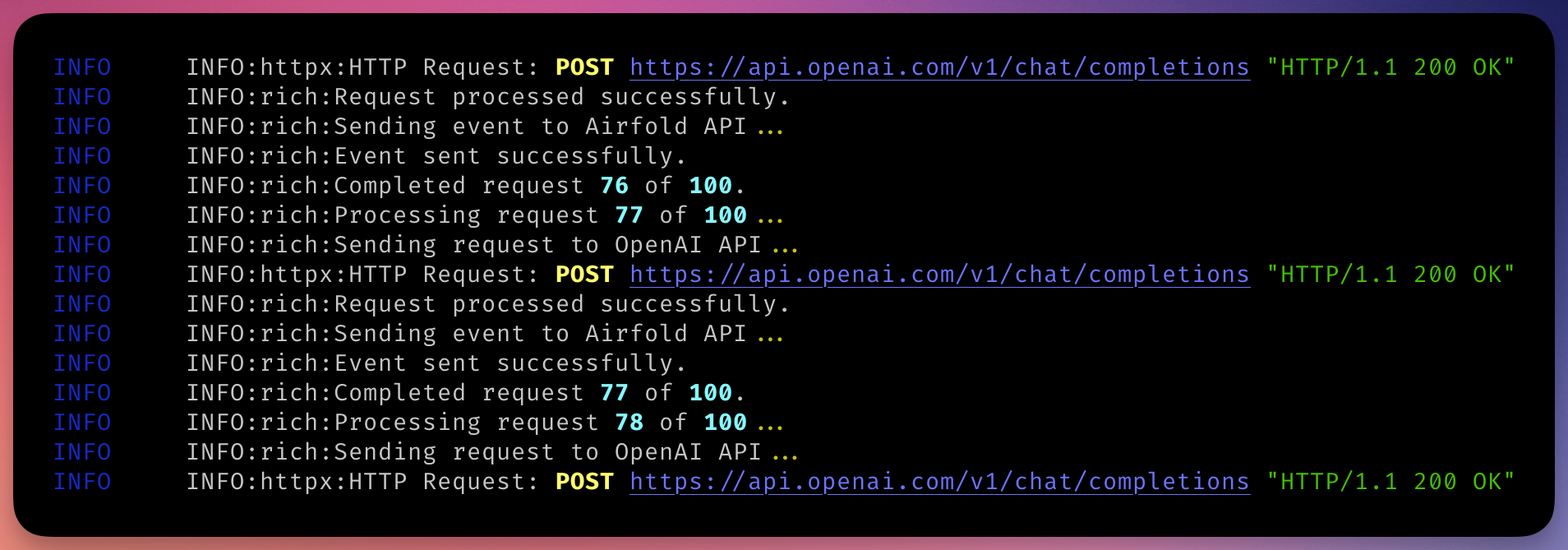
Run the sample dashboard app:
AIRFOLD_API_KEY=aft_6eab8f...ddV \
streamlit run dashboard.py