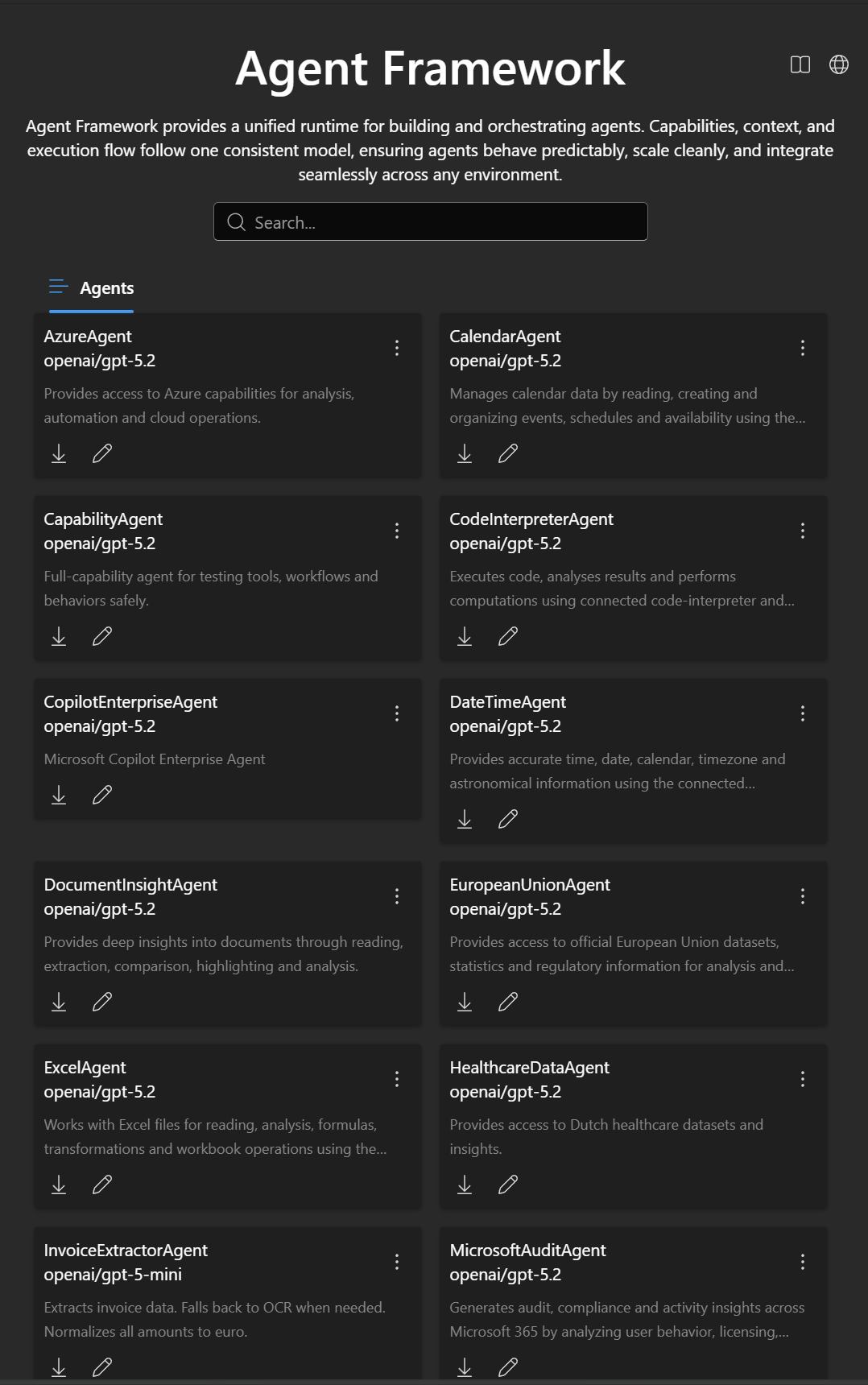
A model-agnostic Agents backend: a pure Microsoft AI Agent Framework runtime that sits between client protocols (Vercel AI SDK / OpenAI-style / MCP) and Agent Framework–compatible agent content.
This repo focuses on orchestration (agents + workflows) and protocol mapping. It does not call AI models itself.
- aihappey-chat (frontend): expects a Vercel AI SDK–compatible streaming endpoint at
POST /api/chat.- Example README style reference: the
aihappey-chatREADME you shared.
- Example README style reference: the
- Agent Framework execution (single agent and multi-agent workflows)
- Workflows
sequential,concurrent,groupchat,handoff- Optional YAML workflow support (via file message upload)
- Protocol mapping
- Vercel AI SDK UI message stream (SSE via
text/event-stream+x-vercel-ai-ui-message-stream: v1) - OpenAI-style
chat/completionsmapping (forwarded to a downstream AI backend) - Model Context Protocol (MCP) server endpoints and registry
- Vercel AI SDK UI message stream (SSE via
- Streaming + non-streaming response handling (streaming is used by the samples)
- Authentication options (samples)
- Pass-through
X-*headers - Entra ID (Azure AD) JWT + OBO token acquisition for downstream calls
- Pass-through
flowchart LR
  client[Clients<br/>aihappey-chat / other UIs] -->|POST /api/chat<br/>Vercel UI message stream| host[Sample Host<br/>ASP.NET]
  host -->|maps UI messages to Agent Framework| runtime[Agent Framework Runtime]
  runtime -->|tool calling| mcp[MCP servers<br/>per server endpoint]
  runtime -->|chat completions| ai[Downstream AI backend<br/>AiConfig.AiEndpoint]
  runtime -->|maps Agent Framework events to UI parts| host
  host --> client

  subgraph content[Agent content]
    json[Static agents JSON<br/>core Agents AgentHappey.Agents.JSON Agents]
  end

  json --> runtime
Does:
- Executes agents and agent workflows
- Maps between:
- Vercel AI SDK (chat + agent mode)
- OpenAI-style chat/responses payloads (forwarded)
- MCP streamable-http
- Microsoft Agent Framework content
Does not:
- No AI model calls (it forwards to your configured
AiEndpoint) - No provider / API key management
- No embeddings, transcription, or vision pipelines
.
├─ core/
│  ├─ AgentHappey.Common/          # Shared models + extensions
│  ├─ AgentHappey.Core/            # Runtime + chat client + MCP wiring
│  └─ Agents/
│     └─ AgentHappey.Agents.JSON/  # Static agent loader + built-in agent definitions
└─ samples/
   ├─ AgentHappey.HeaderAuth/      # Sample host (no auth, forwards X-* headers)
   └─ AgentHappey.AzureAuth/       # Sample host (Entra ID JWT + OBO)
- .NET 9 SDK
dotnet build AgentHappey.sln -c ReleaseThis is the simplest host to run locally.
dotnet run --project samples/AgentHappey.HeaderAuth/AgentHappey.HeaderAuth.csprojBy default ASP.NET will bind to something like:
http://localhost:5000https://localhost:5001
To pin the URL explicitly:
set ASPNETCORE_URLS=http://localhost:5139
dotnet run --project samples/AgentHappey.HeaderAuth/AgentHappey.HeaderAuth.csprojThis host requires JWT bearer auth and uses OBO to acquire a downstream token to call your AI backend.
dotnet run --project samples/AgentHappey.AzureAuth/AgentHappey.AzureAuth.csprojConfiguration is loaded via ASP.NET configuration (typically appsettings.json + environment overrides).
The hosts bind these config types (from core/AgentHappey.Core/Config.cs):
AiConfigAiEndpoint(required): base URL for the downstream AI backend (the host will callPOST {AiEndpoint}/chat/completions)AiScopes(optional/required depending on auth): scopes used for OBO when using the AzureAuth sample
McpConfigMcpBaseUrl(required): used to normalize agent MCP server URLs that start with/Scopes(optional): base scope for MCP usageDarkIcon,LightIcon(optional): icon URLs used in the MCP registry payload
AzureAd(AzureAuth sample only)Instance,TenantId,ClientId,ClientSecret,Audience
Create/update samples/AgentHappey.HeaderAuth/appsettings.json with at least:
{
  "AiConfig": {
    "AiEndpoint": "https://your-ai-backend.example.com",
    "AiScopes": null
  },
  "McpConfig": {
    "McpBaseUrl": "https://your-mcp-host.example.com",
    "Scopes": null,
    "DarkIcon": null,
    "LightIcon": null
  }
}See samples/AgentHappey.AzureAuth/appsettings.json for the full shape. At minimum you’ll set:
{
  "AzureAd": {
    "Instance": "https://login.microsoftonline.com/",
    "TenantId": "<tenant-id>",
    "ClientId": "<client-id>",
    "ClientSecret": "<client-secret>",
    "Audience": "<audience>"
  },
  "McpConfig": {
    "McpBaseUrl": "<mcp-base-host>",
    "Scopes": "<mcp-base-scope>",
    "DarkIcon": "<mcp-dark-icon>",
    "LightIcon": "<mcp-light-icon>"
  },
  "AiConfig": {
    "AiEndpoint": "<ai-backend>",
    "AiScopes": "<ai-scope>"
  }
}Both sample hosts expose POST /api/chat.
- Request:
AgentRequest(seecore/AgentHappey.Common/Models/AgentRequest.cs) - Response: Server-Sent Events (
text/event-stream) in a Vercel AI SDK UI message stream compatible format.
The request includes:
agents: which agent(s) to runworkflowType:sequential | concurrent | groupchat | handoffmessages: Vercel AI SDK UI message format (AIHappeyUIMessagemodel)workflowMetadata: optional workflow-specific settings
Minimal example (shape only — your client will typically send richer UI message parts):
curl -N http://localhost:5139/api/chat \
  -H "Content-Type: application/json" \
  -H "Accept: text/event-stream" \
  -d "{\
    \"id\": \"demo\",\
    \"workflowType\": \"sequential\",\
    \"agents\": [\
      {\
        \"name\": \"ResearchAgent\",\
        \"description\": \"Research and summarize\",\
        \"instructions\": \"Be concise\",\
        \"model\": { \"id\": \"gpt-4.1\", \"options\": { \"temperature\": 0.7 } },\
        \"mcpServers\": {}\
      }\
    ],\
    \"messages\": [\
      {\
        \"id\": \"m1\",\
        \"role\": \"user\",\
        \"parts\": [{ \"type\": \"text\", \"text\": \"Hello!\" }]\
      }\
    ]\
}"- HeaderAuth sample: forwards inbound
X-*headers to downstream calls. - AzureAuth sample: requires
[Authorize]and uses Entra ID OBO to call the configured AI backend.
This repo also hosts MCP servers via streamable-http.
Returns a list of MCP servers and their connection URLs.
Example:
curl http://localhost:5139/v0.1/serversMCP servers are exposed at /{server} (see core/AgentHappey.Core/MCP/ServiceExtensions.cs). The built-in servers are defined in core/AgentHappey.Core/MCP/ModelContextServers.cs:
DefaultAgents(resources)- exposes a resource list for built-in agents (
agents://list/...)
- exposes a resource list for built-in agents (
Runtime(tools)Editor(tools; typically auth-gated)SharePointRuntime(tools; typically auth-gated)
Static agents are loaded from JSON files under:
core/Agents/AgentHappey.Agents.JSON/Agents/**/Agent.json
Notes:
- The loader looks for
*Agent.jsonfiles. - If an agent’s
mcpServers[].urlstarts with/, it is normalized by prefixingMcpConfig.McpBaseUrl. - MCP servers are re-keyed using a reverse-DNS key derived from the server URL (last write wins).
AgentHappey.HeaderAuth- Best for local dev and trusted environments
- Forwards headers instead of performing auth
AgentHappey.AzureAuth- Best for production scenarios with Entra ID
- JWT-protected API + OBO token acquisition
- Add a root
LICENSEwhen licensing is decided - Add an OpenAPI/Swagger description for
/api/chat - Add a small “how to test with aihappey-chat agent mode” walkthrough
Issues and PRs are welcome. If you’re changing protocol mapping or streaming behavior, please include:
- A before/after sample payload
- A streaming transcript snippet (SSE)
- Notes on backward compatibility for the
aihappey-chatclient