
A simple toggle button to be used in any app as a component, made using Stenciljs.
Run npm install x-toggle-button --save
Put a script tag similar to this <script src='node_modules/x-toggle-button/dist/toggle-button.js></script> in the head of your index.html Then you can use the element anywhere in your template, JSX, html etc.
##Appearance
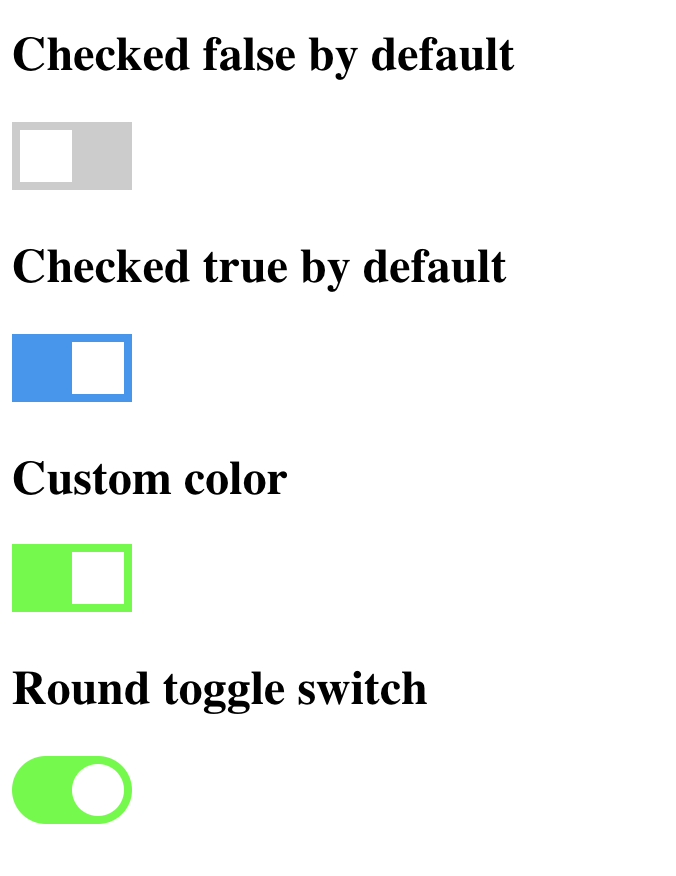
#In a stencil-starter app
Run npm install x-toggle-button --save Add this import to your root component or root module: import 'x-toggle-button';
Then you can use the anywhere in your template, JSX, html etc
Parameters
| Attribute | Default | Description |
|---|---|---|
| type | round |
Available types are round and square |
| checked | false | true or false to check or uncheck the toggle button |
| name | 'x-toggle-button' | Component name |
| checked-color | #2196F3 | Any Color code in HEX |
| unchecked-color | #CCCCCC | Any Color code in HEX |
Getting the value is very easy, you can do the following
document.getElementById("toggle-button").checked
It will always return either true or false based on the current state of the toggle button.
#License Free to use and modify for personal and commercial purposes as well.
PS: Credits to w3schools.com for help in css.