








-
This project has three parts
- The Agrothon-Client Module which will be running in Raspberry Pi
- API Server
- Telegram Bot
-
API Server handles Everything, All the routes are shown below
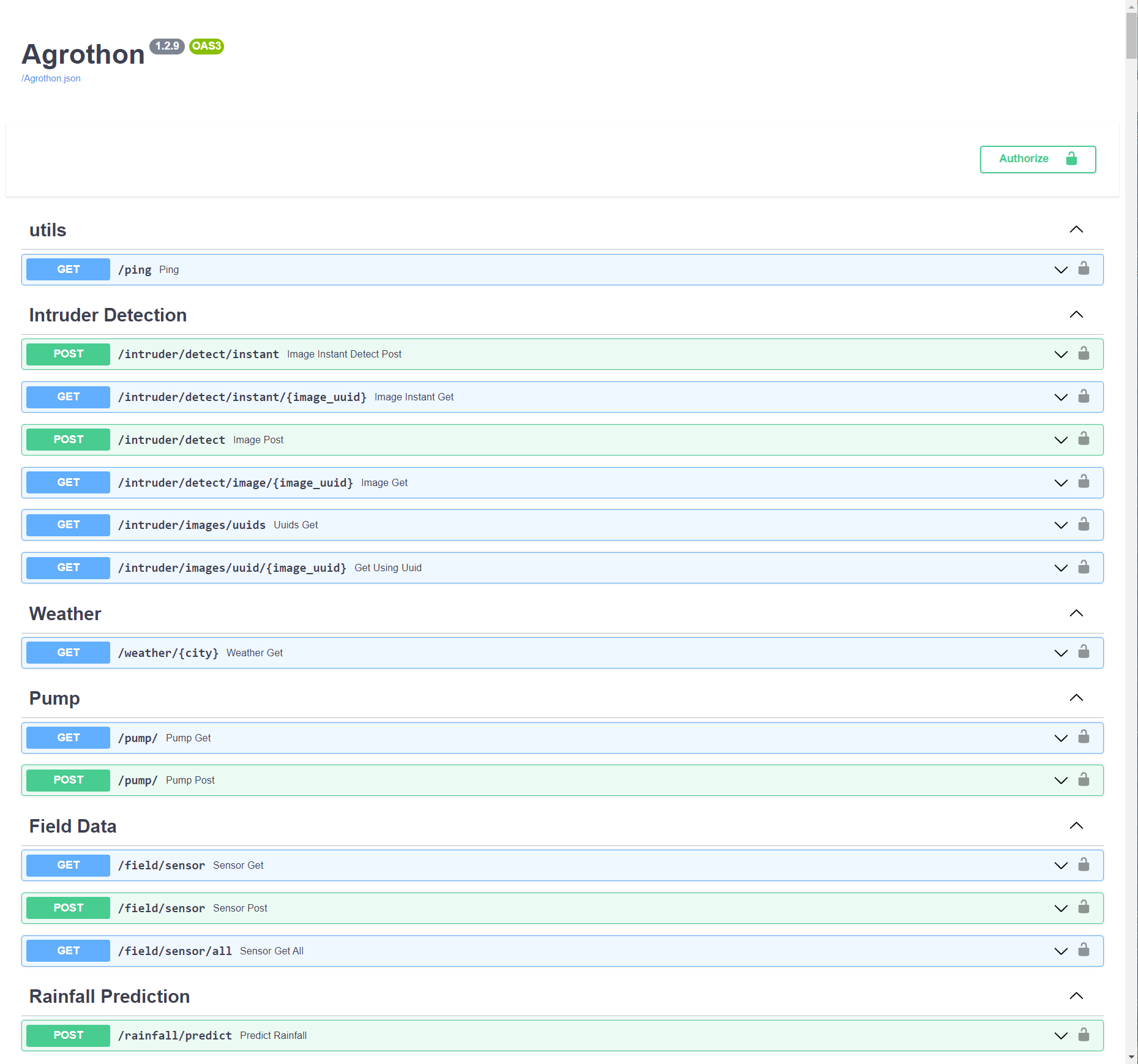
-
Telegram bot is just a frontend for the whole Project
-
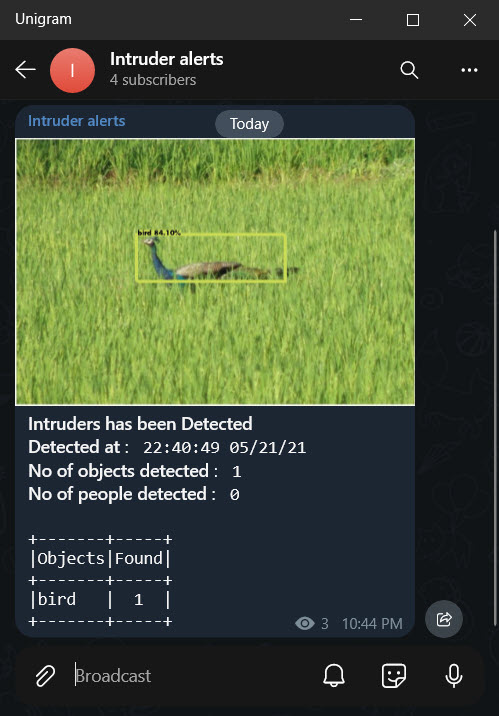
Agrothon-Client Sends Sensor data, Intruder images to the API Server which will be analysed there and Stored in the Database
-
Via pip
-
Install Dependencies
mkdir agrothon && cd agrothon sudo add-apt-repository ppa:deadsnakes/ppa sudo apt-get install python3.8 wget wget -q https://github.com/caddyserver/caddy/releases/download/v2.4.1/caddy_2.4.1_linux_amd64.tar.gz tar xzf caddy_2.4.1_linux_amd64.tar.gz rm -rf caddy_2.4.1_linux_amd64.tar.gz chmod a+x caddy mv caddy /usr/local/bin/caddy wget -q https://github.com/viswanathbalusu/Agrothon/raw/main/Caddyfile -O Caddyfile -
First fill the variables in
agrothon-sample.envand rename it toagrothon.envwget -q https://github.com/viswanathbalusu/Agrothon/raw/main/agrothon-sample.env -O agrothon.env -
you can extend all tha variables from Base Config
-
Get the latest Release of data directory and untar in it the same directory where you placed
agrothon.envwget -q https://github.com/viswanathbalusu/Agrothon/releases/latest/download/Agrothon-Data.tar.gz tar -xzf Agrothon-Data.tar.gz && rm -rf Agrothon-Data.tar.gz -
Edit the
$API_PORTinCaddyfileor Just Set$API_PORTin your Shell Environment. -
Then Create a Virtual Environment (Optional but Recommended) and then install Agrothon with
python3.8 -m virtualenv venv source venv/bin/activate pip install Agrothon -
There are two commands in Agrothon
agroserver- Which actually starts the Uvicorn Server on a Unix Domain Socket at/usr/agrothon.sock, So you should use a Reverse proxy (Preferably Caddy)agrobot- Which starts the telegram botagrothon- Starts Bothagroserverandagrobotwith caddy reverse proxy
-
-
Via Docker
- Download Docker compose and Map the ports according to your use
wget -q https://viswanathbalusu.github.io/Agrothon/docker-compose.yml
- Download agrothon.env and Fill the Variables (can be extended from Base Config)
wget -q https://viswanathbalusu.github.io/Agrothon/agrothon-sample.env -O agrothon.env
- Finally do
docker-compose upit will pull the image from container registry and run the services
- Download Docker compose and Map the ports according to your use
| Variable | Value | Example | Required | Description |
|---|---|---|---|---|
| - | - | Bot Configuration | - | - |
| TELEGRAM_APP_ID | Telegram API APP ID | 1234567 | True | Can be obtained from Telegram |
| TELEGRAM_API_HASH | Telegram API Hash | 022d29afxxxxxxxxf825980a7974ec42 | True | Can be obtained from Telegram |
| BOT_TOKEN | Telegram Bot Token | 123456:abcdefghij | True | Can be obtained from Bot Father |
| API_BASE_URL | Api base Host URL | https://mysite.com/ | True | Must be host Without port (i.e Port 80/443* only) |
| ALERT_CHANNEL_ID | Alert channel ID | -100123456789 | True | Intruder Alerts will be posted to this channel |
| STATE | name of the state | Andhra Pradesh | True | Must be a state in India 🤔 |
| DISTRICT | name of the district | East Godavari | True | name of your district |
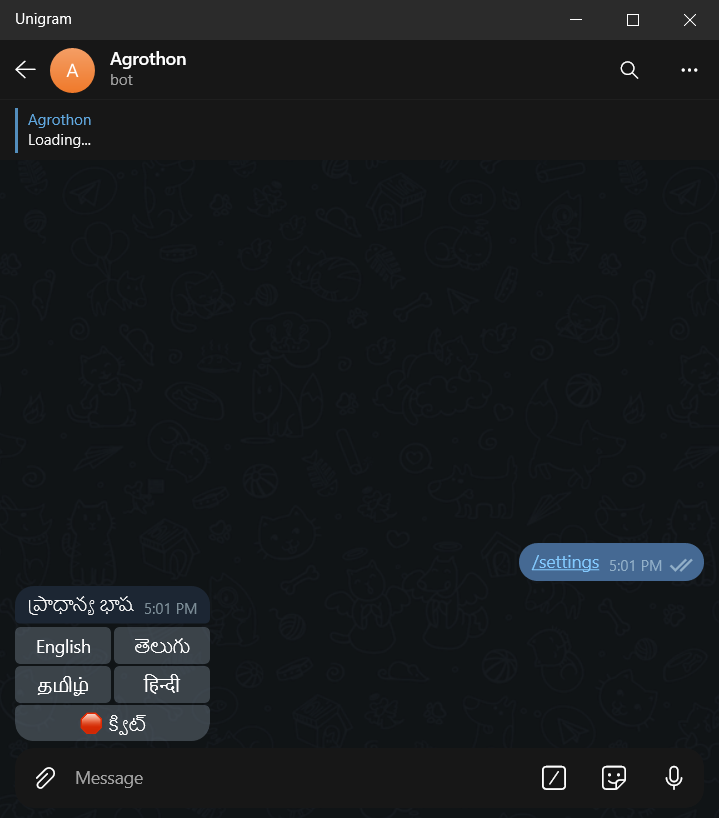
| DEF_LANG | Default Language | english | False | Can be choosen from english, telugu, tamil, hindi (Default is english) |
| DEF_CITY | Default City | Vijayawada | True | City from which weather should be fetched |
| - | - | Server Configuration | - | - |
| OPEN_WEATHER_API | Open weather API Key | d6778a1acdd67c4xxxxxxe500e81987d | True | API to get the weather data of a particular region, Get this from OpenWeather |
| API_KEY | An API Key for your Server | Agrothon | True | This is like a Password for your API Server, So choose Wisely (Alphanumeric only) |
| DB_URL | MongoDB URL | mongodb+srv://xxx:xxx@hmmm.mongodb.net | True | Database to Store All the data, get this from MongoDB |
| SENSOR_PRIORITY_INDEX | Moisture sensor priority | 2 | True | Which moisture sensor to use for predicting on/off the pump |
| AUTH_ID | Telegram user ID | 12345678 | False | If this is not provided, Bot access is given to all the telegram users |
* if there are Other ports too the Bot will Work but it may not be able to post images
- We are using heavy modules like tensorflow and Yolov3, so make sure you have atleast 2.5GB RAM free to get this running
- Only Works in UNIX environments
caddy,xz-utils, all OpenCV Dependencies must be installed if you are choosing non Docker method.Python3.8is compulsory
-
Telegram Bot Start
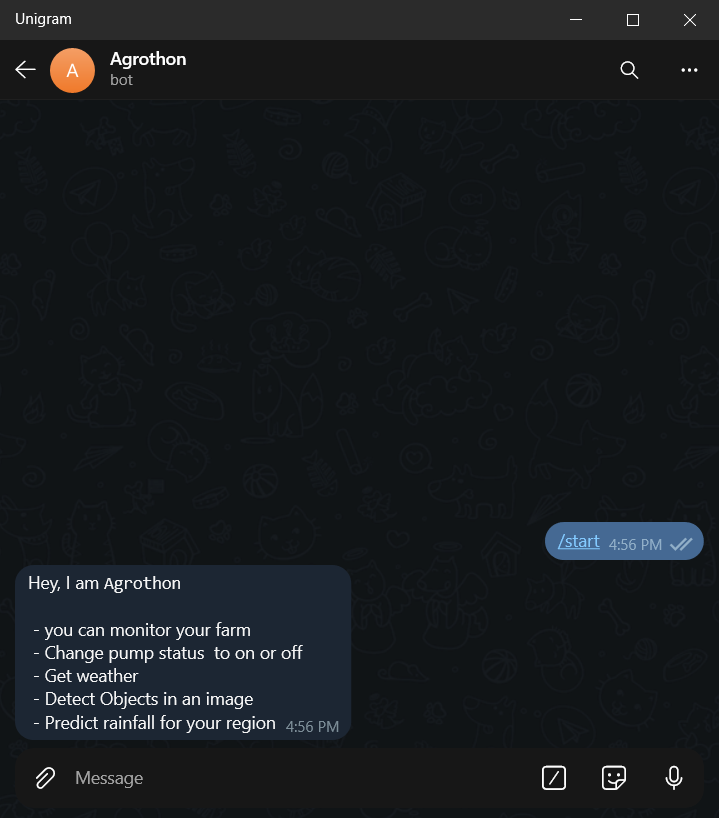
-
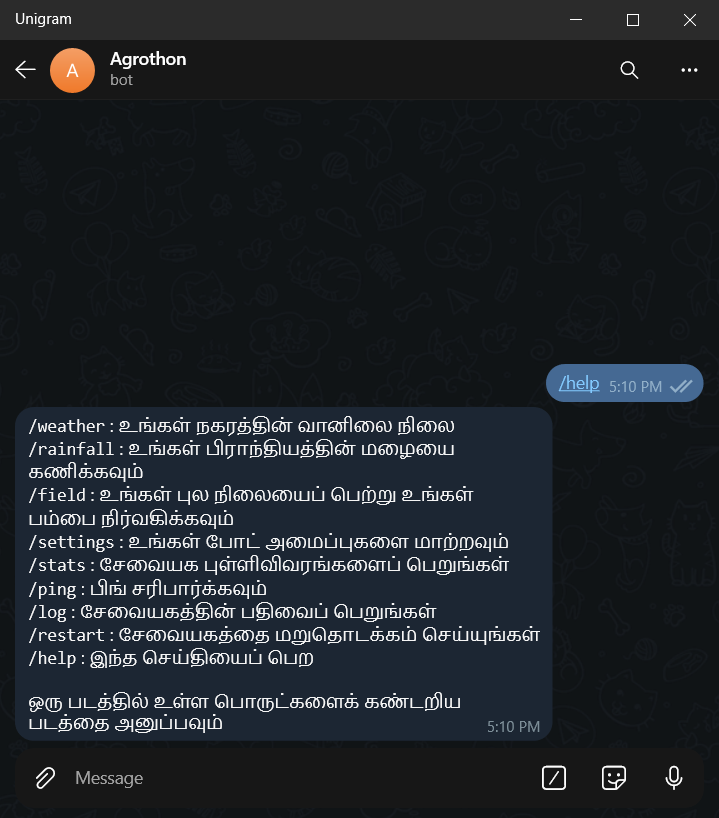
Bot Commands
  start - start command
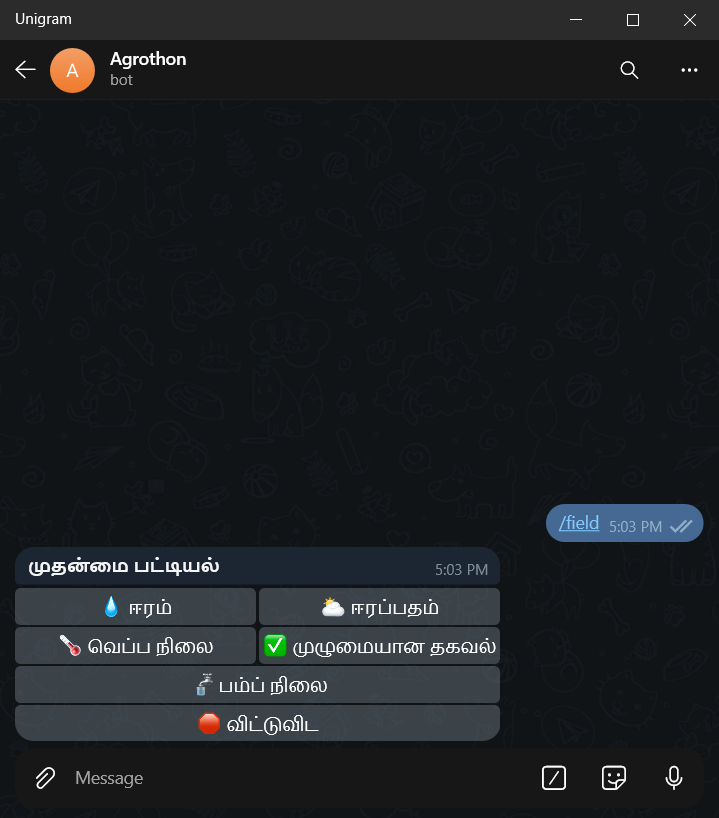
  field - get field status
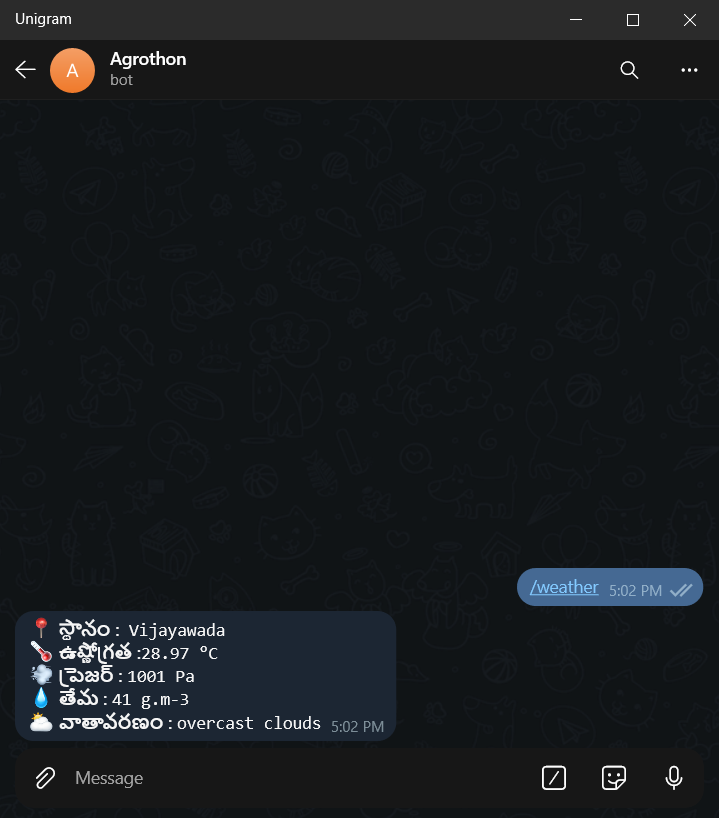
  weather - get weather status
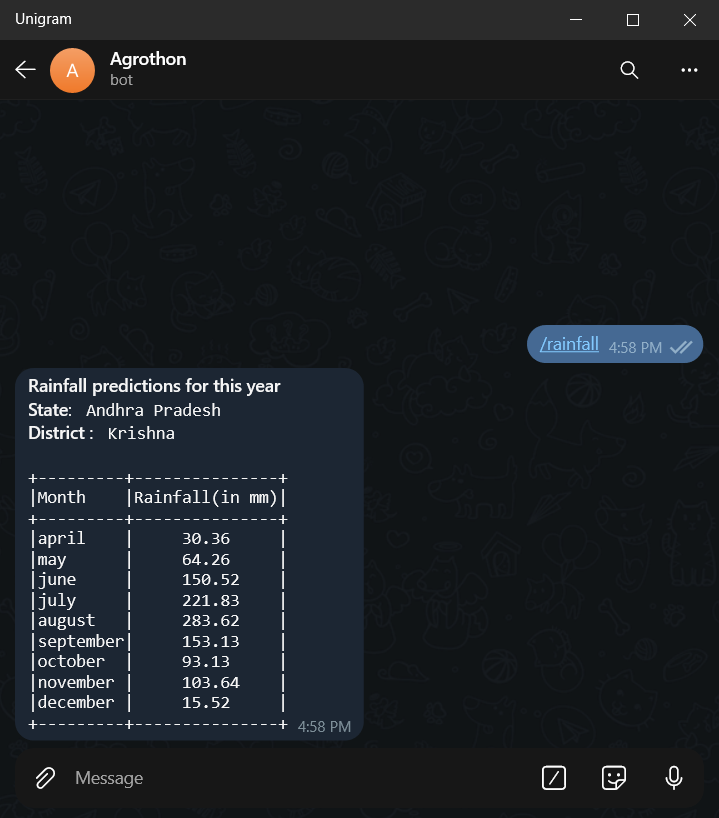
  rainfall - get predictions of rainfall for your region
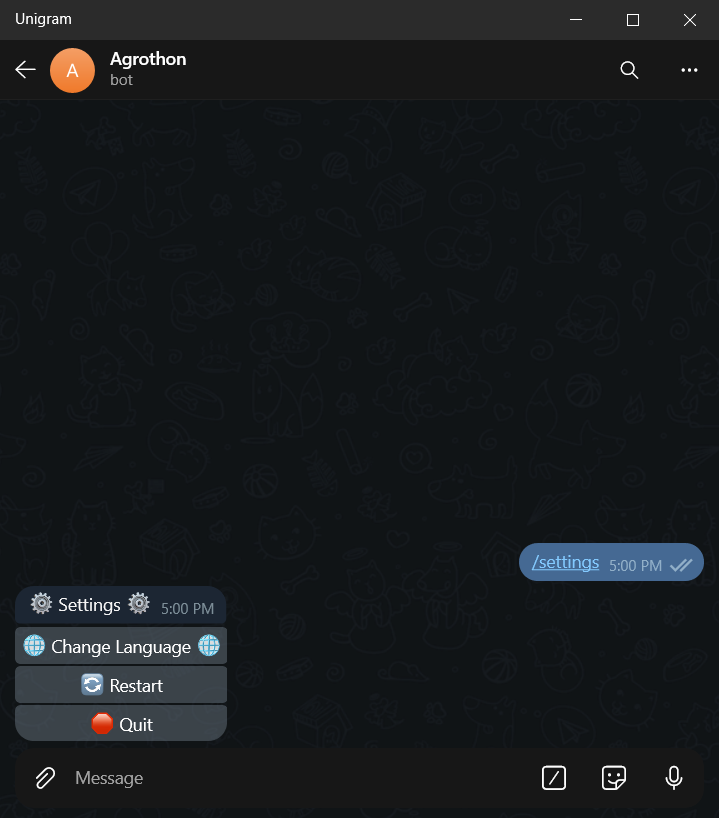
  settings - change settings of the bot
  restart - restart the bot
  log - get the log files
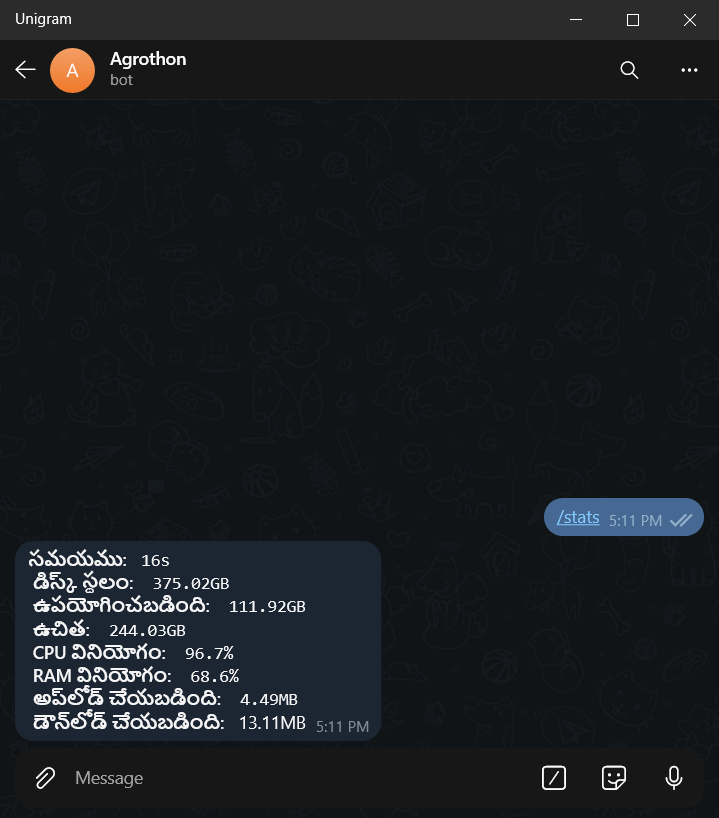
  stats - get the server stats
  ping - check ping of server
  help - to get help message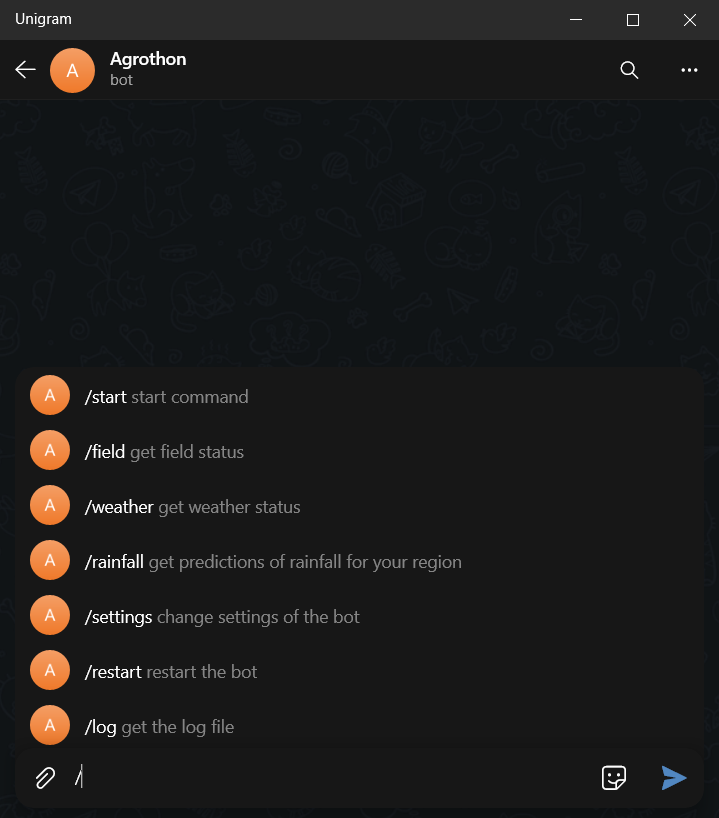
-
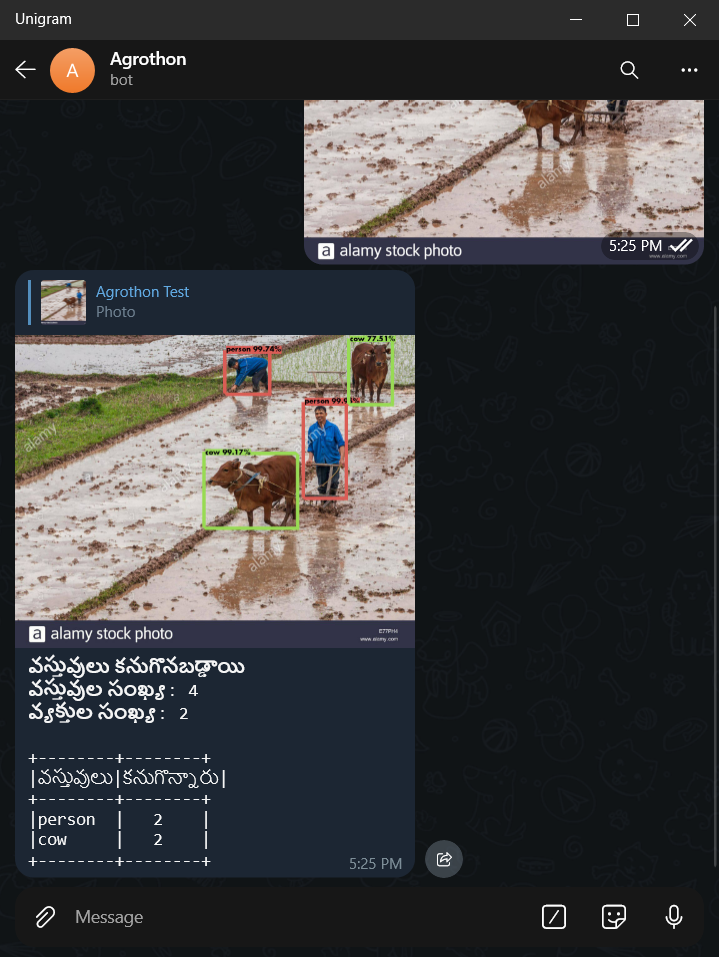
Object Detection
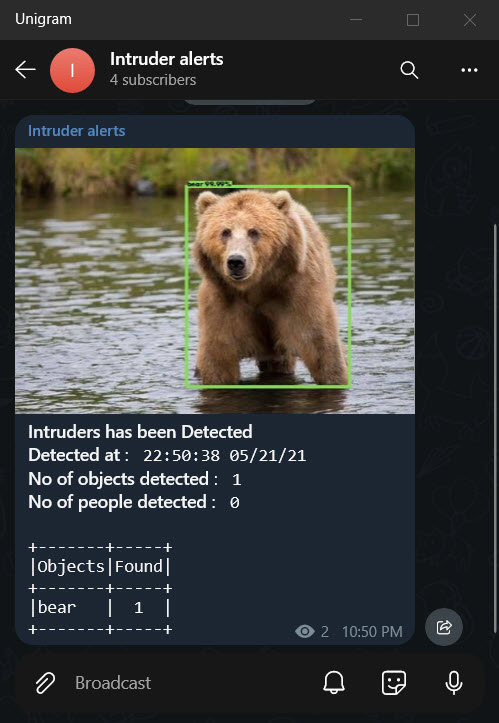
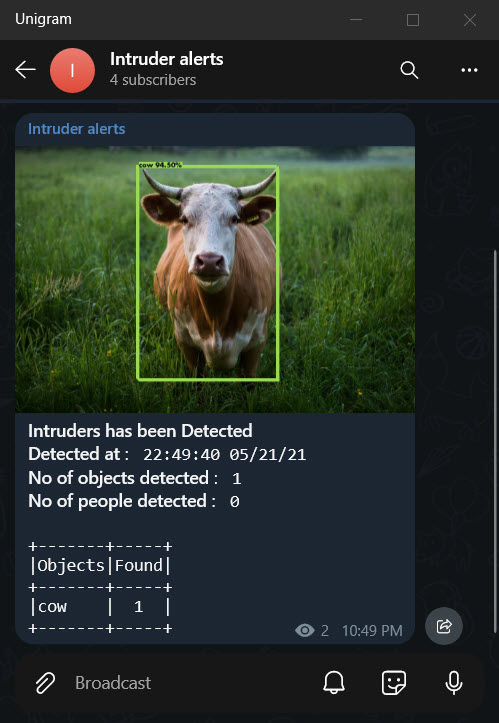
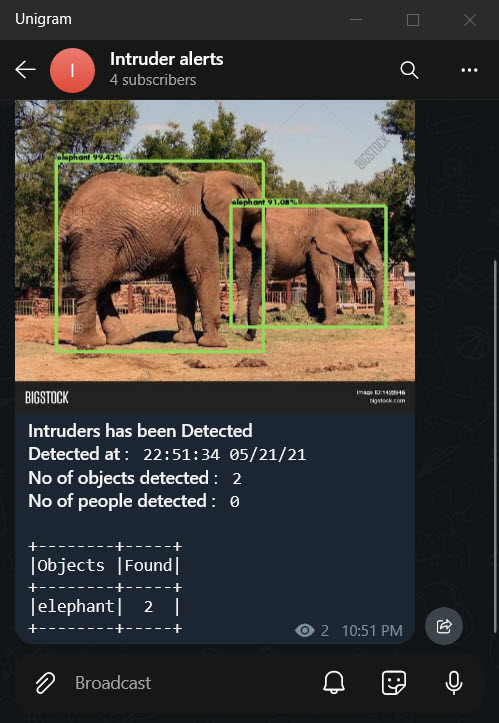
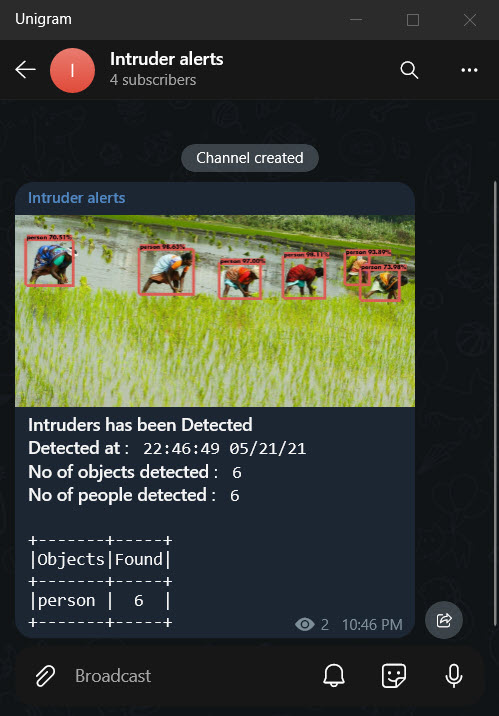
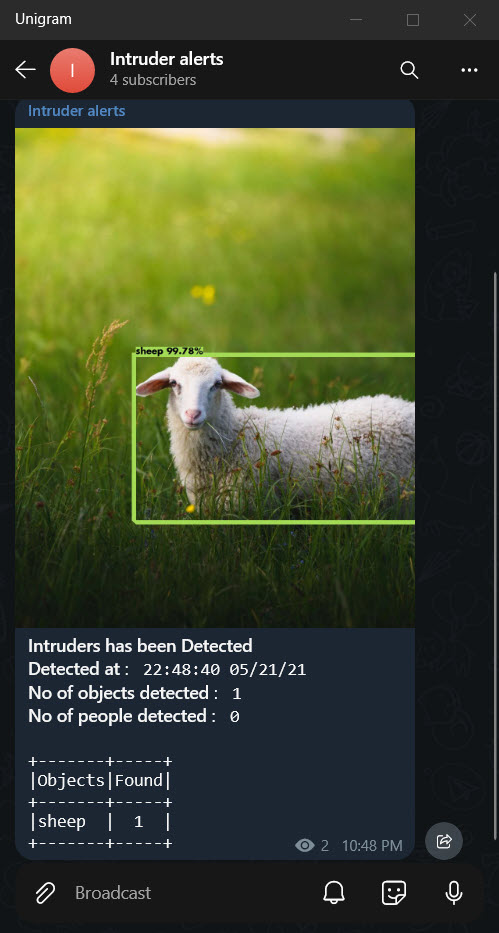
-
Bot Commands Usage
-
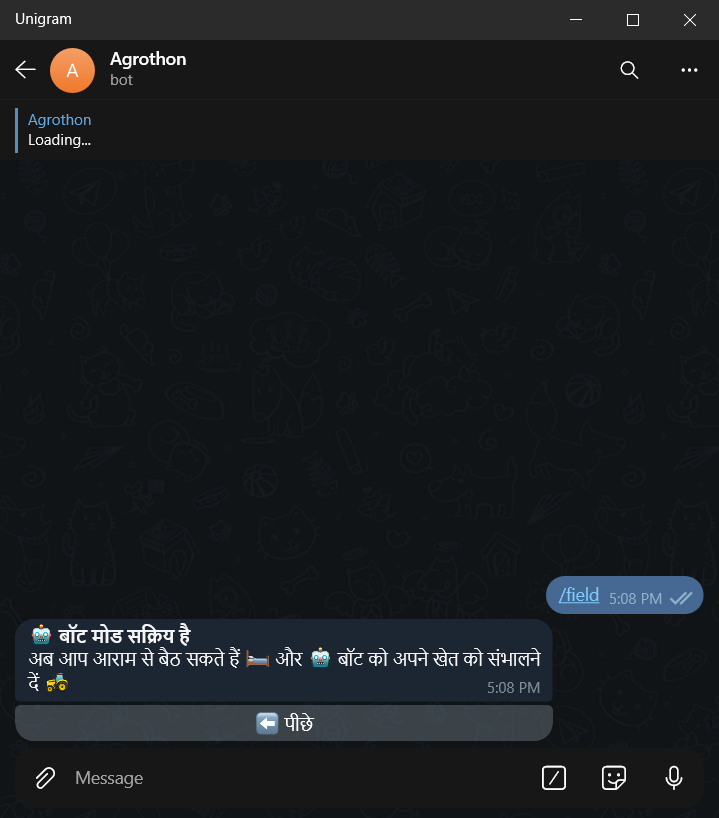
Pump Prediction
-
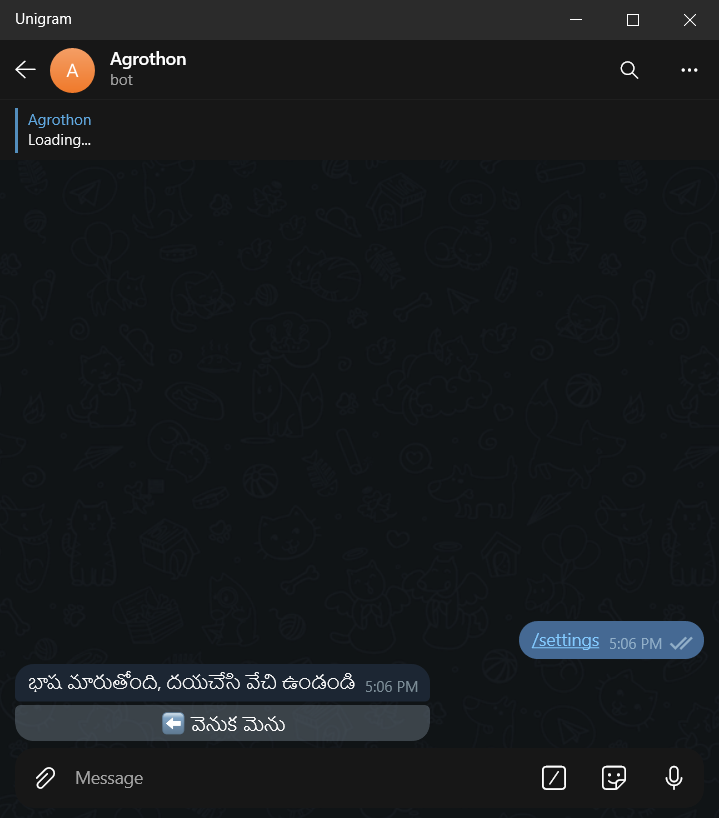
Language Change
-
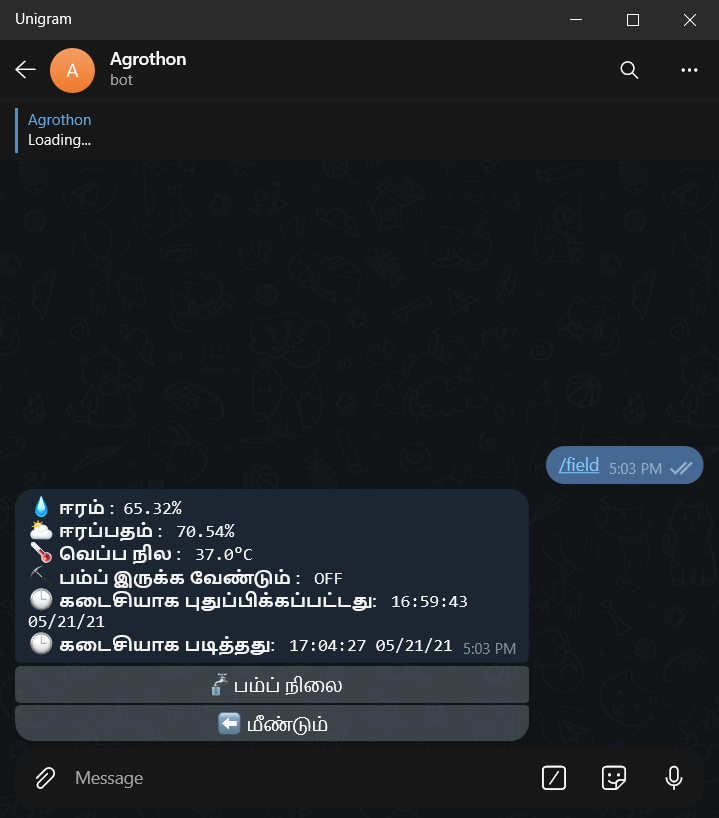
Complete info
-
Field Command
-
Help Command
-
Object Detection by sending an Image to Bot
-
Language Menu
-
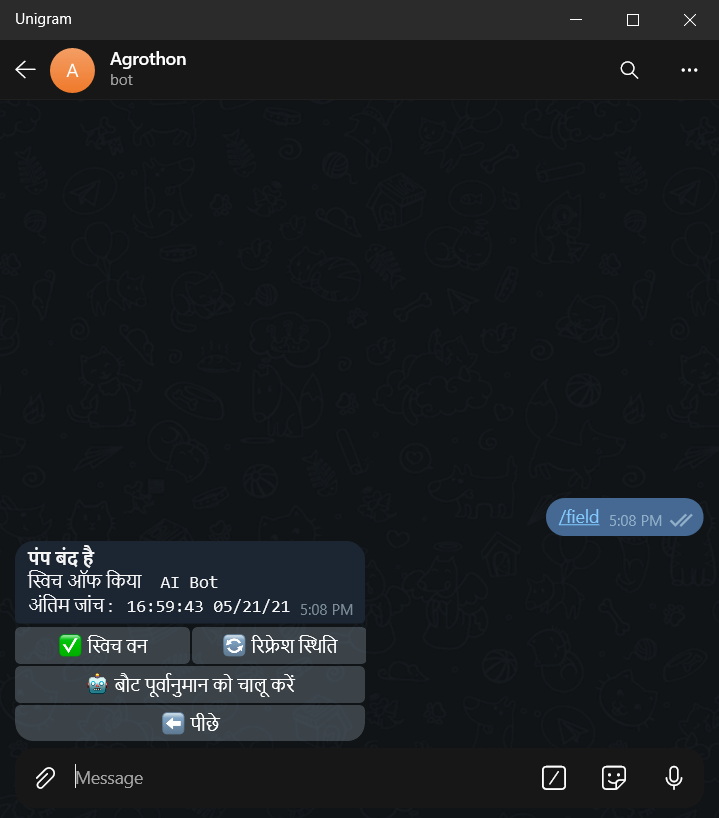
Pump Keyboard
-
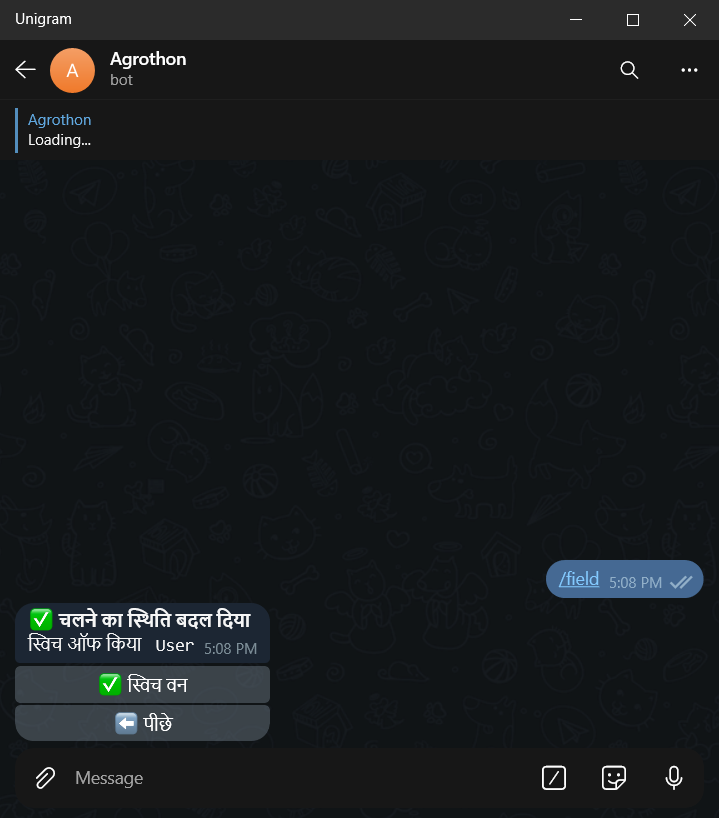
Pump on/off
-
Rainfall Prediction
-
Settings Keyboard
-
Server Stats
-
Weather Data
-