This SimpleCalculator application features:
- SimpleCalculator.Web - An ASP.NET Core web application
- SimpleCalculator.Console - A .NET console application
- Dependency Injection Design Pattern
- The MVC (Model-View-Controller) architectural Design Pattern
For information about MVC pattern and DI pattern
The application is separated into 3 layers:
- The business logic layer Calculations
- The data access layer SimpleCalculator.DataAccess
- The presentation layer SimpleCalculator.Web and SimpleCalculator.Console
The SimpleCalculator.Web and SimpleCalculator.Console use the same business logic Calculations
The web application showcases:
- ASP.NET core MVC
- ASP.NET core WEB API
- Using EntityFramework core and Microsoft SQL Server
- AutoMapper for mapping one object to another.
- LINQ
- Client-side requests paging using JavaScript Ajax Call
- Unit tests for the Services using xUnit and Moq
- Install the dotnet-ef tool
- Install the Microsoft SQL Server Management Studio
-
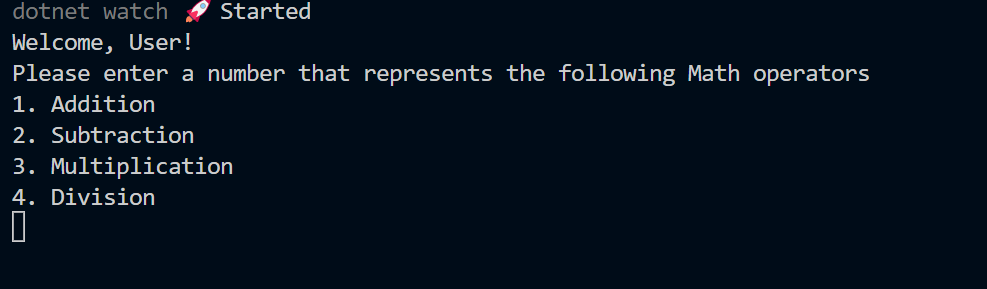
Visual Studio Code - Open the SimpleCalculator.Console terminal windows and then run the command:
dotnet watch runThis will run the console application and display the console UI for user interaction:
-
Visual Studio Code - Open the SimpleCalculator.Web terminal windows and then run the command:
dotnet watch runThis will run the web application. Navigate the web application - Home - Privacy - Results

- The webpage Home displays the calculator's UI for calculation operations and some filtered data from Microsoft SQL server as shown above:
- ASP.NET Core MVC
- LINQ retrieves data from the data source as well as order and filter the data

- The webpage Results displays filtered calculation results from Microsoft SQL server and a pagination panel as shown above:
- ASP.NET Core Web API and JavaScript Ajax Call retrieves data and display paging
- LINQ retrieves data from the data source and filters the data that displays on the webpage
The SimpleCalculator Web API controller can run standalone as well. You can run it and make requests to various endpoints using any client of your choice:
