A website for a web development course. The project was built with vanilla javascript. Most of the content was rendered dynamically by manipulating the DOM. CSS animations was also used to improve the user experience of the application.
Capstone Project
- HTML/CSS/Javascript -NPM, Git, Github

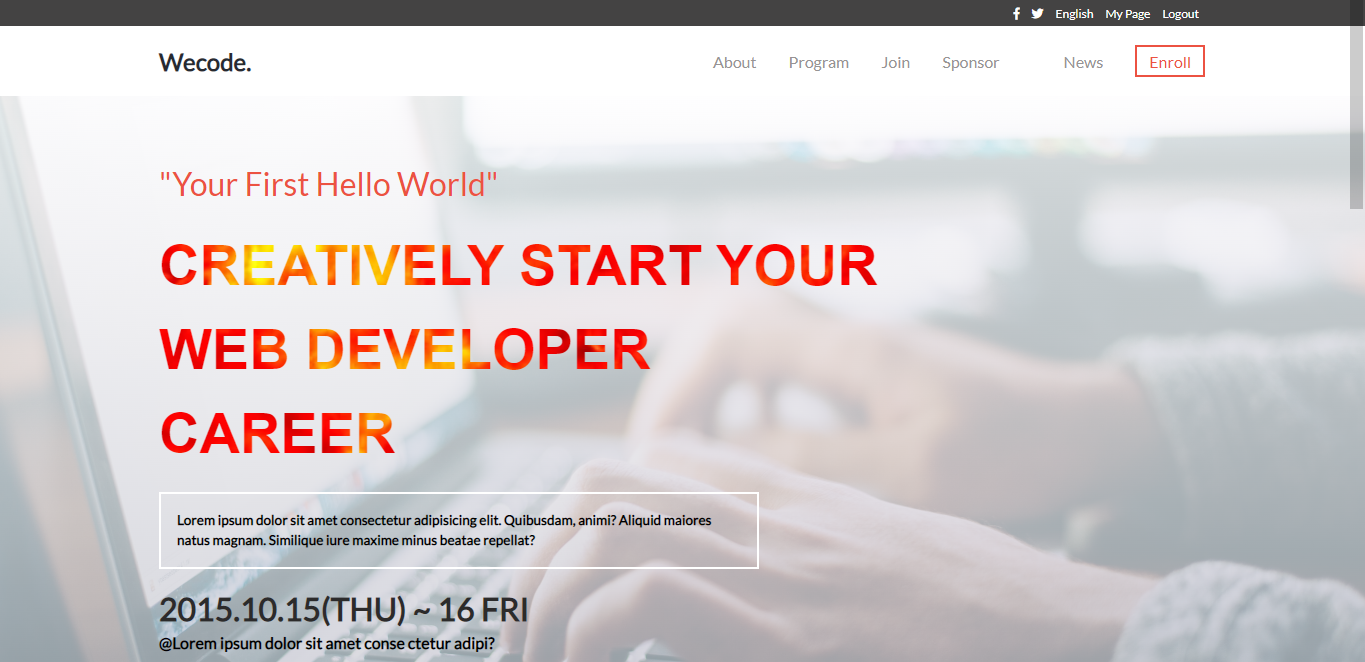
Click the Link to see a Live Demo to this project.
Here is another link to github pages Link to see a Live Demo to this project.
Here is a Link to a video of this project.
Setting up Capstone Project
Node package Manager(NPM) To install NPM on your local machine, please visit NPM official website Text editor(Vscode, Atom, NotePad++, Sublime)
- Click on the clone button to copy the clone
- Open Terminal and run git clone
- Clone the repo
- From you terminal run " code ." to open in your code editor.
Run the following commands to install dependencies
npm install --save-dev hint@7.x npm install --save-dev stylelint@13.x stylelint-scss@3.x stylelint-config-standard@21.x stylelint-csstree-validator@1.x
npx hint . npx stylelint "**/*.{css,scss}"
👤 Promise Uka
- GitHub: @Ukaypromise
- Twitter: @PromiseUkay
- LinkedIn: @promiseuka
Thanks to all who has and will contribute to this project.
Give a ⭐️ if you like this project!
- Thanks to Cindy Shin whose design gotten from behance was used as an inspiration for this project.
- etc
This project is MIT licensed.