A modern No-Code Trading Strategy Backtesting Platform that empowers traders to create Strategy, backtest, and optimize their trading strategies without writing a single line of code. Powered by advanced AI analytics , ChatBot and real-time insights .
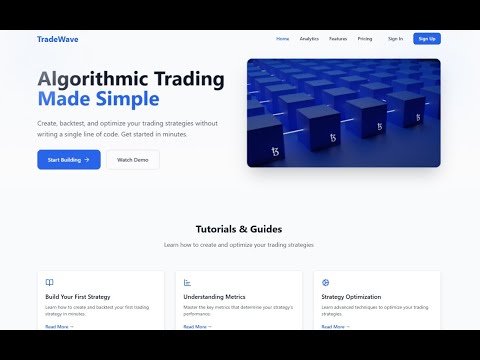
- Entry/Exit Points: Create complex trading conditions
- Multiple indicators support
- AND/OR logic combinations
- Custom indicator creation
- Risk Management:
- Stop-loss configuration
- Take-profit settings
-
Performance Metrics:
Monthly Returns: Track your strategy's monthly performance
Win Rate: Analyze success ratio
Risk/Reward: Evaluate risk-adjusted returns
-
Interactive Charts:
📈 Monthly Returns Chart
📊 Win/Loss Ratio
⏱️ Trade Duration Analysis
-
AI Assistant:
🤖 Real-time strategy analysis
💡 Performance insights
🔄 Optimization suggestions
📝 Custom recommendations
- Frontend:
- React.js
- JavaScript
- Tailwind Css
- React-Chartjs-2
- Backend:
- Python
- flask
- Database:
- MongoDB
- GenAI:
- OPENAI
- Langchain
  node -v # v14.0.0 or higher
npm -v # v6.0.0 or higherClone the repository
git clone https://github.com/UditJain2622004/backtest-platform.gitNavigate to frontend directory
cd backtest-platform/FrontendInstall dependencies
npm installStart Frontend server
npm run devThe frontend will be available at http://localhost:5173
For env file
make a .env file in that file write
MONGODB_URI:<YOUR MONGODB URI>
JWT_SECRET:<MAKE SECRET KEY FOR JWT>
MODEL:gpt-4o-mini
OPEN_API_KEY:<YOUR OPENAPI KEY>
For Start Backend
cd ..
cd backtest-platform
pip install -r requirements.txt
For Start Backend Server
python backend/app.pyThe backend API will be available at http://localhost:5000
- Go to OpenAI API Platform
- Sign up or log in to your account
- Navigate to API Keys section
- Create a new API key
- Copy the key and add it to your backend
.envfile asOPENAI_API_KEY
- Udit Jain - Udit Jain
- Ankush - Ankush Kumar
- Ankur - Ankur
- The Big 3