A clean, retro-styled command-line notes manager — made for fun, built in Python.
NoteMan is a simple terminal-based note tool. It lets you:
- ✍️ Write notes
- 📄 View your saved notes
- 📋 List all notes
- 🧽 Edit or delete specific notes
- 🚨 Use panic mode to clear everything in one go
Your notes are stored locally inside a storage/ directory.
No internet. No cloud. No nonsense.
| Command | Description |
|---|---|
note write |
Create a new note |
note view |
View a specific note |
note list |
See all saved notes |
note delete |
Delete a note by its name |
note edit |
Edit an existing note |
panic |
💣 Wipe all your notes immediately |
setup |
First-time setup — installs dependencies |
| Home Page | Write Mode | List Mode |
|---|---|---|
 |
 |
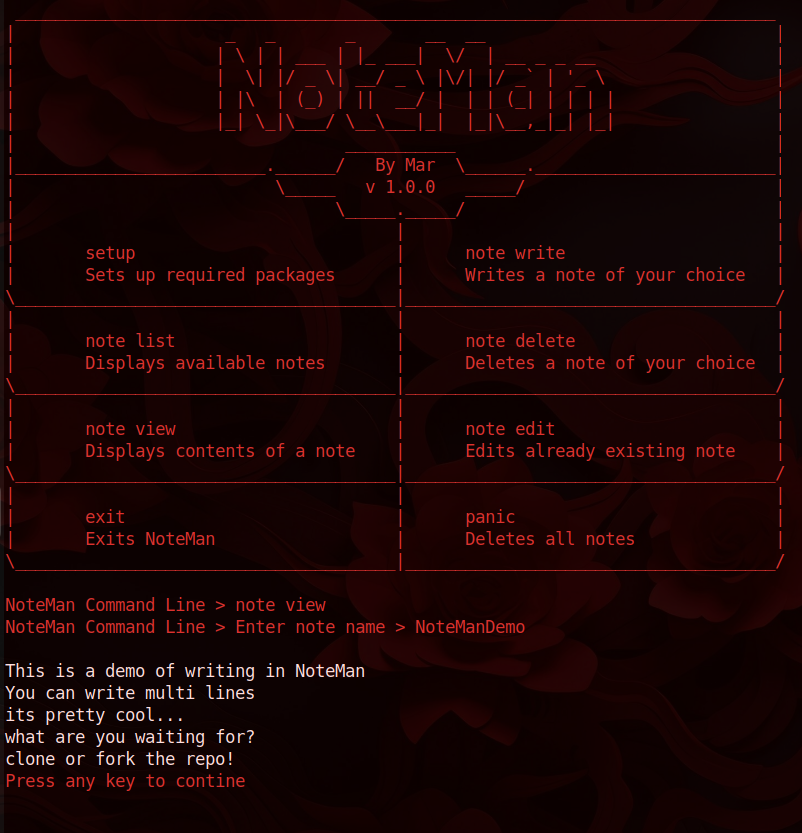 |
📌 You only need Python 3 and Git installed initially.
git clone https://github.com/TheDesiignerr/NoteMan
cd NoteManpython3 main.pysetup- It will auto-install or update Git (asks for
sudoif needed). - Prepares everything so you're ready to go.
- Then start writing notes with
note write, list them withnote list, etc.
All notes are saved as .txt files inside a local storage/ directory.
You can back it up, or wipe it with panic mode if needed.
Honestly? No deep reason.
Just built for fun, for people who enjoy working in the terminal.
Made by TheDesiignerr
Powered by Python 3, colorama, and terminal energy ⚡
MIT License — free to use, fork, modify, or obliterate.