Commands
A command that allows players with a specific permission to be able to access this chat, this is for the higher ups on the server allowing them to split off from the admin chat and have their own private conversations.

A command that spams the chat with empty messages to ensure that the chat is clear if something in chat is sent that is bad. This can be bypassed with players with the follwing permissions core.clearchat.bypass

A command that allows a player with the permission to be able to mute the chat so player can stop talking, this can be very useful during flood periods on the server. This can be bypassed by players with the following permission core.mutechat.bypass

A command that allows a player to report another player. This command has a 30 second cooldown. A player with the following permission will be
able to recieve these reports core.report.alert

A command that allows a player to request for assistance from staff serverwide. To receive these requests you, a player needs the following permission core.request.alert

A command that allows an administrator to slow the rate of messages by a player. A player with the permission core.slowchat.bypass will bypass this.

A command that allows staff to be able to communicate with eachother without the players knowledge

A command that lets you view the alt accounts of a player.

A command that shows you the current online players with their respective ranks as their colors

A command that allows you to set the max amount of players on the server

A command that allows you to sync your account with the discord bot.

A command that allows you to see some information about the player.

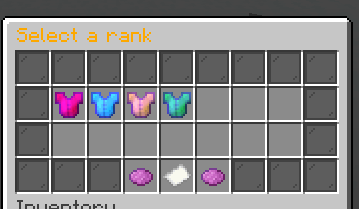
A command that allows you to grant somebody a rank, this is procedure it has 4 steps
-
You select the rank through a GUI
-
You select the duration through a chat message

-
You select the reason for this grant

-
You confirm by typing yes

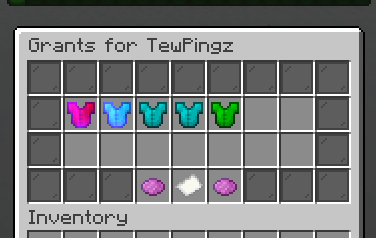
A command that allows you to see the history of grants and also remove them by right clicking them
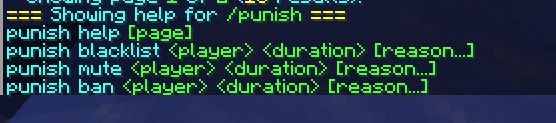
A command that allows you to punish a player. This is also a procedure
-
You select the duration

-
You provide the reason for the punishment

A command that allows you to unpunish a player.
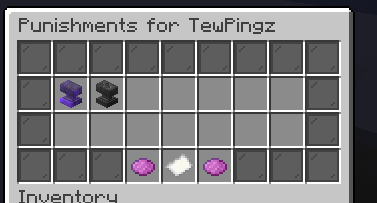
A command that allows you to see the punishment history of a player
A command that allows you to join the queue

A command that allows you to leave the queue

A command that allows you to list all the ranks

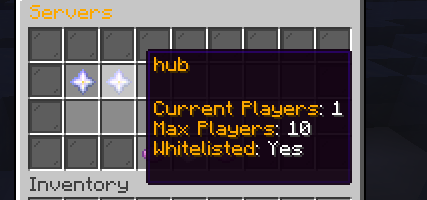
A command that allows you to see all the currently online servers
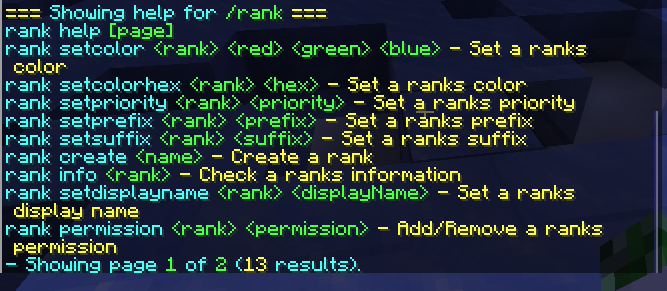
A command that allows you to configure the ranks
A command that allows console to perform punishments