Welcome to the Thunderstorm Event Reconnaissance (THUNER) package! THUNER is a flexible toolkit for multi-feature detection, tracking, tagging and analysis of events in meteorological datasets; documentation is available online. THUNER's intended application is the tracking and analysis convective weather events. If you use THUNER in your work, consider citing
- Leese et al. (1971)
- Dixon and Wiener (1993)
- Whitehall et al. (2015)
- Fridlind et al (2019)
- Raut et al (2021)
- Short et al. (2023)
Note many excellent alternatives to THUNER exist, including PyFLEXTRKR, GTG, TAMS, tobac and MOAAP. When designing a tracking based research project involving THUNER, consider performing sensitivity tests using these alternatives.
THUNER uses conda
or pip for installation and to manage dependencies.
First ensure either conda or pip is installed; conda is the preferred method. Note
that THUNER depends on xesmf for regridding, which is not currently supported on
Windows. While THUNER can still be installed on Windows systems, some features may not
work as intended.
The THUNER repository can be cloned from GitHub in the usual ways. Cloning the repository is the easiest way to access the demo, workflow and gallery folders. After cloning, navigate to the THUNER directory and create a new conda environment using
conda env create -f environment.yml
conda activate THUNER
Then run
pip install .from the THUNER root directory.
Alternatively, THUNER can be installed using conda. Create a new conda environment
as above, then run
conda install -c conda-forge thunerWhile conda installation is preferred, pip may also be used to install directly
from PyPI. First install the esmpy package manually as detailed
here.
Then run
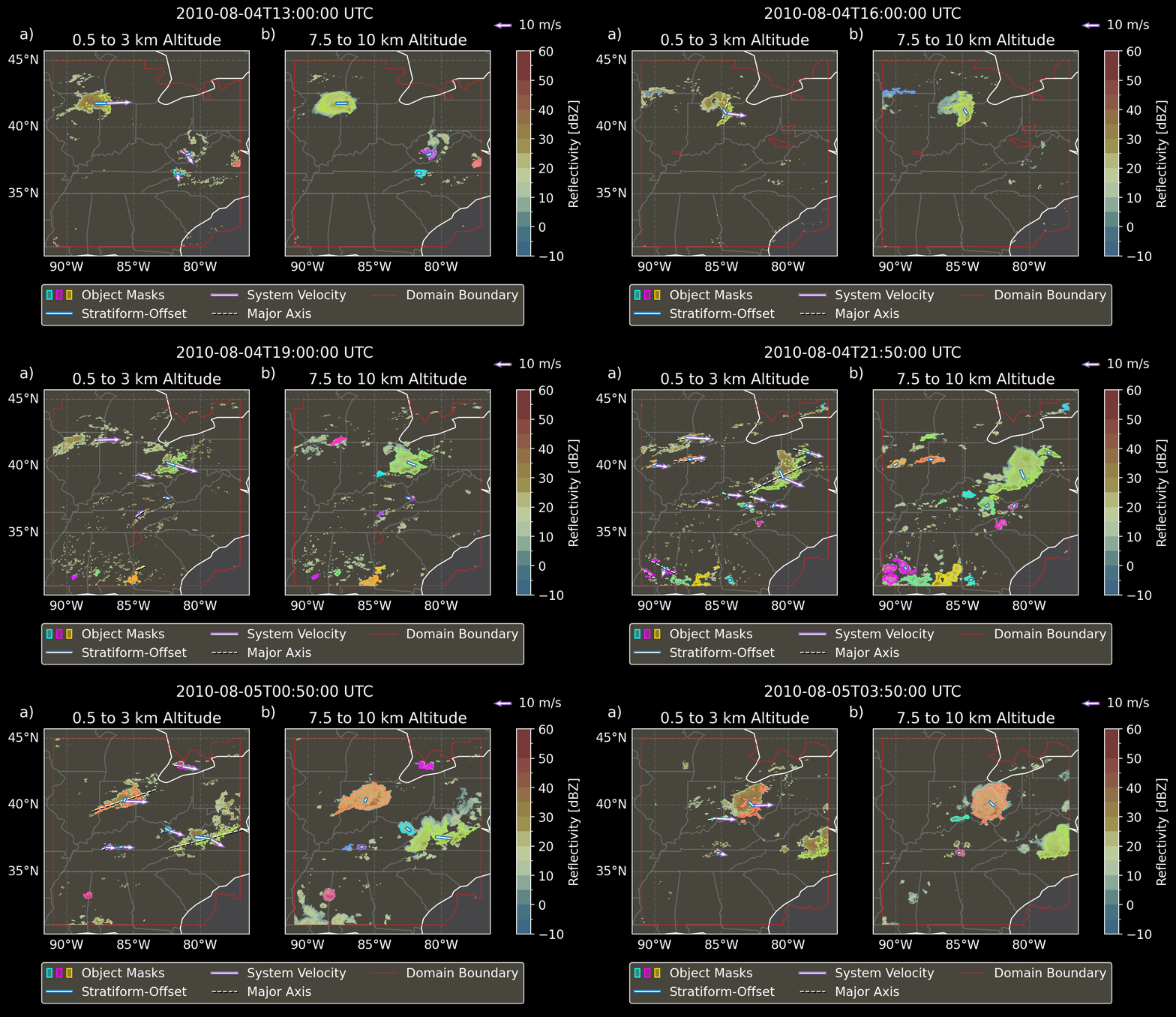
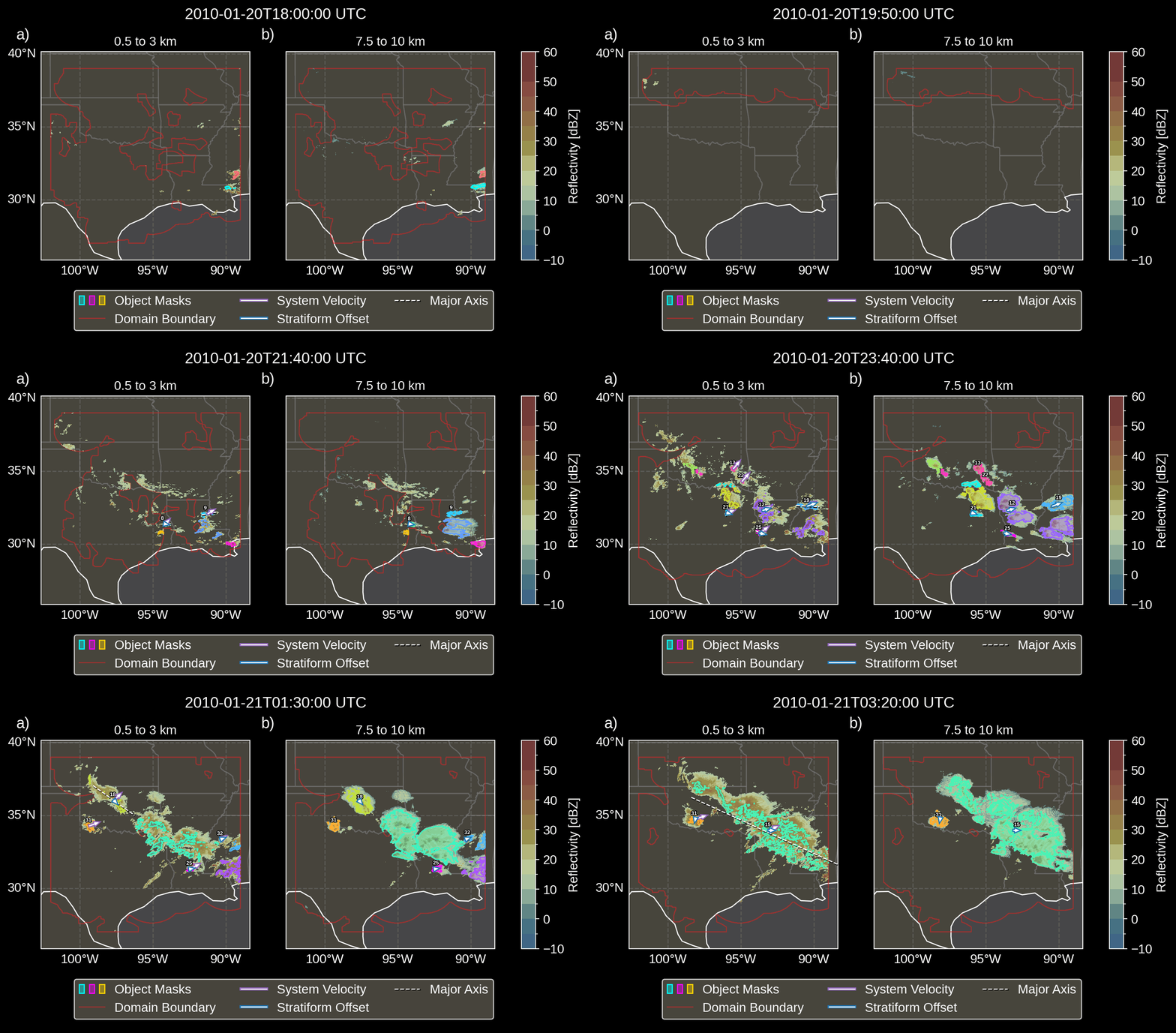
pip install thunerThe examples below illustrate the tracking of convective systems in GridRad Severe radar data. Object merge events are visualized through the “mixing” of the colours associated with each merging object. Objects that split off from existing objects retain the colour of their parent object. Objects which intersect the domain boundary have their stratiform-offsets and velocities masked, as these cannot be measured accurately when the object is partially outside the domain.
The example below depicts multiple trailing-stratiform type systems.
The example below depicts multiple leading-stratiform type systems.
According to Wikipedia, between the 8th and 16th centuries the storm god more commonly known as Thor was called "Thuner" by the inhabitants of what is now west Germany. Interestingly, almost every culture has at least one storm deity; Dianmu and Leigong in China, Indra in India, Bol'ngu the Thunderman among the Yolngu people of Northern Australia, and many others.
THUNER was developed by Ewan Short while supported by Australian Research Council grants CE170100023 and DP200102516. Note THUNER began as a fork of the TINT package, which was adapted from tracking code by Bhupendra Raut. Computational resources during THUNER's development were provided by the Australian National Computational Infrastructure (NCI). THUNER's documentation is hosted by Read the Docs.