Go to:
This program can:
- read data from JSON file,
- visualize shop panel,
- increment, decrement or remove items from cart,
- send information with ids and quantities of ordered items
Technologies used: Visual Studio, .NET, Windows Forms, LINQ, Newtonsoft.Json.
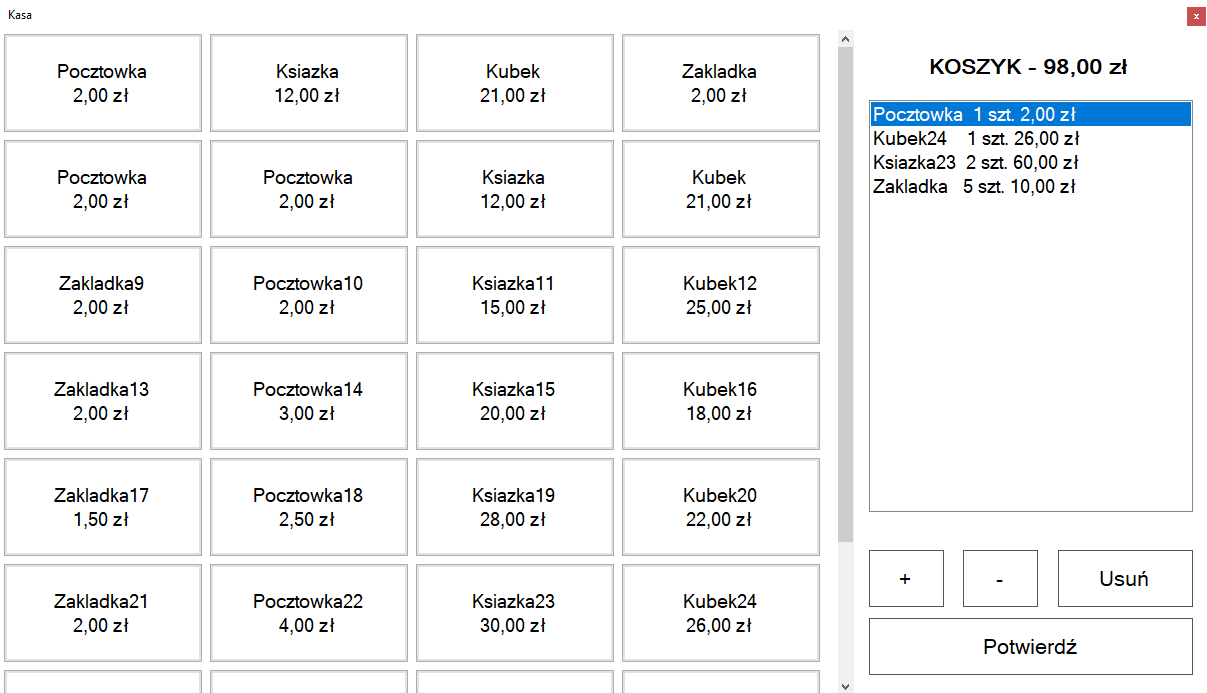
Products are read from the JSON file. After reading the data, it is validated and the correctness of the database is checked (if ids are unique, name exists and price is more than 0). Then a button is created for each product with its name and price on it.
The cart is controlled by four buttons:
- increase
- decrease
- delete
- confirm
Increase button allows to add one of selected item in cart. Decrease button allows to remove one of selected item in cart. If there is only one item left, user will be asked if item should be removed from cart. Delete button removes item from cart regardless of how many pieces there were. Confirm button asks for confirmation and information about all items from cart is sent to console. User is informed about value of the entire cart.
In order for the project to work properly, you need to change a few things:
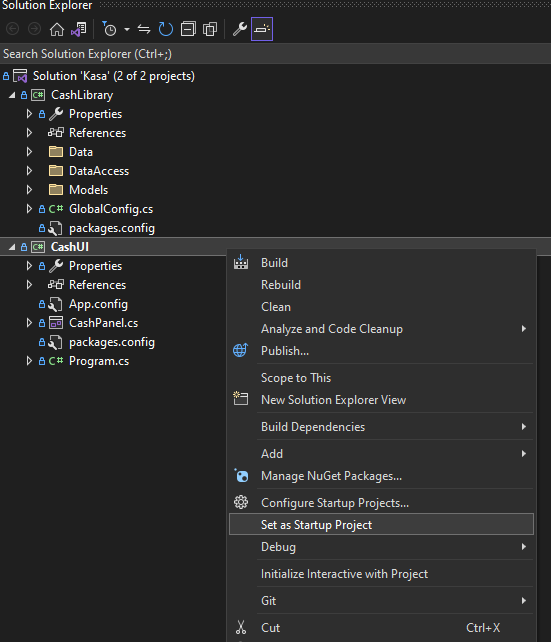
As default Visual Studio sets first project as Startup one so this must be changed in order to work properly.
Change key value in <appSettings> for DataFileFullPath:
Easly it can be created by Solution Explorer in Visual Studio
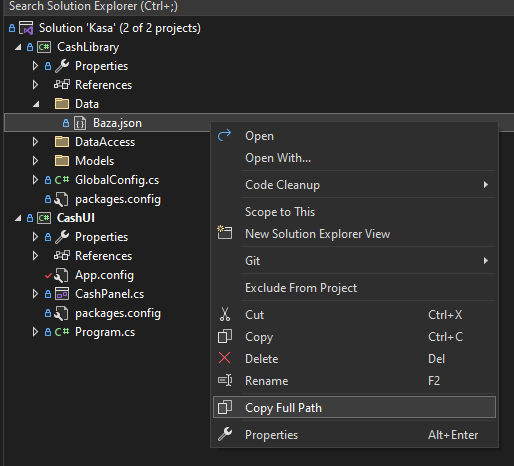
Then it should be pasted in CashUI project in file: App.config:
	<appSettings>
		<add key="DataFileFullPath" value="C:\Full\Path\To\File.json"/>
	</appSettings>
And you should be good to go!
If you find any problem, please let me know.