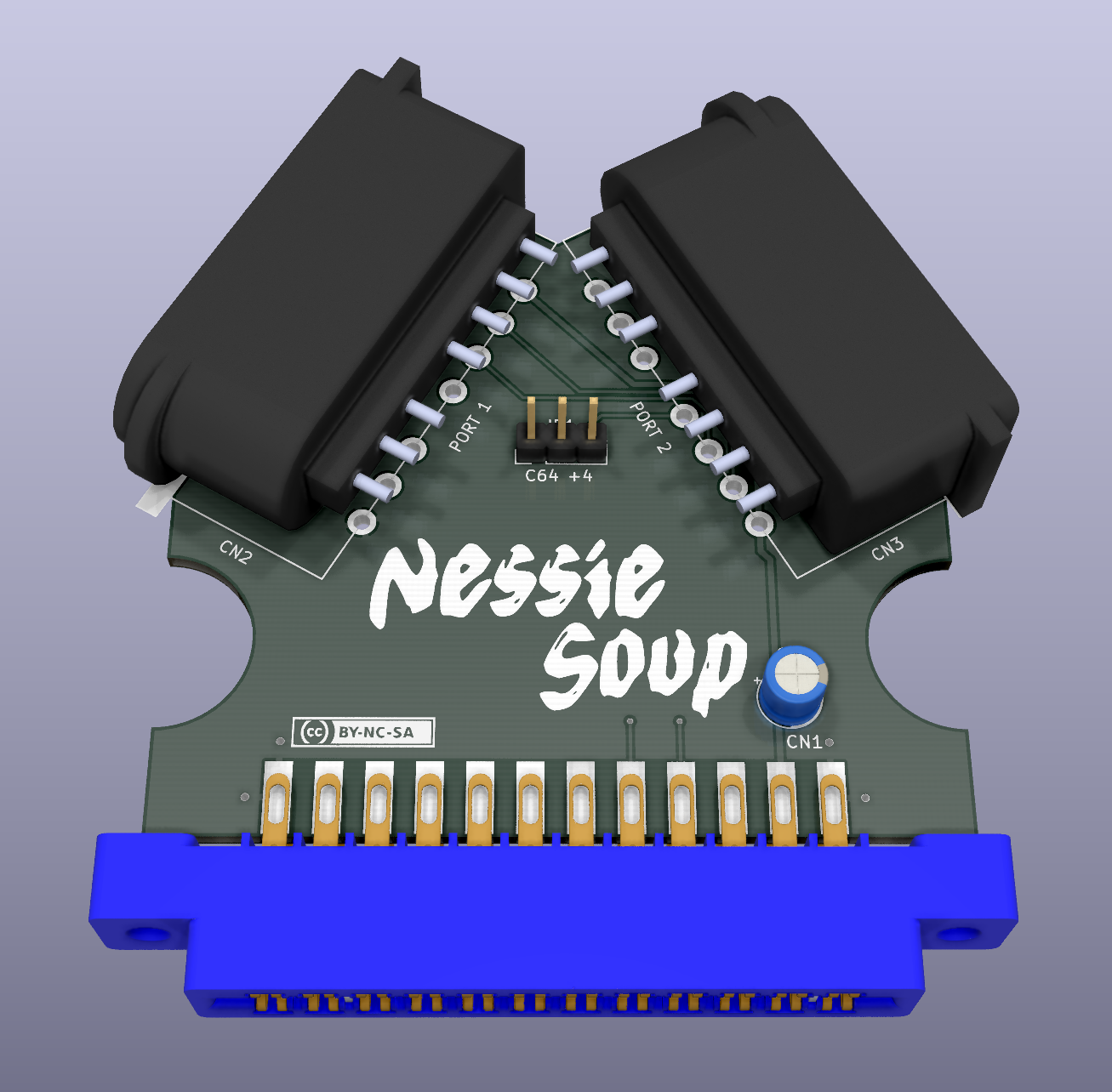
NessieSoup is a simple adapter that allows connecting Super Nintendo controllers to a Commodore 64, 128 or Plus/4.
The game Attack of the PETSCII Robots by The 8-Bit Guy supports SNES controllers when running on the C64, VIC-20, Plus/4, and PET with a custom adapter. While I didn't have the game (nor the adapter), I was able to figure out how it works and I noticed that it could easily be expanded to support more than one controller and advanced peripherals, such as the SNES MultiTap and (possibly) the Super Scope.
So I designed a new PCB with 2 controllers ports: the first port is designed to be fully compatible with the original adapter (which means it should work with PETSCII Robots, but I was unable to test it), while the second one supports either a second controller or the more advanced peripherals.
The project also has the purpose of openly documenting this adapter, so that more games can be developed with support for SNES controllers (and all their buttons!).
The board plugs in the User Port, which means that it can also be used on a C16 or C116 through a User Port card.
Get the SNES and userport connectors on AliExpress & similar sites.
The capacitor is optional.
The board is completely passive, so it's all down to the software. This means you should first of all get familiar with the SNES controller protocol, then the following will start to make sense:
| Signal | Userport Pin +4 | Userport Pin C64/128 | Userport Pin VIC-20 | Userport Pin PET |
|---|---|---|---|---|
| Latch | J/D6 | J/PB5 | J/PB5 | J/PA5 |
| Clock | F/D7 | F/PB3 | F/PB3 | F/PA3 |
| D0 (Port 1) | K/D1 | K/PB6 | K/PB6 | K/PA6 |
| D0 (Port 2) | B/D0 | C/PB0 | C/PB0 | C/PB0 |
| D1 (Port 2) | 4/D2 | |||
| PP (Port 2) | 5/D3 |
NOTE: The adapter has only been tested on the +4 and C64, pinouts for other computers is only provided as a reference, use at your own risk.
Note that JP1 must be set to +4 only when the board is connected to a +4, C16 or C116 computer, use the C64 position in all other cases.
Some example code for controller detection and polling is provided on the Wiki.
Code for reading the SNES MultiTap and the Super Scope has not been developed yet. The D1 and PP signals are only needed for these purposes and the way they are connected might only work on the +4. More work is needed in this regard, feel free to contribute ;).
If you want to get this board produced, you are recommended to get the latest release rather than the current git version, as the latter might be under development and is not guaranteed to be working.
Every release is accompanied by its Bill Of Materials (BOM) file and any relevant notes about it, which you are recommended to read carefully.
The NessieSoup documentation, including the design itself, is copyright © SukkoPera 2024 and is licensed under the Creative Commons Attribution-NonCommercial-ShareAlike 4.0 International License.
This documentation is distributed as is and WITHOUT ANY EXPRESS OR IMPLIED WARRANTIES whatsoever with respect to its functionality, operability or use, including, without limitation, any implied warranties OF MERCHANTABILITY, SATISFACTORY QUALITY, FITNESS FOR A PARTICULAR PURPOSE or infringement. We expressly disclaim any liability whatsoever for any direct, indirect, consequential, incidental or special damages, including, without limitation, lost revenues, lost profits, losses resulting from business interruption or loss of data, regardless of the form of action or legal theory under which the liability may be asserted, even if advised of the possibility or likelihood of such damages.
If you want to get some boards manufactured, you can get them from PCBWay through this link:

You get my gratitude and cheap, professionally-made and good quality PCBs, I get some credit that will help with this and other projects. You won't even have to worry about the various PCB options, it's all pre-configured for you!
Also, if you still have to register, you can use this link to get some bonus initial credit (and yield me some more).
You can also buy me a coffee if you want:

- The 8-Bit Guy for designing the original adapter.
- wepfont for the M Malaming font used in the logo.